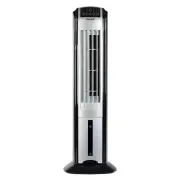
NewAir AF-310 Evaporative Cooler – User Manual, read for free online in PDF format. We hope this helps you resolve any issues you may have. If you have further questions, please contact us through the contact form.
1
2
3
4
5
6
7
8
9
10
11
12
13
Table of Contents:
Page 2 – A Name You Can Trust; Connect with us online.
Page 3 – EAD AND SAVE THESE INSTRUCTIONS; T A B L E O F C O N T E N T S; S P E C I F I C A T I O N S; S A F E T Y I N F O R M A T I O N & W A R N I N G S
Page 5 – P A R T S L I S T
Page 7 – O P E R A T I N G I N S T R U C T I O N S
Page 9 – SPEED Button
Page 11 – Air Direction Lever; C L E A N I N G & M A I N T E N A N C E; Cleaning the Filter
Page 12 – T R O U B L E S H O O T I N G; Problem
Page 13 – L I M I T E D M A N U F A C T U R E R ’ S W A R R A N T Y; Warranty Terms:
Loading the manual
Evaporative Cooling Fan
AF-310
OWNERS MANUAL
Read and save these instructions.
.
"Loading the manual" means you need to wait until the file loads and becomes available for online reading. Some manuals are very large, and the time they take to appear depends on your internet speed.
Summary
Page 2 - A Name You Can Trust; Connect with us online.
2 http://www.NewAir.com A Name You Can Trust Trust has to be earned and we will earn yours. Customer happiness is the focus of our business. From the factory to the warehouse, from the sales floor to your home, the whole NewAir family promises to provide you with innovative products, exceptional ser...
Page 3 - EAD AND SAVE THESE INSTRUCTIONS; T A B L E O F C O N T E N T S; S P E C I F I C A T I O N S; S A F E T Y I N F O R M A T I O N & W A R N I N G S
3 A Name You Can Count On R EAD AND SAVE THESE INSTRUCTIONS . T A B L E O F C O N T E N T S Safety Information & Warnings ........................................................................... 3 Parts List ........................................................................................
Page 5 - P A R T S L I S T
5 A Name You Can Count On P A R T S L I S T S E T U P I N S T R U C T I O N S Before operating the unit, pull out the water tank and fill it with water before operating the fan. Do not pour water above 100°F into the water tank. For enhanced cooling, ice can be added to the ice box located within th...
Page 7 - O P E R A T I N G I N S T R U C T I O N S
7 A Name You Can Count On O P E R A T I N G I N S T R U C T I O N S POWER BUTTON: 1. Connect the plug into the power outlet. A beeping sound will be heard once the plug is plugged in. 2. Press the POWER button. The FAN indicator and HIGH speed indicator will turn on and beep. The unit will operate o...
Page 9 - SPEED Button
9 A Name You Can Count On MED Speed + NATURE Mode: 1. Press the NATURE button when the SPEED mode is set to MED speed. This will program the unit to work in NATURE mode with MED speed. At this time, both the MED and NATURE indicators will turn on. The speed will automatically change according to thi...
Page 11 - Air Direction Lever; C L E A N I N G & M A I N T E N A N C E; Cleaning the Filter
11 A Name You Can Count On Air Direction Lever Adjust the direction of the inside wind bar by turning the lever. This will allow you to adjust the air flow horizontally. C L E A N I N G & M A I N T E N A N C E IMPORTANT: Disconnect the plug from the power outlet before cleaning or maintaining ...
Page 12 - T R O U B L E S H O O T I N G; Problem
12 http://www.NewAir.com 1. Remove the back cover and dust filter from the unit. 2. Remove the cooling pad from the unit. 3. Rinse the filter net and cooling pad with water, and then dry them in direct sunlight. 4. Replace the filter and cooling pad. T R O U B L E S H O O T I N G Problem Possible Ca...
Page 13 - L I M I T E D M A N U F A C T U R E R ’ S W A R R A N T Y; Warranty Terms:
13 A Name You Can Count On L I M I T E D M A N U F A C T U R E R ’ S W A R R A N T Y This appliance is covered by a limited manufacturer’s warranty. For one year from the original date of purchase, the manufacturer will repair or replace any parts of this appliance that prove to be defective in mate...