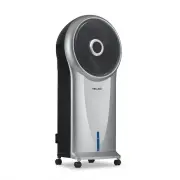
Page 2 - EAD AND SAVE THESE INSTRUCTIONS; T A B L E O F C O N T E N T S; Limited Manufacturer’s War; S P E C I F I C A T I O N S; Yes
2 newair.com R EAD AND SAVE THESE INSTRUCTIONS . T A B L E O F C O N T E N T S Register Your Product Online ............................................................................... 3 Safety Information & Warnings ........................................................................... ...
Page 3 - R E G I S T E R Y O U R P R O D U C T O N L I N E; Register Your NewAir Product Online Today!; Opt-in for NewAir promotions and offers
3 newair.com R E G I S T E R Y O U R P R O D U C T O N L I N E Register Your NewAir Product Online Today! Take advantage of all the benefits product registration has to offer: Service and Support Diagnose troubleshooting and service issues faster and more accurately Recall Notifications Stay up to d...
Page 4 - S A F E T Y I N F O R M A T I O N & W A R N I N G S; shock or fire hazard, and will void the manufacturer’s warr
4 newair.com S A F E T Y I N F O R M A T I O N & W A R N I N G S These instructions are not meant to cover every possible condition and situation that may occur. Please read all instructions before using this evaporative cooler. Failure to carefully read all instructions may result in possible e...
Page 5 - Safety Warnings and Precautions; Chemical Burn Hazard. Keep batteries away from children.; SAVE THESE INSTRUCTIONS
5 newair.com • Do not place the cooler near an open flame or cooking/heating appliances. • If the evaporative cooler will not be in use, empty the tank of any remaining water. • If the cooler’s plug or power cord is damaged, do not attempt to repair the components yourself. Please contact customer s...
Page 6 - P A R T S L I S T; Evaporative cooler
6 newair.com P A R T S L I S T Check to insure the following parts are included with your product: • Evaporative cooler • Ice Pack • Remote control • CR2032 3V battery
Page 7 - P R O D U C T B E N E F I T S
7 newair.com 1. Fan head 9. Cooling pad slot 2. Display panel 10. Dustproof air filter 3. Water level indicator 11. Water tank 4. Caster 12. Power cord bracket 5. Control panel 13. Power cord 6. Remote control storage slot 14. Water tank knob 7. Carrying handles 15. Ice pack 8. Cooling pad knob 16. ...
Page 9 - U S I N G T H E I C E P A C K; Put the ice pack into one of the water tank’s chambers.
9 newair.com U S I N G T H E I C E P A C K The NEC500SI00 evaporative cooler includes an optional ice pack for added cooling. 1. Place the ice pack in the freezer until frozen. Do not open the ice pack or ingest its contents. 2. Put the ice pack into one of the water tank’s chambers. 3. The ice pack...
Page 10 - Press the ON/SPEED button to turn on the evaporative cooler.
10 newair.com T H E C O N T R O L S & O P E R A T I O N After the tank is filled with water, connect the evaporative cooler to a power outlet. The unit will beep twice, indicating that the power source is connected. The cooler will be in standby mode at this time. O N / S P E E D & O F F B U...
Page 11 - C O O L E R / H U M I D I F I E R B U T T O N; Indicator; M O D E B U T T O N; Natural Mode
11 newair.com C O O L E R / H U M I D I F I E R B U T T O N Cooler/Humidifier Indicator After the desired fan speed has been selected, press the COOLER/HUMIDIFIER button to activate the cooling/humidifying function. This powers the water pump, cools the air and adds moisture to your air at the same ...
Page 12 - T I M E R B U T T O N; The set time will be indicated in the middle of the display panel.; S W I N G B U T T O N; Swing
12 newair.com T I M E R B U T T O N 1. This evaporative cooler is equipped with a 7.5 hour programmable timer. To set the timer, press the TIMER button. Each press of this button will add 0.5 hours to the set time. 2. The set time will be indicated in the middle of the display panel. S W I N G B U T...
Page 13 - U S I N G T H E R E M O T E C O N T R O L; Even used cells may cause injury.; A D D I T I O N A L F E A T U R E S
13 newair.com U S I N G T H E R E M O T E C O N T R O L The unit is equipped with a remote control. A CR2032 3V coin-type replacement battery is included for your convenience. 1. To put the battery inside the remote control, insert a cell into the slot located on the back of the remote control and t...
Page 14 - Use a soft cloth and a mild soap and warm water solution to clean the; C L E A N I N G T H E D U S T F I L T E R & C O O L I N G P A D
14 newair.com C L E A N I N G A N D M A I N T E N A N C E A T T E N T I O N : M A I N T E N A N C E Always unplug the evaporative cooler from the power supply before servicing or cleaning. Regular cleaning and maintenance is an essential step in maintaining the longevity of your tower evaporative co...
Page 15 - Empty any water from the tank.
15 newair.com C L E A N I N G T H E W A T E R T A N K The water tank should be emptied regularly to ensure hygienic use. To clean the tank, rinse it with warm water and a light detergent solution. Rinse with clean water and allow it to dry completely before placing it back into the cooler. W A T E R...
Page 16 - Replace cooling pad and dust filer and operate unit as normal.
16 newair.com 5. Run the cooler for 30 seconds. This will circulate the cleaning solution through the pump and tubing to remove any leftover mineral deposits. Do not operate longer than 30 seconds, or damage might occur to other parts of the cooler 6. Rinse the tank and fill it with clean water. Run...
Page 17 - T R O U B L E S H O O T I N G; Problem; The pump is defective.
17 newair.com T R O U B L E S H O O T I N G Problem Possible Causes Solution There is no airflow. The power cord is not plugged in. Check to make sure the plug is plugged into an outlet. The unit should beep twice once the power supply is connected. The water tank is not locked into the unit. Make s...
Page 18 - L I M I T E D M A N U F A C T U R E R ’ S W A R R A N T Y; Warranty Exclusions:
18 newair.com L I M I T E D M A N U F A C T U R E R ’ S W A R R A N T Y This appliance is covered by a limited manufacturer’s warranty. For one year from the original date of purchase, the manufacturer will repair or replace any parts of this appliance that prove to be defective in materials and wor...