Page 2 - Table of contents; Safety; Observe the following safety instructions.
en Safety 2 Table of contents USER MANUAL 1 Safety .................................................................... 2 2 Preventing material damage ............................... 4 3 Environmental protection and saving en-ergy .....................................................................
Page 3 - WARNING ‒ Risk of burns!
Safety en 3 contact with the heating element and catchfire. ▶ Never place greaseproof paper looselyover accessories when preheating the ap-pliance and while cooking. ▶ Always cut greaseproof paper to size anduse a plate or baking tin to hold it down. WARNING ‒ Risk of burns! The appliance and its p...
Page 4 - Cleaning function; Preventing material damage
en Preventing material damage 4 Children may breathe in or swallow smallparts, causing them to suffocate. ▶ Keep small parts away from children. ▶ Do not let children play with small parts. 1.5 Cleaning function WARNING ‒ Risk of fire! Loose food remnants, fat and meat juicesmay catch fire when the...
Page 5 - Environmental protection and saving energy; Disposing of packaging
Environmental protection and saving energy en 5 If the seal is very dirty, the appliance door will nolonger close properly during operation. This may dam-age the front of adjacent kitchen units. ▶ Keep the seal clean at all times. ▶ Never operate the appliance if the seal is damagedor missing. Sitt...
Page 6 - Familiarising yourself with your appliance
en Familiarising yourself with your appliance 6 4 Familiarising yourself with your appliance 4.1 Control panel You can use the control panel to configure all functions of your appliance and to obtain information about the operat-ing status. 1 2 2 3 1 Display 2 Buttons 3 Control element 4.2 Buttons...
Page 7 - Heating functions
Familiarising yourself with your appliance en 7 Button Name Use Right Navigate to the right on the display Up Navigate upwards on the display Down Navigate downwards on the display 4.4 Main menu The main menu provides an overview of your appliance's functions. Press the button to open the main men...
Page 8 - Cooking compartment; Shelf supports; Appliance door; Accessories
en Accessories 8 Symbol Heating function Temperature Use Top/bottom heatingeco 50 - 275 °C For gently cooking selected types of food.Heat is emitted from above and below.This heating function is most effective between 150 and250 °C.This heating function is used to measure the energy consump-tion in...
Page 9 - Combining accessories; Other accessories
Accessories en 9 Accessories Use Wire rack ¡ Cake tins ¡ Ovenproof dishes ¡ Cookware ¡ Meat, e.g. roasting joints or steak ¡ Frozen meals Universal pan ¡ Moist cakes ¡ Baked items ¡ Bread ¡ Large roasts ¡ Frozen meals ¡ Catch dripping liquids, e.g. fat whengrilling food on the wire rack. Accessory ...
Page 10 - Before using for the first time; Setting the language; Cleaning the appliance; Basic operation; Switching on the appliance
en Before using for the first time 10 6 Before using for the first time Configure the settings for initial start-up. Clean the ap-pliance and accessories. 6.1 Initial use When the appliance is connected to the power supplyfor the first time or following a lengthy power failure, thesettings that yo...
Page 11 - Time-setting options; Setting the timer
Time-setting options en 11 2. Use the or button to select the required heatingfunction. 3. Use the button to navigate to the next row. 4. Use the or button to select the required temperat-ure or setting. 5. Press to start. a The cooking time will appear on the display. a The heat-up indicator ba...
Page 12 - Childproof lock; Activating the automatic childproof lock
en Childproof lock 12 8.3 Cooking time Once the set cooking time has elapsed, the applianceswitches off automatically. You can only use the cook-ing time in conjunction with a heating function. Setting the cooking time 1. Set a heating function and a temperature. 2. Press . 3. Select the default v...
Page 13 - Activating the one-time childproof lock
Rapid heat-up en 13 9.3 Interrupting the automatic childprooflock 1. Press and hold the button until "Childproof lockdeactivated" appears on the display. 2. Press to switch the appliance on and then start itup. 9.4 Deactivating the automatic childprooflock 1. Press and hold the button unt...
Page 14 - 1 Sabbath mode; Starting Sabbath mode; Cancelling Sabbath mode; 2 Basic settings; Overview of the basic settings; Changing basic settings
en Sabbath mode 14 11 Sabbath mode You can set a cooking time of up to 74 hours usingSabbath mode. You can use top/bottom heating tokeep food warm between 85 °C and 140 °C duringthis time without having to switch the appliance on oroff. 11.1 Starting Sabbath mode Notes ¡ If you open the appliance ...
Page 15 - Changing your favourites; 3 Cleaning and servicing; Cleaning products; Suitable cleaning agents
Cleaning and servicing en 15 12.3 Changing your favourites In Favourites, you can set the heating functions thatyou want to appear in the heating functions menu. Note: Some heating functions cannot be deactivated: ¡ CircoTherm hot air ¡ Circo-roasting ¡ Full-surface grill 1. Press to switch the ...
Page 16 - Cleaning the appliance
en Cleaning and servicing 16 Area Suitable cleaning agents Information Door cover ¡ Made of stainlesssteel:Stainless steel cleaner ¡ Made of plastic:Hot soapy water Do not use glass cleaner or a glass scraper.Do not use stainless steel care products. Tip: Remove the door cover for thorough cleanin...
Page 17 - 4 Cleaning functions; Preparing the appliance for the cleaning
Cleaning functions en 17 13.3 Checking the cooking compartmentseal after cleaning ▶ If the cooking compartment seal is on the left orright of the spacer , slide the cooking compart-ment seal inwards until it is beside the spacer . 14 Cleaning functions You can use the cleaning functions to clean ...
Page 18 - Configuring the Self-cleaning function; EasyClean cleaning aid; Setting the EasyClean cleaning aid
en Cleaning functions 18 Configuring the Self-cleaning function WARNING ‒ Risk of harm to health! The cleaning function heats up the cooking compart-ment to a very high temperature so that food left overfrom roasting, grilling and baking will burn off. This pro-cess releases vapours, which can irri...
Page 19 - Wiping down the cooking compartment; Detaching the rails; Attaching the rails; 6 Appliance door; Detaching the appliance door
Rails en 19 9. After using the cleaning aid, finish cleaning thecooking compartment. → "Wiping down the cooking compartment", Page 19 Wiping down the cooking compartment ATTENTION! The prolonged presence of moisture in the cookingcompartment leads to corrosion. ▶ After using the cleaning a...
Page 21 - Attaching the appliance door
Appliance door en 21 6. WARNING ‒ Risk of injury! The appliance door has a weight of 7–10 kg andmay fall if it is not handled carefully. ▶ Handle the appliance door carefully. The door handle is not suitable for carrying the ap-pliance door. The door handle may break off. ▶ Never carry the applianc...
Page 22 - Removing the door panes; Fitting the door panes
en Appliance door 22 16.3 Removing the door panes To facilitate cleaning, you can remove the door pane. WARNING ‒ Risk of injury! Components inside the appliance door may have sharpedges. ▶ Wear protective gloves. Requirement: The appliance door is detached. 1. Lay the appliance door with the fron...
Page 23 - 7 Troubleshooting
Troubleshooting en 23 2. Check the fit of the four spacers and two seals. ‒ Place the spacers on the centre of the lines . ‒ Secure the seals at the corners . 3. Insert the intermediate pane with spacers and sealsin the direction of the arrow .The arrow on the intermediate pane must line upwit...
Page 25 - Disposing of old appliance; 9 Customer Service
Disposal en 25 Fault Cause and troubleshooting A message with "D" or "E" ap-pears in the display, e.g. D0111or E0111. The electronics have detected a fault. 1. Switch the appliance off and on again. a If the fault was a one-off, the message disappears. 2. If the message appears agai...
Page 26 - 0 How it works; General cooking tips; Shelf positions; Roasting, braising and grilling tips; Roasting on the wire rack
en How it works 26 20 How it works Here, you can find the ideal settings for various typesof food as well as the best accessories and cookware.We have perfectly tailored these recommendations toyour appliance. 20.1 General cooking tips Please take note of the following information whencooking all ...
Page 27 - Grilling; Cooking instructions for ready meals; Recommended settings for various types of food
How it works en 27 ¡ Glass cookware is best. ¡ Follow the manufacturer's instructions for your roast-ing dishes. Roasting in uncovered cookware ¡ Use a deep roasting dish. ¡ If you do not have any suitable cookware, you canuse the universal pan. Roasting in covered cookware ¡ Use a suitable lid tha...
Page 29 - Yoghurt; Slow cooking
How it works en 29 20.6 Special cooking methods and otherapplications Information and recommended settings for specialcooking methods and other applications, e.g. slowcooking or preserving. Yoghurt Use your appliance to make yoghurt. Making yoghurt 1. Remove the accessories and shelves from thecook...
Page 30 - Defrosting; Baking
en How it works 30 Defrosting You can defrost frozen food in your appliance. Tips for defrosting food ¡ You can use the appliance to defrost frozen fruit, ve-getables or baked goods. ¡ It is better to defrost poultry, meat and fish in the re-frigerator. ¡ Remove frozen food from its packaging befor...
Page 31 - Recommended settings for grilling; 1 Installation instructions; General installation instructions
Installation instructions en 31 Food Accessory/cookware Shelf pos- ition Heatingfunction→ Page 7 Temperature in°C Cooking time inmins Small cakes, on 3 levels x 2Baking tray+x 1Universal pan 4+3+1 140 1 35 - 45 Hot water sponge cake Springform cake tin,diameter 26 cm 2 160 - 170 2 25 - 35 Hot wa...
Page 32 - Dimensions of the figures in mm.; Installation below a worktop
en Installation instructions 32 ¡ Wear protective gloves so that you do notcut yourself. Parts that are accessible dur-ing installation may have sharp edges. ¡ Dimensions of the figures in mm. WARNING ‒ Danger: Magnetism! Permanent magnets are used in the controlpanel or in the controls. They may a...
Page 33 - Installation underneath a hob; Installation in a tall unit
Installation instructions en 33 21.4 Installation underneath a hob If the appliance is installed under a hob, the followingminimum dimensions must be adhered to (includingsubstructure, if applicable). The minimum worktop thickness a is based on therequired minimum clearance . Hob type a raised in ...
Page 34 - Installing the appliance
en Installation instructions 34 ¡ The appliance must only be connected using thepower cable provided. ¡ The power cable must be plugged in at the rear ofthe appliance until you hear a clicking sound. A 3 mpower cable can be obtained from the after-salesservice. ¡ The power cable must only be replac...
Page 35 - Removing the appliance
Installation instructions en 35 6. If required, you can adjust the height of the appli-ance door using the adjustment screws on the leftand right. Turning the screws clockwise makes the gap smal-lerTurning the screws anti-clockwise makes the gaplarger 7. Screw the appliance into place. 8. Open the ...
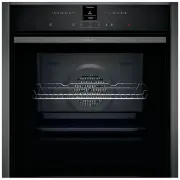


 Neff B6ACH7AN0A User Manual
 Neff B6ACM7AG0A User Manual
 Neff B15M42J3 User Manual
 Neff B17CR32N1B User Manual
 Neff B47FS26G0 User Manual
 Neff B48FT78H0B User Manual
 Neff B57CR22N0B User Manual
 Neff B57VR22N0B User Manual
 Neff B58VT68H0B User Manual
 Neff C17MR02G0B User Manual
 Neff C17MR02N0B User Manual
 Neff C27MS22H0B User Manual
 Neff C27MS22N0B User Manual
 Neff C28MT27H0B User Manual
 Neff L2ACH7MG0 User Manual


