myCOOLMAN CCP85DZ - User Manual
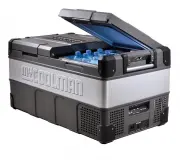
myCOOLMAN CCP85DZ Refrigerator – User Manual, read for free online in PDF format. We hope this helps you resolve any issues you may have. If you have further questions, please contact us through the contact form.


Table of Contents:
- Page 2 – Product Specifications; CCP FRIDGE·FREEZER; Contents
- Page 3 – Important Product Information
- Page 4 – Single Zone; Changing the set temperature:; Dual Zone; Control Panel Single Zone; LED Control Panel & Operation Instructions
- Page 5 – Setting Battery Protect:; Automatic shut down and re-start voltage levels:
- Page 6 – What can I do through the app now; Bluetooth Mode Instructions
- Page 7 – Two Way Opening and Removable Lid; Purpose for removing the lid:; How to remove the lid:
- Page 8 – The second DC socket; How to clean your unit:; Cleaning & Maintenance; Emergency Override; Fuse
- Page 9 – How to get the most out of your unit:; The unit is not turning on; Unusual noise when refrigerator is working; Troubleshooting
- Page 10 – E0 flash every 4 seconds temperature sensor issue:; flashes every 4 seconds - compressor start issue:; flashes every 4 seconds - low motor speed:; flashes every 4 seconds - over temperature:; Status Indicator
- Page 12 – Warranty Terms & Conditions
CCP FRIDGE·FREEZER
LEISURE-
TEC
Australia Pty Ltd
Operation Manual
for AC/DC Fridge ·Freezer
Single Zone Models CCP 30 / 36 / 44 / 60 / 73 / 105
Dual Zone Models CCP 69 / 85 / 96
www.mycoolman.com.au
"Loading the manual" means you need to wait until the file loads and becomes available for online reading. Some manuals are very large, and the time they take to appear depends on your internet speed.
Summary
Important Safety Warnings page 2 Important Product Information page 3 Product Features page 3 LED Control Panel & Operation Instructions page 4-5 Bluetooth Mode Instructions page 6 Two Way Opening and Removable Lid page 7 Emergency Override page 8 Cleaning & Maintenance page 8 Troubleshootin...
• Best performance is achieved in ambient temperatures between +10 °C and + 43 °C.• Temperatures above +32 °C may see a slight per- formance drop, and power consumption increase.• The lower the ambient temperature, the lower the power usage. In order to maximize effi ciency, keep the unit in a cool lo...
Turning the unit on and off: Step 1: Plug in the AC or DC power cable (ensure power is on at source).Step 2: Press the button once to turn on - To switch off press and hold the for 3 seconds. Changing the set temperature: Single Zone Step 1: Press the button once. Step 2: Use the and button to chang...


