Page 2 - Guide Overview; Here’s an idea of what you’ll learn in each chapter:
2 Guide Overview Okay, you’ve got a brand new phonewith a bunch of nifty features.Now what?Afraid you’ll press the wrong key? Or forget a feature or two?Don’t sweat it! We’ve designed this guide to take you step-by-step through each feature of your new StarTAC ™ phone. We’ll show you what key to pre...
Page 3 - Using Memory
3 Guide Overview Using Memory Read “Using Memory,” beginning on page 36, and you’ll learn how to make the most of your new phone’s built-in Phone Book. You’ll save time with dialing shortcuts and memory tricks that make it easy to place quick calls. Using Messaging Did you know that your StarTAC ™ p...
Page 4 - Contents; Introduction
4 Contents Introduction Safety Information . . . . . . . . . . . . . . . . . . . . . . . . . . . . 6 Getting Started Package Content Options . . . . . . . . . . . . . . . . . . . . . . 10 Introduction to Batteries. . . . . . . . . . . . . . . . . . . . . . . 12 Installing the Battery . . . . . . . ....
Page 5 - Using Messaging; Learn how to store and recall numbers; Reference Information
5 Contents Using Messaging Introduction . . . . . . . . . . . . . . . . . . . . . . . . . . . . . . . . .48 Receiving Messages . . . . . . . . . . . . . . . . . . . . . . . . . . .49 Viewing Your Caller IDs . . . . . . . . . . . . . . . . . . . . . . . .50 Checking Your Voice Mail . . . . . . . . . ...
Page 6 - Safety Information; Tips on Efficient Operation:; For your phone to operate most efficiently:; Extend your antenna fully.
6 Safety Information Exposure to Radio Frequency Signals Your wireless handheld portable telephone is a low power radio transmitter and receiver. When it is ON, it receives and also sends out radio frequency (RF) signals. In August 1996, the Federal Communications Commissions (FCC) adopted RF exposu...
Page 7 - Batteries; All batteries can cause property damage, injury or burns if; Driving; Pacemakers; Persons with pacemakers:; Should not carry the phone in a breast pocket
7 Safety Information Batteries Caution: All batteries can cause property damage, injury or burns if a conductive material, such as jewelry, keys or beaded chains, touches exposed terminals. The material may complete an electrical circuit and become quite hot. To protect against such unwanted cur-ren...
Page 8 - Hearing Aids; Aircraft
8 Safety Information Hearing Aids Some digital wireless phones may interfere with some hearing aids. In the event of such interference, you may want to consult your hearing aid manufacturer to discuss alternatives. Other Medical Devices If you use any other personal medical device, consult the manuf...
Page 10 - Getting Started; Package Content Options; The StarTAC; StarTAC Model 7760 Dual Mode Phone
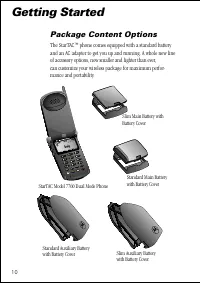
10 Getting Started Package Content Options The StarTAC ™ phone comes equipped with a standard battery and an AC adapter to get you up and running. A whole new line of accessory options, now smaller and lighter than ever, can customize your wireless package for maximum perfor-mance and portability. 6...
Page 11 - Your phone and accessories may not look exactly as pictured above.; Holster
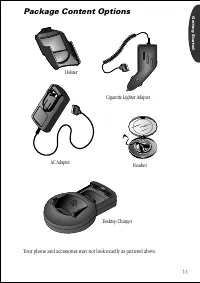
11 Getting Started Package Content Options Your phone and accessories may not look exactly as pictured above. Holster Cigarette Lighter Adapter AC Adapter Headset Desktop Charger
Page 12 - Introduction to Batteries; Battery Covers; Press in the release latch.
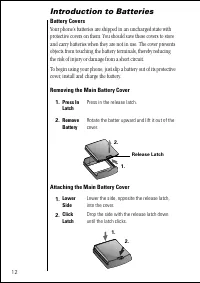
12 Introduction to Batteries Battery Covers Your phone’s batteries are shipped in an uncharged state with protective covers on them. You should save these covers to store and carry batteries when they are not in use. The cover prevents objects from touching the battery terminals, thereby reducing th...
Page 13 - Removing the Auxiliary Battery Cover; Hook
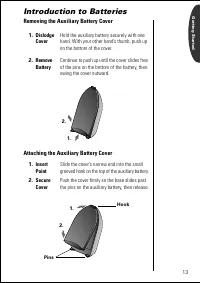
13 Getting Started Introduction to Batteries Removing the Auxiliary Battery Cover Attaching the Auxiliary Battery Cover 1. Dislodge Cover Hold the auxiliary battery securely with one hand. With your other hand’s thumb, push up on the bottom of the cover. 2. Remove Battery Continue to push up until t...
Page 14 - Installing the Battery; Main Battery Installation; to turn your phone OFF.
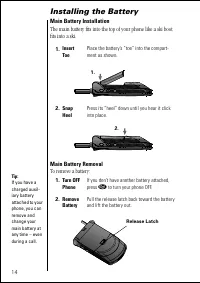
14 Installing the Battery Main Battery Installation The main battery fits into the top of your phone like a ski boot fits into a ski. Main Battery Removal To remove a battery: 1. Insert Toe Place the battery’s “toe” into the compart-ment as shown. 2. Snap Heel Press its “heel” down until you hear it...
Page 15 - Auxiliary Battery Installation
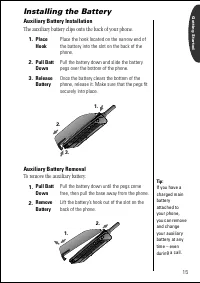
15 Getting Started Installing the Battery Auxiliary Battery Installation The auxiliary battery clips onto the back of your phone. Auxiliary Battery Removal To remove the auxiliary battery: 1. Place Hook Place the hook located on the narrow end of the battery into the slot on the back of the phone. 2...
Page 16 - Charging the Battery; Using the Internal Rapid Charger
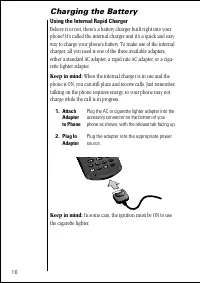
16 Charging the Battery Using the Internal Rapid Charger Believe it or not, there’s a battery charger built right into your phone! It’s called the internal charger and it’s a quick and easy way to charge your phone’s battery. To make use of the internal charger, all you need is one of the three avai...
Page 17 - The Battery Indicator; Invalid Battery; Battery Storage and Disposal
17 Getting Started Charging the Battery The Battery Indicator In the upper right corner of your phone’s display, there is a bat-tery indicator filled with three segments. The more segments you see, the greater the charge. • The border of the battery icon will flash during charging. • When both batte...
Page 18 - Using the Desktop Charger; Front Pocket
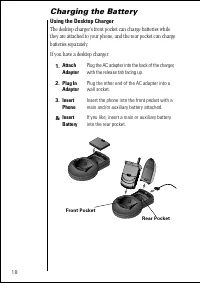
18 Charging the Battery Using the Desktop Charger The desktop charger’s front pocket can charge batteries while they are attached to your phone, and the rear pocket can charge batteries separately. If you have a desktop charger: 1. Attach Adapter Plug the AC adapter into the back of the charger, wit...
Page 19 - Desktop Charger Indicators; Temperature; Batteries should be at or near room; Inactivity; New batteries, or batteries that have been stored; Extended Usage; Over extended periods of time, batteries
19 Getting Started Charging the Battery Desktop Charger Indicators The three LED indicators on the left front of the desktop charger let you know the current state of any charging batteries. The first light provides information on the main battery attached to the phone, the second on the attached au...
Page 20 - Phone Overview; Function Keys
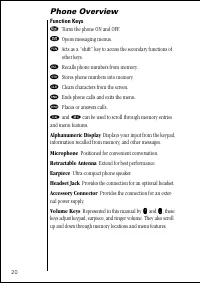
20 Phone Overview Function Keys ¡ Turns the phone ON and OFF. ø Opens messaging menus. ƒ Acts as a “shift” key to access the secondary functions of other keys. ‰ Recalls phone numbers from memory. ¬ Stores phone numbers into memory. Ç Clears characters from the screen. º Ends phone calls and exits t...
Page 21 - Using the Smart Button; Opening Your Phone Book; Press § to Select; Turning Features ON and OFF; Press § to Toggle; Placing and Ending Calls; The Smart Button
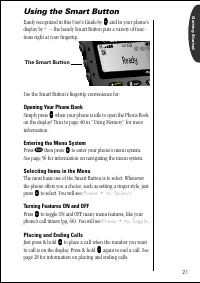
21 Getting Started Using the Smart Button Easily recognized in this User’s Guide by A A A A and i n your phone’s display by § – the handy Smart Button puts a variety of func- tions right at your fingertip. Use the Smart Button’s fingertip convenience for: Opening Your Phone Book Simply press A A A A...
Page 22 - The Basics; Turning Your Phone On; Follow these steps to turn your phone ON and OFF:; Open the phone to expose the keypad.
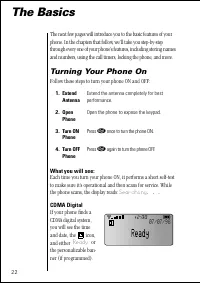
22 The Basics The next few pages will introduce you to the basic features of your phone. In the chapters that follow, we’ll take you step-by-step through every one of your phone’s features, including storing names and numbers, using the call timers, locking the phone, and more. Turning Your Phone On...
Page 23 - Analog
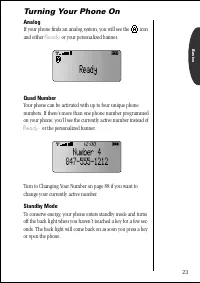
23 Basics Turning Your Phone On Analog If your phone finds an analog system, you will see the icon and either Ready or your personalized banner. Quad Number Your phone can be activated with up to four unique phone numbers. If there’s more than one phone number programmed on your phone, you’ll see th...
Page 24 - Reading the Indicators; Low Bat; will appear on your display.; Strong
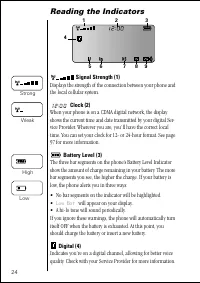
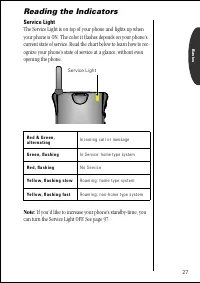
24 Reading the Indicators Signal Strength (1) Displays the strength of the connection between your phone and the local cellular system. Clock (2) When your phone is on a CDMA digital network, the display shows the current time and date transmitted by your digital Ser-vice Provider. Wherever you are,...
Page 25 - When you select one of the VibraCall; VibraCall On
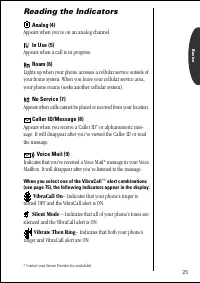
25 Basics Reading the Indicators Analog (4) Appears when you’re on an analog channel. In Use (5) Appears when a call is in progress. Roam (6) Lights up when your phone accesses a cellular service outside of your home system. When you leave your cellular service area, your phone roams (seeks another ...
Page 26 - Detailed Battery Level Reading; Press
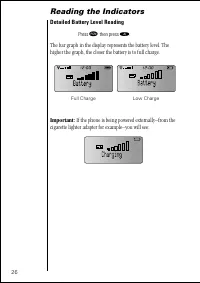
26 Reading the Indicators Detailed Battery Level Reading The bar graph in the display represents the battery level. The higher the graph, the closer the battery is to full charge. Important: If the phone is being powered externally–from the cigarette lighter adapter for example–you will see: Press ƒ...
Page 28 - Placing a Call; or; Press § to End Call
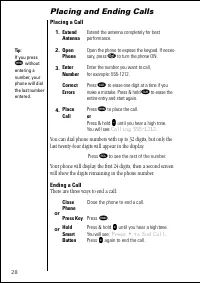
28 Placing and Ending Calls Placing a Call You can dial phone numbers with up to 32 digits, but only the last twenty-four digits will appear in the display. Your phone will display the first 24 digits, then a second screen will show the digits remaining in the phone number. Ending a Call There are t...
Page 29 - Receiving Calls; Your phone must be ON to receive calls.
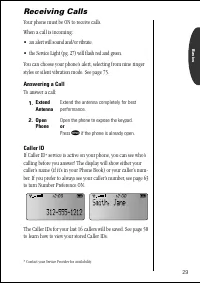
29 Basics Receiving Calls Your phone must be ON to receive calls. When a call is incoming: • an alert will sound and/or vibrate. • the Service Light (pg. 27) will flash red and green. You can choose your phone’s alert, selecting from nine ringer styles or silent vibration mode. See page 75. Answerin...
Page 30 - Ringer/Vibrate Suppress; Calls Unanswered
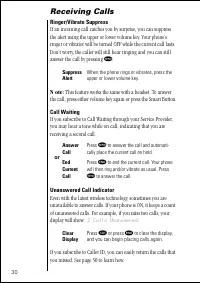
30 Receiving Calls Ringer/Vibrate Suppress If an incoming call catches you by surprise, you can suppress the alert using the upper or lower volume key. Your phone’s ringer or vibrator will be turned OFF while the current call lasts. Don’t worry, the caller will still hear ringing and you can still a...
Page 31 - Redialing Numbers; Automatic Redial; SND to; on the display. You can let your phone take care of the; Redialing; Hang Up; Calling
31 Basics Redialing Numbers Automatic Redial The cellular system may at times be too busy to handle your call. If this is the case, you will hear a fast busy signal and see SND to Redial on the display. You can let your phone take care of the redialing for you – Automatic Redial will repeat the atte...
Page 32 - Basic Tone Controls; Vibration Mode; Silent Mode On; Muted; fl
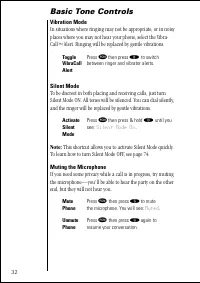
32 Basic Tone Controls Vibration Mode In situations where ringing may not be appropriate, or in noisy places where you may not hear your phone, select the Vibra-Call ™ Alert. Ringing will be replaced by gentle vibrations. Silent Mode To be discreet in both placing and receiving calls, just turn Sile...
Page 33 - Adjusting Earpiece Volume; High Volume
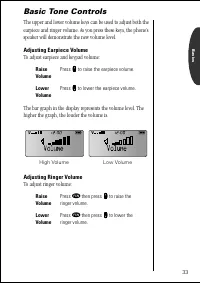
33 Basics Basic Tone Controls The upper and lower volume keys can be used to adjust both the earpiece and ringer volume. As you press these keys, the phone’s speaker will demonstrate the new volume level. Adjusting Earpiece Volume To adjust earpiece and keypad volume: The bar graph in the display re...
Page 34 - Your Phone & Its Shortcuts; The Usual Shortcuts; fi; and; log Only On
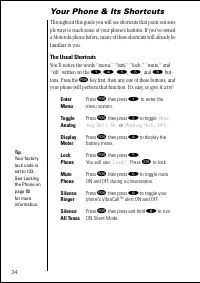
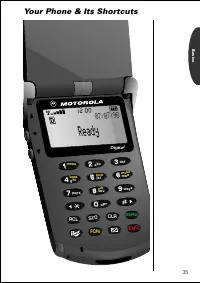
34 Your Phone & Its Shortcuts Throughout this guide you will see shortcuts that point out sim-ple ways to reach some of your phone’s features. If you’ve owned a Motorola phone before, many of these shortcuts will already be familiar to you. The Usual Shortcuts You’ll notice the words “menu,” “ba...
Page 36 - In this chapter you will learn how to:; store names and numbers into the Phone Book.; to scroll up; to select; to scroll down
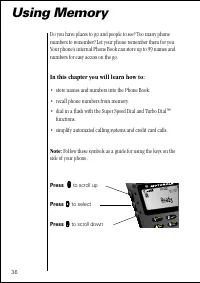
36 Using Memory Do you have places to go and people to see? Too many phone numbers to remember? Let your phone remember them for you. Your phone’s internal Phone Book can store up to 99 names and numbers for easy access on the go. In this chapter you will learn how to: • store names and numbers into...
Page 37 - Making the Most of Memory; keys to call them with the push of a
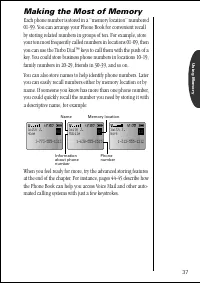
Using Memory 37 Making the Most of Memory Each phone number is stored in a “memory location” numbered 01-99. You can arrange your Phone Book for convenient recall by storing related numbers in groups of ten. For example, store your ten most frequently called numbers in locations 01-09, then you can ...
Page 38 - Storing Names and Numbers; key makes storing quick and easy.; Location——
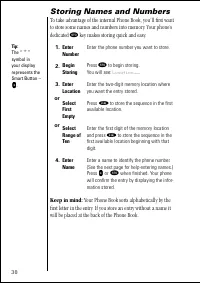
38 Storing Names and Numbers To take advantage of the internal Phone Book, you’ll first want to store some names and numbers into memory. Your phone’s dedicated ¬ key makes storing quick and easy. Keep in mind: Your Phone Book sorts alphabetically by the first letter in the entry. If you store an en...
Page 39 - Entering Names; When the display shows; Alpha Or Press; To enter a name into the Phone Book:; a b c
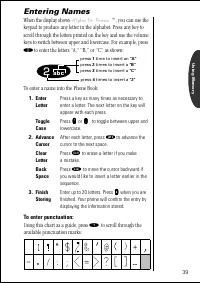
Using Memory 39 Entering Names When the display shows Alpha Or Press § , you can use the keypad to produce any letter in the alphabet. Press any key to scroll through the letters printed on the key and use the volume keys to switch between upper and lowercase. For example, press ¤ to enter the lette...
Page 40 - Recall from Memory; Recall by Name; then
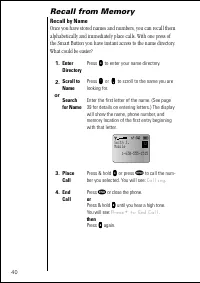
40 Recall from Memory Recall by Name Once you have stored names and numbers, you can recall them alphabetically and immediately place calls. With one press of the Smart Button you have instant access to the name directory. What could be easier? 1. Enter Directory Press a a a a to enter your name dir...
Page 41 - Recall by Memory Location
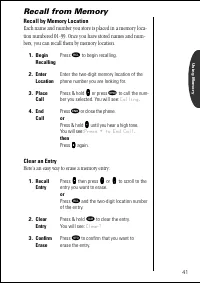
Using Memory 41 Recall from Memory Recall by Memory Location Each name and number you store is placed in a memory loca-tion numbered 01-99. Once you have stored names and num-bers, you can recall them by memory location. Clear an Entry Here’s an easy way to erase a memory entry: 1. Begin Recalling P...
Page 42 - Recall Shortcuts; Super Speed Dial; Location XX Is Empty; Turbo Dial; or press
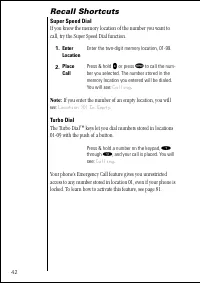
42 Recall Shortcuts Super Speed Dial If you know the memory location of the number you want to call, try the Super Speed Dial function. Note: If you enter the number of an empty location, you will see: Location XX Is Empty . Turbo Dial The Turbo Dial ™ keys let you dial numbers stored in locations 0...
Page 43 - Scratchpad
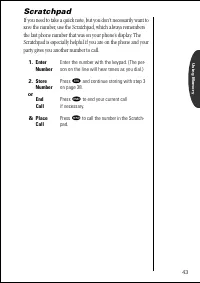
Using Memory 43 Scratchpad If you need to take a quick note, but you don’t necessarily want to save the number, use the Scratchpad, which always remembers the last phone number that was on your phone’s display. The Scratchpad is especially helpful if you are on the phone and your party gives you ano...
Page 44 - Pause Dialing; Storing a Number with Pause Dialing; Insert Pause o
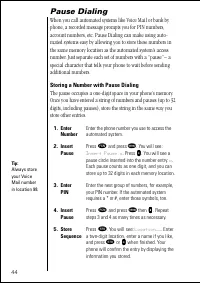
44 Pause Dialing When you call automated systems like Voice Mail or bank by phone, a recorded message prompts you for PIN numbers, account numbers, etc. Pause Dialing can make using auto-mated systems easy by allowing you to store these numbers in the same memory location as the automated system’s a...
Page 45 - Using Pause Dialing
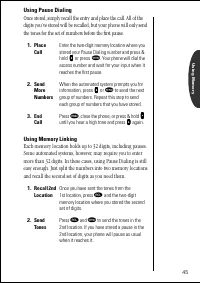
Using Memory 45 Using Pause Dialing Once stored, simply recall the entry and place the call. All of the digits you’ve stored will be recalled, but your phone will only send the tones for the set of numbers before the first pause. Using Memory Linking Each memory location holds up to 32 digits, inclu...
Page 46 - Using Calling Cards; Storing Calling Card Numbers
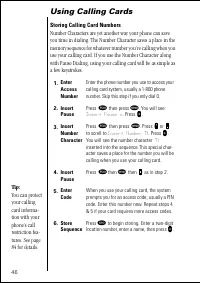
46 Using Calling Cards Storing Calling Card Numbers Number Characters are yet another way your phone can save you time in dialing. The Number Character saves a place in the memory sequence for whatever number you’re calling when you use your calling card. If you use the Number Character along with P...
Page 47 - Placing a Calling Card Call; Enter Number
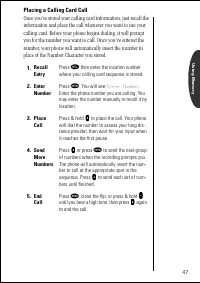
Using Memory 47 Placing a Calling Card Call Once you’ve stored your calling card information, just recall the information and place the call whenever you want to use your calling card. Before your phone begins dialing, it will prompt you for the number you want to call. Once you’ve entered the numbe...
Page 48 - view your Caller IDs.; to open messaging menus
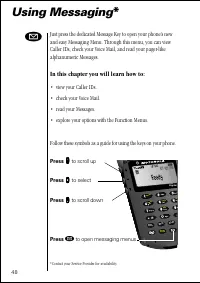
48 6 6 9 9 3 3 5 5 8 8 0 0 2 2 4 4 7 7 1 1 lock v i b batt menu m RCL STO CLR FCN t u v j k l m w p q r s g h i d e f o p r a b c Digital 07/07/98 ø Using Messaging * Just press the dedicated Message Key to open your phone’s new and easy Messaging Menu. Through this menu, you can view Caller IDs, ch...
Page 49 - Receiving Messages; An alert sounds or vibrates:; Urgent
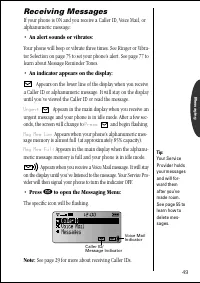
49 Messaging Receiving Messages If your phone is ON and you receive a Caller ID, Voice Mail, or alphanumeric message: • An alert sounds or vibrates: Your phone will beep or vibrate three times. See Ringer or Vibra-tor Selection on page 75 to set your phone’s alert. See page 77 to learn about Message...
Page 50 - Viewing Your Caller IDs*; Caller
50 Viewing Your Caller IDs* Your phone supports Caller ID service which lets you see who’s calling before you answer. The Caller IDs for the last 16 different callers are stored so they can be viewed at any time. You will see a Caller ID icon for each stored Caller ID. Flashing icons represent Calle...
Page 51 - Caller ID Options
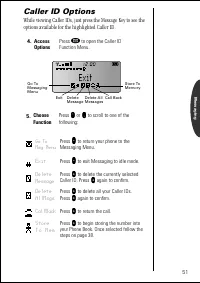
51 Messaging Caller ID Options While viewing Caller IDs, just press the Message Key to see the options available for the highlighted Caller ID. 4. Access Options Press ø to open the Caller ID Function Menu. 5. Choose Function Press q q q q or Z Z Z Z to scroll to one of the following: Go To Msg Menu...
Page 52 - Checking Your Voice Mail*; If you have one or more Voice Mail messages, you will see:
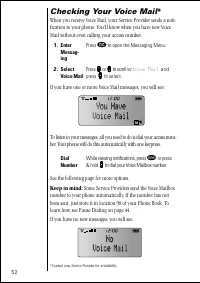
52 Checking Your Voice Mail* When you receive Voice Mail, your Service Provider sends a noti-fication to your phone. You’ll know when you have new Voice Mail without even calling your access number. If you have one or more Voice Mail messages, you will see: To listen to your messages, all you need t...
Page 53 - Voice Mail Options
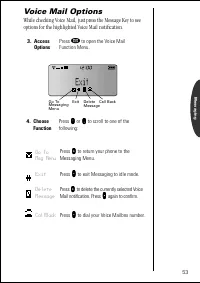
53 Messaging Voice Mail Options While checking Voice Mail, just press the Message Key to see options for the highlighted Voice Mail notification. 3. Access Options Press ø to open the Voice Mail Function Menu. 4. Choose Function Press q q q q or Z Z Z Z to scroll to one of the following: Go To Msg M...
Page 54 - Reading Your Messages*; Messages; Scroll
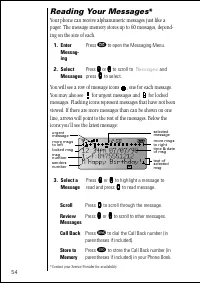
54 Reading Your Messages* Your phone can receive alphanumeric messages just like a pager. The message memory stores up to 60 messages, depend-ing on the size of each. You will see a row of message icons , one for each message. You may also see for urgent messages and for locked messages. Flashing ic...
Page 55 - Message Options
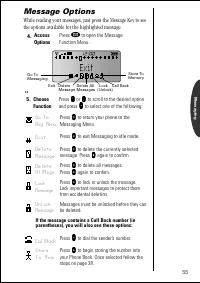
55 Messaging Message Options While reading your messages, just press the Message Key to see the options available for the highlighted message. 4. Access Options Press ø to open the Message Function Menu. 5. Choose Function Press q q q q or Z Z Z Z to scroll to the desired option and press a a a a to...
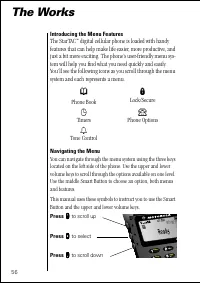
Page 56 - The Works; Introducing the Menu Features
56 5 5 2 2 4 4 1 1 lock batt menu j k l i a b c D 07/07/9 The Works Introducing the Menu Features The StarTAC ™ digital cellular phone is loaded with handy features that can help make life easier, more productive, and just a bit more exciting. The phone’s user-friendly menu sys-tem will help you fin...
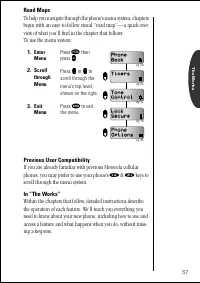
Page 57 - Road Maps; Enter
The Works 57 Road Maps To help you navigate through the phone’s menu system, chapters begin with an easy-to-follow visual “road map”—a quick over-view of what you’ll find in the chapter that follows.To use the menu system: Previous User Compatibility If you are already familiar with previous Motorol...
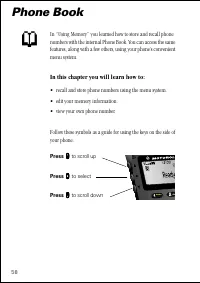
Page 58 - Phone Book; • recall and store phone numbers using the menu system.
58 2 2 1 1 menu a b 07 Phone Book In “Using Memory” you learned how to store and recall phone numbers with the internal Phone Book. You can access the same features, along with a few others, using your phone’s convenient menu system. In this chapter you will learn how to: • recall and store phone nu...
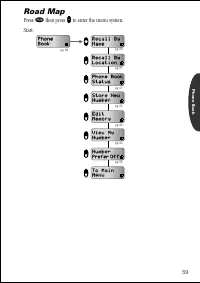
Page 59 - Road Map
59 Phone Book Road Map Press ƒ then press a a a a to enter the menu system. Start: R e c a l l B y R e c a l l B y L o c a t i o n L o c a t i o n P h o n e B o o k P h o n e B o o k S t a t u s S t a t u s S t o r e N e w S t o r e N e w N u m b e r N u m b e r E d i t E d i t M e m o r y M e m o r...
Page 60 - Enter Menu; Recall By Name
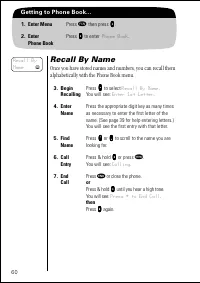
60 Getting to Phone Book... 1. Enter Menu Press ƒ then press a a a a . 2. EnterPhone Book Press a a a a to enter Phone Book . Recall By Name Once you have stored names and numbers, you can recall them alphabetically with the Phone Book menu. 3. BeginRecalling Press a a a a to select Recall By Name ....
Page 61 - Recall By Location
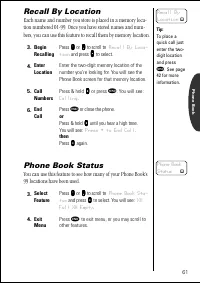
61 Phone Book Recall By Location Each name and number you store is placed in a memory loca-tion numbered 01-99. Once you have stored names and num-bers, you can use this feature to recall them by memory location. Phone Book Status You can use this feature to see how many of your Phone Book’s 99 loca...
Page 62 - Store New Number
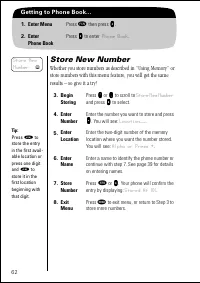
62 Getting to Phone Book... 1. Enter Menu Press ƒ then press a a a a . 2. EnterPhone Book Press a a a a to enter Phone Book . Store New Number Whether you store numbers as described in “Using Memory” or store numbers with this menu feature, you will get the same results – so give it a try! 3. BeginS...
Page 63 - Viewing Your Number; If you prefer to see the phone number (; Calling Jane Smith; call from the internal Phone Book, turn Number Preference ON.; V i e w
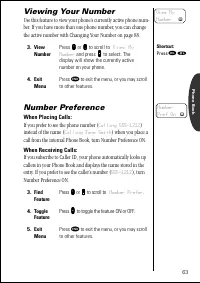
63 Phone Book Viewing Your Number Use this feature to view your phone’s currently active phone num-ber. If you have more than one phone number, you can change the active number with Changing Your Number on page 88. Number Preference When Placing Calls: If you prefer to see the phone number ( Calling...
Page 64 - Editing a Memory Location
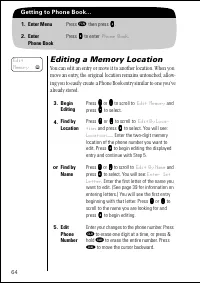
64 Getting to Phone Book... 1. Enter Menu Press ƒ then press a a a a . 2. EnterPhone Book Press a a a a to enter Phone Book . Editing a Memory Location You can edit an entry or move it to another location. When you move an entry, the original location remains untouched, allow-ing you to easily creat...
Page 65 - Location XX is Full; or Choose
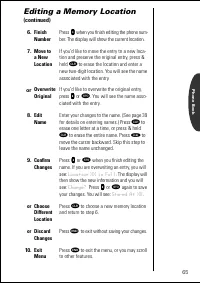
65 Phone Book Editing a Memory Location (continued) 6. Finish Number Press a a a a when you finish editing the phone num- ber. The display will show the current location. 7. Move to a NewLocation If you’d like to move the entry to a new loca-tion and preserve the original entry, press & hold Ç t...
Page 66 - Call Timers; • monitor the length of your calls.
66 Call Timers Your phone is equipped with three visual and three audible call timers. You can monitor or record the length of individual calls, set a timer to track monthly usage, or have the phone alert you at intervals that you specify. In this chapter you will learn how to: • monitor the length ...
Page 68 - Timers; View Individual Timer
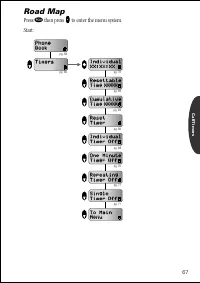
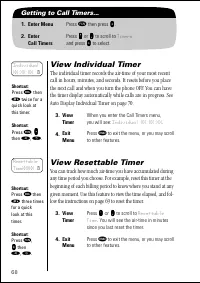
68 Getting to Call Timers... 1. Enter Menu Press ƒ then press a a a a . 2. EnterCall Timers Press q q q q or Z Z Z Z to scroll to Timers and press A A A A to select. View Individual Timer The individual timer records the air-time of your most recent call in hours, minutes, and seconds. It resets bef...
Page 69 - View Cumulative Timer; The shortcuts will not work if the Resettable
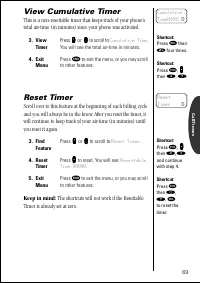
CallTimers 69 View Cumulative Timer This is a non-resettable timer that keeps track of your phone’s total air-time (in minutes) since your phone was activated. Reset Timer Scroll over to this feature at the beginning of each billing cycle and you will always be in the know. After you reset the timer...
Page 70 - Auto Display Individual Timer; Activating the Auto Display Timer may reduce standby-; One Minute Audible Timer
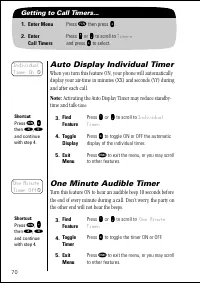
70 Getting to Call Timers... 1. Enter Menu Press ƒ then press a a a a . 2. EnterCall Timers Press q q q q or Z Z Z Z to scroll to Timers and press A A A A to select. Auto Display Individual Timer When you turn this feature ON, your phone will automatically display your air-time in minutes (XX) and s...
Page 71 - Repeating Audible Timer; Shortcut
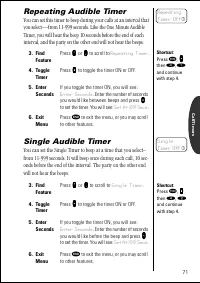
CallTimers 71 Repeating Audible Timer You can set this timer to beep during your calls at an interval that you select—from 11-999 seconds. Like the One Minute Audible Timer, you will hear the beep 10 seconds before the end of each interval, and the party on the other end will not hear the beeps. Sin...
Page 72 - Tone Controls
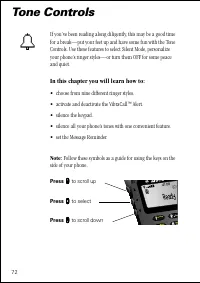
72 Tone Controls If you’ve been reading along diligently, this may be a good time for a break—put your feet up and have some fun with the Tone Controls. Use these features to select Silent Mode, personalize your phone’s ringer styles—or turn them OFF for some peace and quiet. In this chapter you wil...
Page 74 - Tone Control; Silent Mode
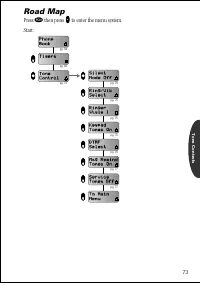
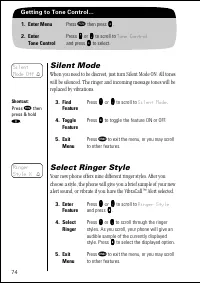
74 Getting to Tone Control... 1. Enter Menu Press ƒ then press a a a a . 2. EnterTone Control Press q q q q or Z Z Z Z to scroll to Tone Control and press A A A A to select. Silent Mode When you need to be discreet, just turn Silent Mode ON. All tones will be silenced. The ringer and incoming messag...
Page 75 - Ringer or Vibrator Selection; Motorola’s VibraCall; Keypad Tones; Turning keypad tones OFF does not silence the
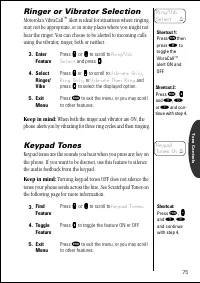
Tone Controls 75 Ringer or Vibrator Selection Motorola’s VibraCall ™ Alert is ideal for situations where ringing may not be appropriate, or in noisy places where you might not hear the ringer. You can choose to be alerted to incoming calls using the vibrator, ringer, both or neither. Keep in mind: W...
Page 76 - Transmit Tones; If you turned the DTMF tones OFF, but you want to access
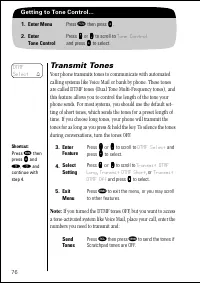
76 Getting to Tone Control... 1. Enter Menu Press ƒ then press a a a a . 2. EnterTone Control Press q q q q or Z Z Z Z to scroll to Tone Control and press A A A A to select. Transmit Tones Your phone transmits tones to communicate with automated calling systems like Voice Mail or bank by phone. Thes...
Page 77 - Message Reminder; to analog
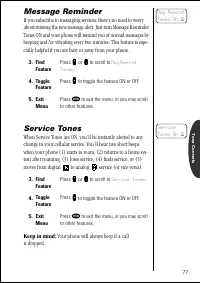
Tone Controls 77 Message Reminder If you subscribe to messaging services, there’s no need to worry about missing the new message alert. Just turn Message Reminder Tones ON and your phone will remind you of unread messages by beeping and /or vibrating every two minutes. This feature is espe-cially he...
Page 78 - • lock and unlock your phone.
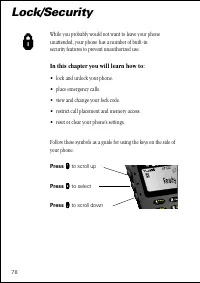
78 Lock/Security While you probably would not want to leave your phone unattended, your phone has a number of built-in security features to prevent unauthorized use. In this chapter you will learn how to: • lock and unlock your phone. • place emergency calls. • view and change your lock code. • rest...
Page 80 - Lock Secure; Locking the Phone; Auto Lock
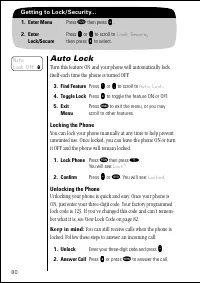
80 Getting to Lock/Security... 1. Enter Menu Press ƒ then press a a a a . 2. EnterLock/Secure Press q q q q or Z Z Z Z to scroll to Lock Secure , then press a a a a to select. Auto Lock Turn this feature ON and your phone will automatically lock itself each time the phone is turned OFF. Locking the ...
Page 81 - Emergency Call; Storing an Emergency Call Number; Find Feature; Emergency; Toggle; Enter Name
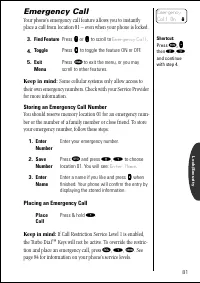
Lock/Security 81 Emergency Call Your phone’s emergency call feature allows you to instantly place a call from location 01 – even when your phone is locked. Keep in mind: Some cellular systems only allow access to their own emergency numbers. Check with your Service Provider for more information. Sto...
Page 82 - Secure Options Submenu; View Lock Code
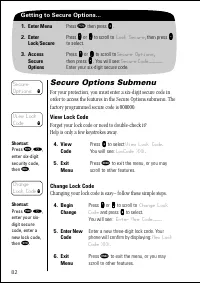
82 Getting to Secure Options... 1. Enter Menu Press ƒ then press a a a a . 2. EnterLock / Secure Press q q q q or Z Z Z Z to scroll to Lock Secure , then press a a a a to select. 3. AccessSecureOptions Press q q q q or Z Z Z Z to scroll to Secure Options , then press A A A A . You will see: Secure C...
Page 83 - Master Reset; Master Clear
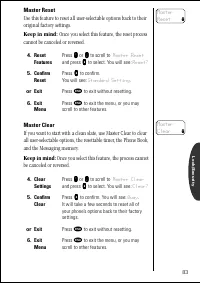
Lock/Security 83 Master Reset Use this feature to reset all user-selectable options back to their original factory settings. Keep in mind: Once you select this feature, the reset process cannot be canceled or reversed. Master Clear If you want to start with a clean slate, use Master Clear to clear a...
Page 84 - Service Level; default setting
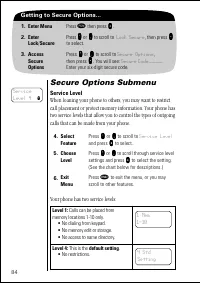
84 Getting to Secure Options... 1. Enter Menu Press ƒ then press a a a a . 2. EnterLock / Secure Press q q q q or Z Z Z Z to scroll to Lock Secure , then press a a a a to select. 3. AccessSecureOptions Press q q q q or Z Z Z Z to scroll to Secure Options , then press A A A A . You will see: Secure C...
Page 85 - This feature should only be programmed once.; Valid
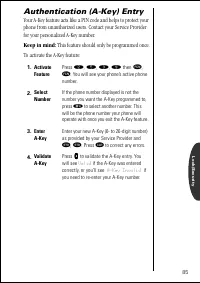
Lock/Security 85 Authentication (A-Key) Entry Your A-Key feature acts like a PIN code and helps to protect your phone from unauthorized users. Contact your Service Provider for your personalized A-Key number. Keep in mind: This feature should only be programmed once. To activate the A-Key feature: 1...
Page 86 - Phone Options; switch phone numbers.
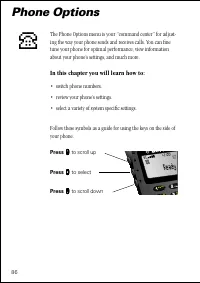
86 5 5 2 2 1 1 lo b tt menu j k a b c 07/ Phone Options The Phone Options menu is your “command center” for adjust-ing the way your phone sends and receives calls. You can fine tune your phone for optimal performance, view information about your phone’s settings, and much more. In this chapter you w...
Page 88 - Changing Your Number; Only one number can be active on your; Change Number
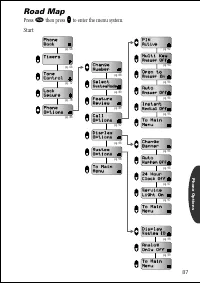
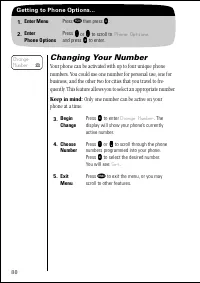
88 Getting to Phone Options... 1. Enter Menu Press ƒ then press a a a a . 2. EnterPhone Options Press q q q q or Z Z Z Z to scroll to Phone Options and press A A A A to enter. Changing Your Number Your phone can be activated with up to four unique phone numbers. You could use one number for personal...
Page 89 - Feature Review; Feature Review is simply an opportunity to; Feature
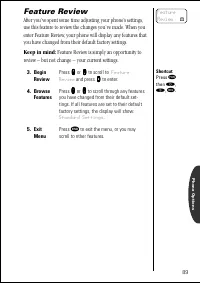
Phone Options 89 Feature Review After you’ve spent some time adjusting your phone’s settings, use this feature to review the changes you’ve made. When you enter Feature Review, your phone will display any features that you have changed from their default factory settings. Keep in mind: Feature Revie...
Page 90 - Selecting a System Mode; Select
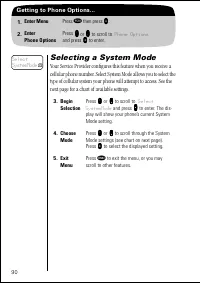
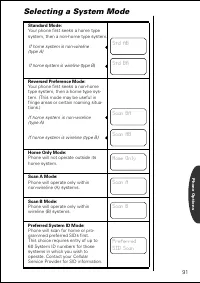
90 Getting to Phone Options... 1. Enter Menu Press ƒ then press a a a a . 2. EnterPhone Options Press q q q q or Z Z Z Z to scroll to Phone Options and press A A A A to enter. Selecting a System Mode Your Service Provider configures this feature when you receive a cellular phone number. Select Syste...
Page 92 - Call Options Submenu; Activating PIN Code; Enter PIN
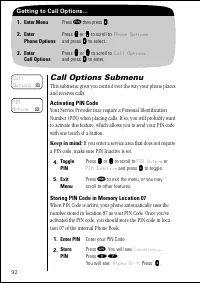
92 Getting to Call Options... 1. Enter Menu Press ƒ then press a a a a . 2. EnterPhone Options Press q q q q or Z Z Z Z to scroll to Phone Options and press a a a a to select. 3. EnterCall Options Press q q q q or Z Z Z Z to scroll to Call Options and press a a a a to enter. Call Options Submenu Thi...
Page 93 - Placing a Call with PIN Code Active; Invalid PIN; Multiple Key Answer; Place Call; Multi Key
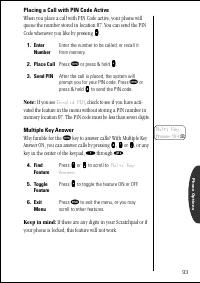
Phone Options 93 Placing a Call with PIN Code Active When you place a call with PIN Code active, your phone will queue the number stored in location 07. You can send the PIN Code whenever you like by pressing A A A A . Note: If you see Invalid PIN , check to see if you have acti- vated the feature i...
Page 94 - Open to Answer; Open to
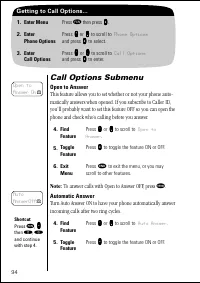
94 Getting to Call Options... 1. Enter Menu Press ƒ then press a a a a . 2. EnterPhone Options Press q q q q or Z Z Z Z to scroll to Phone Options and press a a a a to select. 3. EnterCall Options Press q q q q or Z Z Z Z to scroll to Call Options and press a a a a to enter. Call Options Submenu Ope...
Page 95 - Instant Redial; P r e s s S N D t o
Phone Options 95 Automatic Answer (continued) Note: We recommend you use this feature only with vehicle accessories and with your phone’s ringer active (pg. 75). For instance, if you leave your phone unattended with this feature ON or do not hear the incoming call alert, your phone may answer a call...
Page 96 - Display Options Submenu; Change Banner
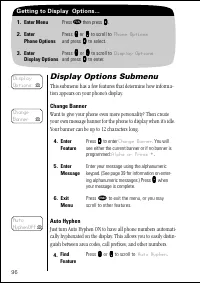
96 Getting to Display Options... 1. Enter Menu Press ƒ then press a a a a . 2. EnterPhone Options Press q q q q or Z Z Z Z to scroll to Phone Options and press a a a a to select. 3. EnterDisplay Options Press q q q q or Z Z Z Z to scroll to Display Options and press a a a a to enter. Display Options...
Page 97 - Display 24-Hour Clock; 4 Hour Clock
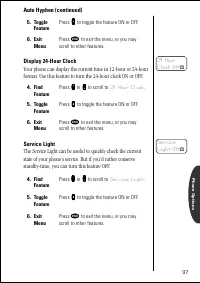
Phone Options 97 Auto Hyphen (continued) Display 24-Hour Clock Your phone can display the current time in 12-hour or 24-hour format. Use this feature to turn the 24-hour clock ON or OFF. Service Light The Service Light can be useful to quickly check the current state of your phone’s service. But if ...
Page 98 - System Options Submenu; Display System ID; View SID; Display SID
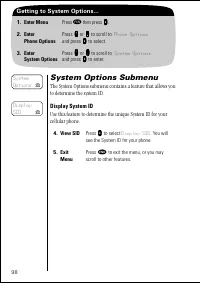
98 Getting to System Options... 1. Enter Menu Press ƒ then press a a a a . 2. EnterPhone Options Press q q q q or Z Z Z Z to scroll to Phone Options and press a a a a to select. 3. EnterSystem Options Press q q q q or Z Z Z Z to scroll to System Options and press a a a a to enter. System Options Sub...
Page 99 - Analog Only
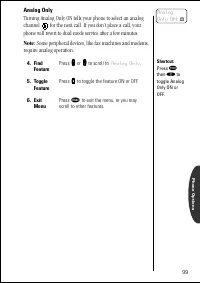
Phone Options 99 Analog Only Turning Analog Only ON tells your phone to select an analog channel for the next call. If you don’t place a call, your phone will revert to dual mode service after a few minutes. Note: Some peripheral devices, like fax machines and modems, require analog operation. 4. Fi...
Page 100 - Accessory Options; Lithium Ion Batteries
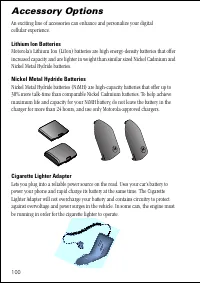
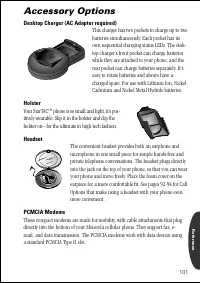
100 Accessory Options An exciting line of accessories can enhance and personalize your digital cellular experience. Lithium Ion Batteries Motorola’s Lithium Ion (LiIon) batteries are high energy-density batteries that offer increased capacity and are lighter in weight than similar sized Nickel Cadmi...
Page 102 - Hands-Free Vehicle Kit
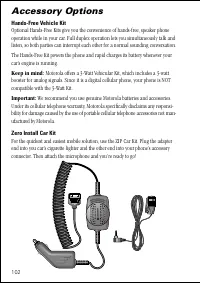
102 Accessory Options Hands-Free Vehicle Kit Optional Hands-Free Kits give you the convenience of hands-free, speaker phone operation while in your car. Full duplex operation lets you simultaneously talk and listen, so both parties can interrupt each other for a normal sounding conversation. The Han...
Page 103 - Troubleshooting; page 14 for information about installing your battery.; after the charger’s light turns green.
Reference 103 Troubleshooting Q. I pressed the power button, but nothing happened. What’s wrong with my phone? A. Check that you have installed a battery and that the battery is charged. See page 14 for information about installing your battery. Q. The display says Locked . How do I unlock my phone?...
Page 104 - I n v a l i d
104 Troubleshooting Q. When I turned on my phone, it beeped and the screen displayed: I n v a l i d B a t t e r y . What’s going on? A. Your phone uses the Motorola E•P Charging System. This innovative tech- nology allows your phone to communicate with the battery and tailor the charging cycle to ge...
Page 106 - Glossary
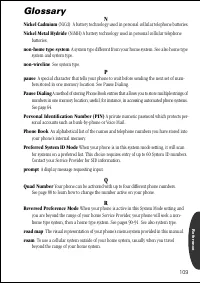
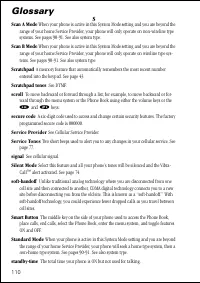
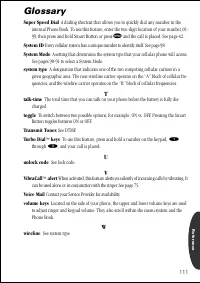
106 Glossary A AC adapter An accessory device that allows you to power and/or charge your phone from a wall outlet. See page 16. accessory connector A socket on the bottom of the phone where you can attach accessories such as an AC adapter or cigarette lighter adapter. To learn more, see page 16. ai...
Page 108 - A charger built into your phone for use with an AC adapter or
108 Glossary K Instant Redial When your cellular network cannot handle your call, this feature enables your phone to continuously redial for four minutes or until your call is picked up by the network. See page 95. Internal Rapid Charger A charger built into your phone for use with an AC adapter or ...
Page 113 - Patent Information; Manufactured under one or more of the following U.S. patents:
113 Reference Patent Information Manufactured under one or more of the following U.S. patents: 412121841386814193036425438243028454312074432731943296664369516436952243786034390963D269873439826544005844400585D270835D271491Re.314704431977443446144555344462098D275951448415344854864486624D2768094491972D...
Page 114 - Index
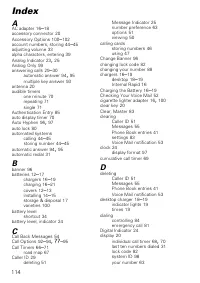
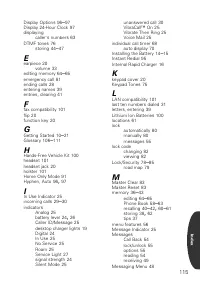
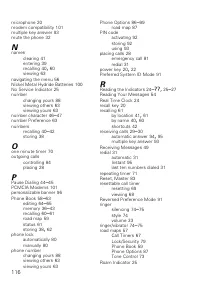
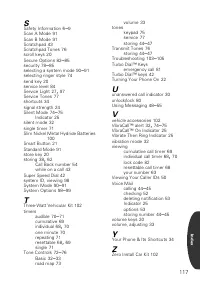
114 A AC adapter 16 – 18 accessory connector 20 Accessory Options 100 – 102 account numbers, storing 44 – 45 adjusting volume 33 alpha characters, entering 39 Analog Indicator 23 , 25 Analog Only 99 answering calls 29 – 30 automatic answer 94 , 95 multiple key answer 93 antenna 20 audible timers one...