Page 3 - M5 Control Head Foldout Page; M5 Control Head
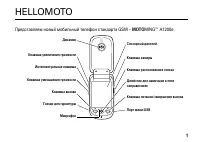
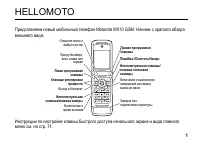
ASTRO XTL 5000 Digital Mobile Radio with O5 Control Head i M5 Control Head Foldout Page M5 Control Head INDICATORS HOME MODE KNOB VOLUME KNOB DIM BUTTON SOFT MENU KEYS NAVIGATION KEYS POWERON/OFF EMERGENCY Emer XTL 2500
Page 5 - ii; DECLARATION OF CONFORMITY
ASTRO XTL 2500 Digital Mobile Radio with M5 Control Head ii This declaration is applicable to your radio only if your radio is labeled with the FCC logo shown below. DECLARATION OF CONFORMITY Per FCC CFR 47 Part 2 Section 2.1077(a) Responsible Party Name: Motorola, Inc.Address: 8000 West Sunrise Bou...
Page 6 - iii; Product Safety and RF Exposure Compliance
iii Product Safety and RF Exposure Compliance ATTENTION! This radio is restricted to occupational use only to satisfy FCC RF energy exposure requirements. Before using this product, read the RF energy awareness information and operating instructions in the Product Safety and RF Exposure booklet encl...
Page 7 - iv; Notations Used in This Manual
ASTRO XTL 2500 Digital Mobile Radio with M5 Control Head iv Notations Used in This Manual Throughout the text in this publication, you will notice the use of WARNINGS, CAUTIONS, and Notes. These notations are used to emphasize that safety hazards exist, and care that must be taken or observed. The f...
Page 8 - Notes
Page 9 - Contents
ASTRO XTL 2500 Digital Mobile Radio with M5 Control Head vi Contents M5 Control Head Foldout Page . . . . . . . . . . . . . . . . . . i Declaration of Conformity .................................................................. iiComputer Software Copyrights ...........................................
Page 10 - vii
vii Emergency Call .........................................................................19Initiating an Emergency Alarm ..................................................20Initiating an Emergency Call .....................................................20Initiating an Emergency Call and Alarm ....
Page 11 - viii
ASTRO XTL 2500 Digital Mobile Radio with M5 Control Head viii Conventional Talkgroup Calls ......................................................... 51 Digital Modes Only ................................................................... 51Selecting a Conventional Talkgroup ...........................
Page 12 - ix
ix Troubleshooting . . . . . . . . . . . . . . . . . . . . . . . . . . . . . 79 Accessories. . . . . . . . . . . . . . . . . . . . . . . . . . . . . . . . . 81 Antennas .........................................................................................81Bull Horns for Siren and Public Address ...
Page 13 - Introduction; Using Your Radio: The Basics
ASTRO XTL 2500 Digital Mobile Radio with M5 Control Head 1 Introduction Using Your Radio: The Basics This chapter gives you the basic knowledge you need in order to use your radio. The following topics are covered: • Getting Started (page 2) • Identifying Your Radio (page 4) • Operating Your Control...
Page 14 - Getting Started
2 Introduction Getting Started The ASTRO ® XTL™ 2500 Digital Mobile Radio is among the most sophisticated two-way radios available. It can operate in the following frequency ranges: These channels provide maximum communications capability under varying operating conditions. One of the newest in a lo...
Page 16 - Identifying Your Radio; Mode; Volume
4 Introduction Identifying Your Radio The ASTRO XTL 2500 Digital Mobile Radio has two major components: the radio unit installed in your vehicle and the control head that is used to activate various radio features. Keep the foldout page opened for reference as you read this manual. Your radio has th...
Page 17 - Operating Your Control Head; TURN OFF
ASTRO XTL 2500 Digital Mobile Radio with M5 Control Head 5 Introduction Operating Your Control Head Your advanced control head is designed for ease of use and flexibility of feature control. Before operating the radio, familiarize yourself with the various controls, indicators, and alert tones. Refe...
Page 18 - Setting the Volume
6 Introduction Setting the Volume Adjusting the Display Brightness Using the navigation keys Keypad Microphone Option Rotate the Volume knob clockwise to increase the volume and counterclockwise to decrease the volume. Press the dimmer button ( DIM ) to change the display brightness to one of four l...
Page 19 - Trunked Modes or Conventional Channels
ASTRO XTL 2500 Digital Mobile Radio with M5 Control Head 7 Introduction Trunked Modes or Conventional Channels Depending on how your radio is programmed, you can select conventional channels or trunked talkgroup. Conventional channels consist of a transmit and receive frequency pair, an associated s...
Page 20 - Display Status; HOME; Alert Tones
8 Introduction Display Status The control head display indicates your selected mode, or the currently active receive mode when scan is on. Feature Control You can turn the various radio features on or off, change modes, and adjust the volume.To exit a feature, such as phone, press the HOME button. A...
Page 23 - Basic Operating Procedures; Basic Functions
ASTRO XTL 2500 Digital Mobile Radio with M5 Control Head 11 Basic Operating Procedures Basic Functions This chapter shows you how to access the radio’s basic functions and includes the following topics: • Selecting the Zone or Mode (page 12) • Selecting the Home Mode (page 14) • Transmitting (Conven...
Page 24 - Selecting the Zone or Mode; Selecting or Changing the Zone; PTT
12 Basic Operating Procedures Selecting the Zone or Mode A zone is a grouping of modes. A mode is a group of characteristics such as transmit/receive frequencies, Private-Line™ codes, radio parameters, and an alphanumeric name. Selecting or Changing the Zone 1 Press the button to scroll to the ZONE ...
Page 25 - Selecting or Changing a Mode in the Current Zone
ASTRO XTL 2500 Digital Mobile Radio with M5 Control Head 13 Basic Operating Procedures Selecting or Changing a Mode in the Current Zone Selecting or Changing to a Mode Not in the Current Zone To access a mode in the current zone, do the following: • Rotate the Mode knob until the display shows the d...
Page 26 - Selecting the Home Mode
14 Basic Operating Procedures Selecting the Home Mode This feature must first be enabled by a qualified radio technician. Press the HOME button to select the home mode contained within the home zone, from any other zone and mode in the radio.
Page 28 - Selecting the Transmit Power Level; OR
16 Basic Operating Procedures Selecting the Transmit Power Level The PWR softkey lets you select (toggle) the transmit power level. Monitoring Conventional Mode Activity This feature allows you to monitor channel traffic on conventional channels by defeating the coded squelch. This feature must firs...
Page 29 - Adjusting the Squelch Level
ASTRO XTL 2500 Digital Mobile Radio with M5 Control Head 17 Basic Operating Procedures Adjusting the Squelch Level Your radio’s ability to transmit or receive signals varies as you move away from or close to your base station. You can adjust your radio’s squelch to improve its ability to receive tra...
Page 30 - General Radio Features
18 General Radio Features Often-Used Features This chapter shows you how to access the most frequently used features. The following topics are covered: • Emergency Call and Alarm (page 19) • Scan Operation (page 23) • Optional External Alarms (Horn and Lights) (page 32) • Time-Out Timer (page 35) • ...
Page 31 - Emergency Call and Alarm; Emergency Call; SmartZone Emergency Call Receive Operation
ASTRO XTL 2500 Digital Mobile Radio with M5 Control Head 19 General Radio Features Emergency Call and Alarm The emergency call and alarm features allow you to have priority channel access and/or send an emergency data transmission to the dispatcher in an emergency situation. The desired type of emer...
Page 32 - Initiating an Emergency Alarm; For trunking modes
20 General Radio Features Initiating an Emergency Alarm The emergency alarm feature sends a data transmission to alert the dispatcher of your emergency condition and identify your unit ID. Initiating an Emergency Call Press the emergency button. A tone sounds and the display alternates EMERGENCY wit...
Page 33 - Initiating an Emergency Call and Alarm
ASTRO XTL 2500 Digital Mobile Radio with M5 Control Head 21 General Radio Features Initiating an Emergency Call and Alarm If the radio has both emergency call and alarm features, it automatically proceeds to the call mode after the alarm is acknowledged. 1 Press the emergency button to activate the ...
Page 34 - Initiating a Silent Emergency Alarm
22 General Radio Features Initiating a Silent Emergency Alarm Special Considerations for Emergencies • If you press the emergency button while in a mode that has no emergency capability, a low-pitched tone sounds. • If the unit is out of the range of the system and/or the emergency alarm is not ackn...
Page 35 - Scan Operation; SCAN
ASTRO XTL 2500 Digital Mobile Radio with M5 Control Head 23 General Radio Features Scan Operation The scan feature allows you to monitor activity on different conventional or trunked modes by scanning a scan list of modes. The modes to be scanned in a scan list are programmed by a qualified radio te...
Page 36 - Turning On Scan
24 General Radio Features Turning On Scan Do the following: 1 Press the button to scroll to the SCAN softkey. 2 Press the button below SCAN . The Scan indicator lights and a list of modes is scanned for activity. The text display area will indicate SCAN ON if scan is currently enabled or SCAN OFF if...
Page 37 - Turning Scan On While Disregarding the Squelch
ASTRO XTL 2500 Digital Mobile Radio with M5 Control Head 25 General Radio Features Turning Scan On While Disregarding the Squelch Code (Conventional Modes Only) Do the following: 1 Press the button to scroll to the MON softkey. 2 Press the button below MON . 3 The brief MONITOR ON display indicates ...
Page 38 - Viewing a Scan List
26 General Radio Features Viewing a Scan List 1 Press and hold the SCAN softkey until the Scan indicator blinks and a beep is heard. The radio suspends scanning while a scan list is being reviewed. 2 Press the button to scroll to the VIEW softkey. 3 Press the button below VIEW . 4 Press the button t...
Page 39 - Transmitting While Scan Is On
ASTRO XTL 2500 Digital Mobile Radio with M5 Control Head 27 General Radio Features Transmitting While Scan Is On Radio Programmed for Talkback Scan Radio Programmed for Non-Talkback Scan Press the microphone PTT button to transmit on the mode indicated by the display. The radio does not begin scanni...
Page 40 - Temporarily Deleting a Nuisance Mode with Scan On; NUIS
28 General Radio Features Temporarily Deleting a Nuisance Mode with Scan On Restoring a Nuisance Mode To temporarily delete a mode that you do not wish to hear (nuisance mode), press NUIS softkey by searching for it with the help of or . You can delete undesired modes. Note: Priority modes, the sele...
Page 41 - Changing Mode Priorities While Scan Is On
ASTRO XTL 2500 Digital Mobile Radio with M5 Control Head 29 General Radio Features Changing Mode Priorities While Scan Is On When active, this dynamic priority feature allows you to change the priority of a non-priority mode in the scan list to priority 2. Restoring Mode Priorities in a Scan List 1 ...
Page 42 - Programming a Scan List; Adding a Channel to the Scan List
30 General Radio Features Programming a Scan List To program a scan list, operator-selectable scan list members first must be enabled in the radio programming by a qualified radio technician. Adding a Channel to the Scan List 1 Press the button to scroll to the PROG softkey. 2 Press the button below...
Page 43 - Deleting a Channel from the Scan List
ASTRO XTL 2500 Digital Mobile Radio with M5 Control Head 31 General Radio Features Deleting a Channel from the Scan List Do the following: 1 Press the button to scroll to the PROG softkey. 2 Press the button below PROG . 3 Press the button to scroll to the SCAN softkey. 4 Press button below SCAN . T...
Page 44 - not; Optional External Alarms (Horn and Lights); Non-Permanent Horn and Lights
32 General Radio Features Hang Up Box (HUB) To temporarily suspend Scan Mode operation, remove the microphone from the Hang Up Box (HUB). You are allowed to use the microphone while scan is suspended. Priority Member scanning is not suspended, however. This feature applies to all Scan Lists and Scan...
Page 45 - Permanent Horn and Lights; Changing the Selected Alarms
ASTRO XTL 2500 Digital Mobile Radio with M5 Control Head 33 General Radio Features Permanent Horn and Lights Changing the Selected Alarms 1 Press H/L softkey momentarily. The last selected alarm(s) are enabled. The display briefly shows the enabled alarms, and then reverts back to the selected mode....
Page 46 - Receiving a Call While Alarms Are Turned On
34 General Radio Features Receiving a Call While Alarms Are Turned On When a call is received, the vehicle’s horn sounds for four seconds, and/or the car lights turn on for 60 seconds. The time interval can be modified by a qualified radio technician. The display alternates between the type of call ...
Page 48 - Answering a Phone Call
36 General Radio Features Telephone Interconnect List (Conventional and Trunking) With any of the control heads, you can initiate and receive telephone calls if the system is properly equipped. All calls between the mobile operator and the land line are private, regardless of who initiates the call....
Page 49 - Initiating a Telephone Call from the List
ASTRO XTL 2500 Digital Mobile Radio with M5 Control Head 37 General Radio Features Initiating a Telephone Call from the List 1 Press the PHON softkey momentarily to select the phone function. A valid-key chirp is heard. The display shows the last number dialed or a blank scratchpad appearing as a se...
Page 50 - Unlimited Telephone Interconnect; Calling a Phone Number Not in the List; Enter
38 General Radio Features Unlimited Telephone Interconnect Calling a Phone Number Not in the List 1 Press the or button to access the PHON feature. Press the softkey under the phone feature. 2 Enter the desired phone number from the optional keypad mic. The display updates as the numbers are entered...
Page 51 - Storing a Number in the List
ASTRO XTL 2500 Digital Mobile Radio with M5 Control Head 39 General Radio Features Storing a Number in the List 1 Press and hold the PHON softkey to select the phone programming function. 2 Press the or button to locate the number you want to change. 3 Press the SEL softkey to edit the number in the...
Page 52 - Editing a Name in the List; Phon
40 General Radio Features Editing a Name in the List 1 Press and hold the PHON softkey to enter the phone ID list programming. The Phon indicator flashes and a high-pitched tone sounds. 2 Use the navigation keys, or to locate the list member you want to change. OR Use the numbered keys to go immedia...
Page 54 - Table 1: Entering Characters Using the Keypad
42 General Radio Features Table 1: Entering Characters Using the Keypad Key Number of times the key is pressed 1 2 3 4 5 6 7 8 9 0 0 1 1 2 A B C 2 a b c 3 D E F 3 d e f 4 G H I 4 g h i 5 J K L 5 j k l 6 M N O 6 m n o 7 P Q R S 7 p q r s 8 T U V 8 t u v 9 W X Y Z 9 w x y z * * / + - # #
Page 56 - Sending a Call Alert Page
44 General Radio Features Sending a Call Alert Page 1 Press the PAGE softkey. The Page indicator lights and a valid-key chirp sounds. The display shows the last transmitted/received unit ID number. 2 Select a radio in one of the following ways: • From the ID number list: – Do nothing if you want to ...
Page 59 - Conventional Radio Features; Features Used in Conventional Operation
ASTRO XTL 2500 Digital Mobile Radio with M5 Control Head 47 Conventional Radio Features Features Used in Conventional Operation This chapter shows you how to access features available in conventional operation. The following topics are covered: • Status Calls (Digital Modes Only) (page 48)• Smart PT...
Page 60 - ENROUTE; Sending a Status Call
48 Conventional Radio Features Status Calls (Digital Modes Only) Radio status calls are used to inform the dispatcher of the present state of the mobile unit. For example, a status might be ENROUTE or AT SITE . Status names are field programmable. Each radio can have up to 8 separate statuses. Sendi...
Page 63 - Smart PTT; BUSY; Conventional Talkgroup Calls; Digital Modes Only
ASTRO XTL 2500 Digital Mobile Radio with M5 Control Head 51 Conventional Radio Features Smart PTT Smart PTT is a per-mode feature that gives the system manager better control of radio operations. When smart PTT is enabled in your radio, you will not be able to transmit on an active mode. If you try ...
Page 64 - Selecting a Conventional Talkgroup
52 Conventional Radio Features Selecting a Conventional Talkgroup The Talkgroup Select feature allows you to manually select any one of the available talkgroups. 1 Press the TGRP softkey. The display changes to show the last-selected talkgroup. 2 Rotate the Mode knob to choose a different talkgroup....
Page 65 - Conventional Talkaround; Dir; Dir
ASTRO XTL 2500 Digital Mobile Radio with M5 Control Head 53 Conventional Radio Features Conventional Talkaround Talk Direct (Mobile-To-Mobile) To talk directly to another unit without going through the conventional repeater system: Selective Calls (Digital Modes Only) The Selective Call feature not ...
Page 66 - Answering a Selective Call
54 Conventional Radio Features Answering a Selective Call When a Selective Call is received, two high-pitched tones sound and the display alternates between CALL RECEIVED and the home display. 1 Press the CALL softkey within 20 seconds of receiving the call. (This time is programmable by a qualified...
Page 67 - Initiating a Selective Call
ASTRO XTL 2500 Digital Mobile Radio with M5 Control Head 55 Conventional Radio Features Initiating a Selective Call To initiate a Selective Call, select a unit to call, then place the call. 1 Press the CALL softkey. The Call indicator lights, and the display shows the last transmitted/received unit ...
Page 69 - Viewing Your Unit ID Number; Call
ASTRO XTL 2500 Digital Mobile Radio with M5 Control Head 57 Conventional Radio Features Viewing Your Unit ID Number 1 Press the CALL softkey momentarily to select the Selective Call feature. The Call indicator lights. 2 Do one of the following: • Use the left navigation key to locate the MY ID displ...
Page 70 - Storing a Unit ID Number in the List
58 Conventional Radio Features Storing a Unit ID Number in the List The Selective and Call Alert page features share the same prestored list of units’ IDs. 1 Press and hold the CALL softkey to review the Call ID list. The Call indicator flashes and a high-pitched tone sounds. 2 Use the navigation ke...
Page 73 - Trunking Operation; Features Used on Trunking Systems
ASTRO XTL 2500 Digital Mobile Radio with M5 Control Head 61 Trunking Operation Features Used on Trunking Systems This chapter shows you how to access features available on trunking systems. The following topics are covered: • Enhanced Private Conversation (Digital Modes Only) (page 62)• Failsoft (pa...
Page 74 - Answering an Enhanced Private Conversation Call
62 Trunking Operation Enhanced Private Conversation (Digital Modes Only) The enhanced Private Conversation feature not only allows you to carry on a conversation that is heard only by the two parties involved, but also enables you to determine whether the unit you are calling is in service. The M5 C...
Page 75 - Initiating an Enhanced Private Conversation Call
ASTRO XTL 2500 Digital Mobile Radio with M5 Control Head 63 Trunking Operation Initiating an Enhanced Private Conversation Call To initiate an Enhanced Private Conversation Call, select a unit to call, then place the call. 1 Press the CALL softkey. The Call indicator lights, and the display shows th...
Page 77 - Failsoft
ASTRO XTL 2500 Digital Mobile Radio with M5 Control Head 65 Trunking Operation Failsoft If the trunked system’s central controller fails for any reason, the radio indicates failsoft . In this condition, the radio transmits and receives on a pre-determined frequency in a conventional mode. Failsoft e...
Page 78 - Receiving a Dynamic Regrouping ID Assignment
66 Trunking Operation Dynamic Regrouping (Digital Modes Only) The dynamic regrouping feature allows the dispatcher to temporarily reassign selected individuals, operating in separate trunked talkgroups, into a single group so that they can communicate. Receiving a Dynamic Regrouping ID Assignment Wh...
Page 79 - Selecting Enable and Disable (Digital Modes Only)
ASTRO XTL 2500 Digital Mobile Radio with M5 Control Head 67 Trunking Operation Selecting Enable and Disable (Digital Modes Only) The dispatcher may classify regrouped units into one of two categories: select-enabled or select-disabled . Requesting a Dynamic Regrouping (Digital Modes Only) Select-ena...
Page 80 - SmartZone; Site-Button Operation
68 Trunking Operation SmartZone The SmartZone ® feature extends communications beyond the reach of a single-trunked site (antenna location) when operating in a SmartZone system. SmartZone units provide expanded wide-area coverage. SmartZone automatically switches the radio to a different site when t...
Page 81 - Locking onto a Site
ASTRO XTL 2500 Digital Mobile Radio with M5 Control Head 69 Trunking Operation Locking onto a Site In areas that commonly have weak signals, use the SmartZone lock function to prevent the radio from automatically scanning for a new site. Site Trunking In a SmartZone system, if the zone controller fo...
Page 83 - Trunked Announcement; Ruthless Preemption; Initiating an Announcement
ASTRO XTL 2500 Digital Mobile Radio with M5 Control Head 71 Trunking Operation Trunked Announcement The announcement capability allows a user to make announcements to the entire user group, as well as monitor talkgroup calls and other announcements. Announcement calls are handled in two different wa...
Page 85 - Secure Operation; Features Available on Secure XTL 2500
ASTRO XTL 2500 Digital Mobile Radio with M5 Control Head 73 Secure Operation Features Available on Secure XTL 2500 This chapter covers features available on XTL 2500 Digital Mobile Radios with secure encryption. The following topics are covered: • Receiving a Private Message (page 74)• Transmitting ...
Page 86 - Receiving a Private Message; XMIT
74 Secure Operation Receiving a Private Message Transmitting a Private Message 1 Select a mode by rotating the Mode knob. 2 Using the Volume Knob, adjust the volume to a comfortable listening level. In conventional modes and, if enabled, in trunking modes, the BUSY light blinks and the radio unmutes...
Page 87 - System Considerations; Loss Indication
ASTRO XTL 2500 Digital Mobile Radio with M5 Control Head 75 Secure Operation System Considerations • Trunked Systems only: If you press the PTT button when no secure-voice channel is available, the display shows NO SECURE , and a continuous talk-prohibit tone sounds until you release the PTT button....
Page 91 - Troubleshooting; CAUTION
ASTRO XTL 2500 Digital Mobile Radio with M5 Control Head 79 Troubleshooting Troubleshooting The following are suggestions to assist you in troubleshooting possible operating problems. If your radio is locked up or the display shows FAIL 01/90 , turn the radio off and then back on. If this does not c...
Page 93 - Accessories; Antennas
ASTRO XTL 2500 Digital Mobile Radio with M5 Control Head 81 Accessories Motorola provides the following approved accessories to improve the productivity of your XTL 2500 mobile two-way radio. For a list of Motorola-approved antennas, batteries, and other accessories, visit the following web site: ht...
Page 95 - Bull Horns for Siren and Public Address
ASTRO XTL 2500 Digital Mobile Radio with M5 Control Head 83 Accessories Bull Horns for Siren and Public Address Cables Part No. Description TDN6251_ Round with chrome finish TDN6252_ Rectangular with chrome finish TDN6253_ Underhood with gray finish TDN6254_ Round with gray finish Part No. Descripti...
Page 96 - Microphones
84 Accessories Microphones Miscellaneous HKN6184A Cable, CH Programming (RS-USB) HKN6183A Cable, CH Programming (RS-232) HKN6184 Flash/Programming cable (USB) HKN6183 Flash/Programming cable (RS232) YLN1148_ Armored, for handset/hangup mic HMN4082A Armored, for handset/hangup mic Part No. Descriptio...
Page 97 - Remote Mounting Kits
ASTRO XTL 2500 Digital Mobile Radio with M5 Control Head 85 Accessories Remote Mounting Kits Speakers Trunnion Kits Part No. Description HLN6921A Remote-to-dash HLN6922A Dash-to-remote Part No. Description HSN4031_ 7.5 W external HSN4032_ 13 W external HSN4038_ 7.5 W remote weather-resistant HSN4039...
Page 98 - Special Channel Assignments; Emergency Channel; VHF Channel 16
86 Appendix: Maritime Radio Use in the VHF Frequency Range Special Channel Assignments Emergency Channel If you are in imminent and grave danger at sea and require emergency assistance, use VHF Channel 16 to send a distress call to nearby vessels and the United States Coast Guard. Transmit the follo...
Page 99 - Non-Commercial Call Channel; Operating Frequency Requirements
ASTRO XTL 2500 Digital Mobile Radio with M5 Control Head 87 Appendix: Maritime Radio Use in the VHF Frequency Range Non-Commercial Call Channel For non-commercial transmissions, such as fishing reports, rendezvous arrangements, repair scheduling, or berthing information, use VHF Channel 9 . Operatin...
Page 100 - Channel
88 Appendix: Maritime Radio Use in the VHF Frequency Range 8 156.400 – 9 156.450 156.450 10 156.500 156.500 11 156.550 156.550 12 156.600 156.600 13** 156.650 156.650 14 156.700 156.700 15** 156.750 156.750 16 156.800 156.800 17** 156.850 156.850 18 156.900 161.500 19 156.950 161.550 20 157.000 161....
Page 103 - Glossary
ASTRO XTL 2500 Digital Mobile Radio with M5 Control Head 91 Glossary Glossary ACK Acknowledgment of communication. Channel A group of characteristics, such as transmit/receive frequency pairs, radio parameters, and encryption encoding. Coded Squelch Tone Private-Line™ or Digital Private-Line. Used o...
Page 107 - Commercial Warranty and Service; Limited Warranty; MOTOROLA COMMUNICATION PRODUCTS
ASTRO XTL 2500 Digital Mobile Radio with M5 Control Head 95 Commercial Warranty and Service Limited Warranty MOTOROLA COMMUNICATION PRODUCTS I. WHAT THIS WARRANTY COVERS AND FOR HOW LONG: MOTOROLA INC. (“MOTOROLA”) warrants the MOTOROLA manufactured Communication Products listed below (“Product”) ag...
Page 111 - Service
ASTRO XTL 2500 Digital Mobile Radio with M5 Control Head 99 Commercial Warranty and Service Product. The foregoing states the entire liability of MOTOROLA with respect to infringement of patents by the Product or any parts thereof. Laws in the United States and other countries preserve for MOTOROLA ...
Page 113 - Index; Symbols
ASTRO XTL 2500 Digital Mobile Radio with M5 Control Head 101 Index Symbols 800 MHz frequencies .................... 2 A add scan list channel .................. 30adjust display brightness ..................... 6squelch level ........................... 17volume ........................................