MOLEKULE SQ2PH-US - User Manual
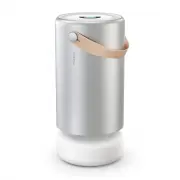
MOLEKULE SQ2PH-US Air Purifier – User Manual, read for free online in PDF format. We hope this helps you resolve any issues you may have. If you have further questions, please contact us through the contact form.


Table of Contents:
- Page 3 – Place it in a big space.; Air Pro uses low energy to keep fresh air flowing.; Best practices
- Page 4 – Setting up; Place away from walls for optimal airflow.
- Page 5 – Home screen; A WiFi symbol indicates connectivity issues.; Home screen
- Page 6 – There’s no need to replace your PECO-Filter.; Your PECO-Filter is nearing recommended replacement time.; Replace
- Page 9 – Auto Protect & particle levels
- Page 10 – Bad; Your Air Pro is detecting a very; Very bad
- Page 11 – Coarse particles 10 microns or smaller in width (about 1/5th of
- Page 12 – How do I replace the filter?; User servicing instructions
- Page 13 – Visit us; Frequently asked questions
- Page 14 – Make sure the device is plugged into a working outlet.; Does Molekule Air Pro emit WiFi signals?
- Page 15 – Safety precautions & warnings
- Page 16 – Disclaimer
- Page 17 – Limited warranty information
- Page 18 – FCC statement; FCC Radiation Exposure Statement
- Page 19 – cause undesired operation of the device.; IC statement; IC Radiation Exposure Statement
Molekule Air Pro
User Manual
"Loading the manual" means you need to wait until the file loads and becomes available for online reading. Some manuals are very large, and the time they take to appear depends on your internet speed.
Summary
Place it in a big space. Air Pro will work in any room, but giving it space away from walls will help maximize clean air circulation. It’s designed for large, multi-usage rooms, up to 800 sq. ft., like offices, large bedrooms, living rooms, and open floor plans. Run it 24/7. Air Pro uses low energy ...
Setting up 02 Push down on center core, turn counterclockwise and release. Core will rise on its own. Lift it off. Remove PECO-Filter from plastic wrapper and place back in. Align red line inside shell with red line on core so it falls into place. Push down and turn clockwise until it locks into pla...
Good PECO-Filter 86% Good Standard Quiet Manual Auto Protect z PM10 PM2.5 Good PM1.0 Moderate Bad Standby Device details Languages Reset 03 Tap the touch screen once to awaken your device and get a glance at the PM sensor level and current status of your Air Pro. Controls & interface Home screen...