MOLEKULE MN2PH-US - User Manual
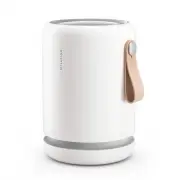
MOLEKULE MN2PH-US Air Purifier – User Manual, read for free online in PDF format. We hope this helps you resolve any issues you may have. If you have further questions, please contact us through the contact form.


Table of Contents:
- Page 2 – Try it in the bedroom.; Molekule Air Mini+ uses low energy to keep fresh air flowing.; Best Practices
- Page 3 – Setting Up
- Page 4 – Manual Mode
- Page 6 – WiFi Status; If it turns green, it has connected successfully.
- Page 8 – Particle Levels
- Page 10 – How do I replace the filter?; User Servicing Instructions
- Page 11 – Visit us; Frequently Asked Questions
- Page 12 – Why won’t my device power on?; Make sure the device is plugged into a working outlet.; Does Molekule Air Mini+ emit WiFi signals?
- Page 13 – Safety Precautions & Warnings
- Page 14 – Disclaimer
- Page 15 – Limited Warranty Information
- Page 16 – FCC Statement; Consult the dealer or an experienced radio/TV technician for help.; FCC Radiation Exposure Statement:
- Page 17 – IC Radiation Exposure Statement:; cause undesired operation of the device.; IC Statement
Molekule Air Mini+
User Manual
Save for later reading
"Loading the manual" means you need to wait until the file loads and becomes available for online reading. Some manuals are very large, and the time they take to appear depends on your internet speed.
Summary
Try it in the bedroom. Molekule Air Mini+ will work in any room, but giving it space in a central location, and on a shelf, stand, or table will help maximize air intake. It’s designed for rooms under 250 sq. ft. We recommend running it in the bedroom, closer to your bed at night for a clean, sleep-...
Setting Up 02 Twist off shell and pull out filter. Unwrap filter and place on base. Align logo on shell with arrow on base. Close shell and twist to lock. Unwind cord and plug in. Once WiFi light is pulsing, you’re ready to pair to the app. Download the app to complete setup and set up device contro...
Manual Mode Your device’s five fan speeds correspond to the number of dotted white lights. Tapping the button cycles through speeds and Auto Protect. Silent Low Medium High Boost Speed Indicators 03 There’s just one button. It’s on top, in the center of the display. Tap it to wake the device, and cy...