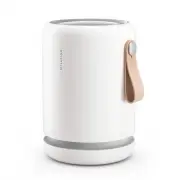
Page 2 - Try it in the bedroom.; Molekule Air Mini+ uses low energy to keep fresh air flowing.; Best Practices
Try it in the bedroom. Molekule Air Mini+ will work in any room, but giving it space in a central location, and on a shelf, stand, or table will help maximize air intake. It’s designed for rooms under 250 sq. ft. We recommend running it in the bedroom, closer to your bed at night for a clean, sleep-...
Page 3 - Setting Up
Setting Up 02 Twist off shell and pull out filter. Unwrap filter and place on base. Align logo on shell with arrow on base. Close shell and twist to lock. Unwind cord and plug in. Once WiFi light is pulsing, you’re ready to pair to the app. Download the app to complete setup and set up device contro...
Page 4 - Manual Mode
Manual Mode Your device’s five fan speeds correspond to the number of dotted white lights. Tapping the button cycles through speeds and Auto Protect. Silent Low Medium High Boost Speed Indicators 03 There’s just one button. It’s on top, in the center of the display. Tap it to wake the device, and cy...
Page 6 - WiFi Status; If it turns green, it has connected successfully.
WiFi Status • Upon powering the device (after setup), this indicator will pulse white while it searches for a connection. • If it turns green, it has connected successfully. • A red WiFi status indicator means an issue with your WiFi is prohibiting your Molekule Air Mini+ from connecting. • If this ...
Page 8 - Particle Levels
Particle Levels 06 Understanding Auto Protect and particle levels Auto Protect uses the particle sensor to take automatic readings of the air in front of it and adjusts fan speed for optimal air purification in the room in which it’s running. Based on the density of particles it detects in that room...
Page 10 - How do I replace the filter?; User Servicing Instructions
How do I replace the filter? 07 User Servicing Instructions With the base on a steady surface, twist device shell counterclockwise and lift to open. Remove new PECO-Filter from packaging and place onto base with small hole face down, as indicated on PECO-Filter. Lift used PECO-Filter off device base...
Page 11 - Visit us; Frequently Asked Questions
Help & Support 08 Frequently Asked Questions 09 Help & Support We’re here to help you breathe easier. If you have issues with your device, filter, or account: Visit us help.molekule.com Call us seven days a week, 8am-5pm PT +1 (855) 999-9069 Frequently Asked Questions How do PECO-Filter auto...
Page 12 - Why won’t my device power on?; Make sure the device is plugged into a working outlet.; Does Molekule Air Mini+ emit WiFi signals?
Why is my device’s filter status flashing red and device shutting down? We understand that our customers lead busy lives and may forget to change the filter, which prevents them from having the cleanest air possible. Once a Molekule Air Mini+’s PECO-Filter status indicator flashes red and the fan sp...
Page 13 - Safety Precautions & Warnings
Never place any objects on top of the unit. Do not place the unit directly below a shelf or other objects that might hinder the exiting air flow. Never cover vents while the unit is running. Avoid dropping the device or placing the device on an uneven or potentially unstable location. To help ensure...
Page 14 - Disclaimer
Disclaimer Your Molekule Air Mini+’s sensor is accurate and equivalent to other commercially available air quality sensors. At sufficient concentrations, it is sensitive to all physical particles, like dust, smoke, components of vehicle exhaust, soot, and many other airborne substances. Internal tes...
Page 15 - Limited Warranty Information
Molekule warrants that for a period of two years from shipment, the Product will be free from defects in materials and workmanship under normal use in accordance with the documentation provided with the Product. In the event of a defect, visit Molekule at molekule.com/contact for return instructions...
Page 16 - FCC Statement; Consult the dealer or an experienced radio/TV technician for help.; FCC Radiation Exposure Statement:
12 This device complies with part 15 of the FCC Rules. Operation is subject to the following two conditions: (1) This device may not cause harmful interference, and (2) this device must accept any interference received, including interference that may cause undesired operation. NOTE: This equipment ...
Page 17 - IC Radiation Exposure Statement:; cause undesired operation of the device.; IC Statement
11 Pour les produits disponibles aux États-Unis / Canada du marché, seul le canal 1 à 11 peuvent être exploités. Sélection d’autres canaux n’est pas possible. IC Radiation Exposure Statement: This equipment complies with IC RSS-102 radiation exposure limits set forth for an uncontrolled environment....