Miele WXF660 WCS TDos - Quick Guide
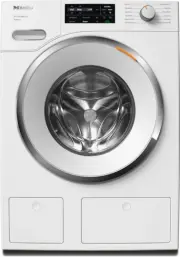
This user manual covers the operation of a washing machine, including essential setup procedures like preparing laundry, selecting wash cycles, and configuring settings such as water temperature or spin duration. The document also addresses maintenance–such as cleaning the drum and detergent dispenser–and provides practical guidance on common issues, ensuring users can troubleshoot basic problems effectively while adhering to care recommendations for optimal performance.


fold here
fold here
fold here
fold here
fold here
fold here
OPERA
TION
PREP
ARING THE LA
UNDR
Y/SELEC
TING A PROGRAM
ADDING LA
UNDR
Y
Damage from incorrect installation
and connection.
Installing and connecting the washing
machine incorrectly will cause serious
damage to property.
See “Installation”.
Damage resulting from failure to re-
move the shipping struts.
Failure to remove the shipping struts can
result in damage to the washing machine
and to adjacent cabinetry or appliances.
Remove the shipping struts as described
in “Installation and connection”.
Switching on the washing machine
Turn the program selector to the Nor-
mal program.
The welcome tone will sound and the wel-
come screen will light up.
The display will now guide you through the
initial commissioning process, which is di-
vided into 5 steps.
For additional information, please refer to
the separate operating instructions sup-
plied.
Operating the sensor buttons
The sensor buttons react to fingertip con-
tact. If a sensor button is illuminated, it
can be selected.
If a sensor button is brightly lit, this
means: currently selected
If a sensor button is dimly lit, this means:
selection possible
a
Control field
The control field consists of a display
and various sensor buttons.
b
sensor buttons
The values in the display can be
changed with the
sensor buttons.
c
Sensor buttons for options
You can supplement the wash pro-
grams with options.
d
Display
Various values are displayed and/or
selected on the display.
e
OK sensor button
Confirm the selected values with the
OK sensor button.
f
sensor button
The
sensor button starts the Delay
Start function.
g
sensor button
You can view information about the
energy and water consumption of your
washing machine with the
sensor
button.
h
sensor button
You can specify the degree of soiling of
the load in 3 settings. This sensor but-
ton is only active when the TwinDos
option is activated.
i
Start
/
Add laundry
sensor button
Touching the Start/Add laun-
dry sensor button starts the se-
lected program. The sensor but-
ton lights up constantly.
Once the program has been
started, the Start/Add laun-
dry sensor button allows you to
add laundry.
j
sensor button
Activates CapDosing via the detergent
drawer.
k
TwinDos sensor button with the ad-
ditional Whites and Colors sensor
buttons
Deactivate or activate automatic de-
tergent dispensing via the TwinDos
sensor button.
l
Optical interface
This is used by the Service depart-
ment as a transmission point.
m
Program selector
For selecting programs and for switch-
ing the machine off. The washing ma-
chine is switched on when you select
a program, and switched off by turning
the program selector to the
posi-
tion.
Environmentally friendly washing
- Make use of the maximum load that the
wash program can accommodate. This
will keep energy and water consumption
to a minimum in relation to the size of
the load.
- Use the program for small, lightly soiled
loads.
- Modern detergents make it possible to
wash at lower temperatures (e.g., 70°F/
20°C). Using the corresponding temper-
ature settings will save energy.
- Washing at low temperatures and/or us-
ing liquid detergents can cause bacteria
and odors to build up in the washing ma-
chine. Miele therefore recommends
cleaning the washing machine once ev-
ery month.
The washing machine provides you with
a reminder with the message
Sanitize
info: Run the “Sanitize” or “Clean Ma-
chine” program
in the display.
1. Preparing the laundry
Empty all pockets.
Damage due to foreign ob-
jects.
Nails, coins, paper clips, and so
on can cause damage to garments
and components in the machine.
Check the laundry before wash-
ing and remove any such foreign
objects.
Sort the laundry by color and by care label. Most gar-
ments have a textile care label in the collar or side
seam.
Pre-treat stains and badly soiled areas.
2. Selecting a program
There are three possible ways to select a program.
1. Selecting the standard programs with the program
selector dial
Turn the program selector to the required program.
The selected program will be shown in the display.
This will then be replaced by the standard display.
2. Selecting additional programs by setting the
program selector to “Additional programs/
” and
using the display.
Turn the program selector to the Additional programs/
position. The following appears in the display:
Table
Linens/Drapes
Touch the
sensor buttons until the program you
want appears in the display.
Confirm the program with the OK sensor button.
3. Selecting additional programs by setting the
program selector to MobileStart
and using the
Miele app
Turn the program selector to the MobileStart
posi-
tion.
The following appears in the display:
Load laundry, close the door and press “Start”. Appliance
can be remotely controlled
Follow the instructions in the display and start the
program.
The following appears in the display:
MobileStart
The washing machine can now be operated with the
Miele app.
1
Detergent drawer
2
Control panel
3
Drain filter
4
Door
5
TwinDos dispensing
3. Loading the washing machine
Opening the door
Take hold of the door and pull it
open.
Unfold the laundry and load
loosely into the drum.
Closing the door
Make sure that no items are
caught between the door and
the seal.
Shut the door gently.
4. Selecting program settings
Selecting a temperature/spin speed
Touch the
sensor buttons above or below the
temperature or spin speed value in the display until
the temperature/spin speed you want appears in the
display.
Selecting options
There are 2 ways of selecting options.
1. Directly via the sensor buttons
Touch the sensor button for the required option. It will
then light up brightly.
2. Via the Options sensor button and the display
Touch the Options sensor button. The following ap-
pears in the display: No Options
Touch the
sensor buttons until the option you
want appears in the display and confirm this with the
OK sensor button.
Degree of soiling
The
sensor button is only active when
the TwinDos sensor button is activated.
-
Light
No visible soiling or stains
-
Normal
Visibly soiled and/or just a few slight
stains
-
Heavy
Heavily soiled and/or stains clearly visi-
ble
Delay Start/SmartStart
Delay Start
With the Delay Start function, you can de-
lay the start of the program. The start of
the program can be delayed from 15 min-
utes up to a maximum of 24 hours.
SmartStart
The SmartStart function lets you define a
time period during which your washing
machine will start automatically. The
washing machine is started via a signal,
e.g., from your energy supplier, that indi-
cates that the electricity rate is particularly
economical.
5. Add detergent
There are several options for adding deter-
gent to the washing machine.
TwinDos
TwinDos dispensing is automatically acti-
vated for all programs in which dispensing
is possible.
Changing TwinDos dispensing
You can change the suggested color com-
position of the laundry.
Touch the Whites or Colors sensor but-
ton.
Deactivating TwinDos dispensing
Touch the TwinDos sensor button. The
sensor button is only dimly lit and dis-
pensing is deactivated.
Filling with detergent
This washing machine requires particularly
efficient detergent. Add detergent in ac-
cordance with the value in the pull-down
dosage display.
Ensure that TwinDos dispensing is deac-
tivated.
Pull out the de-
tergent drawer
and add deter-
gent to the com-
partments.
Chlorine bleach for removing
stains or liquid detergent for
the pre-wash
Detergent for the main wash,
including Soak if selected
Fabric softener, liquid starch,
or caps
CapDosing
If you selected CapDosing when setting
the program, detergent will be dispensed
via the capsule for this wash program.
Using powder detergent
The detergent drawer contains an insert
for liquid detergent in the
compart-
ment. This insert must be removed to use
powder detergent. It is not possible to use
powder detergent in the
compart-
ment.
Using chlorine bleach
Damage due to chlorine bleach.
Textiles may be discolored or their fibers
damaged.
Only use chlorine bleach on suitable tex-
tiles.
Chlorination must be activated in the
settings before chlorine bleach is first
used.
The Pre-wash option must not be se-
lected.
Pour max. 1/4 cup (60 ml) of bleach
into the
chamber.
The chlorine bleach is added automatically
10 minutes before the end of the main
wash.
6. Start the program
Touch the flashing Start/Add laundry
sensor button.
The door will lock and the wash program
will start.
The program status will appear in the dis-
play.
Adding laundry during a program
sequence
Laundry can be added or removed at any
time, provided that the
symbol is not il-
luminated in the display.
Touch the Start/Add laundry sensor
button.
The following appears in the display:
Please wait
Wait until the following display lights
up:
Door can be opened
Open the door and add or remove laun-
dry.
Close the door.
Touch the Start/Add laundry sensor
button.
The wash program will continue.
7. Program end
The door is locked in the Anti-crease
phase. The display alternates between:
End/Anti-Crease
and
Press Start button
Unlock the door either by touching the
Start/Add laundry sensor button or by
turning the program selector to the
position.
The door will unlock.
Tip:
After the Anti-crease phase, the door
will unlock automatically.
Take hold of the
door and pull it
open.
Remove the laun-
dry.
Items left in the drum could discolor
other items in the next wash or become
discolored themselves.
Remove all items from the drum.
Check the folds in
the door seal for
any foreign ob-
jects.
Tip:
Leave the door slightly open.
If you used a capsule, remove it from
the detergent drawer.
Tip:
Leave the detergent drawer slightly
open.
Options
You can supplement the wash programs
with options.
SoftSteam
In order to reduce creasing, the laundry
undergoes a smoothing process at the
end of the program. Reducing the maxi-
mum load by 50% will give a better re-
sult. Please note the load information in
the display. Small loads achieve a better
result.
without
SoftSteam
with
SoftSteam
Full load
Half load
Half load
Small load
Small load
Very small
load
The garments must be suitable for drying
in a tumble dryer
and suitable for
ironing
.
For laundry with large amounts of dirt,
e.g., dust and sand.
Pre-wash and the use of bleach are not
possible.
The chlorine bleach is added too early.
Only liquid detergent may be added to
the
chamber of the detergent
drawer.
Powder detergent clogs up the
chamber and water can escape from
the detergent drawer.
Buzzer
A buzzer sounds at the end of the pro-
gram. The buzzer sounds until the wash-
ing machine is switched off.
Gentle
Drum rotation and wash duration is re-
duced. Lightly soiled items are washed
more gently.
ExtraRinse
An extra rinse can be activated to
achieve a more thorough wash result.
Soak
For heavily soiled and stained items with
protein stains. A duration of between
30 minutes and 6 hours can be selected
for the soak process. See “Settings” for
more information.
The factory default setting is 30 minutes.
AllergoWash
This option should be used where high
standards of hygiene are required. En-
ergy consumption is increased to
lengthen temperature holding times and
water consumption is increased to im-
prove rinsing efficiency. The items must
be suitable for drying in a tumble dryer
and suitable for ironing
.
Before the first use
Operation
Preparing the laundry
Selecting a program
Starting a program
Options
fold here
fold here
fold here
fold here
fold here
fold here
en-US
M.-Nr
. 11 622 870
WWF 660, WXF 660
"Loading the manual" means you need to wait until the file loads and becomes available for online reading. Some manuals are very large, and the time they take to appear depends on your internet speed.
Was this manual helpful?
About this manual
- Brand
- Miele
- Model
- WXF660 WCS TDos
- Document type
- Quick Guide
- Language(s)
- English
- Pages
- 2
- File size
- 757.3 KB
- Format
Other Manuals for Miele WXF660 WCS TDos
Ask a question
Related manuals
Popular Miele Other
 Miele WWD380 WCS PWash&Steam&9kg User Manual
 Miele W 1614 Manual
 Miele G 5266 SCVi SFP Active Plus User Manual
 Miele Classic C1 Turbo Team PowerLine - SBAN0 User Manual
![Miele PDR 307 [EL]](https://manualsarea.com/img/product/thumbs/48/ba/fd/bafde84806e8abc8b420f34eaf8fcd6e.webp) Miele PDR 307 [EL] User Manual
Miele PDR 307 [EL] User Manual Miele F 1911 Vi Manual
![Miele PDR 908 [EL MAR 3N AC 400V 50-60Hz]](https://manualsarea.com/img/product/thumbs/48/05/b7/05b705998b251f92b271e908423e1ecb.webp) Miele PDR 908 [EL MAR 3N AC 400V 50-60Hz] Installation Manual
Miele PDR 908 [EL MAR 3N AC 400V 50-60Hz] Installation Manual Miele K 9757 iD Manual
More Miele Other models
 Miele WWG360 WCS PWash&9kg User Manual
 Miele WWG660 WCS TDos&9kg User Manual
 Miele WWG880 WCS PWash&TDos&Steam User Manual
 Miele WWK360 WCS PWash&10kg User Manual
 Miele WWV980 WPS Passion User Manual
 Miele WXD160 WCS Quick Guide
 Miele WXR860 WCS TDos & IntenseWash Quick Guide
 Miele XCI-Box User Manual
 Miele 04 950 470 Manual
 Miele 07 682 190 Manual
 Miele 09 798 350 Manual
 Miele 09 900 700 Manual