Miele ProCare Sure I-PM Starter - User Manual
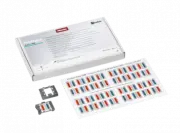
A user manual for the Miele ProCare Sure I-PM process indicators, designed to monitor washer-disinfector performance by tracking key operational parameters like detergent use, time, temperature, mechanical action, and water quality against standardized benchmarks. This system features 32 color-coded indicators that visually assess adhesion levels during machine cycles, guiding setup, validation, and routine maintenance. The guide also addresses evaluation procedures–comparing indicator results to reference standards–and troubleshooting common cleaning inefficiencies, alongside storage and disposal protocols for the indicators.


ProCare Sure I-PM process indicators - Instructions on use
Application
ProCare Sure I-PM process indicators are used in the routine monitoring of washer-disinfectors.
They flag up changes to process parameters through comparison with a predefined reference value.
The operative mechanisms in the washer-disinfector are determined by the interaction of the following parameters:
• Detergent
• Time
• Temperature
• Mechanical action
• Water quality.
For instance, differences in cleaning intensity can result from the type of detergent used (e.g. alkaline, mildly alkaline/enzymatic) or the
water quality (e.g. softened or demineralised water).
In addition to technical parameters monitored by the washer-disinfector itself, such as dispensing and spray pressure, process indicators draw
attention to any discrepancies based on a comparison with reference values defined during performance qualification, e.g. changes in water quality.
Process indicators do not furnish proof of cleaning performance and are not intended as a substitute for parametric approvals by trained users.
Miele recommends the use of at least two process indicators in each cycle.
Use - General preparatory work
During commissioning or validation, two process indicators are included with the requisite load configuration throughout an entire programme cycle
and reprocessed together with the load to provide an initial cleaning reference with respect to the given load configuration. Miele recommends the
use of at least 2 process indicators per reprocessing cycle.
A documentation sheet is used to document both the reference and routine values. Documentation is facilitated by removing the adhesive backing
from both indicators and applying them to the documentation sheet. The initially cleaned indicators serve as a reference for all future reprocessing
cycles in which indicators are used. In order to capture values from the entire chamber, process indicators should be positioned diagonally opposite
each other, one at the front and one at the rear. On models with two rack levels, position a process indicator on each of the two levels. On models
with one rack level only, place one indicator at the front and one at the back in diagonally opposite corners (
1
). Both holders containing process
indicators can be attached to load carriers or to lower and upper baskets (
2
). When using inserts, process indicators may also be attached directly
to inserts if they would otherwise be shielded by the load. The colour bars should always face the centre of the chamber. Process indicators should
always be located in the same positions during both generation of the reference and routine testing.
Product description
A sheet of indicators consists of 32 individual indicators. The sheet
is perforated between pairs of indicators in order to facilitate the
use of double indicators through folding. Three colour bars, each
with different degrees of cleanability, are printed on each of the
self-adhesive and temperature-resistant process indicators. The
colour bars represent synthetic and non-toxic test challenges with
varying degrees of adhesion. This guarantees that a broad and
differentiated range of parameters are covered, e.g. water quality
and the mechanical action of the spray arms.
1
2
"Loading the manual" means you need to wait until the file loads and becomes available for online reading. Some manuals are very large, and the time they take to appear depends on your internet speed.
Was this manual helpful?
About this manual
- Brand
- Miele
- Model
- ProCare Sure I-PM Starter
- Document type
- User Manual
- Language(s)
- English
- Pages
- 2
- File size
- 798.1 KB
- Format
Ask a question
Related manuals
Popular Miele Other
 Miele WWD380 WCS PWash&Steam&9kg User Manual
 Miele W 1614 Manual
 Miele G 5266 SCVi SFP Active Plus User Manual
 Miele Classic C1 Turbo Team PowerLine - SBAN0 User Manual
![Miele PDR 307 [EL]](https://manualsarea.com/img/product/thumbs/48/ba/fd/bafde84806e8abc8b420f34eaf8fcd6e.webp) Miele PDR 307 [EL] User Manual
Miele PDR 307 [EL] User Manual Miele F 1911 Vi Manual
![Miele PDR 908 [EL MAR 3N AC 400V 50-60Hz]](https://manualsarea.com/img/product/thumbs/48/05/b7/05b705998b251f92b271e908423e1ecb.webp) Miele PDR 908 [EL MAR 3N AC 400V 50-60Hz] Installation Manual
Miele PDR 908 [EL MAR 3N AC 400V 50-60Hz] Installation Manual Miele K 9757 iD Manual
More Miele Other models
![Miele PLW 7111 [Safety S-1011]](https://manualsarea.com/img/product/thumbs/48/46/c8/46c896f1c5bae67d3152be98024ac09b.webp) Miele PLW 7111 [Safety S-1011] User Manual
Miele PLW 7111 [Safety S-1011] User Manual![Miele PLW 8615 [EL CT]](https://manualsarea.com/img/product/thumbs/48/70/ff/70ff37b9174e78db8d00ddce8cf08ee3.webp) Miele PLW 8615 [EL CT] Installation Manual
Miele PLW 8615 [EL CT] Installation Manual![Miele PLW 8617 [EL/S TH]](https://manualsarea.com/img/product/thumbs/48/fe/90/fe9010c5f8c3c4aada5d83b417c78507.webp) Miele PLW 8617 [EL/S TH] Installation Manual
Miele PLW 8617 [EL/S TH] Installation Manual Miele PR Installation Manual
 Miele Premier 300 Manual
 Miele Premier 520 Manual
 Miele PT 7136 PLUS Manual
 Miele PTD 703 User Manual
![Miele PTD 901 [LIFT DOS]](https://manualsarea.com/img/product/thumbs/48/ca/75/ca75054dcfa99e211c03de7fd74eb55a.webp) Miele PTD 901 [LIFT DOS] Installation Manual
Miele PTD 901 [LIFT DOS] Installation Manual Miele PUR 68 W User Manual
 Miele PUR 98 D User Manual
 Miele PUR 98 W User Manual