Page 2 - Contents; Language
Contents 2 Warning and Safety instructions ............................................................................... 5 Before using for the first time ..................................................................................... 13 Installation ............................................
Page 3 - System lock
Contents 3 Units ................................................................................................................................. 36 Weight ........................................................................................................................ 36 Keeping warm .........
Page 4 - Examples of use
Contents 4 Examples of use ............................................................................................................ 55 Note for test institutes ................................................................................................. 56 Cleaning and care ....................
Page 5 - Warning and Safety instructions; Correct application
Warning and Safety instructions 5 This microwave oven complies with current safety requirements.Inappropriate use can, however, lead to personal injury andmaterial damage.Read the operating instructions carefully before using theappliance. They contain important information on safety,installation, u...
Page 6 - Safety with children
Warning and Safety instructions 6 The oven compartment is fitted with a special lamp to cope with particular conditions (e.g. temperature, moisture, chemicalresistance, abrasion resistance and vibration). This special lamp mustonly be used for the purpose for which it is intended. It is not suitab...
Page 8 - While the microwave oven is under warranty, repairs should only; Correct use; Always ensure that food is sufficiently cooked or reheated.
Warning and Safety instructions 8 Unauthorised or incorrect repairs can cause considerable danger to users. Repairs may only be carried out by a Miele authorisedtechnician or by the Miele Customer Service Department. While the microwave oven is under warranty, repairs should only be undertaken b...
Page 9 - and
Warning and Safety instructions 9 It is important that the temperature in the food being cooked is evenly distributed and sufficiently high. This can be achieved by stirring or turning the food, and observing asufficiently long standing time (see charts), which should be added tothe time needed fo...
Page 10 - This is particularly important when preparing food for babies,; After reheating food, especially food
Warning and Safety instructions 10 Be careful when removing dishes from the appliance. Although heat is not normally produced in the container itself by the microwaves (apartfrom stoneware), heat transfer from the food to the container may beconsiderable, making the container itself hot. The dish ...
Page 11 - Food which is stored in the oven or left in it to be kept warm can
Warning and Safety instructions 11 Food which is stored in the oven or left in it to be kept warm can dry out and the moisture released can lead to corrosion damage inthe microwave oven. This can also cause damage to the controlpanel, worktop and surrounding kitchen furniture. Always cover foodtha...
Page 12 - The following applies for stainless steel surfaces:; Accessories
Warning and Safety instructions 12 Eggs heated in their shells using microwave power can burst, even after they have been taken out of the oven. Eggs can only be cookedin their shells in a specially designed egg-boiling device. Do not reheat hard-boiled eggs in the microwave oven. Food with a th...
Page 13 - Before using for the first time; Risk of suffocation due to
Before using for the first time 13 After transportation, let the unpackedappliance stand for approx. 2 hoursat room temperature before using it. This is to allow time for the temperatureto equalise between the temperature inthe room and the appliance. This isimportant for the correct electronicfunct...
Page 14 - Installation; Installation dimensions; Dimensions are given in mm.
Installation *INSTALLATION* 14 When installing the microwave oven,ensure that there is adequateventilation to the front of theappliance.Do not obstruct the air vents withany objects. Lifting the microwave oven by thedoor handle could cause damage tothe door.Use the handle cut-outs on the sideof the ...
Page 15 - Tall unit installation
Installation *INSTALLATION* 15 Tall unit installation 595 450 562 550 +6 +2 Base unit installation 595 460 +2 550 +6 562
Page 16 - Side view; Front view
Installation *INSTALLATION* 16 Side view 455.5 451.5 333 111.5 22 22* / 23.3** 4 min. 2 * Glass** Stainless steel Base unit connection 3 70 53 2 1 451.5 595 a Front view b Mains connection cable, Length = 1600 mm c No connections permitted in this area
Page 17 - Tall unit connection
Installation *INSTALLATION* 17 Tall unit connection 70 53 2 1 451.5 595 3 a Front view b Mains connection cable, Length = 1600 mm c No connections permitted in this area
Page 18 - Carrying out installation; Position the appliance.
Installation *INSTALLATION* 18 Carrying out installation The microwave oven must be built inbefore it can be used. Slide the microwave oven into theniche. Feed the cable with the plugthrough the back of the unit. Position the appliance. Open the appliance door and securethe appliance onto the ...
Page 19 - Electrical connection; Risk of injury caused by a faulty
Installation *INSTALLATION* 19 Electrical connection Risk of injury caused by a faulty appliance.Before connecting the appliance,ensure that it has not been damagedin any way.Never use a faulty appliance. The appliance is supplied ready forconnection with a cable and plug. Fire hazard due to ove...
Page 20 - Caring for the environment; Disposing of your old appliance
Caring for the environment 20 Disposing of the packagingmaterial The packaging material is used forhandling and protects the appliancefrom transport damage. The packagingmaterial used is selected from materialswhich are environmentally friendly fordisposal and can generally be recycled.Recycling the...
Page 21 - Guide to the appliance; Control panel
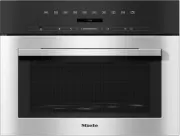
Guide to the appliance 21 a Control panel b Turntable c Door
Page 22 - OK
Control panel 22 a On/Off button b Quick microwave button c button for going back a step and for cancelling a cooking programme d Navigation area with and buttons for scrolling through lists and for changing values e Display for showing the time of day and information on operation f ...
Page 23 - Control elements; Display; Operating mode/function
Control elements 23 On/Off button The On/Off button is recessed and reacts to touch.It is used to switch the microwave ovenon and off. Display The display is used to show the time ofday or information about functions,temperatures, cooking durations,automatic programmes and settings.After switc...
Page 24 - Sensor controls under the display; Sensor control Function
Control elements 24 Sensor controls under the display Sensor control Function Use this sensor control to start the Quick microwave function.The cooking programme runs at the maximum power level(900 W) and for a cooking duration of 1 minute (see “Quickmicrowave” section in the “Operation” chapter)....
Page 25 - Display symbols; The following symbols may appear in the display:; Symbol
Control elements 25 Display symbols The following symbols may appear in the display: Symbol Meaning This symbol indicates that there is additional information andadvice about using the appliance. Press the OK sensor control to confirm the information. … This indicates that there are more menu o...
Page 26 - Using the appliance
Using the appliance 26 Selecting a menu option andchanging a value or setting The arrow buttons and and the area between them have the following functions: - Select a menu option from a selection list. - Change a value (e.g. the weight) or a setting (e.g. the volume of the buzz...
Page 27 - Description of function
Description of function 27 The microwave oven contains amagnetron. This converts electricalenergy into electromagnetic waves(microwaves). These microwaves aredistributed evenly throughout the ovencompartment, and are reflected off themetal appliance walls. This enables themicrowaves to reach the foo...
Page 28 - Modes of operation; Functions; Microwave Solo mode
Modes of operation 28 Food is cooked, reheated or defrostedquickly in a microwave oven.You can use the microwave oven in thefollowing ways:– Food can be defrosted, reheated orcooked by entering a power setting anda duration.– Deep-frozen, ready meals can bedefrosted and then reheated or cooked.– The...
Page 29 - Suitable containers for microwave ovens; Fire hazard due to unsuitable; Material and shape; Risk of injury due to hollow; Metal
Suitable containers for microwave ovens 29 Microwaves: - are reflected by metal. - pass through glass, porcelain, plastic and cardboard. - are absorbed by food. Fire hazard due to unsuitable container.Containers which are not suitable foruse in microwave ovens can be badlydamaged and cause damage ...
Page 30 - - Pieces of aluminium foil
Suitable containers for microwave ovens 30 Please note that sparks and arcingcan occur when using aluminium foildishes in the microwave. If thisoccurs transfer the food to amicrowave safe container. - Pieces of aluminium foil Make sure that the aluminium foil isat least 2 cm from the oven walls atal...
Page 31 - Single-use containers
Suitable containers for microwave ovens 31 Single-use containers Fire hazard due to unsuitable container.Single-use containers made ofplastic, paper or other inflammablematerials can ignite.Do not leave the applianceunattended when reheating orcooking food in single-use containersmade of plastic, ...
Page 32 - A heat-retaining cover; Damage due to heat-sensitive; Do not use a heat-retaining cover; - food coated with breadcrumbs is
Suitable containers for microwave ovens 32 A heat-retaining cover - prevents too much steam escaping, especially when cooking foods withlonger reheating times. - speeds up the reheating process.- prevents food from drying out.- helps keep the oven compartment clean. When using Microwave Solo mode,...
Page 33 - Welcome screen
Before using for the first time 33 The microwave oven must be built inbefore it can be operated. The microwave oven is ready to use assoon as it has been connected to theelectricity supply. Welcome screen The Miele logo appears. You will then berequested to select some basic settingswhich are needed...
Page 34 - Settings; Settings overview; Menu option; Location
Settings 34 Settings overview Menu option Available settings Language ... deutsch *, english ... Location Time Display ( Clock display off *, Clock display on , Night dimming ) Clock format ( 24 h *, 12 h ) Set Volume Buzzer tones Keypad tone Display brightness ...
Page 35 - Changing settings; Time; Clock format; Volume; Buzzer tones
Settings 35 Changing settings Some of the standard settings for theappliance have an alternative.Please consult the chart for the differentoptions for appliance settings.The factory settings are marked with astar* on the chart.To change a setting, proceed as follows: Press the button. Then se...
Page 36 - Keypad tone
Settings 36 Keypad tone A buzzer will sound when you touch asensor control if the keypad tone isactivated. Display brightness The display brightness is represented bya bar with segments. - Maximum brightness - Minimum brightness Units Weight For automatic programmes, yo...
Page 37 - Safety; Sensor lock; Software version; Demo mode; Factory default
Settings 37 Safety System lock The system lock prevents the appliancebeing used unintentionally.The minute minder can still be set whenthe system lock is active. The system lock will remain activatedeven after a power outage. - On The system lock has been activated.Before you can use the microwave...
Page 38 - Operation; Opening the door; Risk of injury from the open door.; Placing the dish in the oven
Operation 38 Opening the door If the microwave oven is in use, openingthe door will interrupt the cookingprocess. Risk of injury from the open door. The door can support a maximumweight of 8 kg. Children could injurethemselves on an open door.Do not let children sit on the door,lean against it or ...
Page 39 - Altering settings; microwave power level; Cancelling a programme
Operation 39 The duration required depends on: - the initial temperature of the food. Food taken straight from therefrigerator takes longer to heat orcook than food which has been keptat room temperature. - the type and texture of the food. Fresh vegetables contain more water andcook more quickly th...
Page 40 - At the end of a programme
Operation 40 At the end of a programme An audible tone will sound when thecooking programme is complete. Theoven interior lighting goes out.The audible tone is repeated severaltimes. Finished appears in the display. Press the button for the selectedpower level to confirm. Keeping warm The Keeping ...
Page 41 - Selecting Quick microwave; Changing the time and power level
Operation 41 Selecting Quick microwave Pressing the button is sufficient to set the appliance operating onmaximum power for 1 minute. Press the button. The appliance runs at maximum powerfor a cooking duration of 1 minute if thebutton is not pressed again. Changing the time and power level Y...
Page 42 - System lock activation
Operation 42 System lock The system lock prevents the appliancebeing used by children, for example. System lock activation Select . Select Settings and confirm with OK . Select Safety and confirm with OK . Select System lock and then OK . Select On and then OK . Switch the applian...
Page 43 - Using the minute minder; Changing the minute minder duration; Deleting the minute minder duration
Operation 43 Using the minute minder The minute minder can be used to timeany activity in the kitchen, e.g. boilingeggs. The time set counts down in onesecond steps.The minute minder can also be used atthe same time as a cooking programmefor which automatic switch-on andswitch-off times have been se...
Page 44 - Operation – automatic programmes; Using automatic programmes; Cook
Operation – automatic programmes 44 All of the automatic programmes areweight dependent.You can set the weight of food in grams( g ), pounds ( lb ) or pounds/ounces ( lb/oz ) (see “Changing settings” section in the“Settings” chapter). - Cook - Defrost- Reheat- Popcorn The cooking programmes an...
Page 45 - Reheat; Touch
Operation – automatic programmes 45 Reheat There are 8 automatic programmes forreheating different types of food. Thestanding time for each of theseprogrammes is approx. 2 minutes. - Bakes - Chicken in sauce - Plated meals - Fish fillet in sauce - Soup - Meat in sauce - Stew - Vegetables Popcorn ...
Page 46 - Recipes for automatic programmes; ” category. These can be; Method; Ingredients; tsp mustard; Method; Potatoes; Method
Recipes for automatic programmes 46 Below are some recipe suggestions forthe automatic programmes from the“Cooking ” category. These can be adapted to suit your requirements. If the weight guidelines for therelevant programme are exceeded,the food will not cook sufficiently.It is important to fol...
Page 47 - Rice; Total time required: 35–45 minutes
Recipes for automatic programmes 47 Golden curried potatoes(serves 3) Total time required: 25–35 minutes - Ingredients 500 g peeled potatoes1 onion, finely diced10 g butter1–2 tbsp curry powder250 ml vegetable stock (instant)50 ml double cream125 g peas (frozen)Salt and pepper Method Roughly dice th...
Page 50 - Fish fillet; Total time required: 15–20 minutes; Tip; Serve with vanilla ice cream or custard.
Recipes for automatic programmes 50 Fish fillet Season the ready-to-cook fish filletaccording to taste, place in amicrowave-safe, ovenproof dish, coverwith heat-resistant film or with amicrowave-safe cover, enter the weightand cook. Red berry compote (serves 4) Total time required: 15–20 minutes Ing...
Page 51 - Drinks; Tips on reheating; Danger of explosion due to
Reheat 51 Select the following microwave powerlevels to reheat food: Drinks 900 W Food 600 W Food for babies andchildren 450 W Risk of burning due to hot food. Food for babies and children mustnot be too hot.Only heat it for 1/2 to 1 minute at450 watts. Tips on reheating Danger of explosion due ...
Page 52 - After reheating; Risk of burning due to hot food.
Reheat 52 After reheating Be careful when taking out acontainer. It may be hot. Although the container is not normallyheated by the microwaves (apart fromstoneware), heat may transfer from thefood to the container.Allow food to stand for a few minutes atroom temperature at the end of areheating proc...
Page 53 - Cooking; rice; or; semolina; , first select a power level of; Tips on cooking; Health risk due to insufficient; Food with a thick skin or peel; Risk of injury due to eggs with; After cooking
Cooking 53 Place the food in a microwave safecontainer and cover it.When cooking, it is a good idea to selecta power level of 900 W to start withand then when the food is hot reducethe power level to 450 W for moregentle continued cooking.For dishes such as rice or semolina pudding , first select a ...
Page 54 - Defrost; Health risk due to refreezing.; Defrosting and cooking
Defrost 54 Health risk due to refreezing. Thawed or defrosted food losesnutritional value through refreezingand can go off.Do not refreeze food once it hasthawed. Use it as quickly as possible.Defrosted food may only be re-frozenafter it has been cooked. - 80 W for defrosting very delicate food, e...
Page 56 - Note for test institutes; MW power
Note for test institutes 56 Test food acc. toEN 60705 MW power level (W) Dura- tion (min) Stand- ing time* (min) Notes Custard, 1000 g 300 38–40 120 Container seeStandard, dimensionsat the upper rim (25 x25 cm) Sponge cake, 475 g 600 7–7:30 5 Container seeStandard, externaldiameter at the upperrim 2...
Page 57 - Cleaning and care; Risk of burning due to hot oven
Cleaning and care 57 Disconnect the microwave oven fromthe power supply before cleaning. Under no circumstances should apressure cleaner be used to clean themicrowave oven.The steam from a steam cleaningappliance could reach live electricalcomponents and cause a shortcircuit. Oven interior and insid...
Page 58 - Health risk caused by a faulty; To clean the interior:
Cleaning and care 58 Health risk caused by a faulty appliance.If any damage to the door is noticed,the appliance should not be useduntil the fault has been rectified by aMiele authorised and trained servicetechnician. Operating a damagedappliance can result in microwaveleakage and present a hazard...
Page 59 - Appliance front; acids or chlorides
Cleaning and care 59 Appliance front Do not let water or any object find itsway into or block the air vents in thedoor frame. Soiling that is left too long mightbecome impossible to remove andcould cause the surfaces to alter ordiscolour.Remove any soiling on the front ofthe appliance straight away....
Page 60 - Problem solving guide; Problem
Problem solving guide 60 Many malfunctions and faults that can occur in daily operation can be easilyremedied. You can save time and money in many cases, as you do not need to callthe Miele Customer Service Department.Information to help you rectify faults yourself can be found at www.miele.com/serv...
Page 62 - Service; Contact in the event of a fault
Service 62 Information to help you rectify faultsyourself and about Miele spare partscan be found at www.miele.com/service. Contact in the event of a fault You can book a Miele CustomerService Department call-out online atwww.miele.com/service.Contact information for the MieleCustomer Service Depart...
Page 63 - United Kingdom
United Kingdom Miele Co. Ltd., Fairacres, Marcham Road, Abingdon, Oxon, OX14 1TWTel: 0330 160 6600, Internet: www.miele.co.uk, E-mail: [email protected] Australia Miele Australia Pty. Ltd.ACN 005 635 398ABN 96 005 635 398Level 4, 141 Camberwell RoadHawthorn East, VIC 3123Tel: 1300 464 353E-mail: [em...


 Miele WWD380 WCS PWash&Steam&9kg User Manual
 Miele W 1614 Manual
 Miele G 5266 SCVi SFP Active Plus User Manual
 Miele Classic C1 Turbo Team PowerLine - SBAN0 User Manual
![Miele PDR 307 [EL]](https://manualsarea.com/img/product/thumbs/48/ba/fd/bafde84806e8abc8b420f34eaf8fcd6e.webp) Miele PDR 307 [EL] User Manual
Miele PDR 307 [EL] User Manual Miele F 1911 Vi Manual
![Miele PDR 908 [EL MAR 3N AC 400V 50-60Hz]](https://manualsarea.com/img/product/thumbs/48/05/b7/05b705998b251f92b271e908423e1ecb.webp) Miele PDR 908 [EL MAR 3N AC 400V 50-60Hz] Installation Manual
Miele PDR 908 [EL MAR 3N AC 400V 50-60Hz] Installation Manual Miele K 9757 iD Manual


