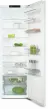
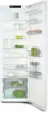
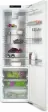
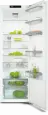
Page 2 - Contents; Warning and Safety instructions; Briefly touching the; Commissioning
Contents 2 Warning and Safety instructions ............................................................................... 5 Sustainability and environmental protection .......................................................... 14 Caring for the environment .............................................
Page 3 - Operation; Switching on SuperCool; Good to know
Contents 3 Operation ........................................................................................................................ 30 Setting the temperature ................................................................................................ 30 Switching on SuperCool ........
Page 5 - Correct application; This appliance is intended for domestic use only for cooling and
Warning and Safety instructions 5 This refrigeration appliance complies with current safetyrequirements. Inappropriate use can, however, lead to personalinjury and material damage. Please read the operating and installation instructions carefullybefore using the refrigeration appliance for the first...
Page 6 - Safety with children
Warning and Safety instructions 6 This refrigeration appliance is not suitable for storing and keeping cool medicines, blood plasma, laboratory preparations or similarsubstances or products that are subject to the Medical DeviceDirective. Incorrect use of the refrigeration appliance for suchpurpos...
Page 7 - Technical safety; The coolant circuit has been checked for leaks. The refrigeration
Warning and Safety instructions 7 Technical safety The coolant circuit has been checked for leaks. The refrigeration appliance complies with statutory safety requirements and theappropriate EU directives. Warning: fire hazard/flammable materials. This symbol is on the compressor and indicates fl...
Page 9 - Proper installation
Warning and Safety instructions 9 This refrigeration appliance is not intended for use as a built-in appliance. The appliance must be isolated from the electricity supply during installation, maintenance and repair work. Unauthorised installation, maintenance and repairs can cause considerable...
Page 11 - Accessories and spare parts
Warning and Safety instructions 11 Accessories and spare parts Only use original Miele accessories. If other parts are used, warranty, performance and product liability claims will be invalidated. Miele will guarantee to supply functional spare parts for a minimum of 10 years and up to 15 years ...
Page 12 - Disposing of your old appliance; Symbol on the compressor (depending on model)
Warning and Safety instructions 12 Disposing of your old appliance Children playing could become trapped in the appliance and could suffocate. - Remove the appliance doors.- Remove the drawers.- Leave the adjustable shelves in the refrigeration appliance so children cannot climb inside. - If your ...
Page 13 - The oil in the compressor can be fatal if swallowed or if it
Warning and Safety instructions 13 The oil in the compressor can be fatal if swallowed or if it penetrates the airways.
Page 14 - Sustainability and environmental protection; Caring for the environment; Disposing of the packaging material
Sustainability and environmental protection 14 Caring for the environment Disposing of the packaging material The packaging material is used forhandling and protects the appliancefrom transport damage. The packagingmaterial used is selected from materialswhich are environmentally friendly fordisposa...
Page 15 - Installation site
Sustainability and environmental protection 15 How to save energy ... Installation site The refrigeration appliance has to cool more often at higherambient temperatures and consumes more energy in theprocess. Therefore, you should: - Install the refrigeration appliance in a well-ventilated room. - D...
Page 16 - - Place frozen food in the fridge zone to defrost.; Defrosting; - Defrost the freezer compartment when a layer of ice max.
Sustainability and environmental protection 16 - Place frozen food in the fridge zone to defrost. Defrosting A layer of ice hinders the cold from reaching the frozen food.Therefore, you should: - Defrost the freezer compartment when a layer of ice max. 0.5 cm thick has built up.
Page 17 - Familiarisation; Guide to the appliance
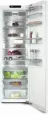
Familiarisation 17 Guide to the appliance K 4002 a Shelf with egg tray in the appliancedoor b Freezer compartment c Display d Shelves in the appliance door e Split shelf (FlexiBoard) f Adjustable shelf g Condensate channel and drain hole h Compartment lid for setting thehumidity le...
Page 18 - Display
Familiarisation 18 K 4003 a Shelf with egg tray in the appliancedoor b Split shelf (FlexiBoard) c Display d Shelves in the appliance door e Adjustable shelf f Condensate channel and drain hole g Compartment lid for setting thehumidity level in the DailyFreshdrawer h Bottle shelf wit...
Page 19 - WiFi LED
Familiarisation 19 Display The display can be scratched bypointed or sharp objects, e.g. pens.Only touch the display with yourfingertips. It is possible that the display will notreact to finger contact if your fingersare cold. a WiFi LED b 9 °C LED c 7 °C LED d Control symbol e 5 °C LED (...
Page 20 - Operating the refrigeration appliance via the display
Familiarisation 20 Operating the refrigeration appliance via the display Touch and hold the symbol for 3 seconds to switch on the refrigeration appliance. Touch the symbol a few times in succession to activate the LEDs in the main menu and in the sub-menu. The LED for the selected temperat...
Page 22 - Safety; Lock function; The lock function is located in the; Door alarm; Tap
Familiarisation 22 Safety Lock function When the lock function is switched on,it protects the refrigeration appliancefrom being switched off unintentionallyand being adjusted unintentionally byunauthorised persons, e.g. children. The lock function is located in the LED sub-menu. Door alarm The re...
Page 23 - Appliance functions
Familiarisation 23 Appliance functions Miele@home Your refrigeration appliance isequipped with an integrated WiFimodule.Networking is deactivated at thefactory. Here you can set up the Miele@homefunction for the first time, deactivateand activate the WiFi or reset thenetwork configuration (see “A...
Page 24 - hours before
Familiarisation 24 freezing fresh food. This helps food tofreeze quickly and retain its nutrients,vitamins, flavours and appearance. When the SuperCool function is switched on, the appliance may makemore noise than usual. The SuperCool function should be switched on 3 hours before placing food...
Page 25 - Factory defaults; We recommend doing this if you; Demo mode; Adjusting the interior fittings; Moving the door shelf/bottle shelf; pull the bottle holder up to remove it.
Familiarisation 25 Factory defaults You can reset the refrigerationappliance‘s settings to their factorydefault settings. The WiFi connection isalso reset. Tip: We recommend doing this if you are disposing of or selling yourrefrigeration appliance, or if you areputting a used refrigeration appliance...
Page 26 - Moving the adjustable shelves
Familiarisation 26 Moving the adjustable shelves The shelves can be adjusted accordingto the height of the food. Raise the shelf slightly at the frontand pull it forwards a little. Lift it until the notches at the side arein line with the shelf supports. Theshelf can then be raised or lowered to...
Page 27 - Moving a split shelf
Familiarisation 27 Moving a split shelf The split shelf can be moved to adifferent location inside the appliance. Take both sections of the glass shelfout of the appliance. Attach the two adapters to thesupport ribs on the left and right atthe desired height. The section of the glass shelf with ...
Page 28 - Before using for the first time; Connecting the refrigeration appliance; Switching on and off
Commissioning 28 Before using for the first time Remove all packaging material andprotective film. Clean the inside of the appliance andthe accessories (see “Cleaning andcare”). Connecting the refrigeration appliance Connect the refrigeration appliance tothe electricity supply as described in“...
Page 29 - Switch the refrigeration appliance off.
Commissioning 29 To note when switching off for longerperiods of time If, during a long absence, therefrigeration appliance is switched offbut not cleaned and the door is leftshut, there is a danger of mouldbuilding up inside the appliance.It is essential to clean therefrigeration appliance before a...
Page 30 - Setting the temperature; Switching off SuperCool
Operation 30 Setting the temperature You are in the main menu. Touch the symbol a few times in succession until you reach the LEDfor the required temperature. Health risk caused by decomposing food.The preset temperature of 5 °C in the fridge zone results in -18 °C in the freezer compartment....
Page 31 - Storing food in the fridge zone; Different storage zones
Operation 31 Storing food in the fridge zone Risk of explosion due to flammable mixes of gases.Electrical components can causeflammable mixes of gases to ignite.Do not store explosive materials inthe refrigeration appliance or anyproducts containing propellants (e.g.spray cans). The spray cans inq...
Page 32 - - Other fresh food (with a label stating it; Storing food correctly
Operation 32 - Other fresh food (with a label stating it should be kept at a temperature ofapprox. 4 °C) Tip: Store food in such a way that it does not touch the rear wall of thefridge zone. Otherwise it could freeze tothe rear wall. Food which is not suitable for storagein the refrigerator section ...
Page 33 - If you are only storing a small; Selecting low humidity; Selecting increased humidity; Open the DailyFresh drawer.
Operation 33 Storing food in the DailyFreshdrawer The DailyFresh drawer provides goodstorage conditions for fruit andvegetables.The humidity level in the DailyFreshdrawer can also be regulated to suit thefood being stored. Food retains its ownmoisture if stored at a higher humidityand so does not dr...
Page 35 - Freezing and storing food; Freezing fresh food; Health risk caused by; Using the freezer compartment; Use the freezer compartment to:; Storing frozen food; Switch on the SuperCool
Operation 35 Freezing and storing food Freezing fresh food Health risk caused by decomposing food.If the temperature in the freezerremains above -18 °C for a long time,the frozen food can start to defrost.This will reduce the storage life of thefood.Check whether the frozen food hasstarted to defr...
Page 36 - Packaging food for freezing; Freeze food in portions.; Placing food in the freezer; Switch off the SuperCool; Cooling drinks quickly; not left in for more than 1 hour; Otherwise they could burst.; Making ice cubes; Ice cubes can be removed easily
Operation 36 Only freeze fresh food which is ingood condition. Tip: To retain colour, taste, aroma and vitamin C, vegetables should beblanched before they are frozen. To doso, place vegetables portion by portioninto boiling water for 2–3 minutes. Thenremove and plunge the vegetables intoice-cold w...
Page 37 - The correct temperature; Food group; Notes on buying food
Good to know 37 The correct temperature It is very important to set the correcttemperature to ensure the shelf life offood. Reducing the temperature reducesthe growth rate of microorganisms.Food does not spoil as quickly.The temperature in the refrigerationappliance will rise: - The more often the a...
Page 38 - Adjusting settings; Switching the lock function on
Adjusting settings 38 Switching the lock function on The refrigeration appliance must beswitched on. Touch the symbol until a dual buzzer sounds after 7 seconds. All 5 LEDs light up. You are in the sub-menu. If 5 seconds pass without afunction being selected, the display willreturn to the main ...
Page 39 - Activating the WiFi connection
Adjusting settings 39 Touch the symbol multiple times briefly until you reach the 5 °C LED. The 5 °C LED lights up and all settingsare reset to the factory default settings.The appliance is restarted.The LED for the factory-set temperatureof 5 °C lights up. The WiFi LED flashes for several m...
Page 40 - Exiting service mode; Either wait 5 minutes or touch the
Adjusting settings 40 Exiting service mode If you have accidentally entered servicemode, you can easily exit it again. TheWiFi LED and the 9 °C LED flashsimultaneously. Either wait 5 minutes or touch the symbol for 3 seconds to exit service mode.
Page 41 - Cleaning and care; Risk of damage due to moisture; Cleaning agents; do not use the following:; ammonia, acids or chlorides
Cleaning and care 41 The data plate located inside theinterior cabinet of the refrigerationappliance must not be removed. Itcontains information which is requiredin the event of a fault. Do not let water get into theelectronic unit or the lighting. Risk of damage due to moisture ingress.The steam ...
Page 42 - interior
Cleaning and care 42 Preparing the refrigerationappliance for cleaning Switch the refrigeration appliance off. Take any food out of the refrigerationappliance and store it in a cool place. Defrost the freezer compartment(depending on the model; see“Defrosting”). Take out all other removable ...
Page 43 - - The holder for the charcoal filter; Dismantling the door shelf/bottle shelf; Then pull the protective strip off.; Removing the DailyFresh drawer; Remove the dividing plate.; Removing the compartment cover
Cleaning and care 43 - The holder for the charcoal filter (available as an optional accessory) Removing and dismantlingaccessories for cleaning Dismantling the door shelf/bottle shelf Remove the stainless steel trim beforecleaning the door shelf/bottle shelf inthe dishwasher. To remove the stainless...
Page 44 - Cleaning the door seal; Cleaning the ventilation gaps; Risk of damage as a result of; After cleaning
Cleaning and care 44 Cleaning the front of theappliance and the side panels If soiling is left on for any length oftime, it may become impossible toremove. Surfaces may sufferdiscolouration or damage.Therefore, it is best to remove soilingfrom the appliance front and sidepanels immediately. All surf...
Page 45 - Fridge zone and DailyFresh drawer
Cleaning and care 45 Defrosting Fridge zone and DailyFresh drawer The fridge zone and the DailyFreshdrawer defrost automatically.Condensate and frost can build up onthe back wall of the fridge zone and theDailyFresh drawer whilst thecompressor is running. You do not needto remove this.The condensate...
Page 46 - After defrosting
Cleaning and care 46 Risk of damage from an incorrect defrosting process.When defrosting the freezer, makesure that you do not damage theevaporator as this would causeirreversible damage to therefrigeration appliance.Do not scrape off ice and frost. Donot use sharp objects.Do not use any mechanica...
Page 48 - Troubleshooting; Problem; Switch the refrigeration appliance on.
Troubleshooting 48 Many malfunctions and faults that can occur in daily operation can be easilyremedied. You can save time and money in many cases, as you do not need to callthe Miele Customer Service Department.Information to help you remedy faults yourself can be found at www.miele.com/service.The...
Page 50 - Other problems
Troubleshooting 50 Problem Cause and remedy Ice or condensation hasbuilt up inside the refri-geration appliance. Theappliance door may notclose correctly. The door seal has come out of its groove. Check that the door seal is correctly positioned inthe groove. The door seal is damaged. Check whet...
Page 51 - Interior lighting; Risk of electric shock due to exposed, live electrical components.
Troubleshooting 51 Interior lighting Risk of electric shock due to exposed, live electrical components. When removing the lighting cover, there is a risk of coming into contact with liveelectrical components.Do not remove the lighting cover. The LED lighting may only be repaired orreplaced by the ...
Page 52 - Noises
Troubleshooting 52 Noises The refrigeration appliance is producing various noises during operation. If the cooling performance is low, the refrigeration appliance will conserve energybut operate for longer. The volume will be lower. Food will be chilled faster if the cooling performance is high. The...
Page 54 - Customer Service Department; Contact in the event of a fault; Warranty
Customer Service Department 54 Information to help you rectify faultsyourself and about Miele spare partscan be found at www.miele.com/service. Contact in the event of a fault In the event of a fault which you cannotremedy yourself, please contact yourMiele dealer or Miele Customer Service. You can ...
Page 55 - Optional accessories; Multi-purpose microfibre cloth
Optional accessories 55 Multi-purpose microfibre cloth The microfibre cloth is suitable forremoving fingerprints and light soilingfrom surfaces such as stainless steel,glass, plastic and chrome without theuse of chemicals. MicroCloth Kit The MicroCloth Kit contains a universalcloth, a glass cloth an...
Page 56 - Installation
Installation 56 Installation site Risk of damage due to high humidity.In environments with high humidity,condensation can build up onexternal refrigeration appliancepanels. This condensate can cause corrosionon external appliance panels.Install the refrigeration appliance in adry and/or air-condit...
Page 57 - Climate range; SN; Ventilation requirements; Risk of fire and damage due to
Installation 57 Climate range This refrigeration appliance is designedfor use within specific ambienttemperatures (climate range). Do notuse in ambient temperatures for whichit is not designed. The climate range isstated on the data plate in the interiorcabinet of the refrigeration appliance. Climat...
Page 58 - Changing the door hinging
Installation 58 Installing several refrigerationappliances Risk of damage due to condensation on external appliancepanels.In environments with high humidity,condensation can build up onexternal appliance panels, which cancause corrosion.Do not place different refrigerationappliance models directly...
Page 60 - Fitting supplied wall spacers; Risk of injury and damage due to
Installation 60 Reinsert the spacer in the door on thebottom right to improve stability. Fitting supplied wall spacers The wall spacers supplied must beused in order to achieve declaredenergy consumption values and toprevent the build-up of condensationat high ambient temperatures. Therefrigeratio...
Page 61 - Aligning the refrigeration appliance; Risk of damage caused by floor
Installation 61 Aligning the refrigeration appliance Risk of damage caused by floor unevenness.If the adjustable feet are not used tocompensate for any unevenness inthe floor, the body of the appliancemay warp slightly, potentiallypreventing the appliance door fromclosing properly.Use the adjustab...
Page 63 - Building under; from the back of the
Installation 63 Building under The refrigeration appliance can bepushed under a worktop. If this is done,the refrigeration appliance lid must firstbe removed. Risk of fire and damage due to insufficient ventilation.If the refrigeration appliance is notventilated sufficiently, thecompressor will ru...
Page 64 - Appliance dimensions; Installation dimensions/View from above; All dimensions are given in mm.
Installation *INSTALLATION* 64 Appliance dimensions Installation dimensions/View from above All dimensions are given in mm. The refrigeration appliance will function correctly if the specified ventilation cross-sections are kept clear. * Dimensions without wall spacers fitted. Appliance depth is inc...
Page 65 - Connections
Installation *INSTALLATION* 65 Connections All dimensions are given in mm. a View from the front b Mains connection cable, length = 2200 mm A longer mains connection cable is available to order from the Miele CustomerService Department.
Page 66 - Electrical connection; Risk of fire from overheating.
Installation *INSTALLATION* 66 Electrical connection The refrigeration appliance must only beconnected to an earthed socket usingthe mains connection cable supplied.The socket must be easily accessibleafter the refrigeration appliance hasbeen installed. If the socket is not easilyaccessible, ensure ...
Page 67 - EU Conformity declaration
EU Conformity declaration 67 Miele hereby declares that thisrefrigerator complies with Directive2014/53/EU. The complete text of the EU declarationof conformity is available from one ofthe following internet addresses: - Products, Download from www.miele.ie - For service, information, operating inst...
Page 68 - UK Conformity declaration; manuals and enter the name of the product or the serial number; Statement of Compliance; Paul Wright
UK Conformity declaration 68 Miele hereby declares that this refrigerator complies with UK Radio EquipmentRegulations 2017, as amended. The complete text of the UK declaration of conformity is available from one of thefollowing internet addresses: - Products, Download from www.miele.co.uk- For servi...
Page 69 - Copyrights and licences
Copyrights and licences 69 For the purpose of operating and controlling the communication module, Mieleuses proprietary or third-party software that is not covered by open sourcelicensing terms. This software/these software components are protected bycopyright. The copyrights held by Miele and third...
Page 71 - United Kingdom
United Kingdom Miele Co. Ltd., Fairacres, Marcham Road, Abingdon, Oxon, OX14 1TWTel: 0330 160 6600, Internet: www.miele.co.uk, E-mail: [email protected] Australia Miele Australia Pty. Ltd.ACN 005 635 398ABN 96 005 635 398Level 4, 141 Camberwell RoadHawthorn East, VIC 3123Tel: 1300 464 353E-mail: [em...


 Miele WWD380 WCS PWash&Steam&9kg User Manual
 Miele W 1614 Manual
 Miele G 5266 SCVi SFP Active Plus User Manual
 Miele Classic C1 Turbo Team PowerLine - SBAN0 User Manual
![Miele PDR 307 [EL]](https://manualsarea.com/img/product/thumbs/48/ba/fd/bafde84806e8abc8b420f34eaf8fcd6e.webp) Miele PDR 307 [EL] User Manual
Miele PDR 307 [EL] User Manual Miele F 1911 Vi Manual
![Miele PDR 908 [EL MAR 3N AC 400V 50-60Hz]](https://manualsarea.com/img/product/thumbs/48/05/b7/05b705998b251f92b271e908423e1ecb.webp) Miele PDR 908 [EL MAR 3N AC 400V 50-60Hz] Installation Manual
Miele PDR 908 [EL MAR 3N AC 400V 50-60Hz] Installation Manual Miele K 9757 iD Manual