Page 2 - Contents; Language
Contents 2 Warning and safety instructions ................................................................................ 6 Notes on the operating instructions ......................................................................... 14 Notes on the layout.............................................
Page 3 - Caring for the environment
Contents 3 SmartStart....................................................................................................................... 38 EcoStart ........................................................................................................................... 38 Consumption display ...
Page 4 - Timer
Contents 4 Operation ........................................................................................................................ 69 Switching on the dishwasher........................................................................................ 69 Selecting a programme .................
Page 5 - Service
Contents 5 Spray arm fault................................................................................................................ 103 General problems with the dishwasher ...................................................................... 104 Noises .........................................
Page 6 - Warning and safety instructions; Appropriate use
Warning and safety instructions 6 This dishwasher conforms to current safety requirements.Inappropriate use can, however, lead to personal injury andmaterial damage.Please observe the installation sheet and read the operatinginstructions carefully before setting up the dishwasher and using itfor the...
Page 7 - Technical safety
Warning and safety instructions 7 Children aged 8 and older may only use the dishwasher without supervision if they have been shown how to use it in a safe manner.Children must be able to understand and recognise the possibledangers caused by incorrect operation. Children must not be allowed to ...
Page 8 - Temporary or permanent operation on an autonomous power
Warning and safety instructions 8 Temporary or permanent operation on an autonomous power supply system or a power supply system that is not synchronisedwith the mains power supply (e.g. island networks, back-up systems)is possible. A prerequisite for operation is that the power supplysystem compl...
Page 10 - Correct installation
Warning and safety instructions 10 The water-connection pressure needs to be between 50 and 1,000 kPa. A damaged dishwasher could be dangerous. If the dishwasher gets damaged, switch it off at the mains immediately and call your Mieledealer or Miele Service. While the appliance is under warran...
Page 11 - Correct use
Warning and safety instructions 11 If the dishwasher is being used behind closed furniture fronts (e.g. doors), ensure that the automatic door opening mechanism is notblocked. The housing units used must be sufficiently resistant to moisture. The installation space must be well ventilated. The d...
Page 12 - Accessories and spare parts
Warning and safety instructions 12 Crockery may be very hot at the end of the programme. Allow the dishes to cool until they are comfortable enough to handle beforeunloading them. Only use detergent and rinse aid formulated for domestic dishwashers. Do not use washing-up liquid. Do not use any...
Page 13 - Miele will guarantee to supply functional spare parts for a; Transport; Damage to the dishwasher can compromise your safety. Before
Warning and safety instructions 13 Miele will guarantee to supply functional spare parts for a minimum of 10 years and up to 15 years following the discontinuationof your dishwasher. Transport Damage to the dishwasher can compromise your safety. Before using the dishwasher, check it for any visi...
Page 14 - Notes on the operating instructions; Notes on the layout; Warnings; Information which is important; Notes; Select the desired setting and press; Display
Notes on the operating instructions 14 These operating instructions apply toseveral different dishwasher models ofdifferent heights. The different dishwasher models will benamed as follows: normal = dishwasher measuring80.5 cm high (built-in appliance) or84.5 cm high (freestanding appliance) XXL = d...
Page 15 - Scope
Scope 15 The appliance is supplied with: - Dishwasher- Operating instructions for operating the dishwasher - Installation sheet for installing the dishwasher - Other installation accessories for installing the dishwasher (seeinstallation sheet) - Funnel for filling the dishwasher salt- Additional pr...
Page 16 - Guide to the appliance; Appliance overview
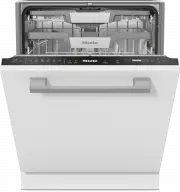
Guide to the appliance 16 Appliance overview a Door locking pins b Top spray arm c 3D MultiFlex cutlery tray d Upper basket (depending on model) e Middle spray arm f Aeration valve g Bottom spray arm h Filter combination i Salt reservoir j Data plate k Rinse aid reservoir l Detergent compartment m A...
Page 17 - Lower basket; FlexCare Glass & Bottle
Guide to the appliance 17 Lower basket a FlexCare Glass & Bottle b MultiClip c XL-Assist d Hinged spikes e Cutlery basket (depending on themodel)
Page 18 - Control field
Guide to the appliance 18 Control field a On/Off sensor control For switching the dishwasher on andoff. b Optical in-operation indicator lightFor indicating an ongoing washprogramme when the door is closed. c MobileStart sensor control for activating /deactivating theMobileStart option d P...
Page 19 - Display functions; OK
Guide to the appliance 19 Display functions The display is used to select or set thefollowing: - The programme- The timer- The Settings The display can show the following: - The programme stage- The estimated time left for the programme to run - The energy and water consumption (EcoFeedback) - Any...
Page 20 - Disposing of your old appliance
Caring for the environment 20 Disposing of the packagingmaterial The packaging material is used forhandling and protects the appliancefrom transport damage. The packagingmaterial used is selected from materialswhich are environmentally friendly fordisposal and can generally be recycled.Recycling the...
Page 21 - Before using for the first time; Opening the door; Risk of scalding due to hot water.
Before using for the first time 21 Every dishwasher is tested at thefactory. There will be residual water inthe appliance from this test. It is notan indication that the dishwasher hasbeen used previously. Opening the door In some programmes the doorautomatically opens slightly to assistthe drying p...
Page 22 - Closing the door; Push the baskets right in.
Before using for the first time 22 Closing the door Push the baskets right in. Raise the door upwards until thecatch engages. At the end of the programme, if theAutoOpen function switched is on,the door locking pin must be fullyretracted before the door is closed.Otherwise, the door locking pin ...
Page 23 - In order to use it you will need:; Availability of the WiFi connection; or from the Google Play StoreTM.
Before using for the first time 23 Miele@home Your dishwasher is equipped with anintegrated WiFi module. In order to use it you will need: - A WiFi network- The Miele app- A Miele user account The user account can be created via the Mieleapp. The Miele app will guide you as youconnect your dishwashe...
Page 24 - Basic settings; Switching on the dishwasher; Setting the time of day
Before using for the first time 24 Basic settings Switching on the dishwasher Open the door. Switch the dishwasher on usingthe sensor control. The welcome screen will appear whenthe dishwasher is switched on and thewelcome melody will sound. For further information about thedisplay functional...
Page 25 - Activating AutoDos; and; Select
Before using for the first time 25 programme the dishwasher to thehigher value (2.7 mmol/l or 15 °dH inthis example). In the event of a fault, it will help theservice technician if you know thehardness of your local water supply.Therefore, please enter the waterhardness:____________°dH or mmol/lThe ...
Page 26 - Dishwasher salt; not; Damage to the water softener
Before using for the first time 26 Dishwasher salt In order to achieve good cleaningresults, the dishwasher needs tooperate with soft water. Hard waterresults in the build-up of calciumdeposits on crockery and on the washcabinet walls. Mains water with a water hardness levelhigher than 0.9 mmol/l (5...
Page 27 - Filling the salt reservoir; Risk of corrosion due to saline; programme without load items in
Before using for the first time 27 Filling the salt reservoir Before filling the salt reservoir for thefirst time, you must fill it withapprox. 1.5 l of water to enable the saltto dissolve.Once the dishwasher has beencommissioned, there is alwayssufficient water in the salt reservoir. Remove the l...
Page 28 - Refilling salt; When the refill reminder; Confirm with
Before using for the first time 28 Refilling salt When the refill reminder Refill salt appears in the display, wait until theend of the programme and then refillthe salt reservoir. Confirm with OK . The salt refill indicator will go out. Risk of corrosion due to saline solution.Saline solu...
Page 29 - Rinse aid; Washing-up liquid or detergent
Before using for the first time 29 Rinse aid Rinse aid is necessary to ensure thatwater does not cling and leave marks oncrockery during the drying phase, andhelps crockery dry faster after it hasbeen washed. Rinse aid is poured into the containerand the amount set is dispensedautomatically. Washi...
Page 30 - Adding rinse aid
Before using for the first time 30 Adding rinse aid Press the yellow button on the lid of the rinse aid reservoir. The lid will spring open. Fill with rinse aid until the filling levelindicator (arrow) changes to a darkcolour while the door is horizontallyopen. The rinse aid reservoir holdsap...
Page 31 - Settings; Opening the settings menu; Changing settings; Closing the settings menu
Settings 31 You can alter the dishwasher ’s controlsto suit changing requirements byadjusting the settings.The settings can be altered at anytime. Opening the settings menu Switch the dishwasher on with the sensor control if it is switched off. Touch the sensor control “Further programmes/...
Page 32 - Time of day; Setting the clock format; Water hardness; Setting the water hardness level
Settings 32 Language The display can be set to appear in oneof several different languages.You can change the language used inthe display and also the country via the Language sub-menu. The flag after the word Language serves as a guide if a language that youdo not understand has been set.I...
Page 33 - Auto; Setting the Dosage amount; Select the; menu; ECO
Settings 33 AutoDos (automaticdispensing) Automatic dispensing automaticallyadjusts the amount of detergent to theselected programme. In the Auto programme, the quantity is adjusteddepending on the degree of soiling ofthe crockery.If you want to extend the service life ofthe PowerDisk, you can reduc...
Page 34 - Performing Scan & Connect
Settings 34 Miele@home Your dishwasher is equipped with anintegrated WiFi module.You can connect your dishwasher toyour WiFi network. This will increase the energyconsumption, even when thedishwasher is switched off.The “Settings” and “Miele@homesettings” menus will be added asadditional menu option...
Page 36 - Remote control; MobileStart
Settings 36 Reset This menu option only appears if youhave already connected yourdishwasher to your WiFi network.You can use this menu option to resetall WiFi module settings to the factorydefault settings.The network configuration should bereset whenever a dishwasher is beingdisposed of or sold, or...
Page 37 - RemoteUpdate; Activating /deactivating
Settings 37 RemoteUpdate The RemoteUpdate menu option isonly displayed and can only beselected if the requirements for usingMiele@home have been met (see“Before using for the first time”chapter, “Miele@home” section). The RemoteUpdate function is used forupdating the software in yourdishwasher. If a...
Page 38 - SmartStart
Settings 38 SmartStart This menu option will only bedisplayed if you have connected yourdishwasher to your WiFi network (see“Settings – Miele@home”). The SmartStart function is used for starting your dishwasher automaticallyat a time when your energy supplier ’selectricity tariff is most economical...
Page 39 - Setting the electricity tariff times; Changing the electricity tariff times
Settings 39 Setting the electricity tariff times Before you can use the EcoStart option, you must set at least one electricitytariff time. Use the sensor controls to select an electricity tariff time T1–T3 andconfirm with OK . The start of the electricity tariff timeselected will appear in th...
Page 40 - Deleting the electricity tariff times; Display brightness; Buzzer in the event of a fault; Off; Welcome melody
Settings 40 Deleting the electricity tariff times You can delete the settings for anelectricity tariff time and in doing sodeactivate the EcoStart option for this time zone. Use the sensor controls to select an electricity tariff time T1–T3 thatyou wish to delete and confirm with OK . For e...
Page 41 - Refill reminders; Risk of injury due to door opening
Settings 41 Refill reminders If you only ever use combinationdetergent products or automaticdispensing using Miele PowerDisks (ifavailable), you can switch off the refillreminders for dishwasher salt and rinseaid if you wish. Please make sure that if you stopusing combination detergents, yourefill t...
Page 42 - nd interim rinse; Hygiene cycle; Water connection
Settings 42 2nd interim rinse You can choose this function to increasethe cleaning performance of theprogrammes with a second interimrinse.When this function is activated, waterconsumption may increase.If this function is switched on, it will beapplied to all programmes until it isswitched off again...
Page 43 - Information; Displaying the operating hours”); Showroom; For demonstration purposes only.; Factory default; and confirm with
Settings 43 Information You can display the followinginformation about your dishwasher: - Operating hours (see also “Options – Displaying the operating hours”) - Programme sequences- Total consumption- Fault memory- Data plate- Software version Showroom For demonstration purposes only. The dishwashe...
Page 44 - Economical dishwashing
Caring for the environment 44 Economical dishwashing This dishwasher is exceptionallyeconomical in its use of water andelectricity. You can make the most of yourappliance by following these tips: - Washing in a dishwasher generally uses less water and energy thanwashing by hand. - There is no need t...
Page 45 - Estimated consumption
Caring for the environment 45 EcoFeedback consumptionindicator The Consumption indicator function isused for calling up information about theenergy and water consumption of yourdishwasher (see “Settings –Consumption indicator ”).The following information can be shownon the display: - An estimate of ...
Page 46 - Heat accumulator; water connection (see “Settings –; . Other functions will be
Caring for the environment 46 Heat accumulator This dishwasher is equipped with a heataccumulator, in which fresh water forthe programme is pre-heated andstored in order to save energy. The heataccumulator is refilled with fresh watertowards the end of each programme.The water is held here ready for...
Page 47 - Loading the dishwasher; General information
Loading the dishwasher 47 General information Remove coarse food residues fromcrockery.There is no need to pre-rinse itemsunder running water. Damage can be caused by ash, sand, wax, lubricating grease or paint.These substances will contaminatethe dishwasher and can then nolonger be removed.Do not...
Page 48 - Items not suitable for dishwashers:
Loading the dishwasher 48 Items not suitable for dishwashers: - Wooden cutlery and crockery or items with wooden parts: these maydiscolour and fade. The glue used inthese items is not dishwasher-proofand wooden handles may come looseafter being washed in a dishwasher. - Craft items, antiques, valuab...
Page 49 - Upper basket; Loading the upper basket; Damage due to leaking water.; Loading the FlexCare cup rack; Lower the FlexCare cup rack to do so.
Loading the dishwasher 49 Upper basket See the “Loading the dishwasher ”chapter, “Loading examples” sectionfor examples of how to load crockeryand cutlery. Loading the upper basket Damage due to leaking water. If you run the dishwasher without theupper basket, water can leak out ofthe dishwasher.O...
Page 50 - Adjusting the FlexCare cup rack
Loading the dishwasher 50 Adjusting the FlexCare cup rack You can set the height and depth of thecup rack at two different levels. so thatit can accommodate larger cups and sothat taller crockery can be placedunderneath it. Pull the cup rack upwards and click itinto the desired position (see arrow...
Page 51 - Lowering the spikes; Press the yellow lever downwards
Loading the dishwasher 51 Lowering the spikes On both front right-hand rows of spikes,you can lower every other spike to makeit easier to arrange larger crockery, e.g.cereal bowls. 1 2 Press the yellow lever downwards , and then lower the dark grey spikes . Place the bowls vertically in the ...
Page 52 - Adjusting the upper basket; Pull out the upper basket.; Raise the upper basket:
Loading the dishwasher 52 Adjusting the upper basket In order to gain more space for tallerpieces of crockery in the lower basket orupper basket, the upper basket can beadjusted on 3 levels with 2 cm betweeneach level.The upper basket can also be set at anangle so that water can run off freelyfrom r...
Page 53 - Loading the lower basket; When tilted, plates up to 35 cm in
Loading the dishwasher 53 Lower basket See the “Loading the dishwasher ”chapter, “Loading examples” sectionfor examples of how to load crockeryand cutlery. Loading the lower basket Place larger and heavier items such asplates, serving platters, saucepans,bowls etc., in the lower basket. Glasses, c...
Page 55 - Loading the FlexCare Glass & Bottle; Lean the containers into the holders.
Loading the dishwasher 55 Loading the FlexCare Glass & Bottle The glass and bottle holders can beused to keep tall, narrow and hollowcontainers, e.g. beer glasses, bottles,vases, secure during a programme. The inserts in the glass and bottleholders can be raised to make moreroom for tall glass...
Page 56 - MultiClip; Secure light items to the MultiClips.; Loading the XL-Assist; Slightly lift the XL-Assist
Loading the dishwasher 56 MultiClip The MultiClips enable you to fasten lightload items such as those made fromplastic. Secure light items to the MultiClips. Make sure that crockery does notobstruct the middle spray arm. XL-Assist The XL-Assist is used to secure largeload items, e.g. pots and pans...
Page 57 - Cutlery tray/cutlery basket; Loading the 3D MultiFlex tray
Loading the dishwasher 57 Cutlery tray/cutlery basket (depending on model) See the “Loading the dishwasher ”chapter, “Loading examples” sectionfor examples of how to load crockeryand cutlery. Load the cutlery into the 3D MultiFlextray or into the cutlery basket(depending on the model). Loading the...
Page 58 - Arrange them evenly along the insert.
Loading the dishwasher 58 Loading the cutlery basket (if present) The cutlery basket can be placedanywhere on the front rows of spikes inthe left or right corner of the lowerbasket. To avoid the risk of injury, knives andforks should be placed with thehandles upwards in the cutlerybasket. Place ...
Page 59 - Loading examples; Dishwashers with cutlery tray
Loading the dishwasher 59 Loading examples Dishwashers with cutlery tray Upper basket Lower basket
Page 60 - Cutlery tray
Loading the dishwasher 60 Cutlery tray Heavily soiled crockery
Page 61 - Dishwashers with cutlery basket
Loading the dishwasher 61 Dishwashers with cutlery basket Upper basket Lower basket
Page 62 - Cutlery basket
Loading the dishwasher 62 Cutlery basket Heavily soiled crockery
Page 63 - Detergent; Active ingredients; Risk of damage due to unsuitable
Detergent 63 Active ingredients Risk of damage due to unsuitable detergents.Detergents that are not suitable fordomestic dishwashers can causedamage to the dishwasher or to theload items.Only use detergents formulated fordomestic dishwashers. Modern detergents contain variousactive ingredients, th...
Page 64 - Risk of chemical burns from; Detergent dosage
Detergent 64 Risk of chemical burns from detergent.Dishwasher detergents can causeburning on the skin and in the eyes,nose, mouth and throat.Avoid contact with detergents. Do not inhale powder detergents. Donot swallow dishwasher detergents.Seek medical attention immediatelyif detergent has been s...
Page 65 - Automatic dispensing /AutoDos; AutoDos; Inserting a PowerDisk
Detergent 65 Automatic dispensing /AutoDos Before you can use AutoDos, you mustinsert a PowerDisk containing powderdetergent into the PowerDiskcompartment.One PowerDisk contains enoughdetergent for approx. 20 cycles,depending on the chosen programme. PowerDisks are available to orderdirectly from th...
Page 66 - This activates the
Detergent 66 Insert the new PowerDisk and press itevenly downwards until it sits flush. Close the AutoDos lid and turn it untilthe lid handle is directly below the symbol. This activates the AutoDos function. If the PowerDisk is not in the correctstarting position, it will be rotatedautomatic...
Page 67 - Manual detergent dispensing; Dispensing detergent; QuickPowerWash; Adding detergent; Press the yellow button
Detergent 67 Manual detergent dispensing Detergent must be manually dispensedif you have deactivated automaticdispensing using the AutoDos sensor control. Dispensing detergent The detergent compartment holds amaximum of 50 ml.There are marks in the detergentcompartment as a dispensing aid: 20,3...
Page 69 - Operation; Touch the; Selecting a programme; “Programme; later on in this booklet.
Operation 69 Switching on the dishwasher Open the stopcock, if it is closed. Open the door. Make sure the spray arms can rotatefreely. Touch the sensor control. If the dishwasher has been switchedoff for longer than 1 minute, you willneed to hold the sensor control for a bit longer (wi...
Page 70 - Display of programme duration; End of the programme
Operation 70 Display of programme duration The estimated duration of the selectedprogramme appears on the displaybefore the programme begins. If thedoor is opened during the programme,the time left until the end of theprogramme is displayed.Symbols appear to indicate which stagethe programme is at: ...
Page 71 - Energy management
Operation 71 The drying fan may continue to run fora few minutes at the end of theprogramme. If you are not satisfied with thecleaning or drying results, you canactivate the Extra clean or Extra dryfunctions to boost the performance ofthe programmes (see “Extra clean” or“Extra dry” under “Extras”). ...
Page 72 - Unloading the dishwasher
Operation 72 Unloading the dishwasher Dishes tend to break and chip moreeasily when they are hot. Allow thedishes to cool until they are comfortableenough to handle before unloadingthem.If you open the door fully after switchingoff, the dishes will cool much faster. First unload the lower basket, ...
Page 73 - Options; Activating the timer
Options 73 Timer The timer gives you several options for starting a programme at a later time.You can set the start time or the finishtime of a programme. You can also usethe EcoStart or SmartStart functions to benefit from cheaper energy tariffs atnight. With manual detergent dispensingthe d...
Page 74 - Setting “Start at”; Setting “Finish at”
Options 74 Setting “Start at” With the Start at function, you set the exact time you want the programme tostart at. Use the sensor controls to enter the hour and confirm your entry bytouching OK . The hour will be saved and the minutenumber block will be highlighted. Use the sensor cont...
Page 75 - Setting EcoStart; Setting SmartStart
Options 75 Setting EcoStart You can use the EcoStart function to benefit from cheaper energy tariffs atnight. Before you can use this option,you need to set up to three electricaltariff time zones (see “Settings”chapter, “EcoStart” section). Then set the latest time by which theselected programme h...
Page 76 - Changing or deleting set times
Options 76 Set the latest time by which theselected programme has to be finished. Use the sensor controls to enter the hour and confirm your entry bytouching OK . The hour will be saved and the minutenumber block will be highlighted. Use the sensor controls to enter the minutes and confi...
Page 77 - Activating MobileStart
Options 77 Activating MobileStart You can start your dishwasher remotelyusing the Miele app. To do this, you firstneed to install the app on your mobiledevice, connect the dishwasher to yourWiFi network (see “Settings –Miele@home”) and, if applicable,activate the “Remote control” setting(see “Set...
Page 78 - Guide for selecting a programme; Crockery
Guide for selecting a programme 78 1 Food such as potatoes, pasta, rice or stews can leave starchy deposits. Deposits containing protein can be left by food such as fried meat or fish. Mixed crockery including temperature-sensitive glasses and plastics Pots, pans, everyday crockery and cutlery Light...
Page 80 - Programme overview; Programme
Programme overview 80 Programme Programme sequence Pre-wash Main wash Interim rinse Final rinse Drying / AutoOpen °C °C ECO 1 - 43 42 / Auto 45–60 °C Variable programme sequence, sensor-controlled adjustment according to load size and level of soiling As required 45–60 55–70 / ComfortWas...
Page 82 - Further programmes; ExtraQuiet 50 °C; programme to clean it. The; Rinse out salt; PowerWash
Programme overview 82 Further programmes ComfortWash+ 55 °C Programme for cleaning a mixed load ofcrockery with normal household foodresidues. Hygiene 75 °C Special programme for hard-wearingcrockery with normal household foodresidues that have dried on slightly,which need to be hygienically clea...
Page 83 - Extras; Selecting extras; BottleClean; IntenseZone; You can select the; Extra clean
Extras 83 Selecting extras You can use extras to adjust theprogrammes.To do this, you can select or deselectthe extras before starting the selectedprogramme. Touch the Extras sensor control. Select the extra you want and confirmwith OK . Extras that cannot be combined withthe selected progra...
Page 84 - Selecting Quick
Extras 84 Selecting Quick You can reduce the programme runningtime using the Quick extra. The time by which the programmerunning time is shortened variesaccording to the selected programme.In order to achieve optimum washresults, the temperature, and thereforethe energy consumption, will slightly...
Page 85 - Cleaning and care; Cleaning the wash cabinet; Intensive 75 °C; Cleaning the control field; only; Cleaning the reflector panel
Cleaning and care 85 Check the condition of yourdishwasher regularly (approx. every4–6 months). In this way, faults andproblems can be avoided. Damage due to unsuitable cleaning agents.All surfaces are susceptible toscratching. Contact with unsuitablecleaning agents can alter or discolourthe exter...
Page 86 - Cleaning the appliance front; Damage due to soiling.
Cleaning and care 86 Cleaning the appliance front Damage due to soiling. Soiling that is left too long mightbecome impossible to remove andcould cause the external surfaces toalter or discolour.It is therefore best to remove anysoiling immediately. Clean the appliance front with a softsponge clo...
Page 87 - Cleaning the AutoDos
Cleaning and care 87 Cleaning the AutoDos If the Clean AutoDos message is displayed, check that the AutoDos isclean, and clean it if necessary, e.g.powder residues. This helps keep theAutoDos working properly. In order to ensure that the AutoDosfunction works at its best, check iteach time you repla...
Page 88 - and reinsert
Cleaning and care 88 1 2 Pull the yellow opening tag in thedirection of the arrow and reinsert the PowerDisk holder at the same time. To do this, the arrows in thePowerDisk holder and in the viewingwindow must point towards eachother. The holder must lie flat. The AutoDos lid must close tigh...
Page 89 - Cleaning the spray arms
Cleaning and care 89 Cleaning the spray arms Particles of food can get stuck in thespray arm nozzles and bearings. Thespray arms should therefore beinspected regularly (approx. every 2–4 months). Never run a wash programmewithout using the spray arms. Damage due to soiling entering the circulation...
Page 90 - Removing the top spray arm; Push the upper spray arm upwards; Removing the middle spray arm; above) and remove the spray arm; Removing the lower spray arm; Remove the lower basket.
Cleaning and care 90 Removing the top spray arm 2 1 Push the upper spray arm upwards to engage the inner ratchet. Thenunscrew the spray arm by rotating thescrew thread anti-clockwise (view from below). Removing the middle spray arm 2 1 Rotate the screw thread of the middlespray arm clockwi...
Page 92 - Inserting the lower spray arm; Damage due to soiling entering
Cleaning and care 92 Inserting the lower spray arm Refit the lower spray arm and ensurethat the filter combination lies flat inthe base of the wash cabinet. Rotate the screw thread of the lowerspray arm clockwise (view fromabove) until the arrow in the viewingwindow points to the lock symbol ...
Page 93 - Cleaning the filters
Cleaning and care 93 Checking the filters in the washcabinet The filter combination in the base of thewash cabinet retains coarse soiling fromthe suds solution. This prevents soilinggetting into the circulation system andre-entering the wash cabinet throughthe spray arms. Damage due to soiling ent...
Page 95 - Cleaning the water inlet filter; Never
Cleaning and care 95 Cleaning the water inlet filter A filter is incorporated in the screwthread to protect the water inlet valve. Ifthe filter is soiled, insufficient waterflows into the wash cabinet. Risk of electric shock from mains voltage.The plastic housing of the waterconnection contains an...
Page 96 - Cleaning the drain pump
Cleaning and care 96 Cleaning the drain pump If water remains in the wash cabinetafter the end of the programme, thewater has not been pumped away. Thedrain pump may be blocked by foreignobjects. These foreign objects are easyto remove. Disconnect the dishwasher from themains. To do this, turn off...
Page 97 - Risk of injury from glass splinters.
Cleaning and care 97 The drain pump (see arrow) isunderneath the cover. Risk of injury from glass splinters. It is especially difficult to see glasssplinters in the drain pump.Take care when cleaning the drainpump. Carefully remove all foreign objectsfrom the drain pump. Check the drainpump impe...
Page 98 - Problem solving guide; Technical problems; Problem
Problem solving guide 98 Many malfunctions and faults that can occur in daily operation can be easilyremedied. You can save time and money in many cases, as you do not need to callthe Miele Customer Service Department.Information to help you rectify faults yourself can be found at www.miele.com/serv...
Page 99 - Fault messages; Door release
Problem solving guide 99 Problem Cause and remedy After the programme hasstarted, the optical in-operation indicator lightis not visible. The reflector panel was not correctly fitted. Re-fit the reflector panel correctly (see installationsheet). Fault messages Problem Cause and remedy The optical ...
Page 100 - Water inlet fault
Problem solving guide 100 Problem Cause and remedy Door fault The door does not open automatically. There may be a technical fault. Open the door manually (see “Before using for thefirst time – Opening the door ”) and switch thedishwasher back on again. If the same fault message appears agai...
Page 101 - Water drainage fault
Problem solving guide 101 Problem Cause and remedy The following fault mes-sage appears on the dis-play during the Sol- arSave programme: Intake temperature too low The intake water has not reached the requiredtemperature of 45 °C (see “Installation – Waterinlet”). Start the programme again. If...
Page 102 - play
Problem solving guide 102 Problem Cause and remedy The optical in-operationindicator light is flashingquickly. The alarm tone is sound-ing. The programme doesnot start or a programmethat has already startedstops. The message AutoDos lid open appears in the dis- play The AutoDos lid has not been clo...
Page 103 - function; Spray arm fault
Problem solving guide 103 Problem Cause and remedy The in-operation indic-ator light is flashingquickly. At the end of the pro-gramme, the alarm tonemight sound and the dis-play shows the followingmessage: AutoDos maintenance re-quired The dishwasher doesnot switch off at the endof the programme. Th...
Page 104 - General problems with the dishwasher
Problem solving guide 104 General problems with the dishwasher Problem Cause and remedy The indicator lights andthe display are dark. The dishwasher has switched off automatically to saveenergy. Switch the dishwasher back on using the sensor control. Detergent residue is leftin the detergent co...
Page 105 - Noises; A spray arm is knocking against a wash item.
Problem solving guide 105 Noises Problem Cause and remedy Knocking noise in thewash cabinet A spray arm is knocking against a wash item. Carefully open the door and rearrange the washitems that are obstructing the spray arm. Rattling noise in thewash cabinet Wash items are insecure in the wash cab...
Page 106 - Unsatisfactory washing result
Problem solving guide 106 Unsatisfactory washing result Problem Cause and remedy The crockery is notclean. The crockery was not loaded correctly. See notes under “Loading the dishwasher ” forexamples on how to load crockery and cutlery. The programme was not powerful enough. Select a more powerf...
Page 108 - Unsuitable combination detergents were used.
Problem solving guide 108 Problem Cause and remedy Fill the salt reservoir (see “Before using for the firsttime – Dishwasher salt”). The salt reservoir cap has not been screwed oncorrectly. Replace the cap, making sure that it screws back oncorrectly. Unsuitable combination detergents were used....
Page 109 - The affected items are not corrosion-resistant.; programme without load items in the
Problem solving guide 109 Problem Cause and remedy There are rust stains oncutlery. The affected items are not corrosion-resistant. No remedy.Purchase cutlery that is dishwasher-proof. A programme was not run after dishwasher salt wasadded. Traces of salt have got into the normal washcycle. Imme...
Page 110 - Contact in the event of a fault
Service 110 Information to help you rectify faultsyourself and about Miele spare partscan be found at www.miele.com/service. Contact in the event of a fault In the event of any faults which youcannot remedy yourself, please contactyour Miele dealer or the MieleCustomer Service Department. You can bo...
Page 111 - EPREL database; Warranty; “Comparison
Service 111 EPREL database From 1 March 2021, information onenergy labelling and ecodesignrequirements will be available in theEuropean Product Database (EPREL).You can find the product database atthe following link https://eprel.ec.europa.eu/. You will be asked toenter the model identifier.The mode...
Page 112 - Optional accessories; PowerDisk
Optional accessories 112 Dishwasher detergent, rinse aid andcleaning and care products are availablefor this dishwasher, as are optionalaccessories. All the products have been designed forMiele appliances.These and many other products can beordered from the Miele webshop, theMiele Customer Service D...
Page 113 - Appliance care; Dishwasher cleaner; Descaling agent
Optional accessories 113 Appliance care Miele cleaning and care productsprovide optimum care for your Mieledishwasher. Dishwasher cleaner - For use with the Maintenance programme without detergent dispensing - Cleans the dishwasher effectively and thoroughly - Removes grease, bacteria, and associat...
Page 114 - Installation; The Miele Waterproof system; Health risk due to wash water.
Installation *INSTALLATION* 114 The Miele Waterproof system Provided that your dishwasher has beeninstalled correctly, the Miele Waterproofsystem will protect you from waterdamage throughout its lifetime. Water inlet Health risk due to wash water. Water in the dishwasher is notdrinking water.Do no...
Page 115 - Risk of damage from leaking
Installation *INSTALLATION* 115 Risk of damage from leaking water.The connection point is subject tomains water pressure. Water leakingfrom it can cause damage.You should therefore open thestopcock slowly and check for leaks.Correct the position of the seal andscrew thread if appropriate. Checkthe...
Page 116 - Water drainage; Venting the water drain; Open the dishwasher door fully.
Installation *INSTALLATION* 116 Water drainage The dishwasher ’s drainage system isfitted with a non-return valve, whichprevents dirty water from flowing backinto the appliance via the drain hose.The dishwasher is supplied withapprox. 1.5 m of flexible drain hose withan internal diameter of 22 mm.Th...
Page 117 - Electrical connection; Risk of fire from overheating.
Installation *INSTALLATION* 117 Electrical connection The dishwasher is “connector-ready” asstandard for connection to an earthedsocket.The socket must be easily accessibleafter the dishwasher has been installed.If that is not possible, ensure that asuitable means of disconnection isprovided on the ...
Page 118 - Technical data; Dishwasher model
Technical data 118 Technical data Dishwasher model Normal XXL Height 80.5 cm(adjustable by+6.5 cm) 84.5 cm(adjustable by+6.5 cm) Height of building-in niche Min. 80.5 cm(+6.5 cm) Min. 84.5 cm(+6.5 cm) Width 59.8 cm 59.8 cm Width of building-in niche 60 cm 60 cm Depth 55 cm 55 cm Weight Max. 47 kg Ma...
Page 119 - EU Conformity declaration
Technical data 119 Dishwasher model Normal XXL Off mode Maximum 0.50 W* Standby mode Maximum 0.50 W* Delay start Maximum 4.00 W* Networked standby Maximum 2.00 W* Frequency range of the WiFimodule 2.4000–2.4835 GHz Maximum transmission powerof the WiFi module < 100 mW * see product data sheet for...
Page 120 - This; Statement of Compliance; confirms this Miele product fully complies with the; Paul Wright
Technical data 120 This Statement of Compliance confirms this Miele product fully complies with the Product Security and Telecommunications Infrastructure (Security Requirementsfor Relevant Connectable Products) Regulations 2023. 1) Household Appliance – 2) Manufactured by: Miele & Cie KG, Carl ...
Page 123 - United Kingdom
United Kingdom Miele Co. Ltd., Fairacres, Marcham Road, Abingdon, Oxon, OX14 1TWTel: 0330 160 6600, Internet: www.miele.co.uk, E-mail: [email protected] Australia Miele Australia Pty. Ltd.ACN 005 635 398ABN 96 005 635 398Level 4, 141 Camberwell RoadHawthorn East, VIC 3123Tel: 1300 464 353E-mail: [em...


 Miele WWD380 WCS PWash&Steam&9kg User Manual
 Miele W 1614 Manual
 Miele G 5266 SCVi SFP Active Plus User Manual
 Miele Classic C1 Turbo Team PowerLine - SBAN0 User Manual
![Miele PDR 307 [EL]](https://manualsarea.com/img/product/thumbs/48/ba/fd/bafde84806e8abc8b420f34eaf8fcd6e.webp) Miele PDR 307 [EL] User Manual
Miele PDR 307 [EL] User Manual Miele F 1911 Vi Manual
![Miele PDR 908 [EL MAR 3N AC 400V 50-60Hz]](https://manualsarea.com/img/product/thumbs/48/05/b7/05b705998b251f92b271e908423e1ecb.webp) Miele PDR 908 [EL MAR 3N AC 400V 50-60Hz] Installation Manual
Miele PDR 908 [EL MAR 3N AC 400V 50-60Hz] Installation Manual Miele K 9757 iD Manual
 Miele G 7210 SCi User Manual
 Miele G 7216 SCU User Manual
 Miele G 7266 SCVi User Manual
 Miele G 7266 SCVi SF User Manual
 Miele G 7380 SCVi FF User Manual
 Miele G 7600 SC AutoDos User Manual
 Miele G 7655 SCVi XXL AutoDos User Manual
 Miele G 7760 SCVi AutoDos User Manual
 Miele G 7766 SCVi AutoDos User Manual
 Miele G 7856 Manual
 Miele G7859 Manual
 Miele G 7860 Manual