Midea FS40-12HR - User Manual
Midea FS40-12HR Fan – User Manual, read for free online in PDF format. We hope this helps you resolve any issues you may have. If you have further questions, please contact us through the contact form.

1
4
2
3
2
OPERATING INSTRUCTIONS
“ ” ON/OFF KEY
Press this button under standby mode, the fan starts at normal wind of level 10, then
the panel displays "normal wind, level 10". Press this button during working, the fan
turns off to standby mode.
After start, rotate the drive plate clockwise, the fan increases from the current level
circulation in the following manner: ...... silent 01 → silent 09 → normal wind 01 →
...... → normal wind 26 → natural wind → sleep wind→ smart wind → silent 01 →
......, rotate the drive plate counterclockwise, the fan will decrease from the current
level in the following manner: ...... smart wind → sleep wind → natural wind → normal
wind 26 → ...... → normal wind 01 → silent 09 → silent 01 → smart wind → ......
I
. Remote Controller (Fig.7)
“ ” MODE KEY
Repeat press this button, the wind will be switched in order of “normal wind - natural
wind - sleep wind - intelligent wind - normal wind - ... ". Normal wind: the wind speed
is constant set by the wind level, when the "normal wind" icon is lit, 01 - 26 levels are
normal wind; natural wind: Fan will simulate natural wind according to pre-
programmed manner, the wind speed changes in accordance with the program,
which makes people feeling idle, naturally and it likes to be in the nature. Smart wind:
based on the temperature and wind speed when it starts, its speed changes
according to the temperature. When the temperature is below 20°C, the fan stops,
when the temperature rises to 20°C, it continues automatically at the stopped level.
Silent: fan blows in silent mode; it has a total of nine levels for adjustment.
To adjust the air flow upward or downward, push
the grilles lightly to the desired direction.
III
. Tilt Adjustment
Lowing: lift up the head with a hand, unscrew the fastening knob counterclockwise
with the other hand, slowly lower the head to an appropriate height, and tighten the
knob clockwise. Rising: lift up the head with a hand, unscrew the fastening knob
counterclockwise slowly with the other hand, rises up the head to a proper height,
and tighten the knob clockwise.
IV
. Height Adjustment
When adjust the pivoting angle, fix the guards with hands and reverse the head of fan.
Note: Do not forcibly twist the fan in order to avoid damage to the fan.
V
. Pivoting Angle Adjustment
Press the “On/Off" button for three seconds, the screen will turn off and the fan is still
running. Press any button [not include "On/Off” button), the screen will light up.
Remote control does not have this feature.
VI
. Screen-off Function
The fan will be turned off when there is no operation of the control within 12 hours.
VII
. Forced Shutdown
Fig.9
Batteries should be installed before using the remote control. It uses a 3 -volt button
battery.
(1) Open the battery cover;
(2) install a new battery, pay attention to the battery polarity (+ and -);
(3) Close the battery cover.
BATTERIES INSTRUCTIONS (Fig.8)
The windings of the motor have a thermal-fuse that burns out and the fan switches
off and temperature of the motor is no longer going up so that plastic parts of the fan
don’t subject to deformation so far so to be burned by the overheat if the motor is
overheat for any unexpected reason.
OVERHEAT PROTECTION OF THE MOTOR
1. The remoter controller must point to the receiving window of the fan box when it
is used;
2. The remoter controller can be normally used within five meters and 30 degrees
from the fan;
3. Avoid direct sunlight on the receiving window, so as not to affect the receiver's
effect;
4. Remove the built-in batteries when do not use the remote control for a long time
or before the batteries are leaked.
HOW TO USE THE REMOTE CONTROLLER CORRECTLY
PART FIGURE
1. Take out the base tube, three butterfly screws for fixed base and the round base
from the packing carton;
2. Insert the tube to the round base, be sure to make the positioning screw align with
the base;
3. Screw the three butterfly screws into the holes on the tube and tighten them;
4. Loosen the fastening knob, adjust the height of inner tube and tighten the knob.
5. Take out the control part of the fan from the packing carton, loosen the fastening
screw at the back of the box, insert the inner tube into the bottom hole, make sure
that the fastening screw and the fastening knob in the same position.
6. Usage of the remote control hook: make the straight face of hook up, clip the hook
to the inner tube along with the opening, the hook can be moved up and down
along the tube (Fig.1). The hook of the remote control may be linked to the
hole for storage when not in use. (Fig.2)
ASSEMBLY INSTRUCTION
6
5
Plug in the power adapter, after a "beep" tone, the fan is on standby.
“ ” PRO KEY
Under power-on state, timed power-off can be set. Press the PRO button; it starts the
timing power-off state. "Timing" and icon displayed on the fan display will flash once
per second, the rotate the drive plate clockwise, the fan display will display 0.5 → 1.0
→ ...... → 7.5 → 8.0 → 00 → 0.5 → ...... in cycle, rotate the drive plate counter-
clockwise, it cycles as 8.0 → 7.5 → ...... → 0.5 → 0 0 → 8.0 → .......
When set a time, 5 seconds without any operation, the timing on the display flashes
twice and beep to refer successfully settings, if there is any button operation in five
seconds (except for on/off button), the time is successfully set and the fan returns to
current state immediately, "Timing" and icon stops flashing, if the timing button is
pressed in five seconds then timing is cancelled. If there is time setting, then “Timing"
and icon is lit, if not, it is off. When setup is successful, the display returns to display
the wind level.
Under standby mode, press the PRO button to set power-on time, "PRO" and icon is
lit, the operation mode please refers to timed power-off; rotate the drive plate to
adjust the time. After adjustment, the set time will be displayed on the screen. To
cancel a time setting, user only need to repeatedly press the PRO button.
Inquiry: Under working state, press forward/timing button to enter the timing status,
user can check the set time, and user can re-set the time in five seconds; if no
operation within five seconds, the time shown on the screen flashes twice and
returned to the wind level.
“ ” OSC KEY
After the fan starts, repeatedly touch this button to start or stop oscillation.
Fig. 1
Fig. 2
Straight face
Hook
Opening
Inner tube
Hook hole
Fig.7
Fig.8
On/Off
Drive plate
OSC
Mode
PRO/Timer
Remote controller
Battery
Battery cover
• On/Off button
Same as them on remote control.
• Function button
1. Under working state, short press the function
button, the fan will alternate between oscillation
and fix; Long press the button, the fan enters
into the timing function, refer to the operating
instructions of PRO button on remote control
(To cancel the timer, long press function button).
2. Under standby mode, short press of the function
button is invalid; Long press the function button,
the fan enters into the appointment starting
function, refer to the operating instructions of
PRO button on remote control (To cancel the
timer, long press function button).
II
. Control Panel (Fig.9)
Function button
On/Off button
Front Grill
Center Piece
Circlip
Grill Clip
Plastic Nut
Control Part
Remote Control Hook
Round Base
Butterfly Screws For Fixed Base
Tighten
Loosen
Spinner
Rear Grill
Shaft
Motor
Fastening Knob
Tube
Female terminals
Blade
Note: All the pictures in this manual are for explanation purpose only. Any discrepancy between
the real object and the illustration in the drawing shall be subject to the real subject.
The fan requires little maintenance. Do not try to fix it by yourself. Refer it to
qualified service personnel if service is needed.
1. Before cleaning and assembling, fan must be unplugged.
2. To ensure adequate air circulation to the motor, keep vents at the rear of the
motor free of dust. Do not disassemble the fan to remove dust.
3. Please wipe the exterior parts with a soft cloth soaking a mild detergent.
4. Do not use any abrasive detergent or solvents to avoid scratching the surface.
Do not use any of the following as a cleaner: gasoline, thinner.
5. Do not allow water or any other liquid into the motor housing or interior parts.
MAINTENANCE INSTRUCTION
CLEANING
1. Be sure to unplug from the electrical supply source before cleaning.
2. Plastic parts should be cleaned with a soft cloth moisten with mild soap.
Thoroughly remove soap film with dry cloth.
Read Rules for Safe Operation and Instructions Carefully.
CAUTION
1. If the supply cord is damaged, it must be replaced by manufacturer
or its service agent or a similarly qualified person in order to avoid
a hazard.
2. To protect against the risk of electrical shock, do not immerse the
unit, cord or plug in water or other liquid.
3. This appliance is not intended for use by persons (including
children) with reduced physical, sensory or mental capabilities, or
lack of experience and knowledge, unless they have been given
supervision or instruction concerning use of the appliance by a
person responsible for their safety. Young children should be
supervised to ensure that they do not play with the appliance.
4. When the appliance is not in use and before cleaning, unplug the
appliance from the outlet.
5. Keep electrical appliances out of reach from Children or infirm
persons. Do not let them use the appliances without supervision.
6. When the fan was assembled, the rotor blade guard shall not be
taken off anymore
- Prior cleaning unplug the fan.
- The rotor guard shall not be dissembled/opened to clean the
rotor blades.
- Wipe the fan enclosure and rotor blade guard with a slightly
damp cloth.
WARNING
1. Never insert fingers, pencils, or any other object through the grille when fan is
running.
2. Disconnect fan when moving from one location to another.
3. Be sure fan is on a stable surface when operating to avoid overturning.
4. DO NOT use fan in window, rain may create electrical hazard.
5. Household use only.
RULES FOR SAFE OPERATION
Fig.4
Fig.5
Fig.6
GRILL & FAN BLADE ASSEMBLY
1. Unscrew the spinner clockwise (or take the spinner out from the bag) and the
plastic nut counterclockwise to remove both of them. Fix the rear grill to the
motor then tighten the plastic nut again. (Fig.4)
2. Insert the blade into shaft, and make sure the rotor shaft pin is fitted into groove
of the blade. Turn the spinner counterclockwise to tighten the blade. (Fig.5)
3. Fix the front grill and the rear grill with circlip clip and then use the fasten clip to
tighten the fan grill. (Fig.6)
MIDEA.COM | 4008899315
ELECTRIC FAN
OWNER’S MANUAL
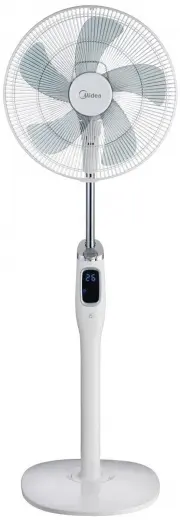
DC STAND FAN
MODEL:FS40-12HR
Please read the instruction manual carefully before use and safekeeping.
GD Midea Environment Appliances Manufacturing CO.,LTD.
Midea Industrial Park, Dongfu Road, Dongfeng Town, Zhongshan, Guangdong, China
"Loading the manual" means you need to wait until the file loads and becomes available for online reading. Some manuals are very large, and the time they take to appear depends on your internet speed.