Page 2 - ENGLISH
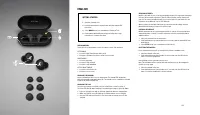
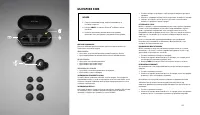
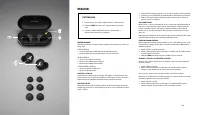
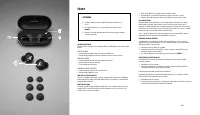
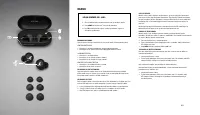
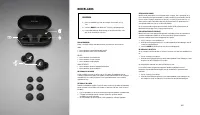
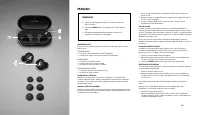
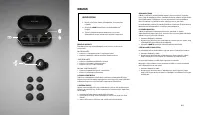
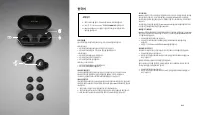
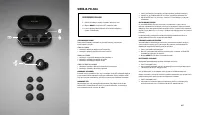
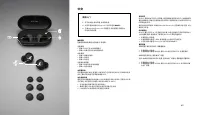
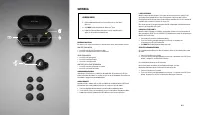
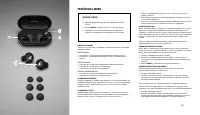
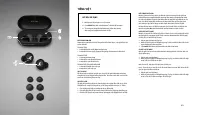
03 02 ENGLISH GETTING STARTED 1. Open the charging case. 2. Push and hold the brass pairing button until the earbud LEDs pulse blue. 3. Select MODE II from your sound device’s Bluetooth ® list. 4. Download the Marshall Bluetooth app and follow the in-app instructions to complete the setup. TOUCH CON...
Page 3 - ةيبرعلا
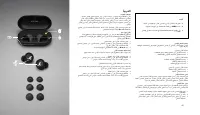
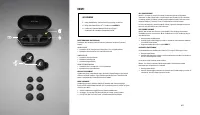
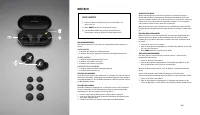
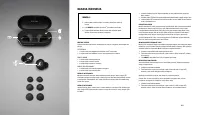
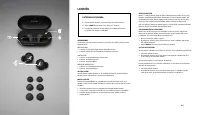
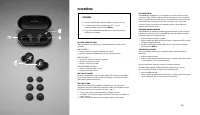
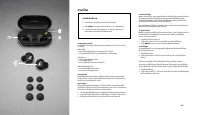
05 04 ةيبرعلا ءدبلا 1 . .كينذأ يف امهعضو نذلأا يتعامس جِرخأو نحشلا ةبلع حتفا 2 . .ةيتوصلا كتزهجأ يف ® Bluetooth ةمئاق نم MODE II ددح 3 . لامكلإ قيبطتلا تاميلعت عبتاو Marshall Bluetooth قيبطت لزن .دادعلإا سمللاب مكحتلا رصانع ةيفتاهلا تاملاكملاو ىقيسوملا يف مكحتلل ىنميلا وأ ىرسيلا نذلأا ةعامس سملا . د...
Page 4 - БЪЛГАРСКИ ЕЗИК
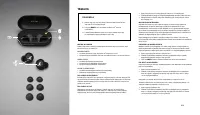
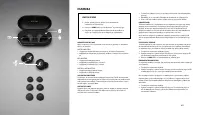
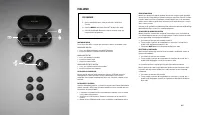
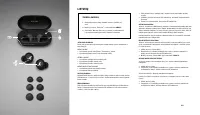
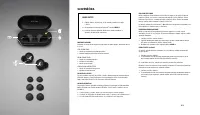
07 06 БЪЛГАРСКИ ЕЗИК НАЧАЛО 1. Отворете захранващия калъф, извадете слушалките и ги поставете в ушите си. 2. Изберете MODE II от списъка с Bluetooth ® на Вашето звуково устройство. 3. Изтеглете приложението Marshall Bluetooth и следвайте включените в него инструкции за завършване на настройките. КОН...
Page 5 - HRVATSKI
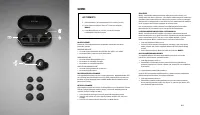
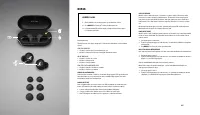
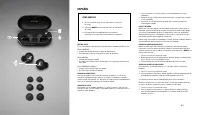
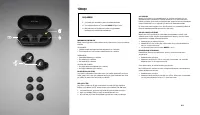
09 08 HRVATSKI POČETAK RADA 1. Otvorite kućište za punjenje, izvadite slušalice i stavite ih na uši. 2. Odaberite MODE II na Bluetooth ® popisu uređaja koji proizvodi zvuk. 3. Preuzmite aplikaciju Marshall Bluetooth i slijedite upute u aplikaciji kako biste završili postavljanje. NAREDBE NA DODIR Do...
Page 6 - ČESKY
011 010 ČESKY ZAČÍNÁME 1. Otevřete nabíjecí pouzdro, vyjměte sluchátka a zasuňte si je do uší. 2. Ze seznamu Bluetooth ® na vašem zvukovém zařízení zvolte MODE II . 3. Stáhněte si aplikaci Marshall Bluetooth a podle pokynů v aplikaci nastavení proveďte. OVLÁDÁNÍ DOTYKEM Dotykem levého nebo pravého s...
Page 7 - DANSK
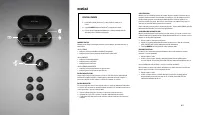
013 012 DANSK SÅDAN KOMMER DU I GANG 1. Åbn opladningsetuiet, tag øretelefonerne ud, og sæt dem i ørerne. 2. Vælg MODE II fra Bluetooth ® -listen på din lydenhed. 3. Hent Marshall Bluetooth-appen, og følg vejledningen i appen for at fuldføre opsætningen. BERØRINGSBETJENING Tryk på venstre eller højr...
Page 8 - NEDERLANDS
015 014 NEDERLANDS BEGINNEN 1. Open het oplaaddoosje, haal de oordopjes eruit en doe ze in je oren. 2. Selecteer MODE II in de Bluetooth ® -lijst van je geluidsapparaat. 3. Download de Marshall Bluetooth-app en volg de instructies in de app om de installatie te voltooien. TOUCH-BEDIENING Linker- of ...
Page 9 - EESTI
017 016 EESTI ALUSTAMINE 1. Avage laadimiskarp, võtke kuularid välja ja pange need kõrva. 2. Valige heliseadme Bluetooth ® -i loendist suvand MODE II . 3. Laadige alla rakendus Marshall Bluetooth ja järgige seadistamiseks rakenduses kuvatavaid juhiseid. PUUTETUNDLIKUD JUHTSEADISED Puudutage oma muus...
Page 10 - TAGALOG
019 018 TAGALOG PAGSISIMULA 1. Buksan ang case na pang-charge, ilabas ang mga earbud at isuot ang mga ito sa iyong mga tainga. 2. Piliin ang MODE II mula sa listahan ng Bluetooth ® ng iyong sound device. 3. I-download ang Marshall Bluetooth na app at sundin ang in-app na mga tagubilin upang makumple...
Page 11 - SUOMI
021 020 SUOMI KÄYTTÖÖNOTTO 1. Avaa latauskotelo, ota nappikuulokkeet esiin ja laita ne korviisi. 2. Valitse äänentoistolaitteesi Bluetooth ® -luettelosta vaihtoehto MODE II . 3. Lataa Marshall Bluetooth -sovellus ja viimeistele asennus noudattamalla sovelluksen ohjeita. KOSKETUSSÄÄDÖT Vasenta tai oi...
Page 12 - FRANÇAIS
023 022 FRANÇAIS DÉMARRAGE 1. Ouvrez l’étui de chargement, retirez les écouteurs et placez-les dans vos oreilles. 2. Sélectionnez MODE II depuis la liste Bluetooth ® de votre appareil audio. 3. Téléchargez l’application Marshall Bluetooth et suivez-en les instructions pour terminer la configuration....
Page 13 - DEUTSCH
025 024 DEUTSCH ERSTE SCHRITTE 1. Öffne die Ladebox, nimm die Ohrhörer heraus und führe sie in deine Ohren ein. 2. Wähle MODE II aus der Liste der Bluetooth ® -Geräte. 3. Lade die Marshall Bluetooth-App herunter und befolge die Anweisungen in der App, um die Einrichtung abzuschließen. TOUCH-BEDIENEL...
Page 14 - ΕΛ ΛΗΝΙΚ Ά
027 026 ΕΛ ΛΗΝΙΚ Ά ΕΝΆΡΞΗ ΧΡΗΣΗΣ 1. Ανοίξτε τη θήκη φόρτισης, βγάλτε έξω τα ακουστικά και τοποθετήστε τα στα αυτιά σας. 2. Επιλέξτε το MODE II από τη λίστα Bluetooth ® της συσκευής ήχου. 3. Κατεβάστε την εφαρμογή Marshall Bluetooth και ακολουθήστε τις οδηγίες της εφαρμογής για την ολοκλήρωση της εγκ...
Page 15 - תירבע
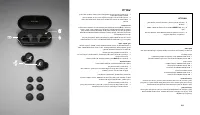
029 028 תירבע םיליחתמ 1 . ןתוא סנכהו תוינזואה תא אצוה , הניעטה קיתרנ תא חתפ . םיינזואל 2 . עמשה רישכמ לש ® Bluetooth -ה תמישרב MODE II תא רחב . ךלש 3 . תוארוהל םאתהב לעפו ,Marshall Bluetooth ןומושייה תא דרוה . הנקתהה תא םייסל ידכ ןומושייב עגמ ידקפ . דועו ןופלט תוחיש םייקל , הקיזומב טולשל ידכ תינמיה ...
Page 16 - MAGYAR
031 030 MAGYAR KEZDŐ LÉPÉSEK 1. Nyisd ki a töltőtokot, vedd ki a fülhallgatókat, és helyezd őket a füledbe. 2. Válaszd ki a MODE II lehetőséget a készüléked Bluetooth ® - listájáról. 3. Töltsd le a Marshall Bluetooth alkalmazást, és kövesd az alkalmazásban szereplő utasításokat a beállítás elvégzésé...
Page 17 - BAHASA INDONESIA
033 032 BAHASA INDONESIA MEMULAI 1. Buka wadah pengisian daya, keluarkan earbud, dan pakai di telinga. 2. Pilih MODE II dari daftar Bluetooth ® perangkat suara Anda. 3. Unduh aplikasi Marshall Bluetooth dan ikuti petunjuk dalam aplikasi untuk menyelesaikan pengaturan. KONTROL SENTUH Sentuh earbud ki...
Page 18 - ITALIANO
035 034 ITALIANO PER INIZIARE 1. Apri la custodia di ricarica, estrai gli auricolari e infilali nelle orecchie. 2. Seleziona MODE II dall’elenco Bluetooth ® del dispositivo audio. 3. Scarica l’app Marshall Bluetooth e segui le istruzioni in-app per completare la configurazione. CONTROLLO TOUCH Tocca...
Page 19 - 英語
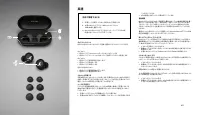
037 036 英語 初めて使用するとき 1. 充電ケースを開き、イヤホンを取り出して装着します。 2. お使いのサウンドデバイスのBluetooth ® リストか らMode IIを選択します。 3. Marshall Bluetoothアプリをダウンロードし、アプリ内の説 明書に従ってセットアップを完了します。 タッチコントロール 右または左のイヤホンをタッチして音楽、通話などをコントロールできます。 左イヤホン • 1回タッチしてTransparencyモードをオン/オフにします • 2回タッチしてスマートフォンのネイティブ音声アシスタントを起動します 右イヤホン • 1回タッチして音楽...
Page 20 - 한국어
039 038 한국어 시작하기 1. 충전 케이스를 열고, 이어버드를 꺼내서 귀에 착용합니다. 2. 사운드 기기의 Bluetooth ® 목록에서 MODE II 를 선택합니다. 3. Marshall Bluetooth 앱을 다운로드하여 앱 내 지침에 따라 설정을 완료합니다. 터치 컨트롤 음악 , 통화 등을 조절하려면 좌측 또는 우측 이어버드를 터치합니다 . 좌측 이어버드 • 1회 터치하여 트랜스페어런시 모드를 켜거나 끕니다. • 2회 터치하여 휴대폰의 기본 음성 지원을 활성화합니다. 우측 이어버드 • 1회 터치하여 재생/일시 정지합니다....
Page 21 - LATVIEŠU
041 040 LATVIEŠU LIETOŠANAS UZSĀKŠANA 1. Atveriet uzlādes korpusu, izņemiet austiņas un ielieciet tās ausīs. 2. Atlasiet MODE II jūsu skaņu ierīces Bluetooth ® sarakstā. 3. Lai pabeigtu iestatīšanu, lejupielādējiet lietotni Marshall Bluetooth un izpildiet tajā sniegtos norādījumus. SKĀRIENVADĪBA Pie...
Page 22 - LIETUVIŲ
043 042 LIETUVIŲ TRUMPAS VADOVAS 1. Atidarykite įkrovimo dėklą, ištraukite ausines ir įsidėkite jas į ausis. 2. Mobiliojo prietaiso „Bluetooth ® “ sąraše pasirinkite MODE II . 3. Atsisiųskite „Marshall Bluetooth“ programėlę ir vadovaudamiesi joje pateikta instrukcija pasirinkite reikiamus nustatymus...
Page 23 - NORSK
045 044 NORSK KOMME I GANG 1. Åpne ladeetuiet, ta ut øreproppene og sett dem inn i ørene. 2. Velg MODE II fra Bluetooth ® -listen på lydenheten din. 3. Last ned Marshall Bluetooth-appen og følg instruksjonene i appen for å fullføre oppsettet. Berøringskontroll Trykk på venstre eller høyre ørepropp f...
Page 24 - WERSJA POLSK A
047 046 WERSJA POLSK A ROZPOCZĘCIE OBSŁUGI 1. Otwórz etui ładujące, wyjmij słuchawki i włóż je do uszu. 2. Wybierz MODE II z listy Bluetooth ® urządzenia audio. 3. Pobierz aplikację Marshall Bluetooth i wykonaj konfigurację zgodnie z instrukcjami. STEROWANIE DOTYKOWE Dotknij lewej lub prawej słuchaw...
Page 25 - PORTUGUÊS
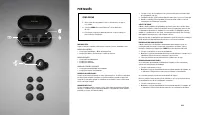
049 048 PORTUGUÊS COMO INICIAR 1. Abra o estojo de carregamento, retire os auriculares e coloque-os nos ouvidos. 2. Selecione MODE II na lista de Bluetooth ® do seu dispositivo de som. 3. Descarregue a aplicação Marshall Bluetooth e siga as instruções para concluir a configuração. CONTROLO TÁTIL T...
Page 26 - ROMÂNĂ
051 050 ROMÂNĂ PENTRU A ÎNCEPE 1. Deschideți cutia de încărcare, scoateți căștile și puneți-le în urechi. 2. Selectați MODE II din lista Bluetooth ® a dispozitivului audio. 3. Descărcați aplicația Marshall Bluetooth și urmați instrucțiunile din aplicație pentru a finaliza configurarea. COMENZI TACTI...
Page 27 - РУССКИЙ
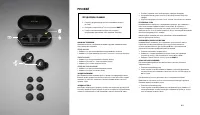
053 052 РУССКИЙ ПЕРЕД ИСПОЛЬЗОВАНИЕМ 1. Откройте зарядный футляр, достаньте наушники и вставьте их в уши. 2. Выберите в списке Bluetooth ® своего устройства MODE II . 3. Скачайте приложение Marshall Bluetooth и следуйте инструкциям в приложении, чтобы завершить настройку. СЕНСОРНОЕ УПРАВЛЕНИЕ Управл...
Page 28 - 中文
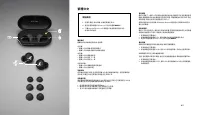
055 054 中文 使用入门 1. 打开充电盒,取出耳塞,放到耳朵里。 2. 从您的音频设备的 Bluetooth ® 列表中选择 MODE II 。 3. 下载 Marshall Bluetooth 应用程序,然后按照应用程序内 的说明完成设置。 触摸控制 轻触左侧或右侧耳塞以控制音乐、电话等。 左侧耳塞 • 轻触 1 次以打开/关闭通透模式 • 轻触 2 次激活手机的本地语音助手 右侧耳塞 • 轻触 1 次播放/暂停 • 轻触 2 次前进 • 轻触 3 次后退 左侧或右侧耳塞 • 轻触 1 次接听电话/结束通话 • 轻触 2 次拒绝通话 为耳塞充电 将耳塞放回盒中充电。耳塞的 LED 指...
Page 29 - SLOVENČINA
057 056 SLOVENČINA ZAČÍNAME 1. Otvorte nabíjacie puzdro, vyberte slúchadlá a vložte si ich do uší. 2. V zozname rozpoznaných zariadení Bluetooth ® vo svojom zvukovom zariadení vyberte možnosť MODE II . 3. Prevezmite si aplikáciu Marshall Bluetooth a dokončite nastavenie podľa pokynov v aplikácii. DO...
Page 30 - SLOVENŠČINA
059 058 SLOVENŠČINA KAKO ZAČETI 1. Odprite škatlico za polnjenje, iz nje vzemite slušalke in jih dajte v ušesa. 2. Na seznamu zvočnih naprav Bluetooth ® izberite MODE II . 3. Prenesite aplikacijo Marshall Bluetooth in sledite navodilom v aplikaciji, da dokončate namestitev. NADZOR Z DOTIKOM Dotaknit...
Page 31 - ESPAÑOL
061 060 ESPAÑOL CÓMO EMPEZAR 1. Abre el estuche de carga, saca los auriculares y póntelos en las orejas. 2. Selecciona MODE II en la lista de Bluetooth ® de tu dispositivo de sonido. 3. Descarga la aplicación Marshall Bluetooth y sigue las instrucciones en la aplicación para terminar la configuració...
Page 32 - SVENSK A
063 062 SVENSK A KOMMA IGÅNG 1. Öppna laddningsfodralet, ta ut öronsnäckorna och sätt dem i dina öron. 2. Välj MODE II från din ljudenhets Bluetooth ® -lista. 3. Ladda ner Marshall Bluetooth-appen och följ instruktionerna i appen för att slutföra konfigureringen. BERÖRINGSKONTROLL Rör vänster eller ...
Page 33 - ภาษาไทย
065 064 ภาษาไทย การเริ่มต้นใช้งาน 1. เปิดเคสชาร์จ เอาหูฟังออกแล้วใส่เข้ากับหูของคุณ 2. เลือก MODE II จากรายการอุปกรณ์ Bluetooth ® เสียงของคุณ 3. ดาวน์โหลดแอป Marshall Bluetooth และทำาตามคำาแนะนำา ในแอปเพื่อดำาเนินการตั้งค่าให้เสร็จสมบูรณ์ การควบคุมแบบสัมผัส แตะที่หูฟังข้างซ้ายหรือขวาเพื่อควบคุมการเล...
Page 34 - 繁體中文
067 066 繁體中文 開始使用 1. 打開充電盒,取出耳機,然後將其戴在耳中。 2. 從您的音效裝置的 Bluetooth ® 列表中選擇 MODE II 。 3. 下載 Marshall Bluetooth 應用程式並按照應用程式中的 說明來完成設定。 觸控模式 輕觸左或右耳機來控制音樂、通話等。 左耳機 • 輕觸 1 次以開啟/關閉透明模式 • 輕觸 2 次以啟動手機的本地語音助理 右耳機 • 輕觸 1 次以播放或暫停 • 輕觸 2 次以跳至下一首 • 輕觸 3 次以回到上一首 左或右耳機 • 輕觸 1 次以接聽來電或結束通話 • 輕觸 2 次以拒絕來電 耳機充電 將耳機放回盒中充電。...
Page 35 - TÜRKÇE
069 068 TÜRKÇE BAŞLARKEN 1. Şarj kabını açın, kulaklıkları çıkarın ve kulaklarınıza takın. 2. Ses cihazınızın Bluetooth ® listesinden MODE II öğesini seçin. 3. Marshall Bluetooth uygulamasını indirin ve uygulamadaki talimatları izleyerek kurulumu tamamlayın. DOKUNMATIK KONTROLLER Müziği, telefon çağ...
Page 36 - УКРАЇНСЬК А МОВА
071 070 УКРАЇНСЬК А МОВА ПОЧАТОК РОБОТИ 1. Відкрийте зарядний футляр, витягніть навушники та вставте їх у вуха. 2. Виберіть MODE II зі списку Bluetooth ® на звуковому пристрої. 3. Завантажте застосунок Marshall Bluetooth і дотримуйтеся інструкцій з налаштування, що відображаються в застосунку. СЕНСО...
Page 37 - TIẾNG VIỆT
073 072 TIẾNG VIỆT BẮT ĐẦU SỬ DỤNG 1. Mở hộp sạc, lấy tai nghe ra và đặt vào tai. 2. Chọn MODE II từ danh sách Bluetooth ® của thiết bị âm thanh. 3. Tải xuống ứng dụng Marshall Bluetooth và làm theo hướng dẫn trong ứng dụng để hoàn thành cài đặt. ĐIỀU KHIỂN CẢM ỨNG Chạm vào tai nghe bên trái hoặc bê...



 Marshall 990 Manual
 Marshall 1923 Manual
 Marshall 1959HW Manual
 Marshall 1959RR Manual
 Marshall 1959SLP Manual
 Marshall 1992LEM Manual
 Marshall 2061X Manual
 Marshall 2203 Manual
 Marshall 2205 Manual
 Marshall 2266 Manual