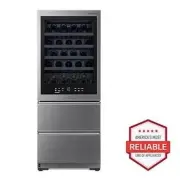
Page 2 - TABLE OF CONTENTS
TABLE OF CONTENTS 2 3 IMPORTANT SAFETY INSTRUCTIONS 3 READ ALL INSTRUCTIONS BEFORE USE 3 WARNING 6 CAUTION 8 PRODUCT OVERVIEW 8 Product Features 11 INSTALLATION 11 Before Installing 11 Choosing the Proper Location 12 Leveling 13 Turning on the Power 14 OPERATION 14 Before Use 15 Control Panel 17 Sab...
Page 3 - IMPORTANT SAFETY INSTRUCTIONS; READ ALL INSTRUCTIONS BEFORE USE; Safety Messages; WARNING; Installation
3 IMPORTANT SAFETY INSTRUCTIONS ENGLISH IMPORTANT SAFETY INSTRUCTIONS READ ALL INSTRUCTIONS BEFORE USE Safety Messages Your safety and the safety of others are very important. We have provided many important safety messages in this manual and on your appliance. Always read and follow all safety mess...
Page 4 - Operation
4 IMPORTANT SAFETY INSTRUCTIONS • Do not bend or pinch the power cord excessively or place heavy objects on it. Operation • This appliance is intended to be used in household and similar applications such as: - staff kitchen areas in shops, offices and other working environments;- farm houses and by...
Page 5 - Maintenance
5 IMPORTANT SAFETY INSTRUCTIONS ENGLISH Auto-lift Feature • The auto-lift drawer function can be used by children aged 8 years and above and persons with reduced physical, sensory or mental capabilities or lack of experience and knowledge if they have been given supervision or instruction concerning...
Page 6 - Risk of Fire and Flammable Materials; CAUTION; Wine Storage
6 IMPORTANT SAFETY INSTRUCTIONS grounded. Do not modify the plug provided with the appliance; if it will not fit the outlet, have a proper outlet installed by a qualified electrician. • Have a certified electrician check the wall outlet and wiring for proper grounding.• Never unplug the appliance by...
Page 7 - SAVE THESE INSTRUCTIONS
7 IMPORTANT SAFETY INSTRUCTIONS ENGLISH SAVE THESE INSTRUCTIONS Maintenance • Do not use strong detergents like wax or thinners for cleaning. Clean with a soft cloth.• Remove foreign objects (such as dust and water) off the prongs of the power plug and contact areas. Do not use a wet or damp cloth w...
Page 8 - PRODUCT OVERVIEW; Product Features; Exterior
8 PRODUCT OVERVIEW PRODUCT OVERVIEW Product Features The images in this guide may be different from the actual components and accessories, which are subject to change by the manufacturer without prior notice for product improvement purposes. Exterior a Voice Assistant Device A voice assistant device...
Page 9 - Interior
9 PRODUCT OVERVIEW ENGLISH Interior a Fresh Filter This reduces odors inside the wine compartment. b Upper Zone Stores bottles of red wine. c Storage Rack Stores wine bottles on their sides for best long-term storage. d Zone Divider Helps maintain separate temperature zones. e Lower Zone Stores bott...
Page 10 - Product Specifications
10 PRODUCT OVERVIEW CAUTION • If the mode is changed while food is in the drawer, the food could spoil. j Inner Compartment Rises during the auto-lift operation. Product Specifications The appearance and specifications listed in this manual may vary due to constant product improvements. Electrical r...
Page 11 - INSTALLATION; Before Installing; Installation Overview; Choosing the Proper; Electricity
11 INSTALLATION ENGLISH INSTALLATION Before Installing Installation Overview Please read the following installation instructions first after purchasing this product or transporting it to another location. a Unpacking the Refrigerator b Choosing the Proper Location c Leveling and Door Alignment Unpac...
Page 12 - Flooring; Ambient Temperature; Leveling; Adjusting the Leveling Leg
12 INSTALLATION WARNING • To reduce the risk of electric shock, do not install the refrigerator in a wet or damp area. Flooring To avoid noise and vibration, the unit must be installed and leveled on a solidly constructed floor. If required, adjust the leveling legs to compensate for the unevenness ...
Page 13 - Turning on the Power; Position the Refrigerator
13 INSTALLATION ENGLISH Turning on the Power • After installing, plug the refrigerator’s power cord into a 3-prong grounded outlet and push the refrigerator into the final position. CAUTION • Connect to a rated power outlet.• Have a certified electrician check the wall outlet and wiring for proper g...
Page 14 - OPERATION; Before Use; Checklist
14 OPERATION OPERATION Before Use Checklist Clean the refrigerator. Clean the refrigerator thoroughly and wipe off all dust that accumulated during shipping. CAUTION • Do not scratch the refrigerator with a sharp object or use a detergent that contains alcohol, a flammable liquid or an abrasive when...
Page 15 - Control Panel; Control Panel Features
15 OPERATION ENGLISH Control Panel Depending on the model, some of the following functions may not be available.The actual control panel may differ from model to model. Control Panel Features a Voice Assistant Changes voice assistant settings. This button allows you to activate/deactivate the Voice ...
Page 17 - Sabbath Mode; Using the Sabbath Mode; Automatic Opening Door; Using the Automatic Opening Door
17 OPERATION ENGLISH • To deactivate / activate: - With either refrigerator door opened, press the Express Freeze button 3 times consecutively while pressing the Refrigerator Drawer button. The control panel beeps and the temperature settings display to confirm that Display Mode is deactivated. Use ...
Page 18 - InstaView; Using the InstaView Door; Storing Wine; Serving Temperature
18 OPERATION NOTE • The displayed text may not be readable on some flooring materials, but this will not affect the performance of the automatic door opening function. • If flooring material is highly reflective (metal, glass tile), the motion sensor may malfunction and the automatic door opening fu...
Page 19 - Storage Capacity; Storing Red Wine; Storage Racks
19 OPERATION ENGLISH Burgundy, Cabernet Sauvignon, Merlot, Malbec, Shiraz, Syrah, Bordeaux • 64-68 °F (18-20 ˚ C)— Vintage Port Storage Capacity The wine storage compartment of this product is designed to store only wine, so it is not recommended for storing other liquor/beverages. NOTE • Stagger th...
Page 20 - Removing/Assembling Red Wine; Wireless Power Transfer Specifications; Removing/Assembling White Wine
20 OPERATION CAUTION • As a natural product, the wood used for the racks can vary in color and grain, including the presence of knots. • Due to the nature of the wood, spilled wine and other liquids may stain or discolor the racks. Removing/Assembling Red Wine Racks 1 To remove, raise the front of t...
Page 21 - Removing/Assembling Champagne; Storing Food; Food Storage Tips; How to Store Food
21 OPERATION ENGLISH Removing/Assembling Champagne Drawer 1 To remove, pull the drawer out. 2 Lift the drawer straight up and out of the frame. 3 Keeping both levers b pressed, lift the drawer support slightly and remove it from the rail. 4 To assemble, hook the drawer support on the rails located o...
Page 22 - Storing Frozen Food; Freezing; Packaging
22 OPERATION • Milk - Wipe milk cartons. For coldest milk, place containers on an interior shelf. • Eggs - Store in original carton on interior shelf, not on door shelf. • Fruit - Do not wash or hull fruit until it is ready to be used. Sort and keep fruit in original container in a crisper, or store...
Page 23 - Setting Auto Lift; Using Auto Lift; Removing the Auto-lift Device
23 OPERATION ENGLISH • If doors are opened or closed too often, warm air may penetrate the refrigerator and raise its temperature. This can increase the running costs of the unit. Auto-lift Device Setting Auto Lift Press Auto Lift repeatedly to toggle between Off ~ Sound On ~ Sound Off ~ Auto Drawer...
Page 24 - Assembling the Auto-lift Device
24 OPERATION 4 Hold the top of the auto-lift device with both hands and remove it from the bottom drawer. WARNING • The auto-lift device is heavy, so remove it with both hands. 5 Insert the fingertips of both hands under the cover at the center and pull the cover forward gently. CAUTION • Pull the c...
Page 26 - SMART FUNCTIONS; LG ThinQ Application; LG ThinQ Application Features; Before Using LG ThinQ Application
26 SMART FUNCTIONS SMART FUNCTIONS LG ThinQ Application This feature is only available on models with Wi-Fi.The LG ThinQ application allows you to communicate with the appliance using a smartphone. LG ThinQ Application Features • Smart Care+ † - Provides a more personalized experience based on an an...
Page 27 - Installing the LG ThinQ Application; Wireless LAN Module Specifications
27 SMART FUNCTIONS ENGLISH unplug the appliance and wait about a minute before trying again. • If the firewall on your wireless router is enabled, disable the firewall or add an exception to it. • The wireless network name (SSID) should be a combination of English letters and numbers. (Do not use sp...
Page 28 - Using the Voice Assistant
28 SMART FUNCTIONS FCC RF Radiation Exposure Statement This equipment complies with FCC radiation exposure limits set forth for an uncontrolled environment. This transmitter must not be co- located or operating in conjunction with any other antenna or transmitter.This equipment should be installed a...
Page 29 - Setting up the Voice Assistant; Setting up the Voice Assistant on; Using Wake Word; Smart Diagnosis; Using LG ThinQ to Diagnose Issues
29 SMART FUNCTIONS ENGLISH Setting up the Voice Assistant You must wake the voice assistant up before it can assist you. You can select 2 different ways to do this. Wake Zone + Wake Word mode This mode allows you to use either motion sensor activation or voice activation.• Wake Zone : Stand close en...
Page 30 - Using Audible Diagnosis to
30 SMART FUNCTIONS troubleshooting data to a smartphone using the LG ThinQ application. • Launch the LG ThinQ application and select the Smart Diagnosis feature in the menu. Follow the instructions provided in the LG ThinQ application. Using Audible Diagnosis to Diagnose Issues Follow the instructio...
Page 31 - MAINTENANCE; Cleaning; General Cleaning Tips; Air Filter; Replacing the Fresh Filter
31 MAINTENANCE ENGLISH MAINTENANCE Cleaning WARNING • Use non-flammable cleaner. Failure to do so can result in fire, explosion, or death. CAUTION • Do not use an abrasive cloth or sponge when cleaning the interior and exterior of the refrigerator. • Do not place your hand on the bottom surface of t...
Page 33 - TROUBLESHOOTING; FAQs; Frequently Asked Questions; Before Calling for Service
33 TROUBLESHOOTING ENGLISH TROUBLESHOOTING FAQs Frequently Asked Questions Before Calling for Service Review this section before calling for service; doing so will save you both time and money. Q: What are the best temperature settings for my refrigerator and freezer? A: The default setting for the ...
Page 34 - Cooling
34 TROUBLESHOOTING Cooling Problem Possible Cause & Solution Refrigerator is not cooling or has no power. A fuse in your home may be blown or the circuit breaker tripped. Or the appliance is connected to a GFCI (Ground Fault Circuit Interrupter) outlet, and the outlet's circuit breaker has tripp...
Page 37 - Voice Assistant
37 TROUBLESHOOTING ENGLISH Voice Assistant Noises Refrigerator wobbles or seems unstable Leveling legs are not adjusted properly. • Refer to the Leveling and Door Alignment section. Floor is not level. • It may be necessary to add shims under the leveling legs or rollers to complete installation. Li...
Page 39 - LIMITED WARRANTY; USA; TERMS AND CONDITIONS
39 LIMITED WARRANTY ENGLISH LIMITED WARRANTY USA TERMS AND CONDITIONS ARBITRATION NOTICE: THIS LIMITED WARRANTY CONTAINS AN ARBITRATION PROVISION THAT REQUIRES YOU AND LG ELECTRONICS (“LG”) TO RESOLVE DISPUTES BY BINDING ARBITRATION INSTEAD OF IN COURT, UNLESS YOU CHOOSE TO OPT OUT. IN ARBITRATION, ...
Page 40 - THIS LIMITED WARRANTY DOES NOT COVER:; PROCEDURE FOR RESOLVING DISPUTES:
40 LIMITED WARRANTY THIS LIMITED WARRANTY DOES NOT COVER: • Service trips to deliver, pick up, or install, educate how to operate, correct wiring, or correct unauthorized repairs. • Damage or failure of the Product to perform during power failures and interrupted or inadequate electrical service. • ...
Page 43 - CANADA
43 LIMITED WARRANTY ENGLISH CANADA TERMS AND CONDITIONS ARBITRATION NOTICE: THIS LIMITED WARRANTY CONTAINS AN ARBITRATION PROVISION THAT REQUIRES YOU AND LG TO RESOLVE DISPUTES BY BINDING ARBITRATION INSTEAD OF IN COURT, UNLESS THE LAWS OF YOUR PROVINCE OR TERRITORY DO NOT PERMIT THAT, OR, IN OTHER ...
Page 48 - Customer Information Center
For inquiries or comments, call; 1-800-984-6306 USA, Consumer User 1-888-865-3026 USA, Commercial User 1-888-542-2623 CANADA Customer Information Center