LG ST-200T - User Manual
LG ST-200T Monitor – User Manual, read for free online in PDF format. We hope this helps you resolve any issues you may have. If you have further questions, please contact us through the contact form.

1.
2.
Take the parts for the stand out of the box and assemble them as shown in the picture.
부속품을 박스로부터 꺼낸 후 그림과 같이 연결해 주세요.
Place a soft cloth on the table and put the product with the screen facing
downward. Connect the stand as shown in the following picture.
테이블 위에 부드러운 천을 깔고, 화면이 아래쪽을 향하도록 제품을 올려 놓습니다.
그림과 같이 스탠드를 연결하세요.
Use the screws to secure the stand on the rear side of the product as
shown in the diagram.
그림과 같이 나사를 사용하여 스탠드를 제품 뒷면에 고정합니다.
* ST-200T
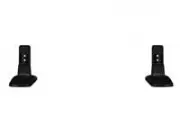
Stand(2 EA)
스탠드(2 개)
Screw(4 EA)
: Diameter 4.0 mm x Pitch 0.7 mm x Length 10mm(Included Spring Washer)
나사(4개) : 직경 4.0 mm x 피치 0.7 mm x 길이 10mm(스프링 와셔 포함)
Attaching Stand / 스탠드를 연결하려면
P/NO.MBM30210410(1111-REV00) Printed in Korea
First, check if the following parts are all present.
먼저, 그림과 같이 부속품을 확인하세요.
Parts / 부속품
"Loading the manual" means you need to wait until the file loads and becomes available for online reading. Some manuals are very large, and the time they take to appear depends on your internet speed.



