Page 2 - CAUTION
2 This lightning flash with arrowhead symbol withinan equilateral triangle is intended to alert theuser to the presence of uninsulated dangerousvoltage within the product’s enclosure that maybe of sufficient magnitude to constitute a risk ofelectric shock to persons. The exclamation point within an ...
Page 3 - IMPORTANT SAFETY INSTRUCTIONS
REFERENCE 3 INTRODUCTION 1. Read these instructions. - All these safety and operating instructions should be read before theproduct is operated. 2. Keep these instructions. - The safety, operating and use instructions should be retained for futurereference. 3. Heed all warnings. - All warnings on th...
Page 5 - INTRODUCTION; Handling Discs; Introduction; Moisture Condensation
5 INTRODUCTION To ensure proper use of this product, please read this owner’s manual carefully and retain for future reference. About the Symbol Display “ ” may appear on your TV display during operation and indicates that the function is not permitted by thisunit or specific media. Symbol Used in t...
Page 6 - Recordable and Playable Discs; Recommended recordable DVD discs
6 Recordable and Playable Discs DVD-RW (DVD - ReWritable) DVD-RW discs can be formatted for VR mode recording or Video mode recording.These Discs can be recorded on repeatedly. Recordings can be erased, then you can record again on thesame Disc. [VR mode] Recordings can be extensively editedPlayable...
Page 7 - Playable Discs; Regional Code
7 INTRODUCTION Playable Discs DVD (8 cm / 12 cm disc) Discs such as movies that can be purchased or rented Audio CD (8 cm / 12 cm disc) Music CDs or CD-Rs/CD-RWs in music CD format that can be purchased CD-R/CD-RW (8 cm / 12 cm disc) CD-R/CD-RW discs that contain audio titles, MP3, WMA or JPEG files...
Page 9 - Using an USB Flash Drive; Inserting/Removing the USB Flash Drive; Using the USB Flash Drive; About the Remote Control
9 INTRODUCTION Using an USB Flash Drive This unit can play the MP3 / WMA / JPEG files con-tained in the USB Flash Drive. Inserting/Removing the USB Flash Drive Inserting the USB Flash Drive Insert straight-in until it fits into place. Removing the USB Flash Drive Withdraw the USB Flash Drive careful...
Page 10 - Front Panel; f g h
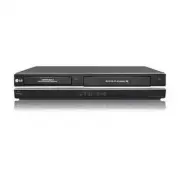
10 a Disc Tray (DVD deck) Insert a disc here. b Z DVD Opens or closes the disc tray. c Cassette Compartment (VCR deck) Insert a video cassette here. d Z VCR Ejects the tape in the VCR deck. e 1 1 POWER Switches the Recorder ON and OFF. f N / X (PLAY / PAUSE) Starts playback.Pause playback or recordi...
Page 11 - Remote Control
11 INTRODUCTION a POWER ( 1 ) Turns Recorder ON and OFF. DVD Select the Recorder’s function mode toDVD. VCR Select the Recorder’s function mode toVCR. EJECT, OPEN/CLOSE ( Z ) - Opens and closes the disc tray. - Ejects the tape in the VCR deck. 0-9 numerical buttons - Selects numbered options in a me...
Page 12 - HDMI OUTPUT; b c; Rear Panel
12 a ANTENNA IN (FROM ANT) Connect the antenna to this terminal. b IR TRANSMITTER Connect the IR control cable (if used). c OPTICAL (DIGITAL AUDIO OUTPUT) Connect to digital (optical) audio equipment. d COMPONENT OUTPUT (Y P B P R ) Connect to a TV with Y P B P R inputs. e INPUT 1 (VIDEO/AUDIO (Left...
Page 13 - C o n n e c t i n g a n; Antenna; Hookup and Settings
13 HOOKUP AND SETTINGS Depending on your TV and other equipmentthere are various ways you can connect therecorder. Please refer to the manuals of yourTV, VCR, Stereo System or other devices asnecessary for additional connection informa-tion. Notes: • Make sure the Recorder is connected directly to t...
Page 14 - RF coaxial connection; Video connection
14 C o n n e c t i o n s t o y o u r T V C o n n e c t i o n s t o y o u r T V Make one of the following connections, depending onthe capabilities of your TV. RF coaxial connection Connect the ANTENNA OUT jack on the Recorder tothe antenna in jack on the TV using the supplied 75-ohm Coaxial Cable (R...
Page 15 - HDMI connection
15 HOOKUP AND SETTINGS HDMI connection If you have a HDMI TV or monitor, you can connect itto this recorder using a HDMI cable. 1. Connect the HDMI OUTPUT jack on the recorder to the HDMI INPUT jack on a HDMI compatible TVor monitor (H). 2. Set the TV’s source to HDMI (refer to TV’s Owner’s manual)....
Page 16 - Digital Multi-channel sound
16 C o n n e c t i o n t o a n C o n n e c t i o n t o a n A m p l i f i e r A m p l i f i e r Connecting to an amplifier equipped with twochannel analog stereo or Dolby Pro Logic II/ProLogic Connect the Left and Right AUDIO OUTPUT jacks onthe Recorder to the audio left and right in jacks onyour amp...
Page 17 - A c c e s s o r y
17 HOOKUP AND SETTINGS A c c e s s o r y A c c e s s o r y A u d i o / V A u d i o / V i d e o ( A / V ) i d e o ( A / V ) C o n n e c t i o n s t o C o n n e c t i o n s t o R e c o r d e r R e c o r d e r Connect the INPUT 1 or AV IN 2 jacks on theRecorder to the audio/video out jacks on your acce...
Page 18 - Recommended Set-Top Box devices
18 C o n n e c t i n g t h e I R c o n t r o l C o n n e c t i n g t h e I R c o n t r o l c a b l e c a b l e The Recorder sends commands to your connectedSet-Top Box to change the channels of it through theIR control cable when AV1 timer recording starts. 1. Connect the plug of the IR control cabl...
Page 19 - HOOKUP
19 I n i t i a l S e t u p W I n i t i a l S e t u p W i z a r d i z a r d After the POWER is pressed for the first time to turnon the unit, the Initial Setup Wizard function sets theLanguage, Channels and Clock step-by-step until thesetup is complete. 1. Use v / V to select a language for the Setup...
Page 22 - Display Menu
22 L a n g u a g e S e t t i n g s L a n g u a g e S e t t i n g s Note: You can set [DTV Caption], [DTV Caption Style], [DTV Caption Option] and [DTV Audio] options only whileviewing digital TV. Display Menu Select a language for the Setup menu and information display. Disc Menu / Audio / Subtitle ...
Page 23 - A u d i o S e t t i n g s; Rating
23 HOOKUP AND SETTINGS A u d i o S e t t i n g s A u d i o S e t t i n g s Each DVD disc has a variety of audio output options.Set the Recorder’s Audio Output according to thetype of audio system you use. Dolby Digital / DTS / MPEG [Bitstream]: Select [Bitstream] if you connect the DVD+VCR’s DIGITAL...
Page 24 - R e c o r d i n g S e t t i n g s
24 Set Password You can enter or change password. 1. Select [Set Password] option then press B . 2. Follow step 2 as shown [Rating]. To change the password, press ENTER when the[Change] option is highlighted, then input old pass-word. Input new password. Enter it again to verify.To delete the passwo...
Page 25 - Test Procedure
REFERENCE 25 HOOKUP AND SETTINGS Set-Top Box Control Select [ON] when you connect a Set-Top Box (CableBox, Satellite Box, Digital Video Recorder, etc) withIR control cable. If not, select [OFF]. Set-Top Box Edit This setting is available only if the [Set-Top BoxControl] option is set to [ON]. If you...
Page 26 - Initialize; Finalize; Disc Label; Disc Protect
26 D i s c S e t t i n g s D i s c S e t t i n g s Initialize If you load a completely blank disc, the recorder willinitialize the disc. • DVD-R: The recorder initialize the disc to Video mode.The recording mode will always be Video mode. • DVD-RW/ DVD+RW/DVD+R(DL)/DVD-RAM: TheInitialize menu will a...
Page 27 - TV VIEWING; TV Viewing; Channel Selection; Switching Channel List
27 TV VIEWING TV Viewing Channel Selection You can select a channel as shown below. Number and – (dash) buttons Use Number (0-9) and – (dash) buttons to select achannel directly. FAV. CH +/- button Press FAV +/– to scroll through your favorite chan-nels. (favorite channel shows heart ( ♥ ) icon.) No...
Page 29 - P l a y i n g a T; Playback
29 PLA YBACK P l a y i n g a T P l a y i n g a T a p e a p e 1. Press VCR to control the VCR deck. 2. Insert a pre-recorded video cassette. • If the unit is powered off, it will power on automatically when the tape is loaded. • If the Timer indicator lights on the front paneldisplay window, press PO...
Page 30 - VCR Playback Options; Buttons
30 VCR Playback Options Buttons Operations EJECT ( Z ) Ejects the tape in the VCR deck. PAUSE ( X ) Pause playback. Press repeatedly to step forward one frame at a time. • After 5 minutes in STILL mode the Recorder stops to protectthe tape and video heads. FORWARD ( M ) Scan forward. In Stop mode, f...
Page 31 - DVD Playback Features; Discs
31 PLA YBACK DVD Playback Features Buttons Operations OPEN / CLOSE ( Z ) Opens or closes the disc tray. PAUSE ( X ) Pause playback. Press repeatedly to play Frame-by-Frame. You can also use b / B to step backward and forward while in Pause mode. BACKWARD ( m ) / FORWARD ( M ) During playback, press ...
Page 33 - S p e c i a l P l a y b a c k O p t i o n s; Moving to another TITLE
33 PLA YBACK S p e c i a l P l a y b a c k O p t i o n s S p e c i a l P l a y b a c k O p t i o n s If a menu screen is displayed In some cases, the disc menu might appear instead. Use the b B v V buttons to select the title/chapter you want to view, then press ENTER to start. PressTITLE or DISC ME...
Page 34 - Music List menu options; Random
34 P l a y i n g a n P l a y i n g a n A u d i o C D o r A u d i o C D o r M P 3 / W M A M P 3 / W M A f i l e s f i l e s The Recorder can play Audio CDs and MP3/WMAfiles. Before playing MP3/WMA files, read [MP3/WMAaudio file requirement] on right. 1. Press HOME and the Home menu appears. 2. Select...
Page 35 - i e w i n g a J P E G f i l e s; Photo List menu options; Still picture
35 PLA YBACK V V i e w i n g a J P E G f i l e s i e w i n g a J P E G f i l e s This unit can play JPEG files. Before playing JPEGrecordings, read “Photo file requirement” on page 36. 1. Press HOME and the Home menu appears. 2. Select [Photo] > [DISC] or [USB] and press ENTER. 3. Use v V b B to ...
Page 36 - View Slide Shows; Photo file requirement
36 View Slide Shows 1. Select [Slide Show] option on the [Photo List] menu. 2. Press ENTER. 3. Use b / B / v / V to set the options. [Object] option: • [Selected] Views slide show only selected files. • [All] Views slide show all files. [Speed] option: Sets the Slide Show speed to [Normal], [Slow], ...
Page 37 - RECORDING; A b o u t D V D r e c o r d i n g; Recording
37 RECORDING A b o u t D V D r e c o r d i n g A b o u t D V D r e c o r d i n g Notes: • This Recorder cannot record CD-R or CD-RWdiscs. • Fingerprints and small scratches on a disc canaffect playback and/or recording performance.Please take proper care of your discs. • The company does not hold an...
Page 38 - Checking the Recording Time
38 B a s i c R e c o r d i n g f r o m a T V B a s i c R e c o r d i n g f r o m a T V Follow the instructions below to record a TV program.Recording starts immediately and continues until thedisc or tape is full or you stop the recording. 1. Switch on the Recorder, select the device (VCR or DVD) fo...
Page 39 - i m e r R e c o r d i n g; Checking Timer Recording Details
39 RECORDING T T i m e r R e c o r d i n g i m e r R e c o r d i n g The Timer Recording function allows you to record upto 16 programs within a period of one month. 1. Press HOME and the Home menu appears.2. Select [TV] > [Timer Record] and press ENTER. 3. Select [NEW] and press ENTER. The Timer...
Page 41 - P l a y i n g w h i l e y o u a r e
41 RECORDING Timer Recording Troubleshooting Even though the timer is set, the recorder will notrecord when: • There is no disc (or tape) loaded. • A non-recordable disc (or tape) is loaded. • Disc Protect is set to [ON] in the Disc menu(see page 26). • There are already 99 titles (DVD-RW, DVD-R,DVD...
Page 43 - R e c o r d i n g f r o m E x t e r n a l
43 RECORDING R e c o r d i n g f r o m E x t e r n a l R e c o r d i n g f r o m E x t e r n a l C o m p o n e n t s C o m p o n e n t s You can record from an external component, such asa camcorder or VCR, connected to any of theRecorder’s external inputs. 1. Make sure that the component you want t...
Page 44 - Before DV dubbing; Troubleshooting
44 R e c o r d i n g f r o m D V I n p u t R e c o r d i n g f r o m D V I n p u t Before DV dubbing You can connect a DV-equipped camcorder to thisrecorder using a single DV cable for input and outputof audio, video, data and control signals. This recorder is only compatible with DV-format(DVC-SD, ...
Page 45 - EDITING; i t l e L i s t a n d C h a p t e r L i s t; Editing
45 EDITING T T i t l e L i s t a n d C h a p t e r L i s t i t l e L i s t a n d C h a p t e r L i s t M e n u O v e r v i e w M e n u O v e r v i e w Using the Title List menu you can edit video content.The editing features available in the Title List menudepend on whether you are editing video on ...
Page 46 - Titles, Chapters and Parts; About word ‘Original’ and ‘Playlist’; A d d i n g C h a p t e r M a r k e r s
46 V R M o d e : O r i g i n a l a n d V R M o d e : O r i g i n a l a n d P l a y l i s t E d i t i n g P l a y l i s t E d i t i n g Titles, Chapters and Parts Titles in the disc’s original content contain one ormore chapters. When you insert a disc’s title into thePlaylist, all the chapters withi...
Page 47 - M a k i n g a N e w P l a y l i s t; A d d i n g
47 EDITING M a k i n g a N e w P l a y l i s t M a k i n g a N e w P l a y l i s t Use this function to add an Original title or chapter tothe Playlist. When you do this, the whole title orchapter are put into the Playlist (you can delete bitsyou don’t need later - see [Deleting an Original orPlayli...
Page 49 - N a m i n g a T; i m e S e a r c h
49 EDITING N a m i n g a T N a m i n g a T i t l e i t l e You can name the titles. 1. Choose the title you want to name on the Title List menu, then press ENTER.The menu options appears on the left side of themenu. 2. Use v / V to select [Edit] > [Title Name] option then press ENTER. Keyboard me...
Page 50 - P r o t e c t a T
50 Moving a Playlist Chapter Use this function to re-arrange the playing order ofPlaylist chapters on the Chapter List-Playlist menu. Note: This function is not available if there is only onechapter. 1. Select a chapter on the Chapter List-Playlist menu. 2. Press ENTER. The menu options appears on t...
Page 53 - REFERENCE; C o n t r o l l i n g; Code numbers of controllable TVs; Reference
53 REFERENCE C o n t r o l l i n g C o n t r o l l i n g Y Y o u r T V w i t h t h e o u r T V w i t h t h e S u p p l i e d M u l t i - b r a n d R e m o t e S u p p l i e d M u l t i - b r a n d R e m o t e C o n t r o l C o n t r o l You can control the sound level, input source, andpower switch ...
Page 54 - Area Code List; Language Code List
54 Area Code Afghanistan AF Argentina AR Australia AU Austria AT Belgium BE Bhutan BT Bolivia BO Brazil BR Cambodia KH Canada CA Chile CL China CN Colombia CO Congo CG Costa Rica CR Croatia HR Czech Republic CZ Denmark DK Ecuador EC Egypt EG El Salvador SV Area Code Ethiopia ET Fiji FJ Finland FI Fr...
Page 55 - r o u b l e s h o o t i n g
55 REFERENCE T T r o u b l e s h o o t i n g r o u b l e s h o o t i n g Symptom No power. Abnormal or no picture. No sound. The playback picture ispoor. Picture from externalinput is distorted. Some channels areskipped over whenusing CH/TRK (+/-). Cause The power cord is disconnected. The TV is not...
Page 57 - Resetting the Recorder
57 REFERENCE Symptom Picture or sound ofbroadcasting channel isweak or missing. Can’t play disc recordedon this Recorder onanother DVD player. Cannot record or didnot record successfully. Stereo Audio Recordand/or Playback notpresent. Cause Antenna or cables are loose. Wrong Tuning Band is selected ...
Page 58 - Video recording format; S p e c i f i c a t i o n s
58 General Power requirements AC 120V, 60 Hz Power consumption 32W Dimensions (approx.) 430 X 78.5 X 260 mm (16.9 x 3.1 x 10.2 inches) (w x h x d) Net Weight (approx.) 5.8 kg (12.79 lbs) Operating temperature 5˚C to 35˚C (41˚F to 95˚F) Operating humidity 5 % to 90 % Signal system NTSC, DTV standard ...
Page 60 - Limited Warranty - USA
This LG Electronics product, will be repaired or replaced, at LG’s option, if it proves to be defective in material orworkmanship, under normal use, during the warranty period (“Warranty Period”) listed below, effective from the date(“Date of Purchase”) of original consumer purchase of the product. ...