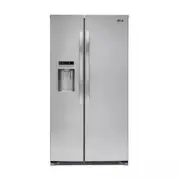
Page 2 - WARRANTY; LG Refrigerator / Freezer Warranty Period
1 WARRANTY Visit our web site http://www.lg.com LG Electronics LIMITED WARRANTY United States of America LG Electronics will repair or at its option replace, without charge, your product which proves to be defective in material or workmanship under normal use during the warranty period listed below ...
Page 3 - GARANTÍA; Requirements for Ground Connection 5; TABLE OF CONTENTS
3 GARANTÍA Warranty (USA) 1-2 English Version 3-25 Spanish Version 26-49 Important Safety Instructions 4-5 Requirements for Ground Connection 5 Refrigerator Installation 6-11 Unpacking your Refrigerator 6 Installation 6 Base Grille Installation 6 Handle Removal 6-7 Handle Installation 7 Removing and...
Page 4 - SAVE THESE INSTRUCTIONS
4 This manual contains several important safety notices. Always read and obey all of the following safety messages. This is the safety alert symbol. This symbol is a warning to potential dangers that could cause death, injury or damage to you, others or the product. All safety messages will follow a...
Page 5 - • Leave the shelves in place so that children cannot; TO CONNECT ELECTRICITY; prong; RECOMMENDED GROUNDING METHOD; CHILDREN MAY BECOME TRAPPED
5 IMPORTANT SAFETY INSTRUCTIONS This appliance is not intended for use by children, persons with physical or mental disabilities, persons with reduced sensory or mental capacity, or persons with lack of experience or know-how, unless they have supervision or instruction in relation to the use of the...
Page 6 - UNPACKING YOUR REFRIGERATOR; INSTALLATION; WARNING; Be careful when you work with the hinge, base grille,; BASE GRILLE INSTALLATION; Set
6 REFRIGERATOR INSTALLATION WARNING EXCESSIVE WEIGHT HAZARD Use the assistance of two or more persons to move or install the refrigerator. Not following these instructions may cause injury to the back and other parts of the body. UNPACKING YOUR REFRIGERATOR Before installing your refrigerator, remov...
Page 7 - ALWAYS; HANDLE INSTALLATION; ELECTRIC SHOCK HAZARD; REMOVING AND REPLACING REFRIGERATOR; “Base Grille Installation”; REFRIGERATOR INSTALLATION
7 NOTE: To avoid damaging door surfaces when moving the refrigerator through narrow openings, it is ALWAYS recommended to remove the doors as instructed in the next two pages. • Loosen the set screws with a 3/32” (2,38 mm) Allen wrench and remove the handle. NOTE: If the handle mounting fasteners ne...
Page 8 - DOOR ALIGNMENT; AFTER LEVELING THE DOOR HEIGHT; Collet
8 3. Hook tab on switch side of corner under edge of wire opening in cabinet top. Position cover (2) into place. Insert and tighten cover screw (1). Reinstalling the left (freezer) door: 1. Feed the water tubes through the lower hinge pin and place the door onto the lower hinge pin. 2. Fit top hinge...
Page 9 - • Check to see whether the sediment filter in the reverse; Connect to potable water supply only.
9 REFRIGERATOR INSTALLATION CONNECTING THE WATER LINE NOTE: Water line installation is needed when the Automatic Ice maker and/or Water Dispenser features are available on your product. BEFORE YOU BEGIN This water line installation is not warranted by the refrigerator or ice maker manufacturer or se...
Page 11 - PLUG IN THE REFRIGERATOR
11 REFRIGERATOR INSTALLATION Fasten the tubing into the tubing clamp attached to the back of the refrigerator. First, loosen the screw fastening the clamp. Next, insert the tubing in the groove. Finally, re-fasten the screw. 10. PLUG IN THE REFRIGERATOR Arrange the coil of tubing so that it does not...
Page 12 - The ice is produced in the ice maker and sent to the
12 REFRIGERATOR FEATURES USING YOUR REFRIGERATOR Use this page to become more familiar with the parts and features. NOTE: This guide covers several different models. The refrigerator you have purchased may have some or all of the items listed below. The locations of the features shown below may not ...
Page 13 - USING YOUR REFRIGERATOR; ENSURING PROPER AIR CIRCULATION; Do not block any of these vents; PRIOR TO USE; Display Off Mode; ICE TYPE
13 USING YOUR REFRIGERATOR ENSURING PROPER AIR CIRCULATION In order to ensure proper temperatures, air MUST flow between the refrigerator and freezer sections. • Cool air enters the freezer through the vents located at the top of the compartment and exits through the vents located behind the freezer...
Page 14 - Power Switch
14 USING YOUR REFRIGERATOR USING YOUR REFRIGERATOR To dispense water or ice, gently push your cup against the dispenser pad. NOTE: Hold your cup in place for a couple of seconds after dispensing ice or water so the last few drops go in your cup instead of on the floor. DOOR ALARM When either refrige...
Page 15 - FOOD STORAGE GUIDE
15 USING YOUR REFRIGERATOR The ice maker will produce 12 cubes per cycle, approximately 140-150 cubes in a 24 hour period, depending on freezer compartment temperature, room temperature, number of door openings and other operating conditions. If the refrigerator is used before the water connection i...
Page 16 - WATER AND ICE DISPENSER; ICE STORAGE BIN
16 WATER AND ICE DISPENSER Your refrigerator has a mechanism that dispatch cool water and ice cubes without open the door. • Tray can be easily removed by pressing and pulling it. • First push the tray in the area with the word ‘PUSH’, then place your finger in the center hole and upwards, finally t...
Page 17 - CRISPER AND CRISPER COVER; HUMIDITY CONTROLS; “HIGH”; REFRIGERATOR SHELVES; CAUTION; FREEZER SHELF; Tank
17 USING YOUR REFRIGERATOR CRISPER AND CRISPER COVER The crisper allows for better conservation of fruits and vegetables. • To remove the crisper compartment cover, pull out the crisper compartment a bit to the front , lift the front part of the cover as shown in , and take it out . • To remove the ...
Page 18 - WATER FILTER; Before removing or installing water filter:; FILTER
18 WATER FILTER Filter Reset: When the filter icon turns on, you have to change the water filter. Press the Filter button for 3 seconds to turn the icon off. Before removing or installing water filter: • IMPORTANT: Turn off household water supply. • Take out the top shelf and move it to the lowest l...
Page 19 - Performance Data Sheet
19 FILTER Performance Data Sheet Models Number 5231JA2002A-S Use with replacement cartridge 5231JA2002A This system has been tested according to NSF/ANSI Standards 42 for the reduction of the substances listed below. The concentration of the indicated substances in water entering the system was redu...
Page 20 - EXPLOSION HAZARD; ELECTRICAL SHOCK HAZARD; SUFFOCATION HAZARD; OR; BACK
20 CARE AND CLEANING WARNING EXPLOSION HAZARD Use non-flammable cleaner. Failure to do so can result in death, explosion, or fire. Both the refrigerator and freezer sections defrost automatically. However, clean both sections about once a month to prevent odors. Wipe up spills immediately. GENERAL C...
Page 21 - DO NOT; WHEN YOU GO ON VACATION; If you choose to leave the refrigerator ON while you; WHEN YOU MOVE; “Door Alignment”; WHEN YOU SHOULD SET THE ICE MAKER; ON
21 CARE AND CLEANING CARE AND CLEANING WARNING DO NOT refreeze frozen foods which have thawed completely. The United States Department of Agriculture in Home and Garden Bulletin No. 69 says: ...You may safely refreeze frozen foods that have thawed if they still contain ice crystals or if they are st...
Page 22 - TROUBLESHOOTING GUIDE; UNDERSTANDING SOUNDS YOU MAY HEAR; Problem
22 TROUBLESHOOTING GUIDE UNDERSTANDING SOUNDS YOU MAY HEAR Your new refrigerator may make sounds that your old one did not make. Because the sounds are new to you, you might be concerned about them. Most of the new sounds are normal. Hard surfaces, like the floor, walls and cabinets, can make the so...
Page 26 - CANADA; LG Customer Information Center
1-800-243-0000 1-888-865-3026 1-888-542-2623 USA, Consumer User USA, Commercial User CANADA LG Customer Information Center www.lg.com Register your Product Online!