LG LSC27921ST - User Manual
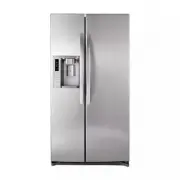
LG LSC27921ST Refrigerator – User Manual, read for free online in PDF format. We hope this helps you resolve any issues you may have. If you have further questions, please contact us through the contact form.


Table of Contents:
- Page 2 – WARRANTY
- Page 3 – TABLE OF CONTENTS
- Page 5 – • Take off the doors.; TO CONNECT ELECTRICITY; ELECTRICAL SHOCK HAZARD; USE OF EXTENSION CORDS; WARNING; REPLACING ELECTRICAL CABLE; RECOMMENDED GROUNDING METHOD; DANGER; RISK OF CHILD ENTRAPMENT; CFC DISPOSAL
- Page 6 – UNPACKING YOUR REFRIGERATOR; INSTALLATION; BASE GRILLE INSTALLATION; REFRIGERATOR INSTALLATION
- Page 7 – ELECTRIC SHOCK HAZARD; REMOVING AND REPLACING
- Page 8 – DOOR ALIGNMENT; a flat blade screwdriver into the groove of the left; AFTER LEVELING THE DOOR HEIGHT; Confirm all legs are in contact with the floor.; Insert Line
- Page 12 – REFRIGERATOR FEATURES
- Page 13 – USING YOUR REFRIGERATOR
- Page 14 – DISPLAY OFF MODE; This light shows the filter’s status. See the filter’s
- Page 15 – ADJUSTING CONTROL SETTINGS; adjusts the cold air flow from the freezer to the; ICEMAKER OPERATION
- Page 17 – WATER AND ICE DISPENSER; • Push Water Switch; ICE STORAGE BIN
- Page 18 – CRISPER AND CRISPER COVER; CAUTION; REFRIGERATOR SHELVES; Tank
- Page 19 – WATER FILTER; to rotate the filter clockwise remove the filter; FILTER
- Page 20 – Performance Data Sheet; Nominal Particulate; Chlorine taste and odor
- Page 21 – CARE AND CLEANING
- Page 22 – WHEN YOU GO ON VACATION
- Page 23 – UNDERSTANDING SOUNDS YOU MAY HEAR; Problem
- Page 27 – CANADA; LG Customer Information Center
Model Name/Nombre de Modelo
LSC27921**
P/No. MFL62306005
OWNER’S MANUAL
SIDE BY SIDE
REFRIGERATOR
Please read this manual carefully before operating
your set and retain it for future reference.
MANUAL DE USUARIO
REFRIGERADOR
DE DOS PUERTAS
Lea detenidamente este manual antes
de empezar a utilizar el refrigerador y guárdelo
como referencia para el futuro.
ENGLISH
ESP
AÑOL
**color number/número de color
www.lg.com
"Loading the manual" means you need to wait until the file loads and becomes available for online reading. Some manuals are very large, and the time they take to appear depends on your internet speed.
Was this manual helpful?
Helpful for 3 of 3 readers
About this manual
- Brand
- LG
- Model
- LSC27921ST
- Document type
- User Manual
- Category
- Refrigerator
- Language(s)
- English
- Pages
- 27
- File size
- 2.8 MB
- Format
Summary
2 Visit our web site http://www.lg.com LG Electronics LIMITED WARRANTY United States of America LG Electronics will repair or at its option replace, without charge, your product which proves to be defective in material or workmanship under normal use during the warranty period listed below from the ...
4 Warranty (USA) 2 – 3 Important Safety Instructions 5 Grounding Requirements 6 Refrigerator Installation 7 - 12 Unpacking your Refrigerator 7 Installation 7 Base Grille Installation 7 Handle Removal 7 Removing and Replacing Refrigerator Doors 8 - 9 Door Alignment 9 Connecting the water line 10 - 12...
6 This appliance is not intended for use by persons (including children) with reduced physical, sensory or mental capabilities, or lack of experience and knowledge, unless they have been given supervision or instruction concerning use of the appliance by a person responsible for their safety. Childr...