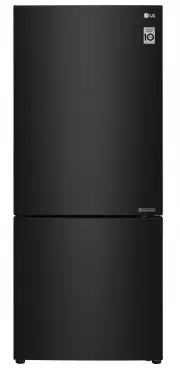
Page 2 - TABLE OF CONTENTS
TABLE OF CONTENTS This manual may contain images or content different from the model you purchased.This manual is subject to revision by the manufacturer. SAFETY INSTRUCTIONS ............................................................ 3 IMPORTANT SAFETY INSTRUCTIONS ...................................
Page 3 - SAFETY INSTRUCTIONS; IMPORTANT SAFETY INSTRUCTIONS; do not use the power cord and contact an authorized service centre.; Safety
3 EN SAFETY INSTRUCTIONS The following safety guidelines are intended to prevent unforeseen risks or damage from unsafe or incorrect operation of the appliance. The guidelines are separated into ‘WARNING’ and ‘CAUTION’ as described below. This symbol is displayed to indicate matters and operations t...
Page 4 - Installation
4 Installation • This appliance should only be transported by two or more people holding the appliance securely. • Ensure that the socket outlet is properly grounded, and that the earth pin on the power cord is not damaged or removed from the power plug. For more details on grounding, inquire at an ...
Page 5 - Children in the Household
5 • The appliance should be connected to a dedicated power line which is separately fused. • Do not use a multi socket outlet which is not properly grounded (portable). In case of using a properly-grounded multi socket outlet (portable), use the multi socket outlet with the current capacity of the p...
Page 6 - Operation
6 Operation • Do not use the appliance for any purpose (storage of medical or experimental materials or shipping) other than any domestic household food storage use. • Unplug the power plug during a severe thunderstorm or lightening or when not in use for a long period of time. • Do not touch the po...
Page 7 - Maintenance
7 • If there is a gas leakage (isobutane, propane, natural gas, etc.), do not touch the appliance or power plug and ventilate the area immediately. This appliance uses a refrigerant gas (isobutane,R600a). Although it uses a small amount of the gas, it is still combustible gas. Gas leakage during app...
Page 8 - Disposal
8 • Only qualified service personnel from LG Electronics service centre should disassemble, repair, or modify the appliance. Contact an LG Electronics customer information centre if you move and install the appliance in a different location. • Do not use a hair drier to dry the inside of the applian...
Page 11 - Ambient Temperature; INSTALLATION
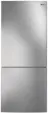
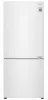
12 EN Dimensions and Clearances • Too small of a distance from adjacent items may result in the degradation of freezing capability and increased electricity costs. Allow over 50 mm of clearance from each adjacent wall when installing the appliance. A C E F G B D H - Size Type Bar Handle Pocket Handl...
Page 12 - Moving the Appliance
13 Leveling the Appliance To avoid vibration, the unit must be leveled.If required, adjust the leveling screws to compensate for the uneven floor.The front should be slightly higher than the rear to aid in door closing.Leveling screws can be turned easily by tipping the cabinet slightly.Turn the lev...
Page 13 - OPERATION; Parts and Functions
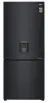
14 EN OPERATION Parts and Functions 7 Control Panel To set the freezer and fridge temperatures. Water Dispenser Tank ( * ) This is where water to supply the dispenser. It requires manual filling. (Non plumbed models only) Smart Diagnosis Unit Using this function when contacting LG Electronics custom...
Page 14 - CAUTION
15 Fridge Shelf This is where refrigerated foods and other items are stored. • The shelf height can be adjusted by inserting the shelf in another groove of different height. • Store the foods with higher moisture content at the front of the shelf. • The actual number of shelves will differ from mode...
Page 15 - Notes for Operation; Suggestion for Energy Saving
16 Notes for Operation • Users should keep in mind that frost can form. If the door is not closed completely, if the humidity is high during the summer, or if the freezer door is opened frequently. • Ensure there is sufficient space between food stored on the shelf or door basket to allow the door t...
Page 17 - Units and Functions
18 Control Panel Units and Functions <Type 1> On the Fridge Door <Type 2> Inside the Fridge Fridge Temperature • This sets the fridge target temperature. Express Cool • This sets Express Cool functions. Freezer Temperature • This sets the freezer target temperature. Express Freeze • This...
Page 18 - Setting Express Cool
19 Notes for Using the Control Panel • The control panel will turn on in any of the following cases. − When the power is turned on − When a button is pressed − When the appliance door (fridge compartment) is opened • The control panel will turn off automatically for energy saving in any of the follo...
Page 19 - Setting Eco Friendly; Setting and Resetting Lock
20 EN Setting Eco Friendly The function makes the fridge-freezer work in the power saving mode which is useful when you are away on a holiday as it reduces energy consumption. • Pressing the Eco Friendly button starts the operation with the lamp on, and pressing it again stops the operation. • When ...
Page 20 - Icemaker; Making Ice; WARNING
21 CAUTION • Children should not be allowed near the dispenser tank. If the child drops the water dispenser tank while it is completely filled with water , injury may occur. Do not fill the water tank with drinks other than water of fill with hot water. • Do not apply excessive force or impact when ...
Page 21 - Taking Out Ice
22 Taking Out Ice 1 Rotate the ice separation handle on the icemaker clockwise. 2 Lift the ice storage bin slightly and remove. CAUTION • If you open and close the freezer door frequently, it may take longer for water to freeze. • The time it takes for water to freeze may vary according to the seaso...
Page 22 - Other Functions; Door Open Alarm
23 Other Functions Door Open Alarm The alarm sounds 3 times in 30 second intervals if the door (fridge compartment is left open or not completely closed for one minute. • Contact the LG Electronics customer information centre if the alarm sound continues even after closing the door. Failure Detectio...
Page 23 - Using Smart DiagnosisTM; Smart DiagnosisTM Through the; Display panel is inside the Fridge; SMART FUNCTIONS
Using Smart Diagnosis™ • For appliances with the or logo Smart Diagnosis™ Through the Customer Information Centre Use this function if you need an accurate diagnosis by an LG Electronics customer information centre when the appliance malfunctions or fails. Use this function only to contact the servi...
Page 25 - Removing the Fridge/Freezer; MAINTENANCE
EN Notes for Cleaning • When removing a shelf or drawer from inside the appliance, remove all stored foods from the shelf or drawer to prevent injury or damage to the appliance. − Otherwise, injury may occur due to the weight of stored foods. • If cleaning the outside air vents of the appliance by m...
Page 26 - Cleaning the Shelf; Cleaning the Vegetable
Cleaning the Shelf Removing the Fridge/Freezer Shelf Remove the shelf by pulling it out while slightly lifting the rear edge of the fridge shelf. Refitting the Fridge/Freezer Shelf Mount them in the reverse order of the removal process. Removing the Folding Shelf 1 Slightly Lift up the front of the ...
Page 27 - Refitting the Vegetable Drawer; Cleaning the Water; Cleaning the Dispenser Tray
28 EN 2 Lift the vegetable drawer up and remove it by pulling it out. Refitting the Vegetable Drawer Insert the bottom of the vegetable drawer into its original position and gently push it back in while lowering it. CAUTION • Please note that injuries can be caused by the weight of stored foods when...
Page 28 - TROUBLESHOOTING
TROUBLESHOOTING Symptoms Reason Solution There is no refrigeration or freezing. Is there a power interruption? • Check the power of other appliances. If the power plug unplugged from the outlet? • Plug the power plug in the outlet properly. There is poor refrigeration or freezing. Is the fridge or f...
Page 32 - Memo