LG CBV42-B - User Manual
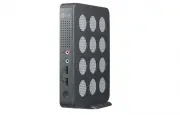
LG CBV42-B Monitor – User Manual, read for free online in PDF format. We hope this helps you resolve any issues you may have. If you have further questions, please contact us through the contact form.


Table of Contents:
- Page 2 – ENG; English
- Page 3 – ASSEMBLING AND PREPARING; Unpacking; CAUTION
- Page 4 – Parts and Buttons; Power Button; Front Side
- Page 5 – Product Installation; Using in Horizontal Position; NOTE
- Page 6 – CONNECTING LAN/PERIPHERALS; DVI Connection; LAN Connection
- Page 7 – Extended Monitor Connection
- Page 9 – TROUBLESHOOTING
- Page 10 – SPECIFICATIONS; Power Indicator
- Page 11 – USING CLOUD SOLUTION; Connect Screen
- Page 16 – Direct to Host; Connection Type
- Page 17 – Enable Auto-Reconnect; Enable Peer Loss Overlay; Enable Preparing Desktop Overlay
- Page 25 – OSD Tab; Display Tab
- Page 27 – PCoIP Packets Statistics; Session Statistics Tab; PCoIP Processor Tab
- Page 32 – Declaration of Conformity; Address : 1000 Sylvan Ave. Englewood Cliffs
www.lg.com
OWNER'S MANUAL
LG CLOUD V SERIES BOX
CBV42
Please read the safety information carefully before using the product.
LG Cloud V Series Box Model List
ENG
"Loading the manual" means you need to wait until the file loads and becomes available for online reading. Some manuals are very large, and the time they take to appear depends on your internet speed.
Summary
2 ENG English Table of Contents 3 ASSEMBLING AND PREPARING 3 Unpacking 4 Parts and Buttons 5 Product Installation 5 - Using in Horizontal Position 5 - Using in Vertical Position 5 - Mounting on the Back of the Monitor 6 CONNECTING LAN/ PERIPHERALS 6 - LAN Connection 6 - DVI Connection 7 - Extended M...
3 ENG English ASSEMBLING AND PREPARING Main Unit Stand Base Mount Bracket Power Cord Owner's Manual/Card Four Screws AC/DC Adapter ASSEMBLING AND PREPARING Unpacking Please check whether all the components are included in the box before using the product. If there are missing components, contact the...
4 ENG English ASSEMBLING AND PREPARING Parts and Buttons DC-IN LAN DVI-D OUT DVI-I OUT 5V 0.1A DC-IN LAN DVI-D OUT DVI-I OUT 5V 0.1A Power Indicator & Power Button y y On: Power On y y Off: Power Off Input Connectors Front Side Rear Side



