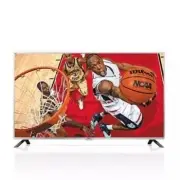
Page 2 - ENGLISH; IMPORTANT SAFETY INSTRUCTIONS; WARNING; Wash hands after handling.
2 ENGLISH IMPORTANT SAFETY INSTRUCTIONS IMPORTANT SAFETY INSTRUCTIONS Always comply with the following precautions to avoid dangerous situations and ensure peak performance of your product. WARNING/CAUTION RISK OF ELECTRIC SHOCK DO NOT OPEN TO REDUCE THE RISK OF ELECTRIC SHOCK DO NOT REMOVE COVER (O...
Page 3 - Warning
3 ENGLISH IMPORTANT SAFETY INSTRUCTIONS • Only use attachments/accessories specified by the manufacturer. • Use only with the cart, stand, tripod, bracket, or table specified by the manufacturer, or sold with the apparatus. When a cart is used, use caution when moving the cart/apparatus combination ...
Page 5 - Dot Defect; Preventing Image Burn or Burn-in on
5 ENGLISH IMPORTANT SAFETY INSTRUCTIONS • Do not use high voltage electrical equipment near the TV (e.g., bug zapper). This may result in product malfunction. • Dot Defect The panel is a high technology product with resolution of two million to six million pixels. In a very few cases, you could see ...
Page 6 - For USA and Canada; FCC NOTICE; NOTE TO CABLE/TV INSTALLER; For USA; LG Recycling Policy
6 ENGLISH IMPORTANT SAFETY INSTRUCTIONS For USA and Canada FCC NOTICE This equipment has been tested and found to comply with the limits for a Class B digital device, pursuant to Part 15 of the FCC Rules. These limits are designed to provide reasonable protection against harmful interference in a re...
Page 7 - LICENSES; NOTE
7 ENGLISH LICENSES / OPEN SOURCE SOFTWARE NOTICE INFORMATION LICENSES Supported licenses may differ by model. For more information about licenses, visit www.lg.com. Manufactured under license from Dolby Laboratories. Dolby and the double-D symbol are trademarks of Dolby Laboratories.The terms HDMI a...
Page 8 - ASSEMBLING AND PREPARING; Unpacking
8 ENGLISH ASSEMBLING AND PREPARING ASSEMBLING AND PREPARING Unpacking Check your product box for the following items. If there are any missing accessories, contact the local dealer where you purchased your product. The illustrations in this manual may differ from the actual product and item. Remote ...
Page 9 - CAUTION
9 ENGLISH ASSEMBLING AND PREPARING • Do not use any unapproved items to ensure the safety and lifespan of the product. • Any damages or injuries by using unapproved items are not covered by the warranty. • Some models appear to have a thin film on the screen. It is actually part of the screen; do no...
Page 10 - Parts and Buttons; Using the joystick button; Basic functions
10 ENGLISH ASSEMBLING AND PREPARING Parts and Buttons Using the joystick button You can operate the TV by pressing the button or moving the joystick left, right, up, or down. Basic functions Power On When the TV is turned off, place your finger on the joystick button, press it once, and release it. ...
Page 11 - Lifting and Moving the TV; Setting Up The TV; Attaching the stand
11 ENGLISH ASSEMBLING AND PREPARING Lifting and Moving the TV When moving or lifting the TV, read the following to prevent the TV from being scratched or damaged and for safe transportation regardless of its type and size. • Avoid touching the screen at all times, as this may result in damage to the...
Page 12 - Mounting on a table
12 ENGLISH ASSEMBLING AND PREPARING Mounting on a table 1 Lift and tilt the TV into its upright position on a table. - Leave a 10 cm (4 inches) (minimum) space from the wall for proper ventilation. 10 cm 10 cm 10 cm 10 cm (4 inches) 2 Connect the power cord to a wall outlet. • Do not place the TV ne...
Page 13 - Mounting on a wall
13 ENGLISH ASSEMBLING AND PREPARING Mounting on a wall An optional wall mount can be used with your LG Television. Consult with your local dealer for a wall mount that supports the VESA standard used by your TV model. Carefully attach the wall mount bracket at the rear of the TV. Install the wall mo...
Page 14 - MAKING CONNECTIONS; Connecting to an antenna or cable
14 ENGLISH MAKING CONNECTIONS MAKING CONNECTIONS You can connect various external devices to the TV. Supported external devices are: HD receivers, DVD players, VCRs, audio systems, USB storage devices, PC, gaming devices, and other external devices. For more information on external device’s connecti...
Page 15 - Other connections
15 ENGLISH MAKING CONNECTIONS Other connections • Image shown may differ from your TV. Connect your TV to external devices. For the best picture and audio quality, connect the external device and the TV with the HDMI cable as shown. Depending upon the model, a cable may be provided. VIDEO R AUDIO L/...
Page 16 - HDMI
16 ENGLISH MAKING CONNECTIONS HDMI USB IN IN 2 (MHL) Blu-Ray / HD Cable Box / HD STB / DVD MHL Cable Mobile phone USB
Page 17 - REMOTE CONTROL
17 ENGLISH REMOTE CONTROL REMOTE CONTROL The descriptions in this manual are based on the buttons on the remote control. Please read this manual carefully and use the TV correctly. To install batteries, open the battery cover, replace batteries (1.5 V AAA) matching the and ends to the label inside t...
Page 18 - SETTINGS; To set up the channels automatically
18 ENGLISH SETTINGS SETTINGS To set up the channels automatically SETTINGS ➾ CHANNEL ➙ Auto Tuning Memorizes automatically the channels being broadcast. • The channels will not be memorized properly if the antenna/cable is not installed correctly. • Auto Tuning memorizes the channels that are curren...
Page 20 - To set AV Sync. Adjust
20 ENGLISH SETTINGS To set AV Sync. Adjust SETTINGS ➾ AUDIO ➙ AV Sync. Adjust Synchronizes unmatched video and audio. Select AV Sync. Adjust to On to synchronize audio output (TV speaker or SPDIF) with the video. To use SIMPLINK SIMPLINK controls and manages multimedia devices conveniently with the ...
Page 21 - To set the caption
21 ENGLISH SETTINGS To set the caption SETTINGS ➾ OPTION ➙ Caption View captions when the TV station provides captioned programming. Program captions work only on digital/analog broadcasts or external input.Change Caption to On and select caption settings. • Mode CC 1-4 (Closed Captioning) / Text 1-...
Page 22 - Supported Video Formats; Supported Audio Formats; TO SEE THE WEB
22 ENGLISH SETTINGS / TO SEE THE WEB MANUAL Supported Video Formats • Maximum: 1,920 x 1,080 @ 30p (only Motion JPEG 640 x 480 @ 30p) • .asf, .wmv [Video] MPEG-2, MPEG-4 Part2, DivX3.11, DivX4, DivX5, DivX6, XViD, H.264/AVC, VC1(WMV3, WVC1), MP43 [Audio] WMA Standard, WMA9(Pro), MP3, AAC, AC3, MP3, ...
Page 23 - SPECIFICATIONS
23 ENGLISH SPECIFICATIONS SPECIFICATIONS Product specifications may be changed without prior notice due to upgrade of product functions. Power requirement AC 100 - 240 V ~ 50 / 60 Hz Television System ATSC, NTSC-M, 64 & 256 QAM Program Coverage VHF 2-13, UHF 14-69, DTV 2-69, CATV 1-135, CADTV 1-...
Page 24 - Component port connecting information
24 ENGLISH SPECIFICATIONS HDMI (PC) supported mode Resolution Horizontal Frequency (kHz) Vertical Frequency (Hz) 640 x 350 31.468 70.09 720 x 400 31.469 70.08 640 x 480 31.469 59.94 800 x 600 37.879 60.31 1024 x 768 48.363 60.00 1360 x 768 47.712 60.015 1152 x 864 54.348 60.053 1280 x 1024 63.981 60...
Page 25 - MAINTENANCE; Cleaning your TV; Power cord
25 ENGLISH MAINTENANCE MAINTENANCE Cleaning your TV Clean your TV regularly to keep it at peak performance and to extend the product’s lifespan. • Before cleaning, turn the power off and disconnect the power cord and all other cables. • When the TV is left unattended or unused for a long time, disco...
Page 26 - TROUBLESHOOTING; Off Time; EXTERNAL CONTROL DEVICE SETUP; THE CONSUMER ELECTRONICS INDUSTRY CARES; TUNE IN TO SAFETY; MOVING AN OLDER TELEVISION TO A NEW PLACE IN; PROPER TELEVISION PLACEMENT MATTERS
26 ENGLISH TROUBLESHOOTING / EXTERNAL CONTROL DEVICE SETUP TROUBLESHOOTING Problem Solution Cannot control the TV with the remote control. • Check if anything such as tape has been placed over the receiver. • Check if there is any obstacle between the product and the remote control. • Replace the ba...
Page 28 - LG Customer Information Center; Register your product Online!
The model and serial numbers of the TV are located on the back and on one side of the TV. Record them below should you ever need service. MODEL SERIAL This product qualifies for ENERGY STAR in the factory default (Home Use) setting. Changing the factory default settings or enabling other features ma...
Page 29 - OWNER’S MANUAL; EXTERNAL CONTROL
OWNER’S MANUAL EXTERNAL CONTROL DEVICE SETUP Please read this manual carefully before operating the set and retain it for future reference. www.lg.com
Page 30 - kEy CODES
2 ENG ENGLISH 2 KEY CODES kEy CODES • This feature is not available for all models. Code (Hexa) Function Note Code (Hexa) Function Note 00 CH +, PR + R/C Button 53 List R/C Button 01 CH -, PR - R/C Button 5B Exit R/C Button 02 Volume + R/C Button 60 PIP(AD) R/C Button 03 Volume - R/C Button 61 Blue ...
Page 31 - USB to Serial converter with USB Cable; USB Type; USB IN; The connection interface may differ from your TV.
3 ENG ENGLISH 3 EXTERNAL CONTROL DEVICE SETUP EXTERNAL CONTROL DEVICE SETUP • Image shown may differ from your TV. Connect the USB to Serial converter/RS-232C input jack to an external control device (such as a computer or an A/V control system) to control the product’s functions externally. Note: T...
Page 32 - Customer Computer
4 ENG ENGLISH 4 EXTERNAL CONTROL DEVICE SETUP Phone jack Type • You need to purchase the phone-jack to RS-232 cable required for the connection between the PC and the TV, which is specified in the manual. * For other models, connect to the USB port.* The connection interface may differ from your TV....
Page 33 - Communication Parameters; Communication code : ASCII code; Command reference list; COMMAND1 COMMAND2
5 ENG ENGLISH 5 EXTERNAL CONTROL DEVICE SETUP Communication Parameters • Baud rate : 9600 bps (UART) • Data length : 8 bits • Parity : None • Stop bit : 1 bit • Communication code : ASCII code • Use a crossed (reverse) cable. Command reference list (Depending on model) COMMAND1 COMMAND2 DATA (Hexade...
Page 34 - Transmission / Receiving Protocol; Transmission; : Space – ASCII code ‘0x20’; Ok Acknowledgement; data of the PC computer.; Error Acknowledgement; non-viable functions or communication errors.; Real data mapping (Hexadecimal
6 ENG ENGLISH 6 EXTERNAL CONTROL DEVICE SETUP Transmission / Receiving Protocol Transmission [Command1][Command2][ ][Set ID][ ][Data][Cr] [Command 1] : First command to control the TV. (j, k, m or x) [Command 2] : Second command to control the TV. [Set ID] : You can adjust the [Set ID] to choose des...
Page 37 - South Korea and Japan Model
9 ENG ENGLISH 9 EXTERNAL CONTROL DEVICE SETUP 1 0 0 5th Band 0 0 1 0 1 20(decimal) Acknowledgement [v][ ][Set ID][ ][OK/NG][Data][x] * It depends on model, and can adjust when sound mode is EQ adjustable value. 19. Energy Saving (Command: j q) ► To reduce the power consumption of the TV. You can als...
Page 38 - For Plasma TV
10 ENG ENGLISH 10 EXTERNAL CONTROL DEVICE SETUP Number - 22 : Antenna TV (DTV) – Don’t Use Physical Channel Number - 26 : Cable TV (CADTV) - Don’t Use Physical Channel Number - 46 : Cable TV (CADTV) – Use Major Channel Number Only (One Part Channel) Two bytes are available for each major and minor c...
Page 40 - ► To adjust picture position and minimize image
12 ENG ENGLISH 12 EXTERNAL CONTROL DEVICE SETUP 27. Auto Configure (Command: j u) (Depending on model) ► To adjust picture position and minimize image shaking automatically. It works only in RGB (PC) mode. Transmission [j][u][ ][Set ID][ ][Data][Cr] Data 01 : To set Ack [u][ ][Set ID][ ][OK/NG][Data...