LG 27QN880-B - User Manual
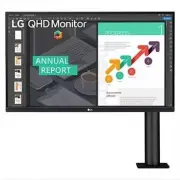
LG 27QN880-B Monitor – User Manual, read for free online in PDF format. We hope this helps you resolve any issues you may have. If you have further questions, please contact us through the contact form.


Table of Contents:
- Page 2 – LICENSE; TABLE OF CONTENTS; OPEN SOURCE SOFTWARE NOTICE
- Page 3 – ASSEMBLING AND PREPARING
- Page 4 – Supported Drivers and Software; Product and Button Description
- Page 5 – How to Use the Joystick Button; Moving and Lifting the Monitor
- Page 6 – Installing on a Table
- Page 7 – How to fix a clamp
- Page 10 – Swivel stand; Pivot Feature
- Page 12 – Adjusting the Stand Height; Adjusting the Angle
- Page 13 – Using the Kensington Lock; Installing on the Wall
- Page 15 – USING THE MONITOR
- Page 16 – Connecting to a PC; HDMI Connection; DisplayPort Connection
- Page 17 – Connecting AV Devices; Connecting Peripherals; USB Device connection
- Page 18 – Headphones Connection
- Page 19 – USER SETTINGS; Activating the Main Menu
- Page 20 – Main Menu Features; Menu Settings
- Page 26 – TROUBLESHOOTING
- Page 28 – PRODUCT SPECIFICATION
- Page 29 – Support Mode
* LG LED Monitor applies LCD screen with LED backlights.
Please read this manual carefully before operating your set and retain it for future reference.
Copyright 2020 LG Electronics Inc. All Rights Reserved.
Owner’s Manual
LED LCD MONITOR
(LED Monitor*)
27QN880
27BN88Q
"Loading the manual" means you need to wait until the file loads and becomes available for online reading. Some manuals are very large, and the time they take to appear depends on your internet speed.
Was this manual helpful?
About this manual
- Brand
- LG
- Model
- 27QN880-B
- Document type
- User Manual
- Category
- Monitor
- Language(s)
- English
- Pages
- 32
- File size
- 8.6 MB
- Format
Summary
2 ENGLISH LICENSE Each model has different licenses. Visit www.lg.com for more information on the license. The terms HDMI, HDMI High-Definition Multimedia Interface, and the HDMI Logo are trademarks or registered trademarks of HDMI Licensing Administrator, Inc. * TABLE OF CONTENTS LICENSE .............
3 ENGLISH OPEN SOURCE SOFTWARE NOTICE INFORMATION To obtain the source code under GPL, LGPL, MPL, and other open source licenses, that is contained in this product, please visit http://opensource.lge.com . In addition to the source code, all referred license terms, warranty disclaimers and copyright...
4 ENGLISH NOTE • The components may look different from those illustrated here. • Without prior notice, all product information and specifications contained in this manual are subject to change to improve the performance of the product. • To purchase optional accessories, visit an electronics store ...


