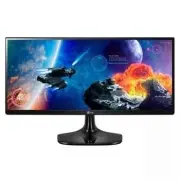
Page 3 - ENG; ENGLISH; CONTENTS
2 ENG ENGLISH Contents CONTENTS 22 CUSTOMIZING SETTINGS 22 Activating the Main Menu 23 Customizing settings 23 - Menu Settings 23 - -Quick Settings 24 - -Picture 26 - -General 27 - -Reset 28 - -Game mode 30 TROUBLESHOOTING 32 SPECIFICATIONS 32 25UM56 33 34UM56 34 Factory support mode 34 HDMI Timing ...
Page 4 - LICENSE
3 ENG ENGLISH LICENSE LICENSE Each model has different licenses. Visit www.lg.com for more information on the license. The terms HDMI and HDMI High-Definition Multimedia Interface, and the HDMI logo are trademarks or registered trademarks of HDMI Licensing LLC in the United States and other countrie...
Page 5 - ASSEMBLING AND PREPARING; Product Components; CAUTION; OPTIONAL ACCESSORIES
4 ENG ENGLISH ASSEMBLING AND PREPARING ASSEMBLING AND PREPARING Product Components Please check whether all the components are included in the box before using the product. If there are missing components, contact the retail store where you purchased the product. Note that the product and components...
Page 6 - Component and Button Description
5 ENG ENGLISH ASSEMBLING AND PREPARING Component and Button Description Power Indicator y On: power is on y Off: power is off Ports (Power Button)
Page 8 - Moving and Lifting the Monitor
7 ENG ENGLISH ASSEMBLING AND PREPARING Moving and Lifting the Monitor When moving or lifting the monitor, follow these instructions to prevent the monitor from being scratched or damaged and to ensure safe trans- portation regardless of its shape or size. y As far as possible, avoid touching the mon...
Page 9 - Installing the Monitor; Assembling the stand base
8 ENG ENGLISH ASSEMBLING AND PREPARING Installing the Monitor Assembling the stand base y To protect the screen from scratches, cover the surface with a soft cloth. CAUTION 2 Check the direction of the stand body (front, back) and then mount the stand body onto the stand hinge. Tighten two screws in...
Page 10 - Using the cable holder
9 ENG ENGLISH ASSEMBLING AND PREPARING y To protect the screen from scratches, cover the surface with a soft cloth. CAUTION 2 Check the direction of the stand body (front, back) and then mount the stand body onto the stand hinge. Tighten two screws into the back of the stand body . 1 Place the scree...
Page 11 - Detaching the stand base
10 ENG ENGLISH ASSEMBLING AND PREPARING Detaching the stand base 2 Remove the screw cover. y To protect the screen from scratches, cover the surface with a soft cloth. CAUTION 1 Place the screen face down. 25UM56 3 Remove the two screws on the back of stand body . As shown in the illustration, disco...
Page 13 - Installing onto a table
12 ENG ENGLISH ASSEMBLING AND PREPARING Installing onto a table 1 Lift the monitor and place it on the table in an upright position.Place at least 10 cm away from the wall to ensure sufficient ventilation. 2 Connect the adapter to the monitor, then plug the power cord into the power outlet. 10 cm 10...
Page 14 - Adjusting the angle
13 ENG ENGLISH ASSEMBLING AND PREPARING Adjusting the angle 1 Place the monitor in an upright position, mount- ed on the stand base. 2 Adjust the angle of the screen. The angle of the screen can be adjusted forwards or backwards for a comfortable viewing experience. - Front Side Rear Side y To avoid...
Page 15 - Installing the wall mount plate; NOTE; Using the Kensington lock
14 ENG ENGLISH ASSEMBLING AND PREPARING Installing the wall mount plate This monitor supports the specification of the stan- dard wall mount plate or compatible device. y The wall mount plate is sold separately. y For more information on installation, refer to the wall mount plate's installation gui...
Page 16 - Installing to a wall
15 ENG ENGLISH ASSEMBLING AND PREPARING To install the monitor to a wall, attach a wall mount- ing bracket (optional) to the back of the monitor. Make sure that the wall mounting bracket is securely fixed to the monitor and to the wall. 1 If you use screw longer than standard, the moni- tor might be...
Page 17 - USING THE MONITOR; HDMI connection; Connecting to a PC; DVI connection
16 ENG ENGLISH USING THE MONITOR USING THE MONITOR HDMI connection Transmits the digital video and audio signals from your PC and A/V devices to the monitor. Connect your PC and AV device to the monitor with the HDMI cable as illustrated below. Press the menu button and then select the input option ...
Page 18 - Connecting to AV Devices; Connecting to External Devices; Headphone port connection
17 ENG ENGLISH USING THE MONITOR Connecting to AV Devices HDMI connection Transmits the digital video and audio signals from your PC and A/V devices to the monitor. Connect your PC and AV device to the monitor with the HDMI cable as illustrated below. Press the menu button and then select the input ...
Page 19 - INSTALLING THE LG MONITOR SOFTWARE; Installing The Screen Split
18 ENG ENGLISH INSTALLING LG Monitor Software INSTALLING THE LG MONITOR SOFTWARE Installing The Screen Split 1 Set the default Web browser to Internet Explorer. Insert the owner's manual CD included in the product package into your PC's CD driver and install the Screen Split. The installation screen...
Page 21 - Installing The Dual Controller
20 ENG ENGLISH INSTALLING LG Monitor Software Installing The Dual Controller 1 Set the default Web browser to Internet Explorer. 2 Click the "Dual Controller" on the CD's main screen. When the file download window appears, click the Run button. (The file download window may vary depending on...
Page 23 - CUSTOMIZING SETTINGS; Activating the Main Menu
22 ENG ENGLISH CUSTOMIZING SETTINGS CUSTOMIZING SETTINGS Activating the Main Menu 1 Press the joystick button on the bottom of the monitor. 2 Move the joystick up/down (▲/▼) and left/right(◄/►) to set the options. 3 Press the joystick button once more to exit the main menu. Button Menu Status Descri...
Page 24 - Customizing settings
23 ENG ENGLISH CUSTOMIZING SETTINGS Each option is described below. Customizing settings Menu Settings-Quick Settings 1 To view the OSD menu , press the joystick button at the bottom of the monitor and then enter the Menu . 2 Go to Quick Settings > Brightness by moving the joystick. 3 Configure t...
Page 31 - TROUBLESHOOTING
30 ENG ENGLISH TROUBLESHOOTING TROUBLESHOOTING Nothing is displayed on the screen. Is the monitor's power cord plugged in? y Check if the power cord is correctly plugged in to the power outlet. Is the power indicator on? y Check the power cable connection and press the power button. Is the power ind...
Page 33 - SPECIFICATIONS
32 ENG ENGLISH SPECIFICATIONS SPECIFICATIONS LCD Screen Type TFT (Thin Film Transistor) LCD (Liquid Crystal Display) Panel,Anti-Glare coating Pixel Pitch 0.2286 mm x 0.2286 mm Resolution Maximum Resolution 2560 x 1080 @ 60 Hz Recommended Resolution 2560 x 1080 @ 60 Hz Video Signal Horizontal Frequen...
Page 35 - Factory support mode
34 ENG ENGLISH SPECIFICATIONS Factory support mode Preset Mode Horizontal Frequency (kHz) Vertical Frequency (Hz) Polarity (H/V) Remarks 720 x 400 31.468 70.08 -/+ 640 x 480 31.469 59.94 -/- 640 x 480 37.5 75 -/- 800 x 600 37.879 60.317 +/+ 800 x 600 46.875 75 +/+ 1024 x 768 48.363 60 -/- 1024 x 768...
Page 36 - PROPER POSTURE; Proper Posture for Using the Monitor
35 ENG ENGLISH PROPER POSTURE PROPER POSTURE Proper Posture for Using the Monitor Adjust the screen so that you can comfortably view at a slight downward angle from your natural eye level. y Take a break for approximately ten minutes every hour to reduce any fatigue caused by long-time usage. y The ...
Page 37 - Declaration of Conformity; *above information is only for USA FCC Regulatory
Make sure to read the Safety Precautions before using the product. Keep the Owner's Manual(CD) in an accessible place for future reference. The model and serial number of the SET is located on the back and one side of the SET. Record it below should you ever need service. MODEL SERIAL Declaration of...