LG 24MD4KL-B - User Manual
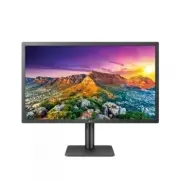
LG 24MD4KL-B Monitor – User Manual, read for free online in PDF format. We hope this helps you resolve any issues you may have. If you have further questions, please contact us through the contact form.


Table of Contents:
- Page 2 – LICENSE; CONTENTS
- Page 3 – IMPORTANT PRECAUTIONS; Precautions to the AC Adapter and Electrical Power; WARNING
- Page 4 – Precautions in installing the Product
- Page 5 – Precautions in Moving the Product; Precautions in Using/Cleaning the Product
- Page 6 – OPEN SOURCE SOFTWARE NOTICE; ASSEMBLING AND PREPARING; CAUTION; NOTE; Supported Software
- Page 7 – Product Description
- Page 9 – Input Connector
- Page 10 – ID Label / Sub ID Label
- Page 12 – Moving and Lifting the Monitor
- Page 13 – Installing on a Table
- Page 14 – Cautions When Connecting Power Cord; Adjusting the Stand Height
- Page 16 – Adjusting the Angle; Using the Kensington Lock
- Page 18 – Detaching the Stand
- Page 20 – Attaching the VESA design cover
- Page 21 – Installing the Wall Mount Bracket
- Page 23 – MAKING CONNECTIONS; Connecting to a host
- Page 25 – Connecting to USB Device
- Page 26 – TROUBLESHOOTING
- Page 28 – PRODUCT SPECIFICATION
- Page 30 – Signal Timing
Please read this manual carefully before operating your set and retain it for future reference.
24MD4KL
24MD4KLB
www.lg.com
Copyright © 2019 LG Electronics Inc. All Rights Reserved.
OWNER’S MANUAL
(For Mac)
"Loading the manual" means you need to wait until the file loads and becomes available for online reading. Some manuals are very large, and the time they take to appear depends on your internet speed.
Was this manual helpful?
About this manual
- Brand
- LG
- Model
- 24MD4KL-B
- Document type
- User Manual
- Category
- Monitor
- Language(s)
- English
- Pages
- 31
- File size
- 6.7 MB
- Format
Summary
2 ENGLISH LICENSE Each model has different licenses. Visit www.lg.com for more information on the license. Thunderbolt and the Thunderbolt logo are trademarks of Intel Corporation or its subsidiaries in the U.S. and/or other countries. Mac and the Mac logo are trademarks of Apple Inc., registered in...
3 ENGLISH IMPORTANT PRECAUTIONS Please read these safety precautions carefully before using the product. WARNING Failure to follow those warnings may result in death, serious injury or damage to the product or other property. Precautions to the AC Adapter and Electrical Power WARNING • If water or a...
4 ENGLISH • Be sure to keep the outlet, AC adapter, and pins of the power plug clean from dust and etc. This may cause a fire. • Do not unplug the power cord while the product is in use. Electrical shock can damage the product. • As long as this unit is connected to the AC wall outlet, it is not dis...


