Page 3 - Contents
En- OneKey Rescue System 6.0 V1.0 EN 147001728 English Contents Introduction...................................................................................................... 1 Important Notes ...................................................................................................... ...
Page 4 - Introduction; Lenovo
En- OneKey Rescue System 6.0 V1.0 EN 147001728 Introduction Lenovo ® OneKey Recovery is an easy-to-use application that can be used to back up the data on your system partition (C drive) and then easily restored when required. You can run Lenovo OneKey Recovery under both Windows and WinPE. In Windo...
Page 5 - system mirror image file and OneKey Recovery program files.
En- OneKey Rescue System 6.0 V1.0 EN 147001728 English Important.Notes In order to utilize the features of OneKey Recovery, your hard disk already includes a hidden partition by default to store a system mirror image file and OneKey Recovery program files. This default partition is hidden for securi...
Page 6 - Its features include:
En- OneKey Rescue System 6.0 V1.0 EN 147001728 Lenovo.OneKey.Recovery Lenovo OneKey Recovery is a utility that makes sure your system’s hard disk is safe. You can run initial backup or incremental backup manually, and then restore your system partition to a previous backup. Its features include: See...
Page 7 - An incremental backup is a backup of your data based on
En- OneKey Rescue System 6.0 V1.0 EN 147001728 English Create.Full.Backup There are two backup types that can be created: full backup and incremental backup. Selecting Full backup backs up your system partition to a folder on the hard disk in order to recover it in the future. The program will save ...
Page 8 - Restore to Factory Default; . This will delete all the new data on
En- OneKey Rescue System 6.0 V1.0 EN 147001728 Create.Recovery.Disc You can burn the backup image to a CD/DVD as recovery discs. The recovery discs can be used to boot up your computer automatically and restore your system back to previously backed up status. If your hard disk fails and you are unab...
Page 9 - If you want to recover the system to a previous status, you just; Restore; from
En- OneKey Rescue System 6.0 V1.0 EN 147001728 English Restore.from.Backup If you want to recover the system to a previous status, you just need to enter Lenovo OneKey Rescue, and select Restore from User’s Backup. Select the appropriate image file or, if you have run incremental backup before, you ...
Page 12 - Glossary; Term; previous backed up file, backing up only the new/different
En- OneKey Rescue System 6.0 V1.0 EN 147001728 Glossary Term Definition Restore to factory default Restores the system partition (C drive) back to the factory initial status. However, once you do this, you will not be able to restore to a backed up state created after you began using your computer. ...
Page 13 - back up. Incremental backed up files can be only saved to the
En-0 OneKey Rescue System 6.0 V1.0 EN 147001728 English Backing.Up.Your.Data 1. Why can’t I run full back up? The possible causes are: Case 1 : you are not currently using a Windows operating system (XP/Vista). Case 2 : there is not enough space to store the backed up data. You will need to free mor...
Page 15 - What can I do if the recovery process fails?
En- OneKey Rescue System 6.0 V1.0 EN 147001728 English 3. What can I do if the recovery process fails? If you can start the recovery feature without a problem, but it fails during the recovery process, this may be caused by one of the following reasons: The backed up files were damaged The disc(s) w...
Page 17 - Others; How do I access the Lenovo OneKey Rescue System?
En- OneKey Rescue System 6.0 V1.0 EN 147001728 English Others 1. How do I access the Lenovo OneKey Rescue System? You can press OneKey Rescue System key to activate Lenovo OneKey Rescue when your PC is turned off. You cannot only use system recovery features, but also use other applications like sys...
Page 19 - 目录
Cn- 中文简体 OneKey Rescue System 6.0 V1.0 CN 147001728 目录 软件简介............................................................ 1 注意事项.......................................................... 2 一键恢复............................................................ 3 创建完整备份...........................................
Page 20 - 软件简介
Cn- OneKey Rescue System 6.0 V1.0 CN 147001728 软件简介 联想 ® “一键恢复”是一个简单易用的应用程序,能帮助您备份和恢复计算 机的系统分区( C 分区)数据,该应用程序可以在 Windows 和联想“一键拯 救系统”中运行。 在 Windows 中,您可以创建整个系统分区的备份数据。这些备份数据默认存 放在本地硬盘,您也可以备份到 CD 、 DVD 光盘,或者网络、及其他附属硬 盘。此外,您还可以自己制作 Windows 的恢复光盘(组),用于从光盘启动来 恢复系统。 如果您需要恢复系统数据,则需要借助“ OneKey Rescue Syste...
Page 21 - 注意事项; 您可以使用“恢复出厂备份”功能将系统分区(
Cn- 中文简体 OneKey Rescue System 6.0 V1.0 CN 147001728 注意事项 为了有效可靠地实现“一键恢复”的功能,硬盘在出厂前已划分出一块磁盘分区,用以存放系统镜像文件以及“一键恢复”程序文件。出于安全考虑,这块分区是隐含的,所以您看到的硬盘空间会比标准值小,具体数值取决于您的计算机出厂时的硬盘镜像文件的大小(视操作系统和预装软件而定)。 您可以使用“恢复出厂备份”功能将系统分区( C 分区)上的数 据恢复到出厂状态,但是此项操作一旦执行,将无法重新回到执行本操作前的状态。执行完此项操作后,系统分区( C 分区)上 原先所有数据将全部丢失。因此在执行此项操...
Page 22 - 一键恢复; PC
Cn- OneKey Rescue System 6.0 V1.0 CN 147001728 一键恢复 联想“一键恢复”是一个通用的应用程序,用于保证系统硬盘的持续安全。您可以手动进行初始化备份和增量备份,在需要时可以将系统分区恢复到最近一次备份的状态。具体功能如下: 创建系统分区完整备份;创建系统分区增量备份;创建系统分区恢复光盘;紧急转移硬盘数据;恢复系统分区到初始状态;恢复系统分区到最近一次备份状态;用户口令设置与管理。 注:请在数据备份与恢复的过程中,不要同时启用其他应用程序,并保证您的 PC 外接电源,以免造成数据的损坏或其他未知情况。 ••••••• Lenovo OneKey R...
Page 23 - 创建完整备份; 完整备份可以将系统分区(; 创建增量备份; 提示:增量备份只能存放在程序默认路径下(如
Cn- 中文简体 OneKey Rescue System 6.0 V1.0 CN 147001728 创建完整备份 您可以通过两种方式对系统分区进行备份:创建完整备份和增量备份。 完整备份可以将系统分区( C 分区)上的所有数据备份到某个路 径,以便今后恢复时使用。程序会将备份数据存放在默认的路径下(如 D:\Lenovo\OneKey App\OneKey Recovery ),您也可以指定备份 到其他路径(如移动硬盘、网络、 CD/DVD 等)。 如果您选择将系统分区备份到光盘设备(如 CD/DVD ),则创建的光 盘(组)即为系统当前状态的恢复光盘(组)。 建议您在进行该操作前,对计算...
Page 24 - 创建恢复光盘
Cn- OneKey Rescue System 6.0 V1.0 CN 147001728 注:为增加您 PC 系统的安全性和可靠性,建议您定期进行增量备 份,以保证能够恢复到最新状态。 创建恢复光盘 您可以将此前备份的系统镜像文件刻录到 CD/DVD 等光盘介质,创 建恢复光盘(组)。该光盘(组)能够完成自启动,并能将系统恢复到备份状态。如果您的硬盘出现故障,无法直接使用位于硬盘上的联想“一键恢复”,您也可以使用光盘(组)在新的硬盘上恢复系统分区的数据。 注: 请务必为您的系统创建恢复光盘(组),确保您此后更换硬盘时,也能够将系统恢复到备份状态; 创建完成后,请为这些光盘(组)进行编号,便...
Page 25 - 恢复用户备份; 因此您务必对重要数据进行备份。; 使用恢复光盘; Windows
Cn- 中文简体 OneKey Rescue System 6.0 V1.0 CN 147001728 恢复用户备份 如果您需要将系统恢复到此前备份的状态,只需要进入联想“一键拯救系统”,使用“恢复用户备份”。你可以根据需要选择合适的镜像文件,如果您此前进行过增量备份,则也可以使用增量文件进行恢复。 该过程将删除当前系统分区( C 分区)上的所有数据,且无法恢复, 因此您务必对重要数据进行备份。 使用恢复光盘 当您为计算机更换新的硬盘时,则无法继续使用联想为您预装的“一键恢复”和“一键拯救系统”。但是,您可以使用此前创建的恢复光盘(组)将新的硬盘恢复到备份状态。 您可以使用恢复光盘启动计算机,...
Page 26 - 系统修复; 在您使用联想“一键拯救系统”时,程序首先会自动检测; 用户口令设置
Cn- OneKey Rescue System 6.0 V1.0 CN 147001728 系统修复 在您使用联想“一键拯救系统”时,程序首先会自动检测 Windows 系统是否受损,如果发现系统核心文件损坏,则会提示您 进行系统修复,完成后系统将重启。如果没有受损的核心文件,则正常进入“一键拯救系统”。 注:“系统修复”仅处理系统数据文件,使用该功能不会对您的用户数据造成任何影响。 用户口令设置 在联想“一键拯救系统”中,您可以设置用户口令,确保系统恢复和数据转移功能不会被未授权用户随意使用。 默认状态下,联想“一键拯救系统”中的用户口令为空,需要您自行设置。 Lenovo OneKey ...
Page 27 - 常见问题解答; 术语解释
Cn- 中文简体 OneKey Rescue System 6.0 V1.0 CN 147001728 常见问题解答 术语解释 恢复初始状态. 将 PC 的系统分区( C 分区)恢复到第一次开机的状态,此时在该分 区上的所有用户数据、应用程序都将被清除。因此建议您在进行该操作前务必将有用的数据进行备份处理; 完整备份 对系统分区的所有数据进行备份。在您进行第一次“增量备份”前,一定要完成该操作,否则“增量备份”无法进行。默认的备份数据存放在指定的路径下,您也可以根据需要更改存放路径; 增量备份 该操作能对上一次备份以来发生变化的数据进行备份,从而节约磁盘空间和备份操作花费的时间。为了便于数据管...
Page 28 - 数据备份
Cn- OneKey Rescue System 6.0 V1.0 CN 147001728 数据转移 将您的数据拷贝到其他存储介质,如移动硬盘、网络服务器等设备。便于您在系统无法正常使用时,快速取得有用数据并继续使用。 数据备份 1. 为何无法进行完整数据备份? 通常可能存在如下几种情形: 第一种情况 ,您使用的不是 Windows 系统 (XP/Vista) ; 第二种情况 ,您选择备份的目的分区空间不足;此时,您需要减少 系统分区( C 分区)上使用的硬盘空间,或者更改备份的目的分区; 第三种情况 ,您的 PC 上仅有一个系统分区( C 分区),因此没有其他 分区用于保留备份数据; 第四...
Page 29 - 第三种情况; 数据恢复; 何时需要使用“恢复初始状态”功能?
Cn-0 中文简体 OneKey Rescue System 6.0 V1.0 CN 147001728 第三种情况 ,增量备份默认的路径空间不足。此时,您需要减少该 路径已用的硬盘空间。 3. 备份过程失败如何处理? 如果能够正常启用备份功能,但是在此过程中出现失败,您可以尝试以下操作: 关闭其他应用程序,然后重新进行备份;. 检查是否由于备份介质受到损坏,可以选择不同的备份路径,再次备份。 数据恢复 1. 何时需要使用“恢复初始状态”功能? 当您的系统出现故障无法启动,或者当您需要重新安装操作系统时,都可以使用该功能,使您的计算机恢复到第一次开机时的状态。此时,您的系统分区数据将全部还原到...
Page 31 - 数据转移; 何时需要使用“数据转移”功能?; 其他
Cn- 中文简体 OneKey Rescue System 6.0 V1.0 CN 147001728 2. 为何恢复光盘(组)无法恢复整个硬盘? . 您先前创建的恢复光盘(组)备份的是系统分区( C 分区)的内容, 而不是整个硬盘的内容。因此,您不能使用自己创建的恢复光盘(组)恢复您 PC 的整个硬盘。 3. 为何恢复光盘(组)无法使用? 在创建恢复光盘时,请使用质量可靠的盘片,否则可能使备份数据受损;在使用恢复光盘(组)时,请按照提示信息,依次放入备份光盘。. 数据转移 1. 何时需要使用“数据转移”功能? 当您的系统无法正常使用,甚至无法开机进入 Windows 系统时,可 以通过“数据...
Page 33 - 目錄
Tw- 中文繁体 OneKey Rescue System 6.0 V1.0 TW 147001728 目錄 簡介................................................................ 1 重要事項.......................................................... 2 Lenovo.OneKey.Recovery ............................................ 3 建立完整備份......................................
Page 34 - 簡介
Tw- OneKey Rescue System 6.0 V1.0 TW 147001728 簡介 Lenovo ® OneKey Recovery 是一種使用容易的應用程式,可用來備份系統 分割區.( C 磁碟機).上的資料,然後可在需要時輕鬆加以還原。您可以在. Windows 及 WinPE 之下執行 Lenovo OneKey Recovery 。 在 Windows 中,您可以建立整個系統分割區的備份,然後儲存於本機硬碟。 您可以將資料備份到 CD 、 DVD 、網路磁碟機或其他抽取式磁碟。此外,還 可建立 Windows 復原光碟,用以開機和還原系統。 如果需要還原系統,您可以使用...
Page 35 - 重要事項; OneKey Recovery
Tw- 中文繁体 OneKey Rescue System 6.0 V1.0 TW 147001728 重要事項 為了利用 OneKey Recovery 的功能,您的硬碟預設已包括隱藏的 分割區,可以儲存系統鏡像映像檔以及 OneKey Recovery 程式檔 案。基於安全因素會隱藏這個預設分割區,而這也是可用磁碟空間低於所聲明大小的主因。確切的可用硬碟空間則視鏡像映像檔的檔案大小而定.(根據作業系統及預先安裝的軟體大小)。. 您可以使用「還原成原廠預設值」功能,來將系統分割區.( C 磁 碟機).還原成原廠預設值,也就是購買當時的電腦狀態。不過,還原成此狀態之後,您便無法再將系統還原成先...
Page 37 - 建立完整備份; 。您也可以選取其他目的; 建立遞增備份; 遞增備份只能儲存至預設路徑無法備份到其他位置。
Tw- 中文繁体 OneKey Rescue System 6.0 V1.0 TW 147001728 建立完整備份 可以建立兩種備份類型:完整備份以及遞增備份。選取「完整備份」可以將系統分割區備份到硬碟上的某個資料夾,讓您以後能夠加以復原。程式會將備份的資料儲存到預設位置。例如, D:\Lenovo\OneKey App\OneKey Recovery 。您也可以選取其他目的 地,例如抽取式儲存裝置、網路磁碟機或 CD/DVD 。 如果選擇將系統分割區備份至光碟.( CD/DVD ),所建立的光碟可用 於將系統復原至目前狀態。 建議您在建立復原光碟之前,執行下列步驟: 使用系統的最新版防毒軟...
Page 38 - 建立復原光碟; Lenovo OneKey Recovery; 還原成原廠預設值
Tw- OneKey Rescue System 6.0 V1.0 TW 147001728 建立復原光碟 您可以將備份映像檔燒錄至 CD/DVD 成為復原光碟。您可以使用復 原光碟自動將電腦開機,然後將系統還原到先前所備份的狀態。如果硬碟失敗而無法使用電腦上的 Lenovo OneKey Recovery 時,您可 以使用這些光碟,在已重新格式化的硬碟上復原系統。 請務必建立復原光碟,以便能復原您的系統.(甚至更換硬碟時都能復原)。 燒錄好復原光碟後,請加以編號以便能依序加以使用。 燒錄復原光碟時,請使用品質良好的光碟,以確保燒錄程序和備份資料都完整無誤。. 還原成原廠預設值 為了要儲存應用...
Page 39 - 從備份進行還原
Tw- 中文繁体 OneKey Rescue System 6.0 V1.0 TW 147001728 從備份進行還原 如果要將系統復原至先前狀態,只需進入. Lenovo OneKey Rescue , 然後選取「從使用者的備份進行還原」即可。選取適當的映像檔,如果之前執行過遞增備份,也可以使用遞增檔案來還原系統。 上述程序會移除系統分割區.( C 分割區).上目前所有的資料,而此 動作無法復原。請先備份所有重要資料,再還原至先前備份。 使用復原光碟 更換電腦中的硬碟機時,您將無法使用預先安裝的 Lenovo OneKey Recovery 和 OneKey Rescue 。不過,您可以使用...
Page 41 - 常見問答集; 本章包含專有術語的詞彙表以及概述
Tw- 中文繁体 OneKey Rescue System 6.0 V1.0 TW 147001728 常見問答集 本章包含專有術語的詞彙表以及概述 Lenovo OneKey Recovery 的常見問答 集。 主題包括: See 詞彙表. See 備份您的資料. See 復原您的資料. See 使用復原光碟. See 備份我的資料功能. See 其他 •••••• Lenovo OneKey Rescue System 6.0 8 8 2008/5/27 17:29:21
Page 42 - 詞彙表; 專有術語 定義; 完整備份. 完整備份是指備份整個系統分割區。在執行遞增備份之
Tw- OneKey Rescue System 6.0 V1.0 TW 147001728 詞彙表 專有術語 定義 還原成原廠預設值. 將系統分割區.( C 磁碟機).還原成原廠初始狀態。不過, 這樣做之後,您便無法再還原到您開始使用電腦之後所建立的備份狀態。因此,建議您在繼續進行之前,備份系統分割區.( C 磁碟機).上的重要資料。 完整備份. 完整備份是指備份整個系統分割區。在執行遞增備份之 前,您需要執行完整備份。備份的資料將會儲存在預設位置。您也可以指定其他路徑的位置。 遞增備份. 遞增備份是指根據先前所備份的檔案來備份您的資料,只備份全新/不同的資料。遞增備份可以節省硬碟空間以及備...
Page 43 - 備份您的資料
Tw-0 中文繁体 OneKey Rescue System 6.0 V1.0 TW 147001728 備份您的資料 . 為什麼我無法執行完整備份? . 可能的原因包括: 案例 : 您目前並未使用 Windows 作業系統.( XP/Vista ). 案例 : 沒有足夠的空間可供儲存備份的資料。您需要在系統分 割區.( C 磁碟機).上釋出更多硬碟空間。. 案例 : 如果您正在將資料備份到 CD/DVD ,請確定您在使用相 容的燒錄裝置。. 案例 : 如果您正在將備份檔案燒錄至 CD/DVD ,請確定使用的 燒錄裝置與 CD/DVD 光碟相容。. . 為什麼我無法執行遞增備份? 通常可能存在...
Page 44 - 復原您的資料; 我何時需要使用「還原成原廠預設值」功能?; 磁碟機的容量,您便無法使用「還原成原廠預; 如果復原程序失敗,我該如何處理?
Tw- OneKey Rescue System 6.0 V1.0 TW 147001728 復原您的資料 . 我何時需要使用「還原成原廠預設值」功能? 發生系統失敗或是您需要重新安裝作業系統時,您就可以使用這項功能。這可將您的系統還原成從商店收到電腦後初次開機時的初始狀態。這麼做即可將系統分割區上的資料還原成原廠預設值。如果目前的分割區上有重要的資料,請在執行這項復原功能之前先加以備份。 . 為什麼我無法使用「還原成原廠預設值」功能? . 如果您的系統分割區有所修改,例如利用其他分割區工具程式,來變更分割區大小或 C 磁碟機的容量,您便無法使用「還原成原廠預 設值」功能。因此,建議您不要變更...
Page 45 - 進行復原程序時為何找不到備份檔案?; OneKey Rescue System; 使用復原光碟; 我該如何從目前的系統建立復原光碟?; 復原光碟為何無法還原整個硬碟機?
Tw- 中文繁体 OneKey Rescue System 6.0 V1.0 TW 147001728 . 進行復原程序時為何找不到備份檔案? OneKey Rescue System 中的磁碟分割區結構與 Windows 系統的不 同。因此,您可能無法在.Windows.備份路徑中找到備份資料。此時,您可以變更為其他磁碟分割區,嘗試在其他分割區的資料夾中尋找備份資料,然後繼續完成復原程序。 使用復原光碟 . 我該如何從目前的系統建立復原光碟? . 您可以使用 OneKey Recovery 的「備份」區段中的「建立完整備 份」功能,然後選擇備份至光碟。 . 復原光碟為何無法還原整個硬碟機? ...
Page 46 - 備份我的資料功能; Lenovo OneKey Rescue System; 當電腦已經關閉時,您可以按下; 請確定您已在系統上安裝
Tw- OneKey Rescue System 6.0 V1.0 TW 147001728 備份我的資料功能 . 我何時需要使用「備份我的資料」功能? . 當系統失敗或無法開機時,您便可以使用「備份我的資料」功能,立即從 PC 擷取您所需的資料。 其他 . 如何存取 Lenovo OneKey Rescue System ? . 當電腦已經關閉時,您可以按下 OneKey Rescue System 鍵 來啟 動 Lenovo OneKey Rescue 。您不僅可以使用系統復原功能,還能使 用有系統復原、病毒偵測及清除等功能的其他應用程式,來保護您的系統。 . 「系統修復」為何無法完全修復...
Page 47 - Содержание
Ru- Ру сс кий OneKey Rescue System 6.0 V1.0 RU 147001728 Содержание Введение......................................................................................................... 1 Важные примечания ............................................................................................ 2 Len...
Page 48 - Введение
Ru- OneKey Rescue System 6.0 V1.0 RU 147001728 Введение Lenovo ® OneKey Recovery - простое в использовании приложение, позволяющее вам создать резервную копию данных на вашем системном разделе (диск С) и с легкостью восстановить их в случае необходимости. Приложение Lenovo OneKey Recovery работает в...
Page 53 - Восстановить до стандартных заводских настроек по
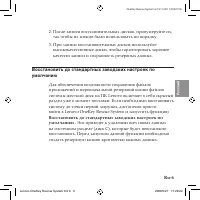
Ru- Ру сс кий OneKey Rescue System 6.0 V1.0 RU 147001728 После записи восстановительных дисков, пронумеруйте их, так чтобы их можно было использовать по порядку.При записи восстановительных дисков используйте высококачественные диски, чтобы гарантировать хорошее качество записи и сохранность резервн...
Page 54 - Восстановить
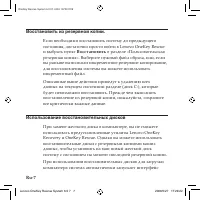
Ru- OneKey Rescue System 6.0 V1.0 RU 147001728 Восстановить.из.резервной.копии. Если необходимо восстановить систему до предыдущего состояния, достаточно просто войти в Lenovo OneKey Rescue и выбрать пункт Восстановить в разделе «Пользовательская резервная копия». Выберите нужный файл образа, или, е...
Page 55 - Восстановление.системы
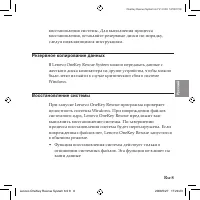
Ru- Ру сс кий OneKey Rescue System 6.0 V1.0 RU 147001728 восстановления системы. Для выполнения процесса восстановления, вставляйте резервные диски по порядку, следуя появляющимся инструкциям. Резервное.копирование.данных В Lenovo OneKey Rescue System можно передавать данные с жесткого диска компьют...
Page 57 - В данной главе содержится глоссарий терминов и часто задаваемые
Ru-0 Ру сс кий OneKey Rescue System 6.0 V1.0 RU 147001728 Часто.задаваемые.вопросы В данной главе содержится глоссарий терминов и часто задаваемые вопросы о программе Lenovo OneKey Recovery.Основные вопросы: See Глоссарий See Резервное копирование данных See Восстановление данных See Пользование вос...
Page 58 - Глоссарий; Термин
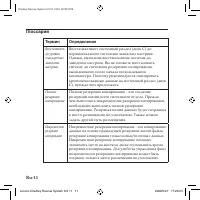
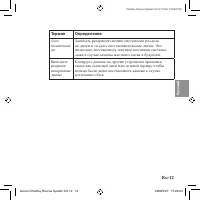
Ru- OneKey Rescue System 6.0 V1.0 RU 147001728 Глоссарий Термин Определение Восстановить до уровня стандартных заводских настроек Восстанавливает системный раздел (диск C) до первоначального состояния заводских настроек. Однако, выполнив восстановление системы до заводских настроек, Вы не сможете во...
Page 61 - Что делать, если процесс резервного копирования не
Ru- Ру сс кий OneKey Rescue System 6.0 V1.0 RU 147001728 Ситуация 2 : вы не выбрали стандартный путь для инкрементного резервного копирования. Файлы инкрементного резервного копирования можно сохранить только по стандартному пути. Не указывайте другого места . Ситуация 3 : недостаточно свободного ме...
Page 62 - Восстановление.данных; Когда нужно использовать функцию «Восстановить до
Ru- OneKey Rescue System 6.0 V1.0 RU 147001728 Восстановление.данных 1. Когда нужно использовать функцию «Восстановить до стандартных заводских настроек»? Данную функцию можно использовать в случае сбоя системы или при необходимости переустановки операционной системы. Это поможет восстановить компью...
Page 63 - Что делать в случае ошибок во время процесса
Ru- Ру сс кий OneKey Rescue System 6.0 V1.0 RU 147001728 3. Что делать в случае ошибок во время процесса восстановления? Если вы можете запустить функцию восстановления без проблем, но при ее работе возникает ошибка, это может быть вызвано следующими причинами: Файлы резервной копии повреждены Диск ...
Page 65 - Для чего предназначена функция «Резервное; Прочие; Как получить доступ к функции Lenovo OneKey Rescue
Ru- Ру сс кий OneKey Rescue System 6.0 V1.0 RU 147001728 Функция.«Резервное.копирование.данных» 1. Для чего предназначена функция «Резервное копирование данных»? В случае сбоя системы и при невозможности самозагрузки, воспользуйтесь функцией «Резервное копирование данных», чтобы немедленно извлечь н...
Page 66 - Убедитесь, что вы установили пакеты обновлений Windows
Ru- OneKey Rescue System 6.0 V1.0 RU 147001728 3. Почему функция «Восстановление системы» всегда предлагает мне восстановить системные файлы при использовании OneKey Rescue System? Убедитесь, что вы установили пакеты обновлений Windows Vista SP1 или Windows XP SP2. Lenovo OneKey Rescue System 6.0 19...
Page 68 - Leonovo
Fr- OneKey Rescue System 6.0 V1.0 FR 147001728 Introduction Leonovo ® OneKey Recovery est une application simple d’emploi qui permet de sauvegarder les données sur votre partition système (lecteur C) et de les restaurer facilement si nécessaire. Vous pouvez utiliser Lenovo OneKey Recovery sous Windo...
Page 69 - Remarques.Importantes; par défaut pour stocker un fichier image et les fichiers de
Fr- Français OneKey Rescue System 6.0 V1.0 FR 147001728 Remarques.Importantes Pour vous permettre d’utiliser les fonctionnalités de OneKey Recovery, votre disque dur est doté d’une partition cachée par défaut pour stocker un fichier image et les fichiers de programme OneKey Recovery. La partition pa...
Page 70 - Ses principales fonctions sont :
Fr- OneKey Rescue System 6.0 V1.0 FR 147001728 Lenovo.OneKey.Recovery Lenovo OneKey Recovery est un utilitaire qui protège le disque dur de votre système. Vous pouvez exécuter la sauvegarde initiale ou incrémentale manuellement et restaurer votre partition système dans l’état de la dernière sauvegar...
Page 73 - Restaurer les paramètres usne; dans
Fr- Français OneKey Rescue System 6.0 V1.0 FR 147001728 Lors de la gravure des disques de récupération, veuillez utiliser des disques de bonne qualité pour protéger l’intégrité des données sauvegardées. Restaurer.les.paramètres.usine Pour enregistrer les fichiers d’application et les fichiers initia...
Page 75 - Lorsque vous utilisez Lenovo OneKey Rescue, le programme
Fr- Français OneKey Rescue System 6.0 V1.0 FR 147001728 Récupération.système Lorsque vous utilisez Lenovo OneKey Rescue, le programme détecte si Windows a été endommagé. Si les fichiers du kernel système ont été endommagé, Lenovo OneKey Rescue vous demande de lancer une récupération système. Le syst...
Page 76 - Il contient les rubriques suivantes :
Fr- OneKey Rescue System 6.0 V1.0 FR 147001728 Forum.aux.questions Ce chapitre contient un glossaire et les questions les plus fréquentes sur Lenovo OneKey Recovery. Il contient les rubriques suivantes : See Glossaire See Sauvegarde de vos données See Récupération de vos données See Utilisation du/d...
Page 77 - Glossaire; Terme; commande signifie que vous ne pouvez plus restaurer
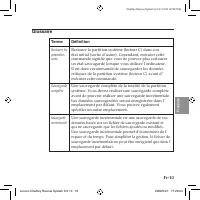
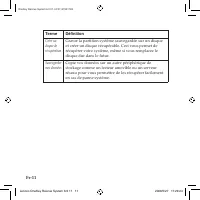
Fr-0 Français OneKey Rescue System 6.0 V1.0 FR 147001728 Glossaire Terme Définition Restaurer les paramètres usine Restaure la partition système (lecteur C) dans son état initial (sortie d’usine). Cependant, exécuter cette commande signifie que vous ne pouvez plus restaurer un état sauvagardé lorsqu...
Page 78 - Créer un
Fr- OneKey Rescue System 6.0 V1.0 FR 147001728 Terme Définition Créer un disque de récupération Graver la partition système sauvegardée sur un disque et créer un disque récupérable. Ceci vous permet de récupérer votre système, même si vous remplacez le disque dur dans le futur. Sauvegarder mes donné...
Page 79 - Pourquoi n’est il pas possible de lancer une sauvegarde complète ?
Fr- Français OneKey Rescue System 6.0 V1.0 FR 147001728 Sauvegarde.de.vos.données 1. Pourquoi n’est il pas possible de lancer une sauvegarde complète ? Les raisons possibles sont les suivantes : Cas 1 : vous n’utilisez pas un système d’exploitation Windows (XP/Vista). Cas 2 : l’espace disque est ins...
Page 81 - des paramètres usine ?
Fr- Français OneKey Rescue System 6.0 V1.0 FR 147001728 2. Pourquoi est il impossible d’utiliser la fonction de restauration des paramètres usine ? Si votre partition système a changé, la taille a été modifiée ou la capacité du lecteur C a été modifiée par un autre utilitaire, vous ne pourrez pas ut...
Page 82 - Comment créer un disque de récupération depuis mon système ?
Fr- OneKey Rescue System 6.0 V1.0 FR 147001728 4. Pourquoi le système ne trouve-t-il pas les fichiers lors de la récupération ? La structure de la partition de disque du système de récupération OneKey est différente de celle du système Windows. Il est donc possible que vous ne puissiez pas trouver l...
Page 83 - Pourquoi n’est-il pas possible d’utiliser les disques de; Autres; Comment accéder au système Lenovo OneKey Rescue ?
Fr- Français OneKey Rescue System 6.0 V1.0 FR 147001728 3. Pourquoi n’est-il pas possible d’utiliser les disques de récupération ? Lorsque vous créez des disques de récupération, veuillez utiliser des disques fiables ou les données risquent d’être endommagées. Lorsque vous utilisez les disques de ré...
Page 85 - Inhalt
De- Deutsc h OneKey Rescue System 6.0 V1.0 DE 147001728 Inhalt Einführung....................................................................................................... 1 Wichtige Hinweise .................................................................................................. 2 Le...
Page 86 - Einführung
De- OneKey Rescue System 6.0 V1.0 DE 147001728 Einführung Lenovo ® OneKey Recovery ist eine einfach zu verwendende Anwendung, die zur Sicherung Ihrer Daten auf Ihrer Systempartition ( Laufwerk C ) und bei Bedarf auch zur Wiederherstellung verwendet werden kann. Sie können Lenovo OneKey Recovery sowo...
Page 88 - Die Funktionen beinhalten:
De- OneKey Rescue System 6.0 V1.0 DE 147001728 Lenovo.OneKey.Recovery Lenovo OneKey Recovery ist eine Utility die sicherstellt, dass die Festplatte Ihres Systems sicher ist. Sie können die erste Sicherung oder die inkrementelle Sicherung manuell ausführen und dann Ihre Systempartition zu einer frühe...
Page 90 - Wiederherstellungsdisk.erstellen
De- OneKey Rescue System 6.0 V1.0 DE 147001728 Inkrementelle.Sicherung.erstellen Eine inkrementelle Sicherung ist eine Sicherung Ihrer Daten, basierend auf der vorherigen gesicherten Datei, die sich auf dem Standardpfad befindet. Diese Sicherung beinhaltet andere Daten als die vollständige Sicherung...
Page 91 - Werkseinstellungen.wiederherstellen; De Standardenstellungen wederherstellen; auswählen. Wählen Sie die
De- Deutsc h OneKey Rescue System 6.0 V1.0 DE 147001728 Wenn Sie die Wiederherstellungsdisks brennen, nutzen Sie bitte qualitativ hochwertige Disks, um sicherzustellen, dass der Brennvorgang und die gesicherten Daten komplett und korrekt sind. Werkseinstellungen.wiederherstellen Um Anwendungsdateien...
Page 92 - Wiederherstellungsdisks.erstellen; Rescue Funktioen nicht verwenden. Sie können jedoch
De- OneKey Rescue System 6.0 V1.0 DE 147001728 Der oben beschriebene Vorgang löscht alle neuen Daten auf der Systempartition (Partition C), die nicht mehr wiederhergestellt werden können. Bitte sichern Sie alle wichtigen Daten, ehe Sie eine vorige Sicherung wiederherstellen. Wiederherstellungsdisks....
Page 93 - Systemreparatur; Die Systemreparatur funktioniert nur mit Systemdateien. Die
De- Deutsc h OneKey Rescue System 6.0 V1.0 DE 147001728 Systemreparatur Wenn Sie Lenovo OneKey Rescue verwednen, entdeckt das Programm, ob Windows beschädigt wurde. Wenn die System-Kerneldateien beschädigt wurden, wird Lenovo OneKey Rescue Sie auffordern, mit einer Systemreparatur fortzufahren. Das ...
Page 94 - Bei den Themen handelt es sich um:
De- OneKey Rescue System 6.0 V1.0 DE 147001728 Häufig.gestellte.Fragen Dieses Kapitel enthält ein Glossar mit häufig gestellten Fragen zu Lenovo OneKey Recovery. Bei den Themen handelt es sich um: See Glossar See Ihre Daten sichern See Ihre Daten wiederherstellen See Wiederherstellungsdisk benutzen ...
Page 95 - Glossar; Bezeichnung; Die Standardeinstellungen
De-0 Deutsc h OneKey Rescue System 6.0 V1.0 DE 147001728 Glossar Bezeichnung Definition Die Standardeinstellungen wiederherstellen Stellt die Systempartition (C Laufwerk) zurück auf den anfänglichen Werkszustand. Hiernach sind Sie jedoch nicht mehr in der Lage ein gesicherten Status, der nach Ihrer ...
Page 96 - Wiederherstellungsdisc
De- OneKey Rescue System 6.0 V1.0 DE 147001728 Bezeichnung Definition Wiederherstellungsdisc erstellen Brennen Sie die gesicherten Systempartitionsdaten auf eine Disk und erstellen Sie eine wiederherstellbare Disk. Dies ermöglicht die Wiederherstellung Ihres aktuellen Systemstatus, auch wenn Ihre Fe...
Page 97 - Warum kann ich keine vollständige Sicherung durchführen?
De- Deutsc h OneKey Rescue System 6.0 V1.0 DE 147001728 Ihre.Daten.sichern 1. Warum kann ich keine vollständige Sicherung durchführen? Die möglichen Gründe lauten: Fall 1 : Sie verwenden zur Zeit kein Windows Betriebssystem (XP/Vista). Fall 2 : Es gibt nicht genügend Speicherplatz, um die gesicherte...
Page 99 - Warum kann ich die Funktion Die Standardeinstellungen
De- Deutsc h OneKey Rescue System 6.0 V1.0 DE 147001728 2. Warum kann ich die Funktion Die Standardeinstellungen wiederherstellen nicht verwenden? Wenn Ihre Systempartition verändert wurde, wie z.B. die Partitionsgröße oder die Laufwerksgröße C wurde durch eine andere Partitions-Utility, können Sie ...
Page 100 - Wiederherstellungsdisk.benutzen; Warum können die Wiederherstellungsdisks nicht die gesamte
De- OneKey Rescue System 6.0 V1.0 DE 147001728 4. Warum kann ich die im Wiederherstellungsvorgang gesicherten Dateien nicht finden? Innerhalb des OneKey Rescue Systems unterscheidet sich die Festplattenpartitionsstruktur von der des Windows Systems. Deshalb ist es möglich, dass Sie die gesicherten D...
Page 101 - Wann benötige ich die Funktion Meine Daten sichern?; Weitere; Wie kann ich auf das Lenovo OneKey Rescue System zugreifen?
De- Deutsc h OneKey Rescue System 6.0 V1.0 DE 147001728 3. Warum kann ich die Wiederherstellungsdisk(s) nicht verwenden? Wenn Sie Wiederherstellungsdisks erstellen, verwenden Sie bitte intakte Disks, damit Ihre Daten nicht beschädigt werden. Wenn Sie Wiederherstellungsdisks verwenden, folgen Sie bit...
Page 102 - damit das OneKey Rescue System verwendet werden kann?
De- OneKey Rescue System 6.0 V1.0 DE 147001728 2. Warum kann die Funktion Systemreparatur die Systempartitionsdaten nicht komplett wiederherstellen? Die Funktion Systemreparatur kann nur wichtige Kernel Dateien des System wiederherstellen, um sicherzustellen, dass das System normal hochfährt. Sie wi...
Page 103 - Sommario
It- Italiano OneKey Rescue System 6.0 V1.0 IT 147001728 Sommario Introduzione..................................................................................................... 1 Note importanti ..........................................................................................................
Page 104 - Introduzione
It- OneKey Rescue System 6.0 V1.0 IT 147001728 Introduzione Lenovo ® OneKey Recovery è una applicazione da utilizzare per effettuare il backup dei dati della partizione di sistema (disco C) e per il ripristino quando necessario. Lenovo OneKey Recovery funziona con i sistemi Windows e WinPE. In Windo...
Page 105 - cui sono archiviati il file dell’immagine del sistema ed i file di
It- Italiano OneKey Rescue System 6.0 V1.0 IT 147001728 Note.importanti Per poter utilizzare le funzioni di OneKey Recovery, il vostro hard disk include già una partizione nascosta per default in cui sono archiviati il file dell’immagine del sistema ed i file di programma di OneKey Recovery. Questa ...
Page 106 - Le sue funzioni sono:
It- OneKey Rescue System 6.0 V1.0 IT 147001728 Lenovo.OneKey.Recovery Lenovo OneKey Recovery è una utility che aiuta a mantenere al sicuro l’hard disk del proprio sistema. Si possono creare backup iniziale ed incrementali manualmente, e quindi ripristinare la partizione di sistema ad una backup prec...
Page 107 - di backup saranno salvati nella posizione predefinita. Ad
It- Italiano OneKey Rescue System 6.0 V1.0 IT 147001728 Crea.backup.completo Possono essere creati due tipi di backup: backup completo e backup incrementale. Selezionando Backup completo, viene effettuato un backup della partizione di sistema in una cartella dell’hard disk che è possibile ripristina...
Page 110 - fine di completare l’intera procedura di ripristino.
It- OneKey Rescue System 6.0 V1.0 IT 147001728 Uso.dei.Dischi.di.Ripristino Quando si sostituisce una unità hard disk del computer, non è possibile usare le applicazioni preinstallate Lenovo OneKey Recovery e OneKey Rescue. Tuttavia, possono essere utilizzati i dischi di ripristino, nei quali sono c...
Page 111 - Quando si usa Lenovo OneKey Rescue, il programma rileva
It- Italiano OneKey Rescue System 6.0 V1.0 IT 147001728 Riparazione.del.sistema Quando si usa Lenovo OneKey Rescue, il programma rileva eventuali danni al sistema operativo Windows. Se i file del kernel di sistema sono danneggiati, Lenovo OneKey Rescue richiederà di procedere con una riparazione del...
Page 113 - Glossario; Termine; di backup saranno salvati nella posizione predefinita. È
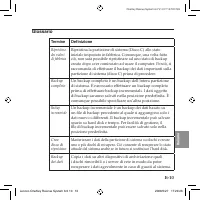
It-0 Italiano OneKey Rescue System 6.0 V1.0 IT 147001728 Glossario Termine Definizione Ripristino dei valori di fabbrica Ripristina la partizione di sistema (Disco C) allo stato iniziale impostato in fabbrica. Comunque, una volta fatto ciò, non sarà possibile ripristinare ad uno stato di backup crea...
Page 115 - Cosa posso fare se backup non riesce?
It- Italiano OneKey Rescue System 6.0 V1.0 IT 147001728 3. Cosa posso fare se backup non riesce? Se è possibile avviare la procedura di backup senza problemi ma questa non riesce ad essere completata, provare una delle seguenti soluzioni: Chiudere tutte le altre applicazioni e riavviare la procedura...
Page 117 - Perché non riesco a trovare i file di backup durante la procedura
It- Italiano OneKey Rescue System 6.0 V1.0 IT 147001728 4. Perché non riesco a trovare i file di backup durante la procedura di ripristino? In OneKey Rescue System, la struttura della partizione del disco è diversa da quella di Windows. Per questo motivo non è possibile rilevare i file di backup nel...
Page 118 - Quando devo usare la funzione Backup dei dati?; Altro
It- OneKey Rescue System 6.0 V1.0 IT 147001728 3. Perché non posso usare il/i dischi di ripristino? Quando si creano i dischi di ripristino è consigliato usare dischi di buona qualità per limitare la possibilità di danneggiamento dei dati. Quando si usano i dischi di ripristino, si consiglia di segu...
Page 119 - per consentire un avvio normale del sistema. Esso non può
It- Italiano OneKey Rescue System 6.0 V1.0 IT 147001728 2. Perché System Repair non riesce a correggere completamente di dati della partizione di sistema? System Repair può correggere soltanto i file del kernel di sistema per consentire un avvio normale del sistema. Esso non può riparare i file dei ...
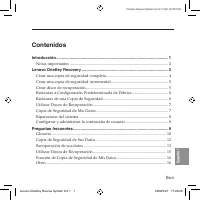
Page 121 - Contenidos; Restaurar a Configuración Predeterminada de Fábrica
Es- Español OneKey Rescue System 6.0 V1.0 ES 147001728 Contenidos Introducción..................................................................................................... 1 Notas importantes .................................................................................................. 2...
Page 122 - Introducción
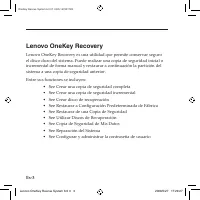
Es- OneKey Rescue System 6.0 V1.0 ES 147001728 Introducción Lenovo ® OneKey Recovery es una aplicación de sencillo uso que se puede usar para realizar una copia de seguridad de los datos que se encuentren en la partición del sistema (unidad C) de modo que se puedan restaurar sin problemas cuando sea...
Page 123 - adquirió. Sin embargo, una vez que restaure a este estado, no
Es- Español OneKey Rescue System 6.0 V1.0 ES 147001728 Notas.importantes Para utilizar las funciones de OneKey Recovery, su disco duro ya incluye una partición oculta de forma predeterminada para almacenar un archivo de imagen duplicado del sistema y los archivos de programa de OneKey Recovery. La p...
Page 125 - DVD), los discos creados podrán ser utilizados para devolver al
Es- Español OneKey Rescue System 6.0 V1.0 ES 147001728 Crear.una.copia.de.seguridad.completa Se pueden crear dos tipos de copias de seguridad: completa e incremental. Si se selecciona Copia de seguridad completa se realiza una copia de seguridad de la partición del sistema en una carpeta del disco d...
Page 127 - finalice sin errores y los datos respaldados estén completos y; realizar una copia de seguridad de sus datos importantes antes de; Restaurar; desde el
Es- Español OneKey Rescue System 6.0 V1.0 ES 147001728 Al grabar los discos de recuperación, por favor utilice discos de buena calidad para garantizar que el proceso de grabado finalice sin errores y los datos respaldados estén completos y sean correctos. Restaurar.a.Configuración.Predeterminada.de....
Page 129 - Cuando opera con Lenovo OneKey Rescue, el programa detecta
Es- Español OneKey Rescue System 6.0 V1.0 ES 147001728 Riparazione.del.sistema Cuando opera con Lenovo OneKey Rescue, el programa detecta si Windows ha sido dañado. Si los archivos kernel del sistema se encuentran dañados, Lenovo OneKey Rescue le sugerirá iniciar la reparación del sistema. El sistem...
Page 131 - Glosario; Término; configuración
Es-0 Español OneKey Rescue System 6.0 V1.0 ES 147001728 Glosario Término Definición Restaurar a configuración predeterminada de fábrica Restaura la partición del sistema (unidad C) al estado inicial de fábrica. Una vez realiada esta operación, no se podrá restaurar a un estado del que se haya realiz...
Page 132 - Crear disco de
Es- OneKey Rescue System 6.0 V1.0 ES 147001728 Término Definición Crear disco de recuperación Grabe en discos los datos respaldados de la partición de sistema, y de esta manera cree discos de recuperación. De este modo, podrá recuperar el estado actual del sistema aunque sustituya el disco duro en e...
Page 133 - ¿Por qué no puedo realizar una copia de seguridad completa?
Es- Español OneKey Rescue System 6.0 V1.0 ES 147001728 Copia.de.Seguridad.de.Sus.Datos 1. ¿Por qué no puedo realizar una copia de seguridad completa? Las posibles causas son: Caso 1 : no está usando actualmente un sistema operativo de Windows (XP/Vista). Caso 2 : no hay espacio suficiente para almac...
Page 135 - ¿Por qué no puedo usar la función Restaurar a configuración
Es- Español OneKey Rescue System 6.0 V1.0 ES 147001728 2. ¿Por qué no puedo usar la función Restaurar a configuración predeterminada de fábrica? Si se ha modificado la partición del sistema, como el tamaño de la partición o la capacidad de la unidad C, mediante otra utilidad de partición, no podrá u...
Page 137 - ¿Por qué no puedo utilizar los discos de recuperación?; Otros; ¿Cómo accedo a Lenovo OneKey Rescue System?
Es- Español OneKey Rescue System 6.0 V1.0 ES 147001728 3. ¿Por qué no puedo utilizar los discos de recuperación? Al crear discos de recuperación, por favor utilice discos confiables, o los datos respaldados podrían resultar dañados. Al utilizar los discos de recuperación, siga las instrucciones para...














-User-Manual/webp/1.webp)

![Lenovo 2568 [B540] 10101](https://pdf.manualsarea.com/manuals/libs/mo/lenovo/3f191981-c82b-4fc0-8762-ec9a8a08472a/webp/1.webp)


 Lenovo IdeaPad Y510p Manual
 Lenovo IdeaPad Y510p Notebook User Manual
 Lenovo IdeaPad Y560 User Manual
 Lenovo IDEAPAD Y730 User Manual
 Lenovo IdeaPad Z360 User Manual
 Lenovo IdeaPad Z370 User Manual
 Lenovo IdeaPad Z380 User Manual
 Lenovo IdeaPad Z460 User Manual
 Lenovo IdeaPad Z470 User Manual