Leica 812806 - Manual
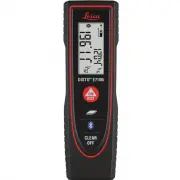
Leica 812806 Laser Distance Measurer – Manual, read for free online in PDF format. We hope this helps you resolve any issues you may have. If you have further questions, please contact us through the contact form.


Table of Contents:
- Page 2 – Leica DISTO; Table of Contents
- Page 3 – Introduction; The symbols used have the following meanings:; Overview; Display
- Page 5 – Operations; Clear; ON; InFo; Unit setting
- Page 6 – Measuring Functions; Measuring single distance; Permanent measuring; Aim active laser at target.; Area
- Page 7 – Bluetooth; Deactivate/Activate Bluetooth
- Page 8 – Technical Data
- Page 9 – Message Codes; If the message; Error; does not disappear; appears with a number,; Care; Clean the device with a damp, soft cloth.; Disposal; Warranty; Lifetime Manufacturer's Warranty
- Page 10 – Safety Instructions; Symbols used; Permitted use; Measuring distances; Prohibited use; Using the product without instruction; Hazards in use; Limits of use
- Page 11 – Areas of responsibility; Reorient or relocate the receiving antenna.
- Page 12 – Do not use the product in airplanes.; Laser classification; Laser Class 2 products:; Labelling
Leica DISTO
TM
E7100i
The original laser distance meter
Leica DISTO
TM
E7100i
The original laser distance meter
"Loading the manual" means you need to wait until the file loads and becomes available for online reading. Some manuals are very large, and the time they take to appear depends on your internet speed.
Other Manuals for Leica 812806
Summary
Leica DISTO TM E7100i 812795a 1 EN Table of Contents Instrument Set-up - - - - - - - - - - - - - - - - - - - - - - - - - - 2 Introduction - - - - - - - - - - - - - - - - - - - - - - - - - - - - - - - - - - - 2Overview - - - - - - - - - - - - - - - - - - - - - - - - - - - - - - - - - - - - - 2Display...
Leica DISTO TM E7100i 812795a 2 EN Instrument Set-up Introduction The safety instructions and the user manual should be read through carefully before the product is used for the first time. The person responsible for the product must ensure that all users understand these directions and adhere to th...
Leica DISTO TM E7100i 812795a 4 EN Operations Switching ON/OFF Clear Message Codes ON OFF 2 sec Device is turned OFF. i Press ON button 2 sec to start continuous laser mode. 1x Undo last action. 2x Leave actual func-tion, go to default operation mode. If the message " InFo " appears with a n...