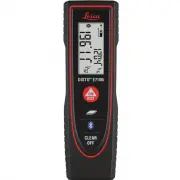
Page 2 - Leica DISTO; Table of Contents
Leica DISTO TM E7100i 812795a 1 EN Table of Contents Instrument Set-up - - - - - - - - - - - - - - - - - - - - - - - - - - 2 Introduction - - - - - - - - - - - - - - - - - - - - - - - - - - - - - - - - - - - 2Overview - - - - - - - - - - - - - - - - - - - - - - - - - - - - - - - - - - - - - 2Display...
Page 3 - Introduction; The symbols used have the following meanings:; Overview; Display
Leica DISTO TM E7100i 812795a 2 EN Instrument Set-up Introduction The safety instructions and the user manual should be read through carefully before the product is used for the first time. The person responsible for the product must ensure that all users understand these directions and adhere to th...
Page 5 - Operations; Clear; ON; InFo; Unit setting
Leica DISTO TM E7100i 812795a 4 EN Operations Switching ON/OFF Clear Message Codes ON OFF 2 sec Device is turned OFF. i Press ON button 2 sec to start continuous laser mode. 1x Undo last action. 2x Leave actual func-tion, go to default operation mode. If the message " InFo " appears with a n...
Page 6 - Measuring Functions; Measuring single distance; Permanent measuring; Aim active laser at target.; Area
Leica DISTO TM E7100i 812795a 5 EN Measuring Functions Measuring single distance 1 Aim active laser at target. 2 8.532 m 3 i Target surfaces: Measuring errors can occur when measuring to colourless liquids, glass, styrofoam or permaeble surfaces or when aiming at high gloss surfaces. Against dark su...
Page 7 - Bluetooth; Deactivate/Activate Bluetooth
Leica DISTO TM E7100i 812795a 6 EN Measuring Functions Bluetooth ® Smart I8.462 m 2 Value from main-line is transferred Deactivate/Activate Bluetooth ® 2 sec i App Mode: Use this mode to transfer the data using an App. Bluetooth ® Smart is always active when the device is switched on. Connect the de...
Page 8 - Technical Data
Leica DISTO TM E7100i 812795a 7 EN Technical Data * applies for 100 % target reflectivity (white painted wall), low ambient light, 25 ºC** applies for 10 to 500 % target reflectivity, high ambient light, - 10 ºC to + 50 ºC*** Tolerances apply from 0.2 m to 5 m with a confidence level of 95%. The max...
Page 9 - Message Codes; If the message; Error; does not disappear; appears with a number,; Care; Clean the device with a damp, soft cloth.; Disposal; Warranty; Lifetime Manufacturer's Warranty
Leica DISTO TM E7100i 812795a 8 EN Message Codes If the message Error does not disappear after switching on the device repeatedly, contact the dealer.If the message InFo appears with a number, press the Clear button and observe the following instructions: Care • Clean the device with a damp, soft cl...
Page 10 - Safety Instructions; Symbols used; Permitted use; Measuring distances; Prohibited use; Using the product without instruction; Hazards in use; Limits of use
Leica DISTO TM E7100i 812795a 9 EN Safety Instructions The person responsible for the instrument must ensure that all users understand these directions and adhere to them. Symbols used The symbols used have the following mean-ings: WARNING Indicates a potentially hazardous situation or an unintend...
Page 11 - Areas of responsibility; Reorient or relocate the receiving antenna.
Leica DISTO TM E7100i 812795a 10 EN Safety Instructions Areas of responsibility Responsibilities of the manufacturer of the original equipment: Leica Geosystems AGHeinrich-Wild-StrasseCH-9435 HeerbruggInternet: www.disto.comThe company above is responsible for supplying the product, including the Us...
Page 12 - Do not use the product in airplanes.; Laser classification; Laser Class 2 products:; Labelling
Leica DISTO TM E7100i 812795a 11 EN Safety Instructions Use of the product with Blue-tooth ® WARNING Electromagnetic radiation can cause distur-bances in other equipment, in installations (e.g. medical ones such as pacemakers or hearing aids) and in aircraft. It can also affect humans and animals....