Laser SPK-SB160 - User Manual
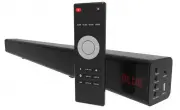
Laser SPK-SB160 Home Theater – User Manual, read for free online in PDF format. We hope this helps you resolve any issues you may have. If you have further questions, please contact us through the contact form.


Table of Contents:
- Page 2 – QUICK USER MANUAL; CONNECTIONS
- Page 3 – ON DEVICE CONTROLS / HARDWARE INPUTS
- Page 6 – USING BLUETOOTH
- Page 7 – ARC VOLUME CONTROL; Volume level
- Page 8 – SPECIFICATIONS
QUICK USER MANUAL
SPK-SB160 (With HDMI)
1
IMPORTANT SAFETY INSTRUCTIONS AND PRECAUTIONS
- Read all instructions carefully before use.
- Retain manuals for future reference.
- Use this product only in the manner described.
- Only use a water-dampened soft-cloth to clean the surface of this product.
- The following will damage this product: any liquid such as water or moisture, extreme heat; cold;
humidity, dusty or sandy environments.
- Only place this device on stable surfaces and ensure that any attached cables are secure and will not
cause the device to fall.
- There are no user serviceable parts in this product.
- Un-authorized attempts to dismantle or repair this product will void product warranty
- Using this device near other electronic devices may cause interference.
PACKAGE INCLUDES
1 X Sound Bar, 1 x Optical Fibre Cable, 1 x 3.5mm Audio Jack Cable, 1 x Mains Power
Adapter, 1 x Quick User Manual.
"Loading the manual" means you need to wait until the file loads and becomes available for online reading. Some manuals are very large, and the time they take to appear depends on your internet speed.
Summary
QUICK USER MANUAL SPK-SB160 (With HDMI) 2 1 5 3 4 3 2 CONNECTIONS THE REMOTE CONTROL 1 Output to subwoofer (not supplied) 2 HDMI (ARC) Input 3 Coaxial Input 4 DC In 12v (Power for speaker bar) 5 Optical input (Audio) 1 ON / OFF Turn Sound Bar On or Off 2 MUTE Mute or Unmute audio 3 SURR Surround sou...
QUICK USER MANUAL SPK-SB160 (With HDMI) 3 ON DEVICE CONTROLS / HARDWARE INPUTS ON DEVICE DISPLAY REPLACING THE BATTERIES 1. Open the battery compartment by sliding the cover back. 2. Insert the new battery as pictured making you have observed the correct polarity 3. Close the battery compartment. No...
QUICK USER MANUAL SPK-SB160 (With HDMI) 6 USING BLUETOOTH 1) Press the INPUT button to toggle to the BT function. “BLUE” will begin to flash on screen, which means the Bluetooth “pairing mode” has been activated. 2) Turn the Bluetooth function on, on your device (smart phone or tablet etc). 3) Scan ...