Laser SPK-SB160 - Manuals
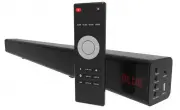
User Manual Laser SPK-SB160


Summary
QUICK USER MANUAL SPK-SB160 (With HDMI) 2 1 5 3 4 3 2 CONNECTIONS THE REMOTE CONTROL 1 Output to subwoofer (not supplied) 2 HDMI (ARC) Input 3 Coaxial Input 4 DC In 12v (Power for speaker bar) 5 Optical input (Audio) 1 ON / OFF Turn Sound Bar On or Off 2 MUTE Mute or Unmute audio 3 SURR Surround sou...
QUICK USER MANUAL SPK-SB160 (With HDMI) 3 ON DEVICE CONTROLS / HARDWARE INPUTS ON DEVICE DISPLAY REPLACING THE BATTERIES 1. Open the battery compartment by sliding the cover back. 2. Insert the new battery as pictured making you have observed the correct polarity 3. Close the battery compartment. No...
QUICK USER MANUAL SPK-SB160 (With HDMI) 6 USING BLUETOOTH 1) Press the INPUT button to toggle to the BT function. “BLUE” will begin to flash on screen, which means the Bluetooth “pairing mode” has been activated. 2) Turn the Bluetooth function on, on your device (smart phone or tablet etc). 3) Scan ...