Kyocera FS-1128MFP - Manual

A user manual for Kyocera’s compact monochrome multifunction printers (such as the FS-1028MFP series), these devices combine printing, copying, scanning, and faxing in a space-efficient design tailored for business use. The instructions likely cover essential operational topics like setup, connectivity, security protocols (including IPsec and SSL), and maintenance–highlighting features such as duplex printing, fast scanning, and network-based functionality to optimize workflow efficiency. Safety and reliability are emphasized through compliance with industry standards and support for low-power operation.


Table of Contents:
- Page 1 – Monochrome Multifunction Printer Product Overview
- Page 2 – ECOSYS Multifunction Printer Features and Benefits
- Page 3 – Multifunction Device Scanning and Printing Capabilities
- Page 4 – FS-1128MFP Fax Transmission and Security
- Page 5 – ECOSYS Device Control and Connectivity
- Page 6 – Technical Specifications for Monochrome Multifunction Printers
COMPACT
MULTIFUNCTIONALS
YOUR
BUSINESS
CAN
RELY ON.
FS-1028MFP/FS-1028MFP DP/FS-1128MFP
MONOCHROME MULTIFUNCTIONALS FOR A4 FORMAT
"Loading the manual" means you need to wait until the file loads and becomes available for online reading. Some manuals are very large, and the time they take to appear depends on your internet speed.
Was this manual helpful?
About this manual
- Brand
- Kyocera
- Model
- FS-1128MFP
- Document type
- Manual
- Category
- Multifunction Printer
- Language(s)
- English
- Pages
- 6
- File size
- 422.2 KB
- Format
Other Manuals for Kyocera FS-1128MFP
Summary
Advertisement for compact monochrome multifunction printers, including models FS-1028MFP, FS-1028MFP DP, and FS-1128MFP, emphasizing print, copy, scan, and fax capabilities.
Emphasis on cost-effectiveness, environmental benefits, fast printing speed, duplex printing, low operating costs, high-resolution output, and optional paper feeders for ECOSYS devices.
Details on compact size, fast full-color scanning with automatic two-sided scanning, direct printing from USB devices, and optional paper feeders illustrated with a diagram.
Ask a question
Related manuals
Popular Kyocera Multifunction Printers
More Kyocera Multifunction Printers models
 Kyocera ECOSYS M2035dn User Manual
 Kyocera ECOSYS M2530dn User Manual
 Kyocera ECOSYS M2535dn User Manual
 Kyocera FS-1020MFP Manual
 Kyocera FS-3040MFP+ Manual
 Kyocera FS-3540MFP User Manual
 Kyocera FS-3640MFP Manual
 Kyocera FS-6525MFP User Manual
 Kyocera FS-6530MFP User Manual
 Kyocera FS-C2126MFP+ Manual
 Kyocera FS-C8020MFP Manual
 Kyocera FS-C8525MFP Manual
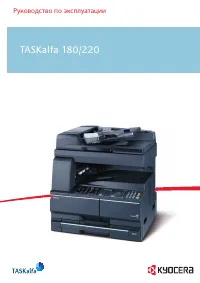 Kyocera TASKalfa 180 User Manual
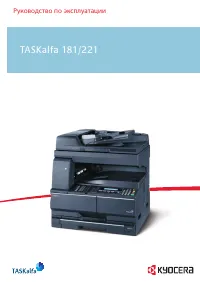 Kyocera TASKalfa 181 User Manual
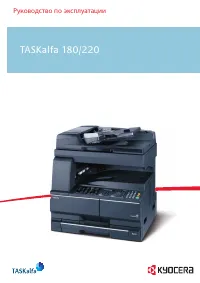 Kyocera TASKalfa 220 User Manual
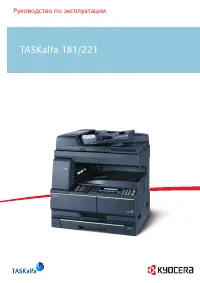 Kyocera TASKalfa 221 User Manual