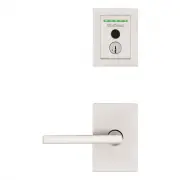
Page 2 - Welcome to the Kwikset family!; This guide will get you up and running
Welcome to the Kwikset family! This guide will get you up and running with your new Halo Touch Fingerprint Smart Lock . If you have any issues, please visit our support center: kwikset.com/halo-touch or call us at 1-800-327-5625 .
Page 3 - Getting started; For an interactive version of this installation guide,
Getting started For an interactive version of this installation guide, please download the Kwikset app : kwikset.com/app 1
Page 5 - Table of contents
Parts in the box ................................................4 Required tools ..................................................5 Installation ...........................................................7 Download the app.........................................17 Reference guide ...................
Page 6 - Parts in the box; Step
Parts in the box Exterior assembly Latch Strike Battery pack Interior assembly Interior cover 1 Step 2 Step actual size 03809 46780 actual size 4
Page 8 - Installation
Page 9 - Remove your existing deadbolt
If drilling a new door, use the supplied template and instructions available at: kwikset.com/doorprep Remove your existing deadbolt ! 7 1-3/4” to 2” (44mm - 51mm) 2-1/8” (54mm)
Page 10 - Install the latch
C B A *Use the longer screws if the holes are worn out. You will have two extra screws. Extend the latch bolt. UP is on top. If the D-shaped hole is not centered in the door hole, rotate the latch face to extend the latch. 03809* (2X) If your door requires a drive-in latch, please contact Kwikset at...
Page 11 - Install the strike
DOOR JAMB *Install the longer screws closest to the door jamb. 1" (25 mm) hole depth 46780* (4X) 2 Install the strike 9
Page 12 - Install the exterior assembly
A Install the exterior assembly 3 [OUTSIDE] Cable goes under the latch. 10
Page 14 - Install the interior assembly
B A Install the interior assembly 4 Remove the interior cover from the interior assembly. Make sure the turnpiece shaft is pointing up as shown below. Incorrect: If the turnpiece shaft is not pointing up, put the cover back on and rotate the turnpiece until you hear a click. 12
Page 16 - Perform the door handing process
Perform the door handing process 5 With the door open, install the battery pack to initiate auto-handing. NOTE: Lock must be installed on the door before installing the battery. Install 4 AA batteries into the battery pack. The latch will retract and extend to learn the orientation of the door. Then...
Page 18 - Download the app
Page 19 - Create your account; Follow the setup instructions in the
Create your account kwikset.com/app The Kwikset app is needed to use this lock. If this lock was professionally installed (or installed by someone other than the homeowner), make sure this step is performed by the homeowner. Follow the setup instructions in the Kwikset app to create your account: 17
Page 20 - Reference Guide
Page 21 - Locking
To lock your door, place any finger on the fingerprint sensor. The light bar will display the following animations, beep once, and the door will lock. To unlock your door, place your enrolled finger on the fingerprint sensor. The light bar will display the following animations, beep once, and the do...
Page 22 - Follow the setup
20 Enabling Amazon Alexa Enabling Google Assistant Follow the setup instructions to enable Amazon Alexa: Follow the setup instructions to enable Google Assistant: Amazon Alexa Guide Google Assistant Guide
Page 24 - Exterior LED Indicators
22 Orange : Locking Blue : Authenticating fingerprint Red : Low battery or door jam Green : Unlocking Exterior LED Indicators
Page 25 - Interior LED Indicators
23 Green Blue Orange Solid : Action successful Solid : Bluetooth pairing successful Solid : Door handing unsuccessful Solid : Entering network reset mode Blinking : Unlocked Blinking : Bluetooth pairing mode Blinking : Low battery or action unsuccessful Blinking : Locked or network/ system mode Red ...
Page 26 - Manual Door Handing
24 If needed, the door handing process can be initiated manually. This is useful if the lock is being moved to a different door. 1. Remove battery pack. 3. Press the Program button once more. 2. Press and HOLD the Program button while reinserting the battery pack. Release the Program button after 3 ...
Page 27 - Network Reset
25 1. Press and HOLD “A” for 10 seconds. You will hear 1 short beep and see an amber LED Note: After 3 seconds, you will hear 1 short beep and see a blue LED. You should continue to hold “A” to enter network reset mode. 3. Press and release the Program button to confirm network reset. The Program bu...
Page 28 - System Reset
26 System Reset will delete all users, fingerprints, and lock settings including lock handing. System Reset 1. Press “A” 10 times. You will hear 1 short beep and see a blinking amber LED to indicate it is in system reset mode. 3. If successful, you will hear 1 long beep and see a green LED, and the ...
Page 29 - Factory Reset
27 Factory Reset will delete all Wi-Fi/Bluetooth pairings, users, remove the lock from the account, and reset all lock settings. Factory Reset 1. Remove battery pack. 3. Press the Program button once more. The LED will flash green and red, and the auto- handing process will begin. 2. Press and HOLD ...
Page 30 - Device Compatibility
28 iOS 12 and higher • Apple iPhone 6 • Apple iPhone 6S • Apple iPhone 7 • Apple iPhone 7S • Apple iPhone 7 Plus • Apple iPhone 8 • Apple iPhone 8 Plus • Apple iPhone X • Apple iPhone XR • Apple iPhone XS • Apple iPhone XS • Apple iPhone XS Max • Apple iPhone 11 • Apple iPhone 11 Pro • Apple iPhone ...
Page 31 - Router Compatibility
29 • Router-TP Link (450 Mbps wireless N Router TL- WR940N) • Linksys WRT32X Gaming Router • NETGEAR Orbi Whole Home WIFI System Triband WIFI • TP Link- AC1750 • Linksys EA6350 Wi-Fi Wireless Dual-Band+ Router with Gigabit & USB • ASUS 3-In-1 Wireless Router (RT-N12) • TP-LINK TL-WR702N • Netgea...
Page 32 - Halo Touch at a Glance; Troubleshooting
30 Halo Touch at a Glance Exterior Interior (cover removed) SmartKey™ tool access Light bar Fingerprint sensor Keyway Button “A” Button “B” Status LED Program button Turnpiece shaft Battery pack Troubleshooting If you have any issues, please visit our support center: kwikset.com/halo-touch or call u...
Page 35 - Door Preparation
33 Q: What is the door thickness requirement for Halo Touch? A: Halo Touch supports 1-3/4” to 2” (44mm - 51mm) door thickness. Q: Is there a door thickness kit for Halo Touch to support doors thicker than 2” (51mm)? A: Yes, a kit (83033) is available to install Halo Touch on doors with a thickness b...
Page 38 - Batteries
36 Q: How do I replace the (4) AA batteries? A: Complete the following steps: 1. Slide interior cover window up or remove interior cover. 2. Remove the battery pack.3. Replace the batteries. Q: How can I tell if the batteries need to be replaced? A1: The interior status LED will blink red instead of...
Page 40 - Kwikset App
38 Q: What app do I use to manage Halo Touch? A: Kwikset App is used to manage Halo Touch as well as Halo Touchscreen, Halo Keypad, and Aura. Q: Where can I download the Kwikset app? A: The Kwikset App is available for free download from Google Play or App Store by searching for “Kwikset” and instal...