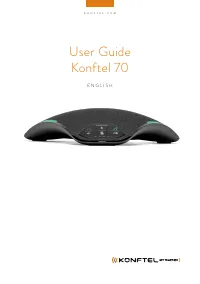
Konftel Ego - User Manual
Konftel Ego Telephone – User Manual, read for free online in PDF format. We hope this helps you resolve any issues you may have. If you have further questions, please contact us through the contact form.
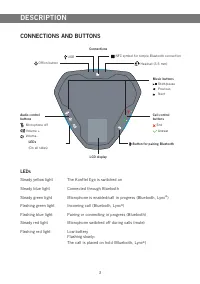
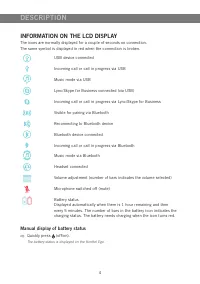
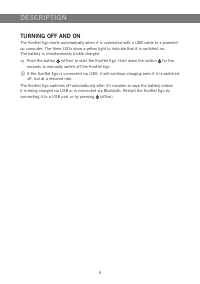
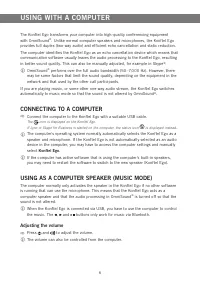
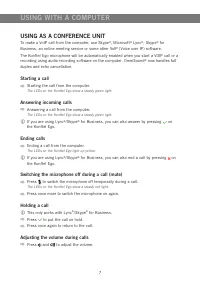
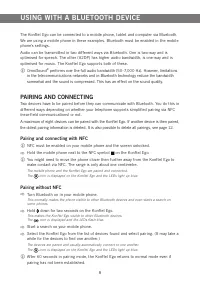
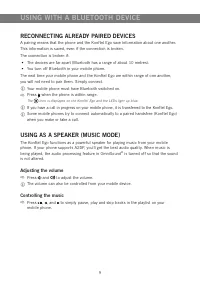
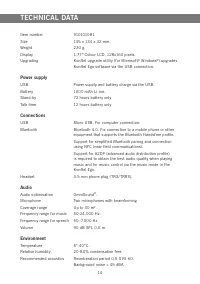

Table of Contents:
- Page 3 – CONTENTS
- Page 4 – MAINTENANCE; INTRODUCTION
- Page 5 – DESCRIPTION; LEDs; CONNECTIONS AND BUTTONS
- Page 6 – INFORMATION ON THE LCD DISPLAY; Manual display of battery status
- Page 7 – TURNING OFF AND ON
- Page 8 – CONNECTING TO A COMPUTER; Adjusting the volume; USING WITH A COMPUTER
- Page 9 – USING AS A CONFERENCE UNIT
- Page 10 – PAIRING AND CONNECTING; Pairing and connecting with NFC; Pairing without NFC; USING WITH A BLUETOOTH DEVICE
- Page 11 – RECONNECTING ALREADY PAIRED DEVICES
- Page 13 – USING A HEADSET
- Page 14 – KEYPAD TONE; CLEARING THE LIST OF PAIRED DEVICES; SETTINGS
- Page 15 – INSTALLING KONFTEL UPGRADE UTILITY; UPGRADING SOFTWARE; UPGRADING SOFTWARE
- Page 16 – TECHNICAL DATA
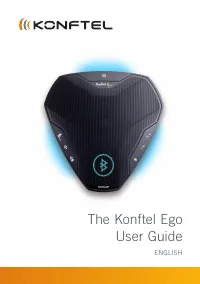
The Konftel Ego
User Guide
ENGLISH
"Loading the manual" means you need to wait until the file loads and becomes available for online reading. Some manuals are very large, and the time they take to appear depends on your internet speed.
Was this manual helpful?
About this manual
- Brand
- Konftel
- Model
- Ego
- Document type
- User Manual
- Category
- Telephone
- Language(s)
- English
- Pages
- 17
- File size
- 3.3 MB
- Format
Summary
1 CONTENTS Introduction 2 Maintenance ................................................................................... 2 Description 3 Connections and buttons .................................................................. 3Information on the LCD display ..........................................
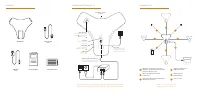
2 The Konftel Ego is a conference unit that can be connected to your mobile phone, tablet and computer to obtain crystal-clear, powerful OmniSound ® audio in your virtual meetings. • OmniSound ® audio optimisation technology with full duplex, echo cancellation and static reduction in HD bandwidth. (...
3 DESCRIPTION Connections Audio control buttons Microphone off Volume + Volume - Call control buttons End Answer Music buttons Start/pause Previous Next LEDs Steady yellow light The Konftel Ego is switched on Steady blue light Connected through Bluetooth Steady green light Microphone is enabled/call...