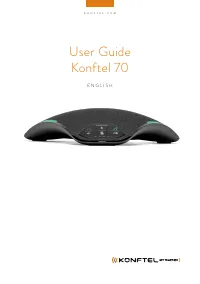
Konftel 800 - User Manual
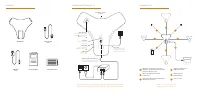
The Konftel 800 is a versatile audio conferencing device designed for networked voice communication, often used in professional video conferencing setups. This manual covers essential aspects of its operation, including physical setup, connectivity configurations–such as wired (USB or Ethernet) and wireless (Bluetooth)–and system expansion via compatible accessories like cables, microphones, and power injectors. The document also highlights broader integration with related hardware, such as cameras and hubs, emphasizing its role in scalable audio-visual conferencing environments.
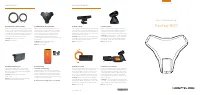
CO N T EN T S
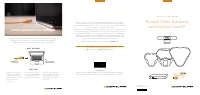
CO N N EC T I O N S A N D S E T U P
CO N N EC T I V I T Y
Audio expansion
Connect Konftel Daisy-chain
Cables
1
or Konftel Smart
Microphones
3
Micro USB
Connect the included
USB cable to laptop
4
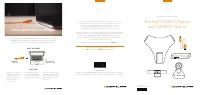
Basic setup
Connect the included net-
work cable to an existing
network with PoE support
Optional setup with PoE injector
Connect the included network cable
to Konftel PoE Injector (accessory)
Network
Connect the included
network cable
USB Host
For future use/
accessories
Konftel 800
Network cable
7.5 m
Safety Information
USB cable
1.5 m
Get started guide
AU
DI
O
2
1
Register your product at konftel.com
to get free updates and latest news
For more information, please find installation guide at konftel.com/support/konftel-800
For Zero Touch Installation, please find information at konftel.com/academy/konftel-zti
1
1
1
2
Bluetooth
®
Audio
Expand the coverage by connecting three
Konftel 800 in a daisy chain by use of Konftel
Daisy chain cables (accessory)
Expand the audio pick-up with Konftel Smart
Microphones (accessory)
USB audio for collaboration
(USB cable included)
Built in support for
Konftel Unite app
3
3
4
3
4
2
5
6
6
NFC for quick Bluetooth
®
pairing of
mobile devices
5
L A N
L A N
Kensington
®
security
lock port
"Loading the manual" means you need to wait until the file loads and becomes available for online reading. Some manuals are very large, and the time they take to appear depends on your internet speed.
Was this manual helpful?
About this manual
- Brand
- Konftel
- Model
- 800
- Document type
- User Manual
- Category
- Telephone
- Language(s)
- English
- Pages
- 2
- File size
- 1 MB
- Format