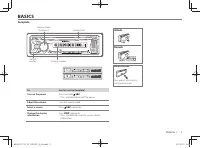
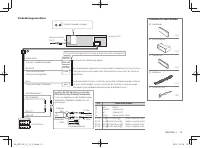
Page 5 - BASICS; Faceplate
3 KDC-201 KDC-101 BASICS To Do this (on the faceplate) Turn on the power Press and hold SRC . • Press and hold to turn off the power. Adjust the volume Turn the volume knob. Select a source Press SRC repeatedly. Change the display information Press DISP repeatedly. • Press and hold to scroll the cur...
Page 6 - GETTING STARTED
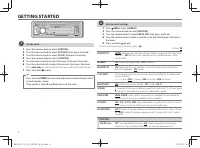
4 GETTING STARTED Set the clock 1 Press the volume knob to enter [FUNCTION] . 2 Turn the volume knob to select [SETTINGS] , then press the knob. 3 Turn the volume knob to select [CLOCK] , then press the knob. 4 Press the volume knob to select [CLOCK ADJ] . 5 Turn the volume knob to adjust the hour, ...
Page 7 - RADIO
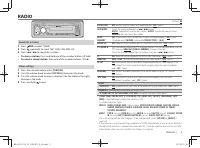
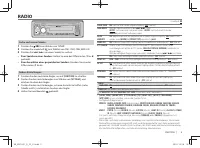
5 ENGLISH | RADIO Search for a station 1 Press SRC to select TUNER. 2 Press repeatedly to select FM1, FM2, FM3, MW/ LW. 3 Press 4 / ¢ to search for a station. • To store a station: Press and hold one of the number buttons ( 1 to 6 ). • To select a stored station: Press one of the number buttons ( 1 ...
Page 9 - AUX
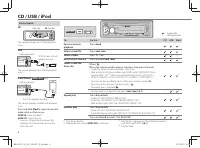
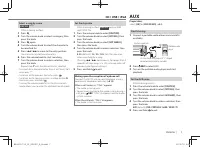
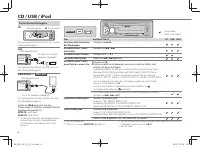
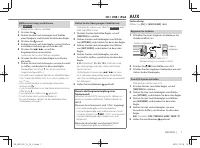
7 ENGLISH | Select a song by name ( KDC-201 only) While listening to iPod... 1 Press . 2 Turn the volume knob to select a category, then press the knob. 3 Press again. 4 Turn the volume knob to select the character to be searched for. 5 Press 4 / ¢ to move to the entry position. You can enter up to ...
Page 10 - AUDIO SETTINGS
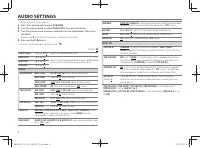
8 AUDIO SETTINGS While listening to any source... 1 Press the volume knob to enter [FUNCTION] . 2 Turn the volume knob to select [AUDIO CTRL] , then press the knob. 3 Turn the volume knob to make a selection (see the table below), then press the knob. Repeat step 3 until the desired item is selected...
Page 11 - DISPLAY SETTINGS; MORE INFORMATION
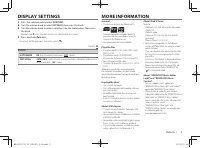
9 ENGLISH | DISPLAY SETTINGS 1 Press the volume knob to enter [FUNCTION] . 2 Turn the volume knob to select [SETTINGS] , then press the knob. 3 Turn the volume knob to make a selection (see the table below), then press the knob. Repeat step 3 until the desired item is selected or activated. 4 Press ...
Page 12 - TROUBLESHOOTING
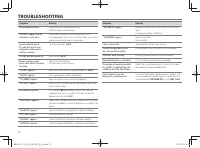
10 TROUBLESHOOTING Symptom Remedy Sound cannot be heard. • Adjust the volume to the optimum level.• Check the cords and connections. “PROTECT” appears and no operations can be done. Check to be sure the terminals of the speaker wires are insulated properly, then reset the unit. If this does not solv...
Page 13 - SPECIFICATIONS
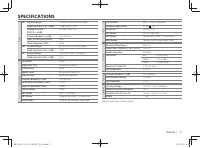
11 ENGLISH | SPECIFICATIONS Tuner FM Frequency Range 87.5 MHz to 108 MHz (50 kHz space) Usable Sensitivity (S/N = 26 dB) 7.2 dBf (0.63 μV/75 Ω) Quieting Sensitivity (DIN S/N = 46 dB) 15.2 dBf (1.6 μV/75 Ω) Frequency Response (±3 dB) 30 Hz to 15 kHz Signal‑to‑Noise Ratio (MONO) 75 dB Stereo Separatio...
Page 14 - INSTALLATION / CONNECTION; Warning; Caution
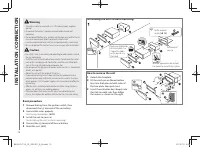
12 INSTALLATION / CONNECTION Do the required wiring. ( ➜ 13) Dashboard of your car Bend the appropriate tabs to hold the mounting sleeve firmly in place. How to remove the unit1 Detach the faceplate. 2 Fit the catch pin on the extraction keys into the holes on both sides of the trim plate, then pull...
Page 15 - Wiring connection
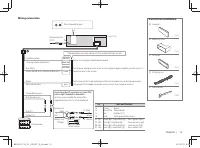
13 ENGLISH | REMOTE CONT STEERING WHEEL REMOTE INPUT MUTE P. CONT ANT CONT R L REAR/SW Wiring connection Part list for installation Fuse (10 A) Antenna terminal (JASO) ( ×4 ) ( ×4 ) ( ×2 ) ( ×1 ) ( ×1 ) ( ×1 ) ( ×1 ) A Faceplate B Mounting sleeve C Trim plate D Wiring harness E Extraction key Light ...
Page 17 - GRUNDLAGEN; Frontblende
3 GRUNDLAGEN Zum Verfahren Sie so (auf der Frontblende) Einschalten Halten Sie SRC gedrückt. • Zum Ausschalten halten Sie die Taste gedrückt. Einstellen der Lautstärke Drehen Sie den Lautstärke-Regler. Quelle auswählen Drücken Sie SRC wiederholt. Ändern der Display- Information Drücken Sie DISP wied...
Page 18 - ERSTE SCHRITTE
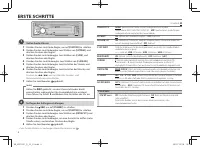
4 ERSTE SCHRITTE Standard: XX PRESET TYPE NORM : Speichert einen Sender für jede Sendespeichertaste in jedem Frequenzband (FM1/ FM2/ FM3/ MW/ LW). ; MIX : Speichert einen Sender für jede Sendespeichertaste ungeachtet des Frequenzbands. KEY BEEP ON : Aktiviert den Tastenberührungston. ; OFF : Deaktiv...
Page 22 - AUDIOEINSTELLUNGEN
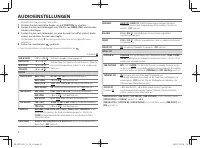
8 AUDIOEINSTELLUNGEN Während des Hörens einer Tonquelle... 1 Drücken Sie den Lautstärke-Regler, um auf [FUNCTION] zu schalten. 2 Drehen Sie den Lautstärkeregler zum Wählen von [AUDIO CTRL] , und drücken Sie dann den Regler. 3 Drehen Sie den Lautstärkeregler, um eine Auswahl zu treffen (siehe Tabelle...
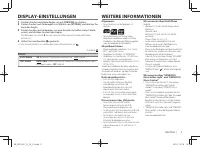
Page 23 - DISPLAY-EINSTELLUNGEN; WEITERE INFORMATIONEN
9 DEUTSCH | DISPLAY-EINSTELLUNGEN 1 Drücken Sie den Lautstärke-Regler, um auf [FUNCTION] zu schalten. 2 Drehen Sie den Lautstärkeregler zum Wählen von [SETTINGS] , und drücken Sie dann den Regler. 3 Drehen Sie den Lautstärkeregler, um eine Auswahl zu treffen (siehe Tabelle unten), und drücken Sie da...
Page 24 - FEHLERSUCHE
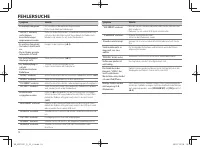
10 FEHLERSUCHE Symptom Abhilfe Es wird kein Ton gehört. • Die Lautstärke auf den optimalen Pegel einstellen. • Prüfen Sie die Kabel und Verbindungen. “PROTECT” erscheint, und es können keine Bedienungen vorgenommen werden. Prüfen Sie, ob die Klemmen der Lautsprecherdrähte richtig isoliert sind, und ...
Page 25 - TECHNISCHE DATEN
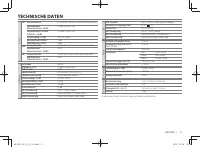
11 DEUTSCH | TECHNISCHE DATEN Tuner FM Frequenzbereich 87,5 MHz bis 108,0 MHz (50 kHz-Abstimmschritte) Empfindlichkeit (Rauschabstand = 26 dB) 7,2 dBf (0,63 μV/75 Ω) Empfindlichkeitsschwelle (DIN S/N = 46 dB) 15,2 dBf (1,6 μV/75 Ω) Frequenzgang (±3 dB) 30 Hz bis 15 kHz Rauschabstand (MONO) 75 dB Kan...
Page 26 - Grundlegendes Verfahren
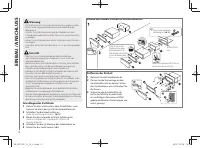
12 EINBAU / ANSCHLUSS Führen Sie die erforderliche Verkabelung aus. ( ➜ 13) Armaturenbrett Ihres Autos Biegen Sie die entsprechenden Metalllaschen, um die Einbauhalterung sicher festzuhalten. Entfernen der Einheit1 Nehmen Sie die Frontblende ab. 2 Passen Sie die Vorsprünge an den Ausziehschlüsseln a...
Page 27 - Verdrahtungsanschluss
13 DEUTSCH | REMOTE CONT STEERING WHEEL REMOTE INPUT MUTE P. CONT ANT CONT R L REAR/SW Verdrahtungsanschluss Teileliste für den Einbau Sicherung (10 A) Antennenanschluss(JASO) ( ×4 ) ( ×4 ) ( ×2 ) ( ×1 ) ( ×1 ) ( ×1 ) ( ×1 ) A Frontblende B Einbauhalterung C Frontrahmen D Kabelbaum E Ausziehschlüsse...
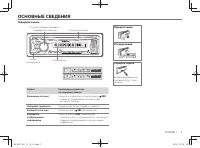
Page 29 - ОСНОВНЫЕ СВЕДЕНИЯ; Передняя панель
3 ОСНОВНЫЕ СВЕДЕНИЯ Задача Необходимые действия (на передней панели) Включение питания Нажмите и удерживайте нажатой кнопку SRC . • Нажмите и удерживайте нажатой, чтобы отключить питание. Настройка громкости Поверните ручку регулировки громкости. Выберите источник Нажмите кнопку SRC несколько раз. И...
Page 30 - НАЧАЛО ЭКСПЛУАТАЦИИ
4 НАЧАЛО ЭКСПЛУАТАЦИИ Настройка часов 1 Нажмите ручку регулировки громкости для перехода в режим [FUNCTION] . 2 Поверните ручку регулировки громкости для выбора элемента [SETTINGS] , а затем нажмите ее. 3 Поверните ручку регулировки громкости для выбора элемента [CLOCK] , а затем нажмите ее. 4 Нажми...
Page 31 - РАДИОПРИЕМНИК
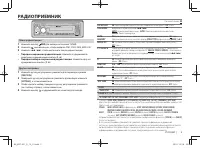
5 РУССКИЙ | РАДИОПРИЕМНИК Поиск радиостанции 1 Нажмите кнопку SRC для выбора источника TUNER. 2 Нажмите несколько раз, чтобы выбрать FM1, FM2, FM3, MW/ LW. 3 Нажмите 4 / ¢ , чтобы выполнить поиск радиостанции. • Порядок сохранения радиостанции: Нажмите и удерживайте нажатыми нумерованные кнопк...
Page 34 - ЗВУКОВЫЕ НАСТРОЙКИ
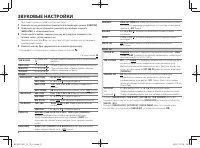
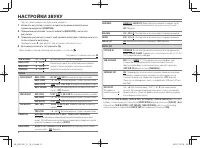
8 ЗВУКОВЫЕ НАСТРОЙКИ При прослушивании любого источника звука... 1 Нажмите ручку регулировки громкости для перехода в режим [FUNCTION] . 2 Поверните ручку регулировки громкости для выбора элемента [AUDIO CTRL] , а затем нажмите ее. 3 Чтобы сделать выбор, поверните ручку регулировки громкости (см. та...
Page 35 - НАСТРОЙКИ ДИСПЛЕЯ; ДОПОЛНИТЕЛЬНАЯ ИНФОРМАЦИЯ
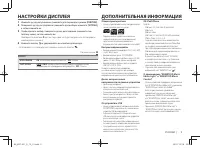
9 РУССКИЙ | НАСТРОЙКИ ДИСПЛЕЯ 1 Нажмите ручку регулировки громкости для перехода в режим [FUNCTION] . 2 Поверните ручку регулировки громкости для выбора элемента [SETTINGS] , а затем нажмите ее. 3 Чтобы сделать выбор, поверните ручку регулировки громкости (см. таблицу ниже), затем нажмите ее. Повтор...
Page 36 - УСТРАНЕНИЕ ПРОБЛЕМ
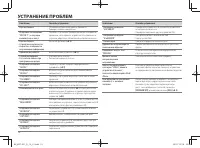
10 УСТРАНЕНИЕ ПРОБЛЕМ Симптомы Способы устранения Звук не слышен. • Установите оптимальный уровень громкости.• Проверьте кабели и соединения. Отображается сообщение “PROTECT” , и операции выполняться не могут. Убедитесь, что выводы проводов динамика изолированы правильно, затем сбросьте устройство. ...
Page 37 - ТЕХНИЧЕСКИЕ ХАРАКТЕРИСТИКИ
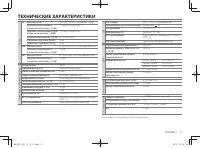
11 РУССКИЙ | ТЕХНИЧЕСКИЕ ХАРАКТЕРИСТИКИ Тюнер FM Диапазон частот от 87,5 до 108,0 МГц (с интервалом 50 кГц) Полезная чувствительность (отношение сигнал/шум = 26 дБ) 7,2 дБф (0,63 мкВ/75 Ом) Пороговая чувствительность (ДИН отношение сигнал/шум = 46 дБ) 15,2 дБф (1,6 мкВ/75 Ом) Частотная характеристик...
Page 38 - УСТАНОВКА И ПОДКЛЮЧЕНИЕ; Порядок извлечения
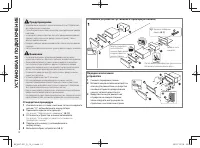
12 УСТАНОВКА И ПОДКЛЮЧЕНИЕ Подключите необходимые провода. ( ➜ 13) Приборная панель автомобиля Отогните соответствующие фиксаторы, предназначенные для прочной установки посадочного корпуса. Порядок извлечения устройства1 Снимите переднюю панель. 2 Вставьте соединительный штифт на ключах для демонтаж...
Page 39 - Подключение проводов
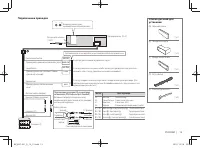
13 РУССКИЙ | REMOTE CONT STEERING WHEEL REMOTE INPUT MUTE P. CONT ANT CONT R L REAR/SW Подключение проводов Список деталей для установки Предохранитель (10 A) Разъем для антенны(JASO) ( ×4 ) ( ×4 ) ( ×2 ) ( ×1 ) ( ×1 ) ( ×1 ) ( ×1 ) A Передняя панель B Посадочный корпус C Декоративная панель D Жгут ...
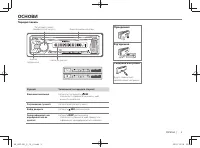
Page 41 - ОСНОВИ; Передня панель
3 ОСНОВИ Функція Увімкнення (на передній стороні) Вмикання живлення Натисніть та утримуйте SRC . • Натисніть та утримуйте цю кнопку, щоб вимкнути живлення. Регулювання гучності Натисніть регулятор гучності. Вибір джерела Натисніть SRC декілька разів. Зміна інформації, що відображається на дисплеї На...
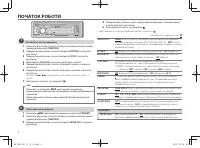
Page 42 - ПОЧАТОК РОБОТИ
4 ПОЧАТОК РОБОТИ Встановіть час на годиннику 1 Натисніть регулятор гучності, активується режим налаштування параметрів функцій ( [FUNCTION] ). 2 Поворотом регулятора гучності виберіть [SETTINGS] і натисніть регулятор. 3 Поворотом регулятора гучності виберіть [CLOCK] і натисніть регулятор. 4 Щоб обра...
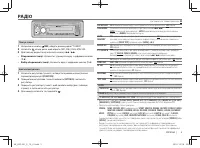
Page 43 - РАДІО
5 УКРАЇНА | РАДІО Пошук станції 1 Натискаючи кнопку SRC , оберіть режим радіо (“TUNER”). 2 Натисніть кілька разів, щоб обрати FM1, FM2, FM3, MW/ LW. 3 Для пошуку радіостанції натисніть кнопку 4 / ¢ . • Збереження станції: Натисніть і утримуйте одну з цифрових кнопок ( 1 - 6 ). • Вибір збережен...
Page 46 - НАСТРОЙКИ ЗВУКУ
8 НАСТРОЙКИ ЗВУКУ Під час прослуховування будь-якого джерела... 1 Натисніть регулятор гучності, активується режим налаштування параметрів функцій ( [FUNCTION] ). 2 Поворотом регулятора гучності виберіть [AUDIO CTRL] і натисніть регулятор. 3 Поверніть регулятор гучності, щоб зробити вибір (див. табли...
Page 47 - НАСТРОЙКИ ЭКРАНУ; ДОДАТКОВІ ВІДОМОСТІ
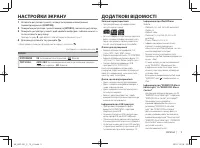
9 УКРАЇНА | НАСТРОЙКИ ЭКРАНУ 1 Натисніть регулятор гучності, активується режим налаштування параметрів функцій ( [FUNCTION] ). 2 Поворотом регулятора гучності виберіть [SETTINGS] і натисніть регулятор. 3 Поверніть регулятор гучності, щоб зробити вибір (див. таблицю нижче), а потім натисніть регулято...
Page 48 - НЕСПРАВНОСТІ
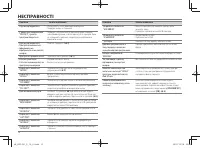
10 НЕСПРАВНОСТІ Симптом Засоби виявлення Звук не відтворюється. • Налаштуйте гучність до оптимального рівня.• Перевірте шнури та з ’єднання. З’являється повідомлення “PROTECT”, і робота пристрою блокується. Перевірте, чи клеми кабелів динаміків добре захищені ізоляційною стрічкою, а потім перезапуст...
Page 49 - ХАРАКТЕРИСТИКИ
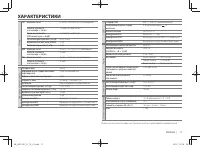
11 УКРАЇНА | ХАРАКТЕРИСТИКИ Тюнер FM Діапазон частот 87,5 МГц-108,0 МГц (50 кГц просторових) Реальна чутливість (сигнал/шум = 26 дБ) 7,2 дБф (0,63 мкВ/75 Ом) Гранична чутливість (ДІН сигнал/шум = 46 дБ) 15,2 дБф (1,6 мкВ/75 Ом) Частотна характеристика (±3 дБ) 30 Гц-15 кГц Відношення сигнал/шум (MONO...
Page 50 - ВСТАНОВЛЕННЯ / З’ЄДНАННЯ; Установка пристрою (монтаж автомагнітоли)
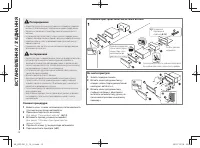
12 ВСТАНОВЛЕННЯ / З’ЄДНАННЯ Не вимагає підключення кабелів. ( ➜ 13) Панель приладів автомобіля Зігніть відповідні лапки так, щоб монтажний кожух був надійно закріплений у відсіку панелі приборів. Як зняти пристрій1 Зніміть передню панель. 2 Вставте ключі для демонтажу у отвори з обох сторін декорати...
Page 51 - Підключення проводів
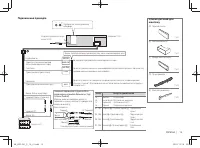
13 УКРАЇНА | REMOTE CONT STEERING WHEEL REMOTE INPUT MUTE P. CONT ANT CONT R L REAR/SW Підключення проводів Список деталей для монтажу Запобіжник (10 A) Гніздо для підключення штекера антени (JASO) ( ×4 ) ( ×4 ) ( ×2 ) ( ×1 ) ( ×1 ) ( ×1 ) ( ×1 ) A Передня панель B Монтажний кожух C Декоративна накл...