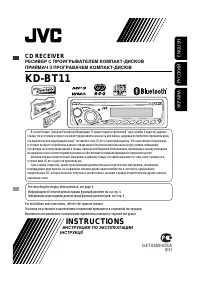
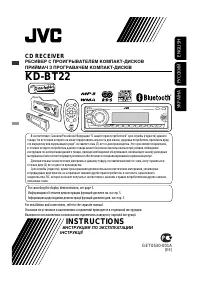
JVC KD-R45 - Manual

A user manual for JVC KD-R521/KD-R422/KD-R421/KD-R45 car audio receivers covers essential operational topics like safety, setup, and playback controls. The guide includes detailed instructions on handling laser-based systems, managing disc and USB/iPod/iPhone connectivity, adjusting audio settings (volume, presets, RDS stations), troubleshooting common issues, and remote control functionality. It also addresses maintenance, compatibility warnings, and technical specifications for in-car entertainment.


Table of Contents:
- Page 1 – Product Identification and Compatibility Information
- Page 2 – Laser Product Safety and Environmental Guidelines
- Page 3 – Unit Maintenance and Disc Handling Procedures
- Page 4 – Display and Clock Adjustment Procedures
- Page 5 – Car Audio Unit Operation and Component Functions
- Page 6 – Radio Reception and Station Presets
- Page 7 – FM Radio Data System Features
- Page 8 – Disc Playback Management
- Page 9 – External Audio Device Connection
- Page 10 – USB Playback Instructions and Cautions
- Page 11 – iPod/iPhone Audio Playback via USB
- Page 12 – Playback Modes and Sound Preset Settings
- Page 13 – Car Audio System Menu Navigation
- Page 14 – Audio and Tuner Parameter Settings
- Page 15 – Remote Controller Operation
- Page 16 – Troubleshooting Guide
- Page 17 – Media Playback Error Resolution
- Page 18 – Bluetooth Device Integration
- Page 19 – Technical Specifications and Compatibility
- Page 20 – Laser Product Usage Safety Warnings
- Page 21 – French Manual Maintenance and Disc Compatibility
ENGLISH
FRANÇAIS
GET0705-003A
[E/EU]
EN, FR
1010DTSMDTJEIN
© 2010 Victor Company of Japan, Limited
KD-R521/KD-R422/
KD-R421/KD-R45
CD RECEIVER / RÉCEPTEUR CD
For canceling the display demonstration, see page 4. / Pour annuler la démonstration des
affichages, référez-vous à la page 4.
INSTRUCTIONS
MANUEL D’INSTRUCTIONS
For installation and connections, refer to the separate manual.
Pour l’installation et les raccordements, se référer au manuel séparé.
Dear Customer,
This apparatus is in conformance with the valid
European directives and standards regarding
electromagnetic compatibility and electrical safety.
European representative of Victor Company of
Japan, Limited is:
JVC Technical Services Europe GmbH
Postfach 10 05 04
61145 Friedberg
Germany
Cher(e) client(e),
Cet appareil est conforme aux directives et
normes européennes en vigueur concernant la
compatibilité électromagnétique et à la sécurité
électrique.
Représentant européen de la société Victor
Company of Japan, Limited:
JVC Technical Services Europe GmbH
Postfach 10 05 04
61145 Friedberg
Allemagne
Having TROUBLE with operation?
Please reset your unit
Refer to page of How to reset your unit
Vous avez des PROBLÈMES de fonctionnement?
Réinitialisez votre appareil
Référez-vous à la page intitulée Comment réinitialiser votre appareil
CoverRear_KD-R521_003A_1.indd 1-2
CoverRear_KD-R521_003A_1.indd 1-2
9/7/10 5:20:05 PM
9/7/10 5:20:05 PM
"Loading the manual" means you need to wait until the file loads and becomes available for online reading. Some manuals are very large, and the time they take to appear depends on your internet speed.
Was this manual helpful?
About this manual
- Brand
- JVC
- Model
- KD-R45
- Document type
- Manual
- Category
- Car Radio
- Language(s)
- English
- Pages
- 21
- File size
- 741.7 KB
- Format
Summary
Cover information, product image, compatibility details for iPod/iPhone, WMA, and MP3 formats, along with references for troubleshooting and installation.
Safety warnings for laser products, disposal guidelines for batteries and equipment, precautions regarding volume settings, DualDisc playback, and handling condensation and temperature in vehicles.
Instructions for attaching/detaching the control panel, resetting the unit, forcibly ejecting discs, cleaning procedures, disc compatibility details, and manual table of contents.