JVC KD-G431 - Manual

A user manual for the JVC KD-G431 CD receiver covers its core functions as a multi-format audio system, including FM/AM/DAB radio tuning, CD playback, MP3/WMA disc support via a detachable CD changer, and advanced features like RDS programming data, station presets, and sound customization. The guide also addresses safety considerations–such as laser protection, extreme-environment operation, and proper disposal–and provides detailed instructions for remote control setup, troubleshooting common issues (e.g., playback errors, signal loss), and maintenance tasks like disc handling or connector care. Key topics include connectivity, media compatibility, operational modes, and system diagnostics.


Table of Contents:
- Page 1 – Product Introduction and Supported Formats
- Page 2 – Safety Warnings and Unit Operation
- Page 3 – Control Panel Operation and Safety Notes
- Page 4 – Car Audio Control Panel Component Identification
- Page 5 – Basic Device Operation
- Page 6 – Radio Station Searching and Storage
- Page 7 – FM RDS Features and Preset Management
- Page 8 – Standby Reception and Network Tracking
- Page 9 – Automatic Station Selection and Disc Playback
- Page 10 – CD Changer Navigation and Control
- Page 11 – Display Information and Playback Modes
- Page 12 – Sound Setting Adjustments
- Page 13 – General Settings and PSM Management
- Page 14 – Radio and Audio System Settings
- Page 15 – DAB Tuner Operations
- Page 16 – DAB Service Storage and External Device Operation
- Page 17 – External Input and Media Selection
- Page 18 – Media Playback Modes and External Connections
- Page 19 – Remote Controller Operation
- Page 20 – Control Button Functions and Maintenance
- Page 21 – Disc Maintenance and Radio Station Management
- Page 22 – Media Playback Specifications and Cautions
- Page 23 – Operational Limitations and Device Settings
- Page 24 – Audio Equipment Troubleshooting Guide
- Page 25 – MP3/WMA and DAB Troubleshooting
- Page 26 – iPod/D.player Playback Troubleshooting
- Page 27 – Audio System Technical Specifications
- Page 28 – System Troubleshooting and Compliance
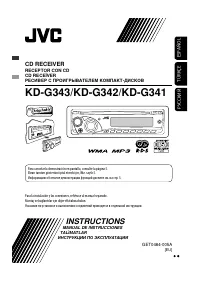
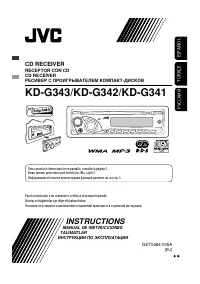
CD RECEIVER
KD-G431
For installation and connections, refer to the separate manual.
INSTRUCTIONS
GET0410-003A
[EX/EU]
For canceling the display demonstration, see page 5.
Cover_KD-G431_003A_f.indd 1
9/25/06 2:52:51 PM
"Loading the manual" means you need to wait until the file loads and becomes available for online reading. Some manuals are very large, and the time they take to appear depends on your internet speed.
Was this manual helpful?
About this manual
- Brand
- JVC
- Model
- KD-G431
- Document type
- Manual
- Category
- Car Radio
- Language(s)
- English
- Pages
- 28
- File size
- 1.9 MB
- Format
Summary
Introduction to the CD receiver, device illustration highlighting detachable features, supported audio formats including WMA, MP3, R-D-S, and Compact Disc Digital Audio.
Safety precautions for laser products, disposal guidelines, warnings against operation while driving, unit resetting procedures, forced disc ejection, and remote control functions.
Instructions for using the M MODE button, detaching and attaching the control panel, table of contents, safety notes regarding volume levels and extreme temperatures, and security ID card information.