JVC KD-G333 - Manual

JVC KD-G333 Car Radio – Manual, read for free online in PDF format. We hope this helps you resolve any issues you may have. If you have further questions, please contact us through the contact form.


Table of Contents:
- Page 2 – How to reset your unit; How to forcibly eject a disc; IMPORTANT FOR LASER PRODUCTS
- Page 3 – ENGLISH; How to use the M MODE button; Detaching the control panel; CONTENTS; Control panel —
- Page 4 – Parts identification; Display window
- Page 5 – Basic settings; Canceling the display demonstrations; Getting started; Basic operations; To turn off the power
- Page 6 – To restore the stereo effect,; Storing stations in memory; FM station automatic presetting —; Select the FM band (FM1 – FM3) you want to; Manual presetting; Radio operations; Start searching for a station.; Select a desired station frequency.
- Page 7 – Start searching for your favorite; Storing your favorite programme; Listening to a preset station; FM RDS operations; What you can do with RDS; Frequency
- Page 8 – PTY Standby Reception; Tracing the same programme—; TA Standby Reception
- Page 9 – Automatic station selection—; PTY codes; Disc operations; Playing a disc in the unit; Station
- Page 10 – Prohibiting disc ejection; Changing the display information; While playing an audio CD or a CD; Selecting the playback modes
- Page 11 – Sound adjustments; Adjusting the sound
- Page 12 – General settings — PSM
- Page 14 – Maintenance; How to clean the connectors; When storing a disc into its case,; To keep discs clean; Do not use the following discs:
- Page 15 – More about this unit
- Page 16 – General settings—PSM
- Page 17 – Symptoms; Troubleshooting
- Page 19 – Specifications; AUDIO AMPLIFIER SECTION; FM Tuner; CD PLAYER SECTION
- Page 20 – Having TROUBLE with operation?; Please reset your unit; Refer to page of How to reset your unit
CD RECEIVER
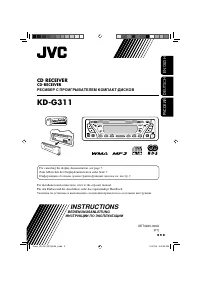
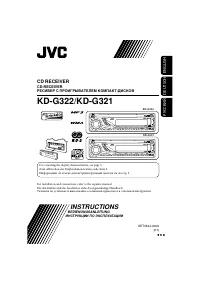
KD-G333/KD-G332/KD-G331
For installation and connections, refer to the separate manual.
INSTRUCTIONS
GET0406-003A
[EX/EU]
For canceling the display demonstration, see page 5.
Cover_KD-G333_003A_f.indd 1
8/29/06 3:24:44 PM
"Loading the manual" means you need to wait until the file loads and becomes available for online reading. Some manuals are very large, and the time they take to appear depends on your internet speed.
Was this manual helpful?
About this manual
- Brand
- JVC
- Model
- KD-G333
- Document type
- Manual
- Category
- Car Radio
- Language(s)
- English
- Pages
- 20
- File size
- 1.7 MB
- Format
Other Manuals for JVC KD-G333
Summary
2 ENGLISH Caution on volume setting: Discs produce very little noise compared with other sources. Lower the volume before playing a disc to avoid damaging the speakers by the sudden increase of the output level. How to reset your unit • Your preset adjustments will also be erased. How to forcibly ej...
ENGLISH 3 How to use the M MODE button If you press M MODE, the unit goes into functions mode, then the number buttons and ¢ / 4 buttons work as different function buttons. Ex.: When number button 2 works as MO (monaural) button. To use these buttons for their original functions again after pressing...
4 ENGLISH o (control panel release) button ; Disc information indicators— TAG (Tag information), (track/file), (folder) a DISC indicator s Playback mode / item indicators—RND (random), (disc), (folder), RPT (repeat) d RDS indicators—AF, REG, TP, PTY f Tuner reception indicators—MO (monaural), ST (st...