iRobot E515000 - User Manual
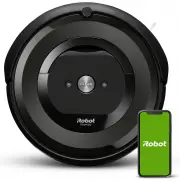
iRobot E515000 Vacuum – User Manual, read for free online in PDF format. We hope this helps you resolve any issues you may have. If you have further questions, please contact us through the contact form.


Table of Contents:
- Page 2 – CAUTION; NOTICE; WARNING
- Page 4 – About your Roomba
- Page 5 – Using Your Roomba
- Page 6 – Accessories
- Page 7 – Care and Maintenance
- Page 10 – Troubleshooting
- Page 11 – iRobot Customer Care
- Page 12 – Regulator y Information
EN
This is the safety alert symbol. It is used to alert you to potential physical injury hazards.
Obey all safety messages that follow this symbol to avoid possible injury or death.
WARNING: When using an electrical appliance, basic precautions should always be followed,
including the following:
WARNING: To reduce the risk of injury or damage, read and follow the safety precautions when
setting up, using and maintaining your robot.
WARNING: Cancer and Reproductive Harm – www.P65Warnings.ca.gov/product
This appliance can be used by children aged from 8 years and above and persons with
reduced physical, sensory or mental capabilities or lack of experience and knowledge if they
have been given supervision or instruction concerning use of the appliance in a safe way and
understand the hazards involved. Children shall not play with the appliance. Cleaning and user
maintenance shall not be made by children without supervision.
Safety Information
Important Safety Information
READ ALL INSTRUCTIONS
SAVE THESE INSTRUCTIONS
BFP
Risk of electric shock
Class II equipment
Read operator’s
manual
Risk of fire
For indoor use only
Keep out of reach
of children
Backfeed Protection
General symbol for
recycling
Indicates output
polarity
Rated power
input, d.c.
Rated power
output, d.c.
Separate Supply Unit
Rated power
input, a.c.
"Loading the manual" means you need to wait until the file loads and becomes available for online reading. Some manuals are very large, and the time they take to appear depends on your internet speed.
Summary
EN CAUTION • Be aware that the robot moves on its own. Take care when walking in the area that the robot is operating in to avoid stepping on it. • Do not operate the robot in areas with exposed electrical outlets in the floor. • Do not use this device to pick up sharp objects, glass, or anything th...
1 For more information, visit global.irobot.com EN Bottom View Top View Light Touch Sensor Faceplate Dust Bin and Filter Handle Charging Contacts RCON Sensor IR Sensor Window RCON Sensor Charging Contacts Caster Wheel Cliff Sensor Cliff Sensor Cliff Sensor Edge-Sweeping Brush Multi-Surface Brushes C...
Roomba ® e5 Owner’s Guide 2 EN Using Your Roomba ® Robot Vacuum Note: Your robot comes with a partial charge, but we recommend that you charge the robot on the Home Base for 3 hours prior to starting the first complete cleaning cycle. Note: Remove excess clutter from floors before cleaning (e.g. clo...


