Instrumax SNIPER 50 PLUS - User Manual

Instrumax SNIPER 50 PLUS Measuring Instrument – User Manual, read for free online in PDF format. We hope this helps you resolve any issues you may have. If you have further questions, please contact us through the contact form.
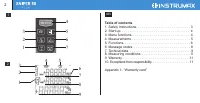
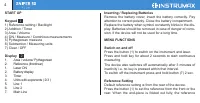
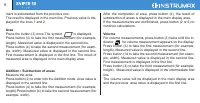
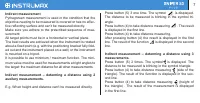
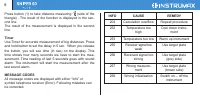
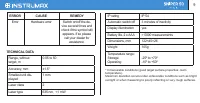
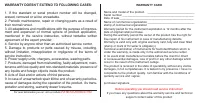
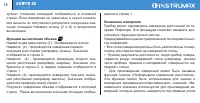

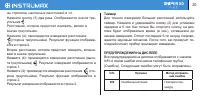
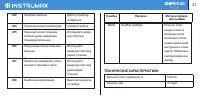
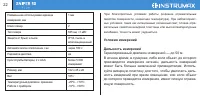
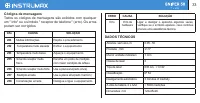
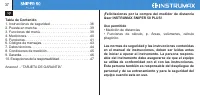
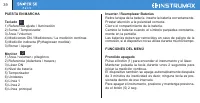
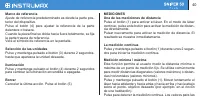
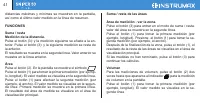
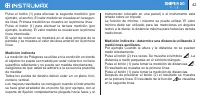
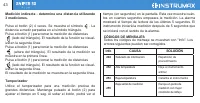
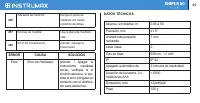
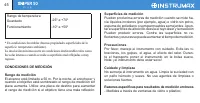
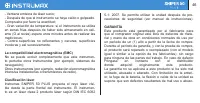
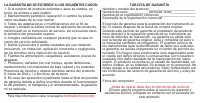
Table of Contents:
- Page 2 – Table of contents; Appendix 1- “Warranty card”
- Page 3 – Laser classification
- Page 5 – imum distance from a fixed measuring point. It is commonly
- Page 6 – Area; First measurement is displayed in the first line. The result of; Addition / Subtraction of areas; If the measurements are not finished, press button (2 or 6) to; Volume; First measurement is displayed in the first line.
- Page 7 – Indirect measurement; tive reflecting surface and can’t be measured directly.; Indirect measurement – determing a distance using 2; is displayed in the first line.; Indirect measurement – determing a distance using 3
- Page 8 – Calculation overflow
- Page 10 – Measuring conditions; has a bad reflection.; Measuring Surfaces; deflects the laser beam and measurement errors can occur.; Precautions; - Large fluctuation of temperature: if instrument will be used
- Page 11 – and loss of profits. The manufacturer, or its representatives,
- Page 12 – WARRANTY DOESN’T EXTEND TO FOLLOWING CASES:; All adaptations and modifications with the purpose of improve; WARRANTY CARD
- Page 13 – INSTRUMAX SNIPER 50 PLUS
- Page 20 – Info
- Page 21 – ТЕХНИЧЕСКИЕ ХАРАКТЕРИСТИКИ; Error
- Page 25 – Освобождение от ответственности
- Page 26 – ГАРАНТИЙНЫЕ ОБЯЗАТЕЛЬСТВА НЕ РАСПРОСТРАНЯЮТСЯ НА
- Page 28 – olina, equipamento de gás, produção química e assim por; Classificação do laser; Display; a medição de Pitágoras)
- Page 32 – Cronômetro; Use o cronômetro para medição mais precisas e de grandes; Medição indireta - Determine uma distância utilizando
- Page 33 – Códigos de mensagens; Todos os códigos de mensagens são exibidos com qualquer; DADOS TÉCNICOS
- Page 34 – Condições de Medição
- Page 36 – Antes de operar, você deve ler a instrução de serviço!; GARANTIA não se estende aos seguintes casos:
- Page 37 – TARJETA DE GARANTÍA”; sp; • Medición de distancias; en el manual de instrucciones, deben ser leídas antes
- Page 41 – Suma / resta de las áreas; visualización principal.; Volumen; veces hasta que aparezca el indicador para la medición
- Page 44 – DATOS TÉCNICOS
- Page 47 – dad alguna por daños y pérdidas de beneficios causado por; EXCEPCIONES DE LA RESPONSABILIDAD; directo, indirecto, consecuente y pérdida de beneficios.
- Page 48 – ¡Antes de operar debe leer la instrucción de servicio!
Operating manual
Laser distance meter
SNIPER 50 PLUS
WWW.INSTRUMAXTOOLS.COM
"Loading the manual" means you need to wait until the file loads and becomes available for online reading. Some manuals are very large, and the time they take to appear depends on your internet speed.
Summary
2 Table of contents 1. Safety Instructions. . . . . . . . . . . . . . . . . . . . . . . . . . . . . 3 2. Start up. . . . . . . . . . . . . . . . . . . . . . . . . . . . . . . . . . . . . 4 3. Menu functions. . . . . . . . . . . . . . . . . . . . . . . . . . . . . . . 4 4. Measurements . . . . . . . ...
Congratulations on the purchase of laser distance meter INSTRUMAX SNIPER 50 PLUS! Permitted use · Measuring distances · Computing functions, e.g. areas, volumes, Pythagorean calculation The safety regulations and instructions along with the operating manual should be read carefully before initial op...
5 rear is set. You will see the reference symbol on the display. Selecting Units Press and hold the button (6) for 2 sec. until the desired unit is displayed. Illumination Press and hold the button (1) for 2 seconds to switch the illumination on or off. Clear-Key Cancel the last action. Press button...