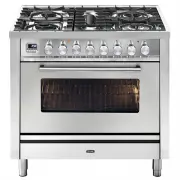
Page 2 - appliance when cooking different types of food.
Although we encourage you to dive right in, as the owner of a brand new ILVE oven we’d also like to invite you to attend a complimentary 2 hour masterclass. As part of the class you’ll learn how to prepare and cook a number of delicious signature ILVE dishes, not to mention our top tips for getting ...
Page 5 - ILVE ACCESSORIES ONLINE SHOP; For a wide range of Genuine ILVE accessories at the
OPEN 24 / 7 ILVE ACCESSORIES ONLINE SHOP For a wide range of Genuine ILVE accessories at the click of a button shop.ilve.com.au
Page 6 - iWarranty; REGISTER YOUR WARRANTY ONLINE NOW
iWarranty REGISTER YOUR WARRANTY ONLINE NOW GO TO: https://support.eurolinx.com.au/#/form/warrantyregistration As a part of our continued customer service offering, you can now register your ILVE products online at https://support.eurolinx.com.au/#/form/warrantyregistration Just follow our simple on...
Page 7 - CONTENTS; USER GUIDE
7 OPERATION / USER IMPORTANT SAFETY WARNINGS First operation of the oven INSTRUCTIONS FOR USE Using the hob Use of a steak grill Proper use of burners Use of the gas fry-top Induction Cooktop Electric Multifunction Oven Professional PLUS ‘E3’ Series Majestic Series CLEANING AND MAINTENANCE Bulb repl...
Page 8 - maintenance shall not be made by children.
8 IMPORTANT SAFETY WARNINGS • This appliance is not intended for use by persons (including children) with reduced physical, sensory or mental capabilities, or lack of experience and knowledge, unless they have been given supervision or instruction concerning use of the appliance by a person responsi...
Page 9 - data plate match those of the electrical system.
9 OPERATION / USER IMPORTANT SAFETY WARNINGS • Before powering the appliance, check that the technical features shown on the data plate match those of the electrical system. • Installation / adjustment must be carried out by qualified personnel. • Make sure that air around the appliance can circulat...
Page 10 - Avoid using extension cables
10 IMPORTANT SAFETY WARNINGS • The use of any electrical appliances requires that a number of fundamental rules must be respected: 1. Never touch the appliance when you have wet or damp hands or feet; 2. Never use the appliance barefoot; 3. Avoid using extension cables; 4. Never pull the electric ca...
Page 11 - Sales Service for advice.
11 OPERATION / USER IMPORTANT SAFETY WARNINGS • Inflammable liquids, like alcohol or gasoline, must be kept away from the appliance. • Should you use small household appliances near the cook top, please make sure that the electrical cable is not in contact with hot parts of the appliance. • The mate...
Page 12 - the cooker or restrict access to oxygen for proper combustion.; First use; «Cleaning and care section»
12 IMPORTANT SAFETY WARNINGS • Do not cover the burners or the hob with aluminium foil. • Do not use the appliance’s surface as a work top, sharp objects might scratch it. • Do not use frying pans, saucepans, grills or stones for grilling of a greater size than the maximum ones indicated for each si...
Page 13 - Do not cover the cooking zone with inflammable materials.
13 OPERATION / USER IMPORTANT SAFETY WARNINGS - INDUCTION HOBS • Do not use the hob as a working zone. • Remember to turn off the cooking zone after use. • Magnetised objects such as credit cards, floppy disks and calculators should not be placed near the appliance when it is being used. • Do not us...
Page 14 - The magnetic field produced by the induction hob; IMPORTANT SAFETY; In case of
14 • When a malfunction occurs turn off and disconnect the appliance. • If cracks appear on the glass or it is broken, • disconnect the appliance and contact your authorized service centre. • Any repairs should be made by authorized personnel. • Make sure that the pot is in the middle of the cooking...
Page 15 - INSTRUCTIONS FOR USE
15 OPERATION / USER The index above the knobs will help you to find the corresponding burner. Press the knob by turning it anti- clockwise and bring it to the ignition position; keep the knob pressed for about 5 seconds so that upon its release the flame remains alight (in case of unsuccessful ignit...
Page 16 - ID Diameter Ø (cm); cording to burner size:; Burners
16 ID Diameter Ø (cm) SR 10 ÷ 20 R 20 ÷ 24 P oval pans (380 x 185) TC/DCC 22 ÷ 28 DUAL 24 ÷ 30 Identify the knob with the help of the index near the knobs. Press and turn the knob to the maximum flame symbol for 5 seconds. Once the burner is lit, turn the knob counter clockwise. You will note some r...
Page 17 - Gridiron
17 OPERATION / USER If you want to use a grill pan a few things must be taken into account: - it is possible to preheat the grill pan on the burner’s maximum power for no more than 10 minutes; - we recommend cooking foods with reduced power; - keep at least a distance of 150 mm from the side wall to...
Page 20 - COUP FEU
20 The large “Coup feu” solid cast iron plate made of concentric rings allows you to rest the pan (or even several pans) directly on the surface (fig. B, C). It is heated by means of a gas burner (fig. A). The plate is designed to provide a moderately intense heat which is well distributed over the ...
Page 22 - INDUCTION PLATE
22 The ceramic hob remains hot for a long time after use. Do not touch the hob with your hands or let children near it. The residual heat indicator will remain on until the hob has cooled down. If any cracks appear in the ceramic material, disconnect the appliance immediately from the mains and call...
Page 25 - INDUCTION HOB
25 OPERATION / USER INSTRUCTIONS FOR USE – Use of the induction hob C B A C B A F F E G E INDUCTION HOB Mod. PI06.... Mod. PI09 - MI09 - PDI09 HNFI - NTI - LBI09 Mod. PDI10 - MDI10.... Mod. PBI09 - MBI09 - PDBI09 - LBI09.... B A C B A B C D B Key A - ø145 - Cooking area ø 145mm (1400W / Booster 2200...
Page 26 - Before the first use
26 Before the first use Induction Adjuster (Knob) Switching on a cooking area Switching off a cooking area Automatic switching off of the device * Clean your hob with a damp cloth, and then dry the surface thoroughly. There is a coil underneath each cooking zone which, when a pot is placed on it, ge...
Page 27 - Booster function
27 OPERATION / USER The purpose of the booster function is to give more power to a determined area in order to reduce the necessary cooking time. This function is activated by turning the knob clockwise from position 0 (off) to the final position (* fig. A). After short acoustic signal, the symbol [...
Page 28 - zones models only
28 A B C D B The child-lock function is activated, with the knobs in position 0, by turning the controls 2 and 3 in a counter clockwise direction. The letters [L][L][L][L] appear on the display. The child-lock function is deactivated by re- peating the same operation. The letters [O][F] appear on th...
Page 29 - Power level Approximate limit of the duration of operation (hours)
29 OPERATION / USER Turn the knob (A) clockwise. Between the off position (0) and the power position (1) there is the position (u) which identifies the function for heating food at 42°. Only for 5 and 6-zone models: turn the knob (A) clockwise again. Between the (u) position and the power position (...
Page 30 - Knob position Type of cooking
30 The purpose of the booster function is to temporarily increase power to a selected area in order to reduce the necessary cooking time. This function is activated by turning the knob clockwise from position 0 (off) to the maximum position (* fig. A). After a short beep, the symbol [P] appears on t...
Page 32 - Functions list
32 Pos. Symbol Function Pizza cooking This function is particularly suitable for cooking pizza, focaccia and bread. The main source of heat is from the bottom heating element that works in combination with the oven’s other resistances. Normal static cooking It is the oven’s classic function particul...
Page 33 - Description
33 OPERATION / USER Choose one of the 4 cooking functions by turning the selector (S) and adjust the temperature (from 50˚C to 250˚C) with the thermostat (T). If your model has a programmer, set it for cooking. Upper & lower elements Is the classical function of the electric oven and particularl...
Page 36 - Button legend
36 INSTRUCTIONS FOR USE – 5 button electronic programmer E3 Set minute minder Setting the cooking start time Set end time cooking [ - ] Decreases the selected parameter [ + ] Increases the selected parameter • In stand-by: the actual time. • During manual cooking: the set temperature. • During timed...
Page 37 - Indefinite manual
37 OPERATION / USER The first time the unit is switched on, the display shows a flashing clock that increases by one unit every minute. The oven cannot operate until the clock has been set. See paragraph below “Setting the clock” Simultaneously press buttons and for 5’’ (the display flashes) and alt...
Page 38 - Cooking over mode
38 At the end of the cooking time the oven switches off all heating elements and the unit emits an intermittent acoustic signal. The display shows the time and the cavity symbol flashes. To unlock the oven, simply press any key on the programme. The acoustic signal ends and the oven is now ready to ...
Page 42 - Icon legend
42 INSTRUCTIONS FOR USE – Display TFT touch – Icon legend Knob present in some models. (It allows to set and confirm the functions of the TFT in addition to the Touch display) Home Light Timer Exit - Terminate Clock Confirm Settings Switch off Break Start °C - °F Screen lock Settings Settings Meat p...
Page 43 - Settings; Setting a timer
43 OPERATION / USER INSTRUCTIONS FOR USE – Display TFT touch – Settings Home: display homepage. 3 options Allows you to proceed to the screen setting of the cavity Allows you to set the timer Gives you direct access to the settings Settings Choice of degree scale (°C or °F). Time settings. Exit the ...
Page 44 - Cooking function setting
44 INSTRUCTIONS FOR USE – Mod. static oven E3 with TFT touch – Cooking function setting 11:48 AM 320 °C 11:48 AM _ _:_ _ _ _:_ _ 120 °c 50 100 150 200 250 300 0 1- Choose the cooking function Light (on or off) Home (Return to home page) 2- Set the cooking temperature 3- 3- Set the cooking time and t...
Page 45 - Cooking process
45 OPERATION / USER INSTRUCTIONS FOR USE – Mod. static oven E3 with TFT touch – Cooking process 11:48 280 8m 02s °C AM 12:58 OFF MODALITÀ COTTURA 80 °c 30 40 50 60 70 80 90 8 8 0 0 0 SELETTORE TEMPERATURA SONDA 11:48 AM 180 80 °C °C 61° 9m 15s 12:58 MODALITÀ RISCALDAMENTO CON SONDA 11:48 280 9m 15s ...
Page 48 - Telescopic runners
48 Slide the meat to be cooked onto the spit, blocking it with the special forks. Place the spit on the special supports previously inserted in the drip pan and insert it in the spit-roast horn. Turn on the static grill with closed door function. To extract the spit together with the drip pan pull i...
Page 49 - Procedure to follow; CLEANING AND MAINTENANCE
49 OPERATION / USER Should the oven light not work, disconnect the appliance from the mains, remove the lamp protection glass and replace the bulb. The new bulb must, naturally, be suitable for use at high temperatures. Loosen whit a flat-head screwdriver Remove the glass cover Pull out the light Re...
Page 52 - Induction or fibreglass
52 COMPONENT Steel surfaces Enamelled surfaces Cooktop grills Spark plugs and thermocouples Crowns, gas rings, and caps Induction or fibreglass WARNINGS Brilliance is maintained through regular cleaning with specific commercially available products which can be found in commerce. Never use abrasive ...
Page 55 - ATTENTION:; Problem; The flame is uneven /
55 OPERATION / USER To preserve the quality of the nano coating please observe these guidelines. • Allow the burners to cool down to room temperature before cleaning. Do not dip them in cold water to speed up the cooling down process. • Wash with warm, soapy water. Rub with a soft cloth or non-abras...
Page 56 - PROBLEM SOLVING
56 Causes - The hob has not been properly connected to the electrical network. - The protection fuse is broken or has tripped - child lock is active. - The pot was not placed on the cooking zone. - The pot is not compatible with induction. - The diameter of the bottom of the pot is too small. - The ...
Page 57 - error
57 OPERATION / USER The following errors are detected: The error code syntax is: “E YY X”, where: YY = error code x = cavity number when error occurred or ‘ 0 ‘ for general errors Error ID Error types(*) Attention(*) System errors Description Cavity probe in open circuit Cavity probe in short circui...
Page 58 - How to resolve
58 Symbol that represents the children lock If this symbol shows up in your oven. The child lock may have accidentally been selected. The oven is equipped with a safety feature which prevents the unwanted startup of the oven. To disable the child lock, hold the thermostat knob which regulates the te...
Page 59 - DISH
59 OPERATION / USER COOKING CHART – Fan oven (purely indicative values) DISH MEATS Roast beef Roast ox Roast veal Roast lamb Rare roast beef Roast hare Roast rabbit Roast turkey Roast goose Roast duck Roast chicken FISH CAKES Fruit cake Plain square cake Brioches Sponge cake Plain ring cake Sweet bi...
Page 60 - IMPORTANT
60 COOKING CHART – Fan oven (purely indicative values) 4 3 2 1 5 DISH Bread Pizza Toast TEMP. C° 180-200 250 185-195 3 3 2 MIN. 45 10/20 7 Insert foods when the oven is hot. When appliances are equipped with a grill, baking can be done by keeping the door closed. By using the grill, you can cook mea...
Page 62 - Bakery
62 COOKING CHART – Static oven (purely indicative values) Bakery Bread Pizza Pizza Toast 220 250 250 250 3 2 3 3 30 15/20 10/20 5 Insert foods when the oven is hot. When appliances are equipped with a grill, baking can be done by keeping the door closed. By using the grill, you can cook meat, fish a...
Page 63 - INSTALLATION; IMPORTANT INFORMATION; ATTENTION; carried out exclusively by authorised and qualified personnel.
INSTALLATION 63 IMPORTANT INFORMATION - For the user ATTENTION LEAKING GAS THE INSTALLER MUST GIVE THE FOLLOWING INFORMATION TO THE USER - Verify the integrity of the appliance and the presence of all the product documentation. - Verify that the appliance has all the expected accessories. - Verify t...
Page 65 - Removing Legs and placing oven on a plinth
INSTALLATION 65 This appliance must be installed by an authorised person in accordance with this instruction manual, AS/NZS 5601 – Gas installations (installation and pipe sizing), local gas fitting regulations, local electrical regulations, local water regulations, local health regulations, Buildin...
Page 66 - Positioning of the
66 - The appliance can be installed singularly: class 1. - The appliance can be installed between two pieces of furniture: class 2/1. - The cooker is protected against excessive overheating, so it may be installed next to furniture with a height no higher than that of the worktop. The wall in contac...
Page 67 - part leaned against the back wall.
INSTALLATION 67 Model: 60, 70, 80, 90 cm. ATTENTION - Unpack the cooker and mount the feet by adjusting the height. - Measure the height from the floor to the top edge of the back-cross bar (picture 5) and add 15mm. - Sign the total height on the supporting back wall at the centre of the cooker widt...
Page 68 - ELECTRICAL CONNECTIONS
68 ATTENTION Rules for installation ATTENTION The instructions below are intended for the skilled technician who will install the cooker, regulate it and perform technical maintenance and who will ensure that these operations are carried out in the most correct way possible, in compliance with the r...
Page 69 - POWER SUPPLY CONNECTION CABLE SECTION CABLE TYPE
INSTALLATION 69 The appliance is supplied without a plug: The power supply cable should not reach above 50°C ambient (*) calculated by applying the coincidence factor EN60335-2-6 POWER SUPPLY CONNECTION CABLE SECTION CABLE TYPE 230V a.c. 1P+N 1 phase + N 3 x 4* H05RR 50/60 Hz 400V a.c. 3P+N 3 phase ...
Page 70 - ADJUSTMENT
70 Procedure: SR - R - P Procedure: DCC (DUAL WOK) • Remove the grill and the burners from the hob.• SR – R – P : SR – R – P burners: unscrew injectors “U” using a 7-mm spanner (fig. 1) and replace them with those for the new gas according to table number 2 on page 20. • DCC – Dual burners: unscrew ...
Page 73 - Burner
INSTALLATION 73 Burner Chart ADJUSTMENT Burner Injector Size (mm) NG consu mptio n @ 1kPa (MJ/h) Injector Size (mm) ULPG consu mptio n @ 2.75kPa (MJ/h) Dual W ok 1.75 / 0.80 17 1.10 / 0.50 20 Wok 1.9 18 1.12 18 Large 1.55 12.5 0.92 12.5 Medium 1.18 7.5 0.68 7 Fish 1.55 12.5 0.95 13 Tepanyaki Plate (...
Page 74 - WIRING DIAGRAM; os; OA; gg; QUICK START
74 WIRING DIAGRAM - Key 00 Black 11 Brown 22 Red 33 White 44 Yellow 45 Yellow-green 55 Grey 66 Blue AA Electrical ignition transformer C Switch F Fase K1 Earth wire for terminal board K2 ” ” lower resistance K3 ” ” for oven fan K4 ” ” circular resistance K5 ” ” upper resistance K6 ” ” oven lamp 1 K7...
Page 76 - INDUCTION HOB AREA 4
Page 97 - INSTALLATION & CONNECTION
INSTALLATION 97 INSTALLATION & CONNECTION MAJESTIC E G 20 0 10 0 A B 60 740 40 14 0 92 0 30 15 700 G E 780 60 140 700 E G 780 60 140 911 E G 780 60 140 1216 E G 780 60 140 1511 G E 880 60 760 60 40 880 30 15 700 E G 780 60 140 1000 Majestic - Rear View Majestic - Side (except M30) Majestic - Sid...
Page 99 - with any specified instructions for use or; WARRANTY
99 Eurolinx Pty Limited A.B.N. 50 001 473 347 trading as ILVE (“ILVE”) Office: 48-50 Moore Street, Leichhardt N.S.W 2040 Post: Locked Bag 3000, Annandale, N.S.W 2038 P: 1300 856 411 WARRANTY REGISTRATION Your ongoing satisfaction with your ILVE product is important to us. We ask that you complete th...
Page 100 - (a) These terms and conditions do not affect your; *For your closest ILVE authorised service; WARRANTY REGISTRATION CARD; Warranty Card tear off
100 5. Proof of Purchase Customers must retain proof of purchase in order to be eligible to make a warranty claim in respect of an ILVE product. 6. Claiming under the Warranty Customers will bear the cost of claiming under this Warranty unless ILVE determines the expenses are reasonable, in which ca...
Page 101 - NATIONAL SERVICE CENTRE; or phone us on; LUXURY KITCHEN APPLIANCES
P: 1300 694 583 E: [email protected] W: eurolinx.com.au NATIONAL SERVICE CENTRE Our high quality appliances are designed and manufactured to give you many years of cooking pleasure.Should you have any questions or issues with your appliance please email our national service centre [email protected] ...