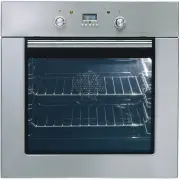
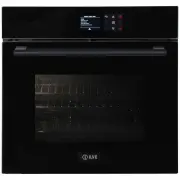
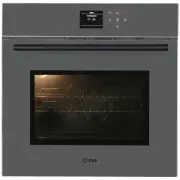
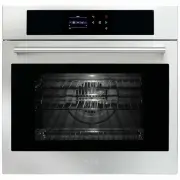
Page 2 - ILVE ACCESSORIES ONLINE SHOP; For a wide range of coffee machines, pods, and other ILVE
OPEN 24 / 7 ILVE ACCESSORIES ONLINE SHOP For a wide range of coffee machines, pods, and other ILVE accessories at the click of a button shop.ilve.com.au
Page 3 - TABLE OF CONTENTS
GB 1 SAFETY INSTRUCTIONS 2 INSTALLATION OF THE OVEN 4 Electricals 4 Respect for the environment 5 Connection to the electrical power mains 7 INSTRUCTIONS FOR USE 8 The first time you use the oven 8 Oven Racks 8 Removable Guides 8 COOKING FUNCTIONS 9 ELECTRONIC CONTROL 11 Power-up 11 Programming time...
Page 4 - SAFETY INSTRUCTIONS; Keep children under age 8 away, unless constantly supervised.
GB 2 SAFETY INSTRUCTIONS - Do not disassemble any parts prior to having disconnected the oven from the mains. - Do not use the appliance if any part is broken (for example a glass). Disconnect it from the mains and call service. - Before using the oven, it is recommended to make it operate at noload...
Page 5 - REMOVABLE GUIDES
GB 3 Refer to the figures below for the correct placement of the grills EMBOSSED GUIDES REMOVABLE GUIDES
Page 6 - INSTALLATION OF THE OVEN; WARNING; Electricals; NOTE
GB 4 INSTALLATION OF THE OVEN To install the oven into the kitchen a cutout should be made in accordance with the dimensions shown in figure.The apparatus is to be fastened to the top by means of the two screws provided in the kit through the holes made on the oven uprights. The cabinet in which the...
Page 7 - Respect for the environment
GB 5 Respect for the environment The documentation for this appliance is printed on paper bleached without chlorine or recycled paper to contribute to protecting the environment. The packaging was designed to prevent damage to the environment; they are ecological products that can be recovered or re...
Page 9 - Connection to the electrical power mains
GB 7 Connection to the electrical power mains WARNING This apparatus must be earthed. The oven is only for domestic use. The feed voltage and the absorbed power are as indicated on the data plate attached to the left-hand side upright, which can be seen when the oven door is open. Connecting must be...
Page 10 - INSTRUCTIONS FOR USE; The first time you use the oven; Removable Guides
GB 8 INSTRUCTIONS FOR USE The first time you use the oven Clean the oven thoroughly with soapy water and rinse well. Operate the oven for about 30 minutes at maximum temperature to burn off all traces of grease which might otherwise create unpleasant smells when cooking. Oven Racks WARNING Never use...
Page 11 - COOKING FUNCTIONS; Icon
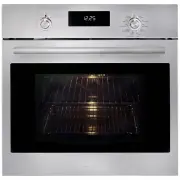
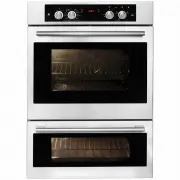
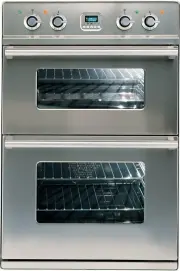
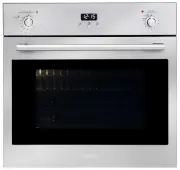
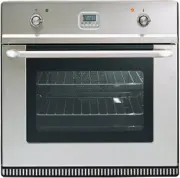
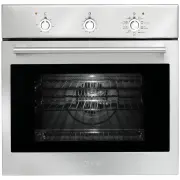
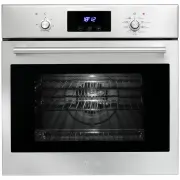
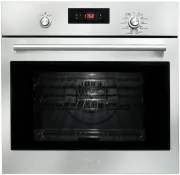
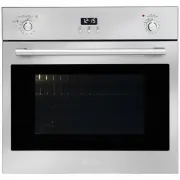
GB 9 COOKING FUNCTIONS Each type of oven is provided for various cooking systems. A system can be selected by bringing the pointer of knob to the relating symbol. The Fig. 8 shows the controls available on the different oven models. Icon Mode Description Used for… 0 All the cooking modes are OFF and...
Page 13 - ELECTRONIC CONTROL; Control panel description (“EXTRA SMALL”); Programming time functions
GB 11 ELECTRONIC CONTROL Control panel description (“EXTRA SMALL”) The oven control panel is made with one display and two knobs. - Time & Temperature display. - Time & Temperature knob (Push & Shuttle). - Mode (oven functions) knob. TEMP & TIME MODE The push & shuttle knob is ma...
Page 14 - Setting the minute minder
GB 12 - Turn the selector left/right, the hours flash. - Modify the flashing hours value turning the selector left/right. - Push the Temp&Time selector to switch back and forth between hours and minutes. - Modify the flashing minutes turning left/right. - After a few seconds the whole time of da...
Page 15 - Setting an oven function manually; Setting an automatic oven function
GB 13 Setting an oven function manually Turn the mode knob into the desired position, the clock display shows On for a few seconds. The oven will work for a maximum time (12hours). Depending on the oven model, the number and type of available functions can be different. If the selected function work...
Page 16 - Oven functions
GB 14 - Turn the knob left/right, the hours flash.- Modify the flashing hours value turning the knob left/right.- Push the knob to switch back and forth between hours and minutes or wait a few seconds until the minutes flash. - Modify the flashing minutes value the knob left/right.- Wait until the n...
Page 17 - Defrost
GB 15 Eco-Bake This function is defined in order to obtain a consistent energy saving. The cooling fan is initially off and turns on only when the inner parts temperature gets high. Cooking might be a little bit slower than the standard Bake, especially when the oven is heavily loaded. Defrost This ...
Page 18 - Error
GB 16 Door lock for children safety (pyro) This is an additional safety functions available only in pyrolityc ovens. The door latch mechanism that is managed automatically during pyrolyse can be actuated manually by the user in order to lock the oven door and prevent children from having free access...
Page 20 - DOOR LOCKING SYSTEM
GB 18 DOOR LOCKING SYSTEM Automatic door locking during pyrolytic cycle For safety reasons, the door is locked automatically as soon as self-clean mode is selected (both standard, both eco clean). The door is also unlocked automatically when the clean time has expired but only after the temperature ...
Page 21 - CLEANING AND MAINTENANCE; COOLED COMPLETELY
GB 19 CLEANING AND MAINTENANCE Prior to taking any action for cleaning, make sure the apparatus is cut-out from the mains. It is recommended that the oven interior be frequently cleaned. In particular, it should be cleaned every time the grill is used to prevent excessive fouling of the oven interio...
Page 22 - Removing the “FULL GLASS” panoramic door
GB 20 Removing the “FULL GLASS” panoramic door WARNING Make sure that:• The oven is cool and power to the oven has been turned off before removing the door. Failure to do so could result in electrical shock or burns. • The oven door is heavy and fragile. Use both hands to remove the oven door. The d...
Page 23 - How to remove the inner glass of the “FULL GLASS” panoramic door
GB 21 How to remove the inner glass of the “FULL GLASS” panoramic door 1. Wear protective gloves.2. Place the door on a flat horizontal surface face down on a soft cloth to avoid scratching the visible part. 3. Simultaneously press the keys of the two side covers, removing the upper strip. 4. Slide ...
Page 25 - Replacement of the oven light
GB 23 Replacement of the oven light WARNING Make sure that: • The oven and lights are cool and power to the oven has been turned off before replacing the light bulb(s). Failure to do so could result in electrical shock or burns. • The lenses must be in place when using the oven. • The lenses serve t...
Page 28 - Warranty Card; WARRANTY REGISTRATION
Warranty Card Eurolinx Pty Limited A.B.N. 50 001 473 347 trading as ILVE (“ILVE”) Office: 48-50 Moore Street, Leichhardt N.S.W 2040 Post: Locked Bag 3000, Annandale, N.S.W 2038 P: 1300 856 411 WARRANTY REGISTRATION Your ongoing satisfaction with your ILVE product is important to us. We ask that you ...
Page 29 - or; continued; Please complete and send to ILVE at: REPLY PAID 83617; MODEL NUMBER; Warranty Card tear off
3. Domestic UseEach ILVE product is made for domestic use. This Warranty may not extend to ILVE products used for commercial purposes; under those circumstances the warranty period is limited to 3 month.4. Time for Claim under the WarrantyYou must make any claim under this Warranty within twenty eig...