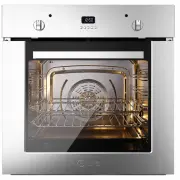
Page 2 - appliance when cooking different types of food.
Although we encourage you to dive right in, as the owner of a brand new ILVE oven we’d also like to invite you to attend a complimentary 2 hour masterclass. As part of the class you’ll learn how to prepare and cook a number of delicious signature ILVE dishes, not to mention our top tips for getting ...
Page 3 - ILVE ACCESSORIES ONLINE SHOP; For a wide range of Genuine ILVE accessories at the
OPEN 24 / 7 ILVE ACCESSORIES ONLINE SHOP For a wide range of Genuine ILVE accessories at the click of a button go to ilve.com.au
Page 4 - CAUTION
7 IMPORTANT SAFETY WARNINGS 7 Appliances’ data 10 First start-up 11 USER INSTRUCTIONS 11 ‘MP’ models 13 ‘MP’ models with 5 key programmer 14 ‘E3’ models with 5 key programmer 20 TFT touch display 23 ‘T3’ static model with TFT touch 25 Oven Accessories 26 CLEANING AND MAINTENANCE 26 Oven cleaning and...
Page 7 - INSTRUCTIONS FOR USE -; Functions list
Select the desired function by pressing the corresponding button and set the time using the +/- buttons. At first power up, the display shows the flashing clock that increases by one unit every minute. Follow the “Setting the clock” procedure in the next paragraph. By pressing the A [–]/[+] and A [–...
Page 10 - INSTRUCTIONS FOR USE
INSTRUCTIONS FOR USE – 5 button electronic programmer E3 (ELECTRIC OVEN) – Functions list COOKING INSPECTION If you need to inspect the food being cooked, you can open the oven door. In this case the lights come on and the forced fan stops (in case of ventilated cooking) and the spit rotation. (in c...
Page 11 - oven door
OFF INSTRUCTIONS FOR USE TFT touch display - Icons legend Home Light Timer Exit - Term Time Settings Confirmation Pause Start °C - °F Screen lock Confirmation Settings Meat probe Off Knob present in some models (allows to set and confirm the TFT functions besides the Touch) Knob present in some mode...
Page 12 - Light; PROBE TEMPERATURE SELECTOR; COOKING WITH MEAT PROBE; HEATING MODE WITH PROBE
11:48 AM 320 °C INSTRUCTIONS FOR USE TFT touch display - Settings 11:48 AM _ _:_ _ _ _:_ _ 120 °c 50 100 150 200 250 300 0 1- Choose cooking function Light (turned on or off) Home (back to the home screen) 2- Set the cooking temperature 3- Set the cooking time and programmed start 1b - Confirm cooki...
Page 13 - drip pan pull it out just enough to allow complete extraction.; Use of the turn-spit; move them as illustrated in the pictures below.; Telescopic runners
INSTRUCTIONS FOR USE T3 static model with TFT touch - Icons Pizza function This function is particularly suitable for cooking pizzas, focaccias and bread. The main source of heat comes from the lower heating element which works in combination with the other furnace elements. Normal static cooking Th...
Page 14 - CLEANING AND MAINTENANCE; Procedure to follow; CLEANING AND MAINTENANCE
Procedure to follow CLEANING AND MAINTENANCE Removing the oven For ease of intensive cleaning it is practical to dismantle the door following these instructions: - open the door - mow the hoo k C to the hinge zone D , following the steps C D 1 2 3 4 5 The oven door is composed of three glass (two in...
Page 16 - error; ERROR MESSAGE
• During the guarantee period repairs can only be carried out by the authorized after- sales service. • Before repairing, unplug the appliance from the power supply, that is, unplug the power cable or use the appropriate switch. • Unauthorized interventions and repairs can cause electrocution or sho...
Page 17 - Important; Insert the foods when the oven is hot.; Important
Insert the foods when the oven is hot. Cooking with the electric grill is done at 180° C with the door closed. The food to be grilled should be placed on the relative grid preferably in the fourth shelf. Important Grill baking COOKING CHART Fan oven cooking chart (by way of example only) DISH MEATS ...
Page 18 - Instructions for; INSTALLATION; Electrical connection
INSTALLATION The small plate containing details of the appliance, voltage, consumption, directions for installation including the required aperture is affi xed to the fl ap of the oven door. This plate can be seen when the oven door is open. The appliance must be located in a suitable housing of the...
Page 20 - VT; MG; MP
INSTALLATION Wiring diagrams C K I 10 16 14 12 9 11 13 15 J M P 2 8 6 4 1 3 5 7 C A B E H D 2 1 P M VT TS NF M K2 K1 K4 K3 K6 45 K5 K8 K7 K9 K1 1 K1 2 11 11 TT 66 K1 5 66 66 11 11 11 11 11 66 L1 L2 33 11 R1 22 R3 00 R2 55 R4 44 M V M MG 66 22 S2 S1 2 1 TF 66 66 66 11 11 00 00 00 00 00 00 33 66 66 66...
Page 23 - iWarranty; REGISTER YOUR WARRANTY ONLINE NOW; WARRANTY REGISTRATION; WARRANTY
iWarranty REGISTER YOUR WARRANTY ONLINE NOW GO TO: ilve.com.au > support > product registration As a part of our continued customer service offering, you can now register your ILVE products online at ilve.com.au > support > product registration Just follow our simple online registration ...
Page 24 - Please complete and send to ILVE at: REPLY PAID 83617; MODEL NUMBER; WARRANTY REGISTRATION CARD; Warranty Card tear off; NATIONAL SERVICE CENTRE; or phone us on; LUXURY KITCHEN APPLIANCES
46 46 5. Proof of Purchase Customers must retain proof of purchase in order to be eligible to make a warranty claim in respect of an ILVE product. 6. Claiming under the Warranty Customers will bear the cost of claiming under this Warranty unless ILVE determines the expenses are reasonable, in which ...