Hyundai H-DVR01- User Manual
Hyundai H-DVR01– User Manual, read for free online in PDF format. We hope this helps you resolve any issues you may have. If you have further questions, please contact us through the contact form.


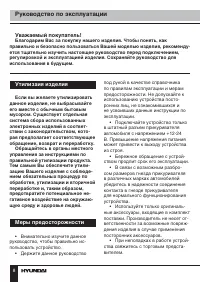
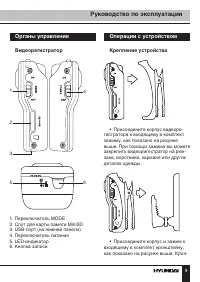
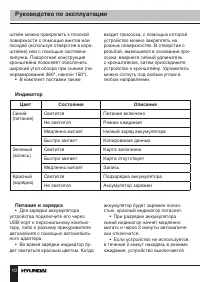
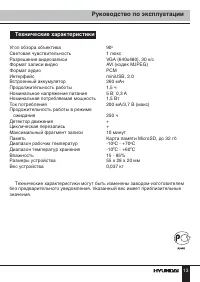


Table of Contents:
- Page 2 – Instruction Manual; Thank you for purchasing our product. For safety, it is strongly; Utilization of the product; If you want to dispose this product,; Important safeguards
- Page 3 – Controllers; Video recorder; Operations; Mounting; • Fix the video recorder to the
- Page 4 – Color; Power and charging
- Page 5 – Recording
- Page 6 – PC camera; Accessories
- Page 7 – Specifications
- Page 8 – Руководство по эксплуатации; Уважаемый покупатель!; Благодарим Вас за покупку нашего изделия. Чтобы понять, как; Утилизаия изделия; Если вы желаете утилизировать; Меры предосторожности
- Page 9 – Органы управления; Видеорегистратор; Операции с устройством; Крепление устройства; • Присоедините корпус видеоре-
- Page 10 – Индикатор; Цвет; Питание и зарядка
- Page 11 – Подготовка к записи
- Page 12 – Отображение времени и даты; Комплект поставки
- Page 13 – Технические характеристики
- Page 15 – Гарантийный талон
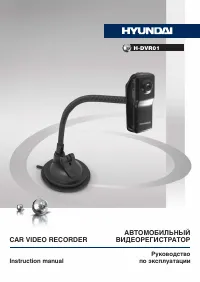
АВТОМОБИЛЬНЫЙ
ВИДЕОРЕГИСТРАТОР
CAR VIDEO RECORDER
Руководство
по эксплуатации
Instruction manual
H-DVR01
"Loading the manual" means you need to wait until the file loads and becomes available for online reading. Some manuals are very large, and the time they take to appear depends on your internet speed.
Summary
2 Instruction Manual Dear customer! Thank you for purchasing our product. For safety, it is strongly recommended to read this manual carefully before connecting, operating and/or adjusting the product and keep the manual for reference in the future. cause damage to this unit. • Careful handling of t...
3 Instruction Manual Controllers Video recorder 1 2 3 4 5 6 1. MODE switch2. Memory card slot3. USB port (bottom panel)4. POWER switch5. LED incdicator6. Record button Operations Mounting • Fix the video recorder to the supplied clip, as shown in the picture above. With the help of the clip you can ...
4 Instruction Manual the help of nails or screws by using the holes in the bracket or with the help of velcro fastener. The rotary design of the bracket ensures a wide angle of view when recording video (panorama 360°, tilt 150°). • The accessories also include a suction cup which ensures fixing of ...


