HyperX Alloy Elite Blue (HX-KB2BL1-RU/R1) - User Manual
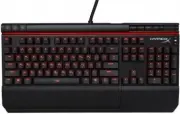
HyperX Alloy Elite Blue (HX-KB2BL1-RU/R1) Keyboard – User Manual, read for free online in PDF format. We hope this helps you resolve any issues you may have. If you have further questions, please contact us through the contact form.

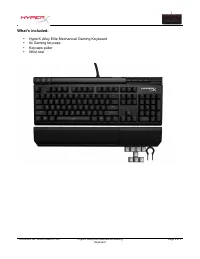
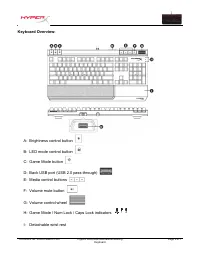

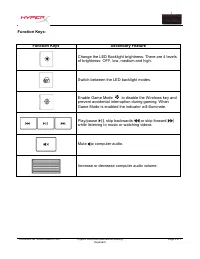
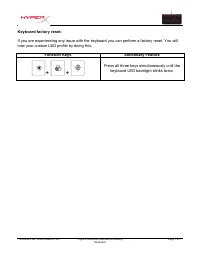
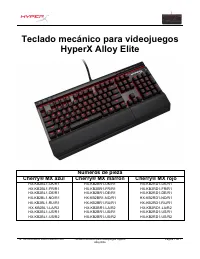
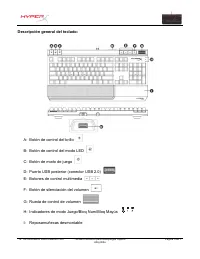
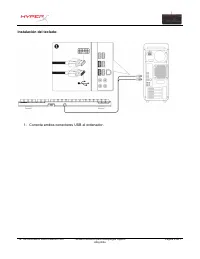
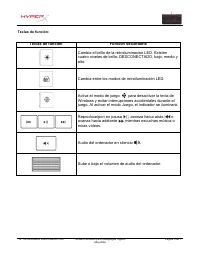
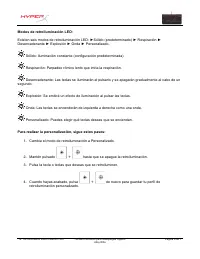
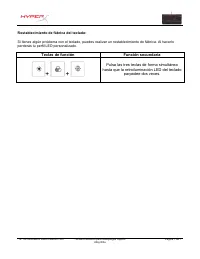
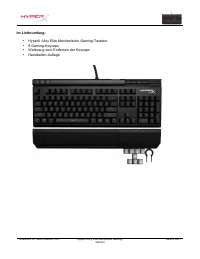
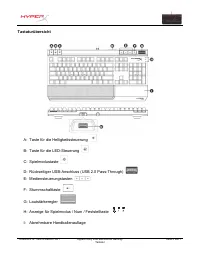
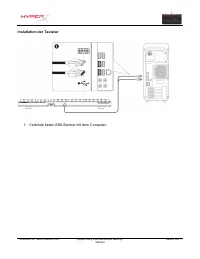
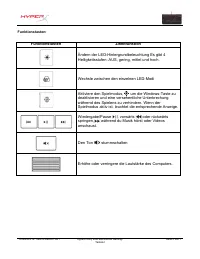
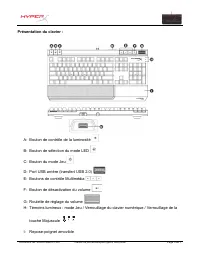
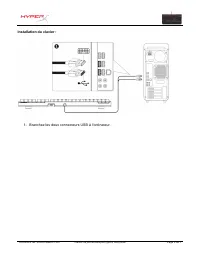
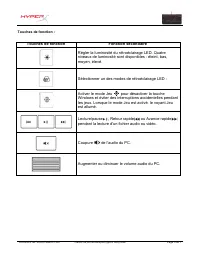
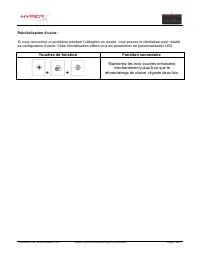
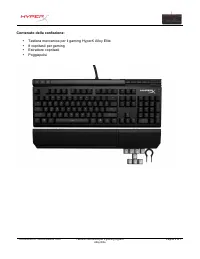
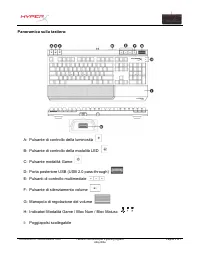
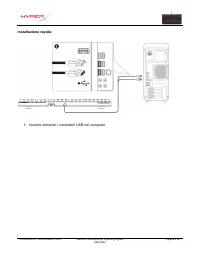
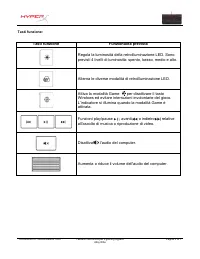
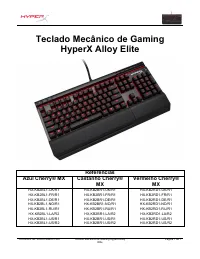
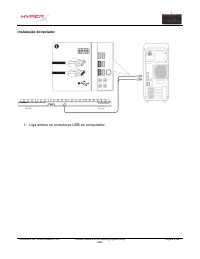
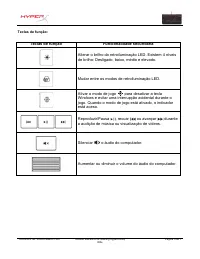
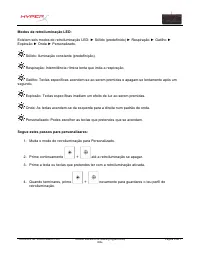
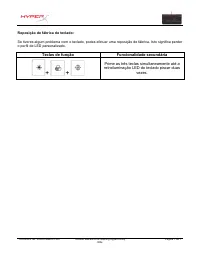
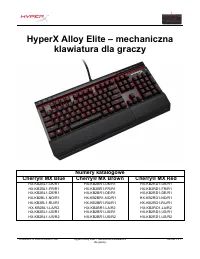
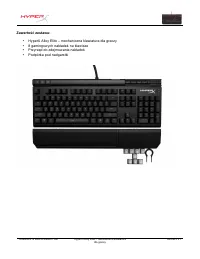
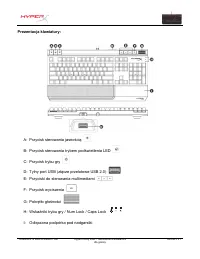
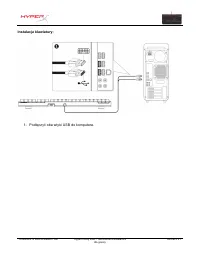
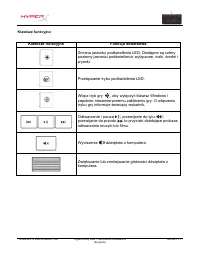
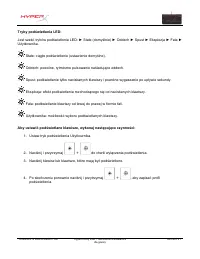
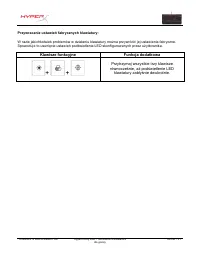
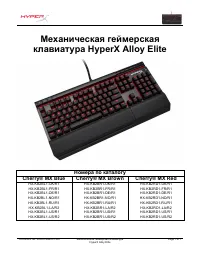
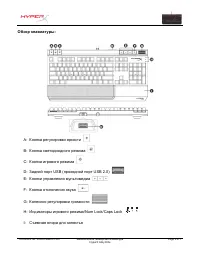
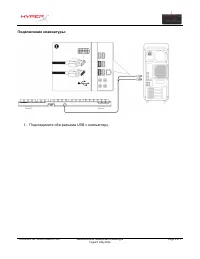
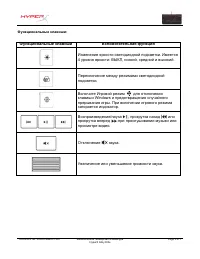
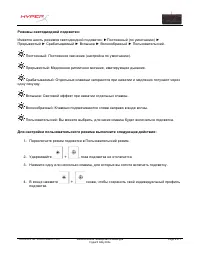
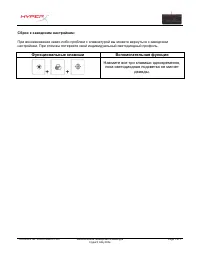
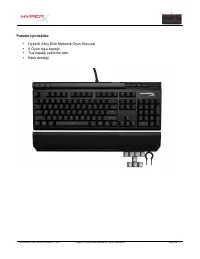
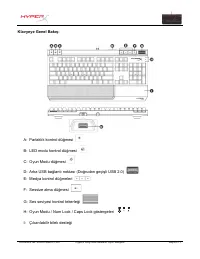
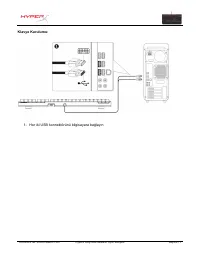
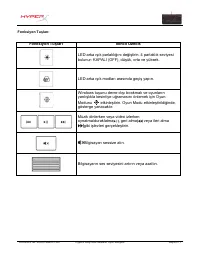
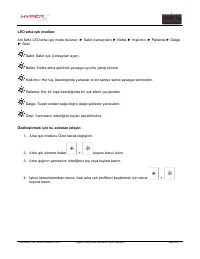
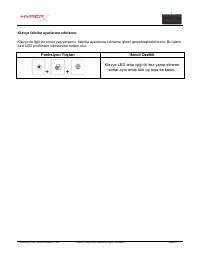

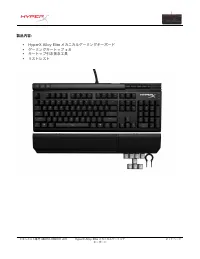
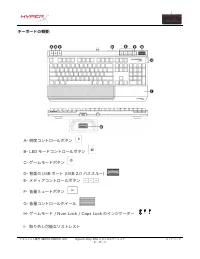
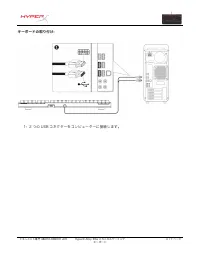
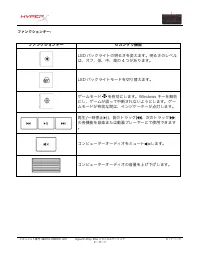
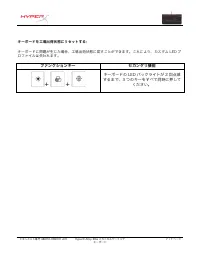
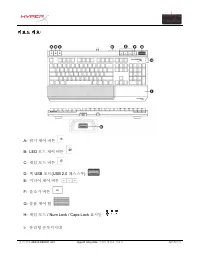
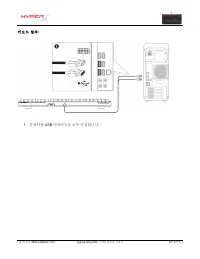
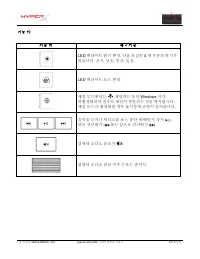
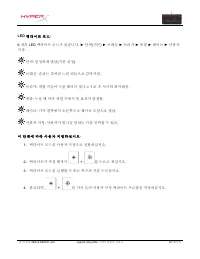
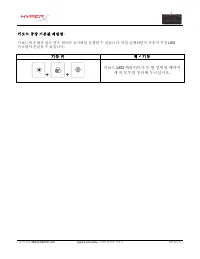
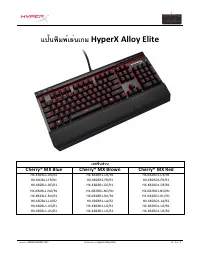
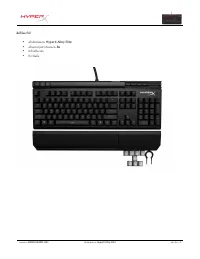
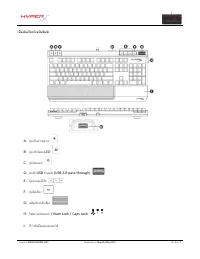
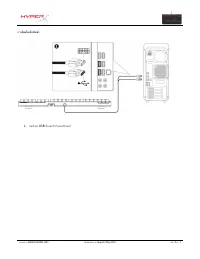
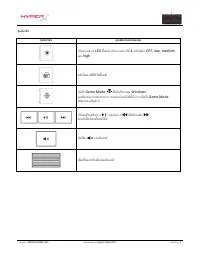
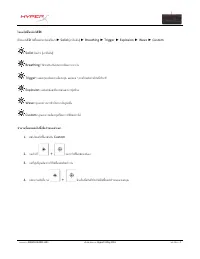
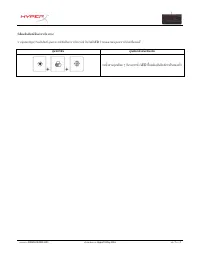
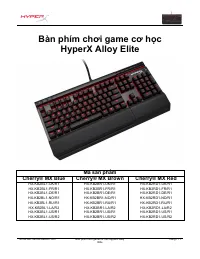
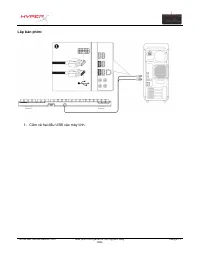
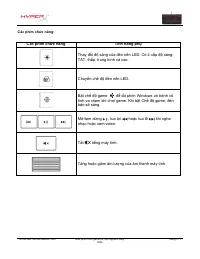
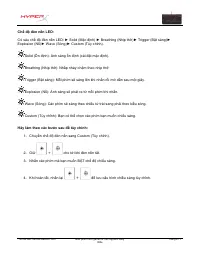
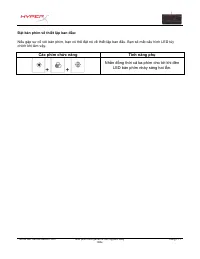
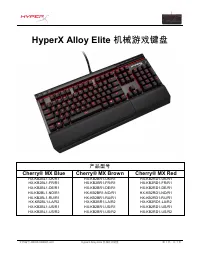
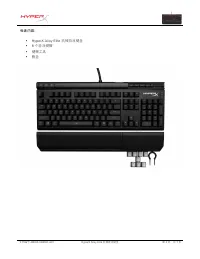
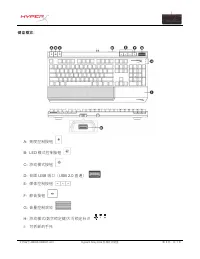
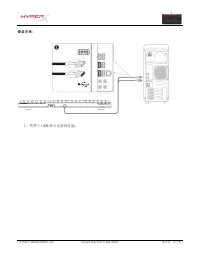
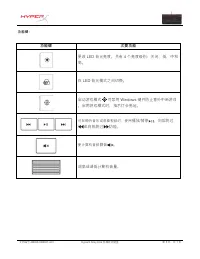
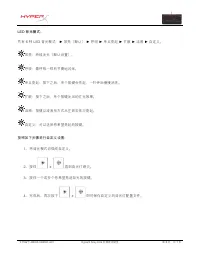
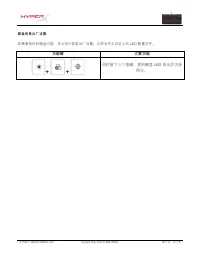
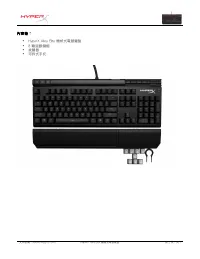
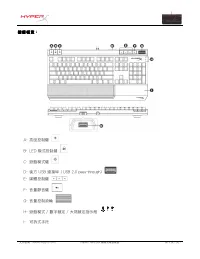
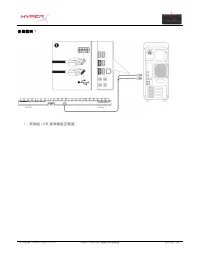
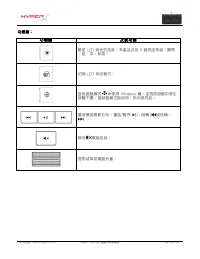
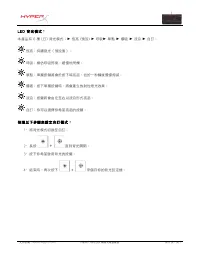
Table of Contents:
- Page 2 – HyperX; Part Numbers
- Page 5 – - Connect both USB connectors to the computer.
- Page 6 – Function Keys
- Page 8 – Keyboard factory reset:; Press all three keys simultaneously until the
- Page 9 – Teclado mecánico para videojuegos; Números de pieza
- Page 11 – Descripción general del teclado:
- Page 13 – Teclas de función
- Page 15 – Pulsa las tres teclas de forma simultánea
- Page 16 – HyperX Alloy Elite Mechanische; Artikelnummern
- Page 18 – Tastaturübersicht
- Page 20 – Funktionstasten
- Page 22 – Drücke alle drei Tasten gleichzeitig, bis die
- Page 23 – Clavier de jeu mécanique; Références produits
- Page 25 – Présentation du clavier :
- Page 27 – Touches de fonction
- Page 29 – Maintenez les trois touches enfoncées
- Page 30 – Tastiera meccanica per il gaming; Numeri di parte
- Page 32 – Panoramica sulla tastiera:
- Page 34 – Tasti funzione
- Page 36 – Premere contemporaneamente i tre tasti fino
- Page 37 – Teclado Mecânico de Gaming
- Page 39 – Visão geral do teclado:
- Page 41 – Teclas de função
- Page 43 – Prime as três teclas simultaneamente até a
- Page 44 – HyperX Alloy Elite – mechaniczna; Numery katalogowe
- Page 46 – Prezentacja klawiatury:; łą
- Page 48 – Klawisze funkcyjne
- Page 50 – Przytrzymaj wszystkie trzy klawisze
- Page 51 – Механическая; Номера
- Page 53 – Обзор
- Page 55 – Функциональные; Windows
- Page 58 – Parça Numaraları
- Page 60 – Klavyeye Genel Bakı
- Page 62 – Fonksiyon Tu
- Page 64 – Klavye LED arka ı
- Page 65 – メカニカルゲーミングキーボード; 製品番号; ブルー; Cherry® MX; ブラウン; Cherry® MX; レッド
- Page 69 – ファンクションキー
- Page 72 – 기 계 식; 부 품; Cherry® MX Blue; 브 라 운; 레 드
- Page 74 – USB
- Page 76 – LED
- Page 79 – แป้นพิมพ์เล่นเกม
- Page 81 – เบื้องต(นเกี่ยวกับแป2นพิมพ6
- Page 83 – คุณสมบัติเด,นเพิ่มเติม; พื้นหลัง
- Page 85 – กันจนกระทั่ง
- Page 86 – Bàn phím ch; Mã s
- Page 88 – ng quan v
- Page 90 – Các phím ch
- Page 92 – đồ
- Page 93 – 产品型号
- Page 95 – 键盘概览:
- Page 97 – 功能键
- Page 99 – 同时按下三个按键,直到键盘 LED 背光灯闪烁
- Page 100 – 機 械 式 電 競 鍵 盤; 產 品 型 號; 青 軸 款; 茶 軸 款; 紅 軸 款
- Page 102 – 鍵 盤 概 覽 :
- Page 104 – 功 能 鍵
. . . . . . . . . . . . For instructions in English
. . . . . . . . . . . . . . . . . . Para instrucciones en Español
. . . . . . . . . Für Anleitungen in Deutsch
. . . . . . . . . . . . . . . . . . Pour des instructions en Français
. . . . . . . . . . . . . . . . . . Per le istruzioni in Italiano
. . . . . . . . . . . . Por as instruções em Português
. . . . . . . . . . . . . . . . . . Instrukcje w jezyku polskim
. . . . . . . . . . . . . . . . . . Для инструкции на русском
. . . . . . . . . . . . . . . . . . Turkce talimatlar icin
. . . . . . . . . . . . . . . . . . Japanese
. . . . . . . . . . . . . . . . . . Korean
. . . . . . . . . . . . . . . . . . Thai
. . . . . . . . . . . . . . . . . . Vietnamese
User Manual
HyperX Alloy Elite Mechanical Gaming Keyboard
Find the language and latest documentation for your HyperX Alloy Elite Mechanical Gaming
Keyboard here .
HyperX Alloy Elite Mechanical Gaming Keyboard User Manual
Simplified Chinese . . . . .
Traditional Chinese . . . .
Installation
Guide
HyperX
Find the language and latest documentation for your Kingston® HyperX SSD here.
SSD Installation Guide
Traditional Chinese . . . .
Hindi . . . . . . . . . . . . . . . . . .
Arabic . . . . . . . . . . . . . . . . .
. . . . . . . . . . . . For instructions in English
. . . . . . . . . . . . . . . . . . Para instrucciones en español
. . . . . . . . . Für Anleitungen in Deutsch
. . . . . . . . . . . . . . . . . . Pour des instructions en français
. . . . . . . . . . . . . . . . . . Per le istruzioni in italiano
. . . . . . . . . . . . Por as instruções em português
. . . . . . . . . . . . . . . . . . Voor instructies in het Nederlands
. . . . . . . . . . . . . . . . . . Instrukcje w jezyku polskim
. . . . . . . . . . . . . . . . . . Для инструкции на русском
. . . . . . . . . . . . . . . . . . Turkce talimatlar icin
. . . . . . . . . . . . . . . . . . Korean
. . . . . . . . . . . . . . . . . . Japanese
. . . . . . . . . . . . . . . . . . Thai
Installation
Guide
HyperX
Find the language and latest documentation for your Kingston® HyperX SSD here.
SSD Installation Guide
Traditional Chinese . . . .
Hindi . . . . . . . . . . . . . . . . . .
Arabic . . . . . . . . . . . . . . . . .
. . . . . . . . . . . . For instructions in English
. . . . . . . . . . . . . . . . . . Para instrucciones en español
. . . . . . . . . Für Anleitungen in Deutsch
. . . . . . . . . . . . . . . . . . Pour des instructions en français
. . . . . . . . . . . . . . . . . . Per le istruzioni in italiano
. . . . . . . . . . . . Por as instruções em português
. . . . . . . . . . . . . . . . . . Voor instructies in het Nederlands
. . . . . . . . . . . . . . . . . . Instrukcje w jezyku polskim
. . . . . . . . . . . . . . . . . . Для инструкции на русском
. . . . . . . . . . . . . . . . . . Turkce talimatlar icin
. . . . . . . . . . . . . . . . . . Korean
. . . . . . . . . . . . . . . . . . Japanese
. . . . . . . . . . . . . . . . . . Thai
USA
Japan
China (SC,TC)
Portugal(BR) India (HI)
Spain (SP)
USA
China (SC,TC)
Portugal(BR) India (HI)
Spain (SP)
Korea (S)
Thai (TH)
Vietnam
USA
Japan
China (SC,TC)
Portugal(BR) India (HI)
Spain (SP)
Korea (S)
Thai (TH)
Vietnam
Installation
Guide
HyperX
Find the language and latest documentation for your Kingston® HyperX SSD here.
SSD Installation Guide
. . . . .
Traditional Chinese . . . .
Hindi . . . . . . . . . . . . . . . . . .
Arabic . . . . . . . . . . . . . . . . .
. . . . . . . . . . . . For instructions in English
. . . . . . . . . . . . . . . . . . Para instrucciones en español
. . . . . . . . . Für Anleitungen in Deutsch
. . . . . . . . . . . . . . . . . . Pour des instructions en français
. . . . . . . . . . . . . . . . . . Per le istruzioni in italiano
. . . . . . . . . . . . Por as instruções em português
. . . . . . . . . . . . . . . . . . Voor instructies in het Nederlands
. . . . . . . . . . . . . . . . . . Instrukcje w jezyku polskim
. . . . . . . . . . . . . . . . . . Для инструкции на русском
. . . . . . . . . . . . . . . . . . Turkce talimatlar icin
. . . . . . . . . . . . . . . . . . Korean
. . . . . . . . . . . . . . . . . . Japanese
. . . . . . . . . . . . . . . . . . Thai
"Loading the manual" means you need to wait until the file loads and becomes available for online reading. Some manuals are very large, and the time they take to appear depends on your internet speed.
Summary
Document No. 480HX-KB2001.A01 HyperX Alloy Elite Mechanical Gaming Keyboard Page 1 of 7 HyperX Alloy Elite Mechanical Gaming Keyboard Part Numbers Cherry® MX Blue Cherry® MX Brown Cherry® MX Red HX-KB2BL1-UK/R1 HX-KB2BL1-FR/R1 HX-KB2BL1-DE/R1 HX-KB2BL1-NO/R1 HX-KB2BL1-RU/R1 HX-KB2BL1-LA/R2 HX-KB2BL1...
Document No. 480HX-KB2001.A01 HyperX Alloy Elite Mechanical Gaming Keyboard Page 4 of 7 Keyboard Installation: 1- Connect both USB connectors to the computer.
Document No. 480HX-KB2001.A01 HyperX Alloy Elite Mechanical Gaming Keyboard Page 5 of 7 Function Keys: Function Keys Secondary Feature Change the LED Backlight brightness. There are 4 levels of brightness: OFF, low, medium and high. Switch between the LED backlight modes. Enable Game Mode to disable...