Honeywell HYF500 - User Manual
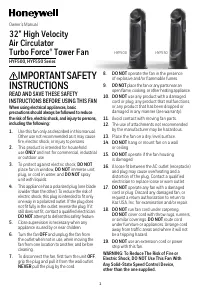
This user manual covers Honeywell’s tower fans, specifically the HYF500 and HYF550 models, focusing on their operation, safety, maintenance, and control systems. The instructions emphasize electrical safety–such as proper fuse replacement, avoiding damaged cords, and preventing hazardous placements–and detail how to configure manual or electronic controls for airflow adjustments, oscillation, and remote operation. Assembly, servicing guidelines (including cleaning and storage), regulatory compliance (FCC/RSS-210), and warranty terms are also addressed to ensure safe and efficient use of the product.


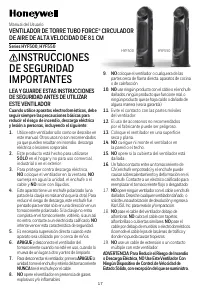
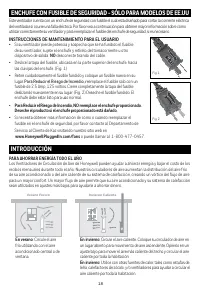
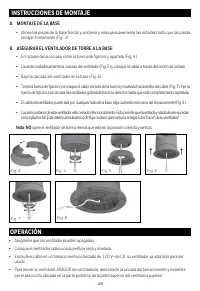
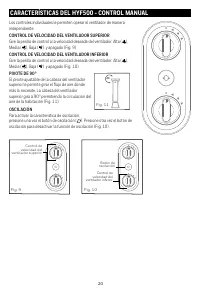
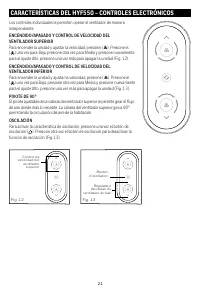
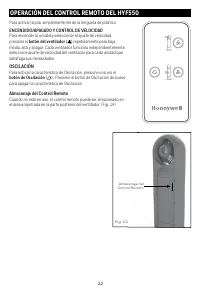

Table of Contents:
- Page 1 – Safety Instructions and Model Identification
- Page 2 – Fuse Replacement and Energy Saving Guidance
- Page 3 – Tower Fan Assembly Instructions
- Page 4 – HYF500 Manual Control Features
- Page 5 – HYF550 Electronic Controls
- Page 6 – Remote Control Operation
- Page 7 – User Servicing and Compliance
- Page 8 – Customer Service and Warranty Information
- Page 9 – General Safety Precautions
- Page 10 – Fuse Replacement for U.S. Models
- Page 11 – Base and Vertical Fan Assembly
- Page 12 – HYF500 Control Details
- Page 13 – HYF550 Electronic Control Details
- Page 14 – HYF550 Remote Operation
- Page 15 – Fan Maintenance and Compliance
- Page 16 – Canadian Warranty and Standards
- Page 17 – HYF500/HYF550 Safety Precautions
- Page 18 – Fuse Replacement and Energy Saving Tips
- Page 19 – Tower Fan Installation
- Page 20 – HYF500 Control Diagrams
- Page 21 – HYF550 Electronic Control Diagrams
- Page 22 – HYF550 Remote Control Operation
- Page 23 – Regulatory Compliance and Service
- Page 24 – Warranty and RoHS Compliance
- Page 25 – Artwork Specification Sheet
1
IMPORTANT SAFETY
INSTRUCTIONS
READ AND SAVE THESE SAFETY
INSTRUCTIONS BEFORE USING THIS FAN
When using electrical appliances, basic
precautions should always be followed to reduce
the risk of fire, electric shock, and injury to persons,
including the following:
1.
Use this fan only as described in this manual.
Other use not recommended as it may cause
fire, electric shock, or injury to persons.
2.
This product is intended for household
use
ONLY
and not for commercial, industrial
or outdoor use.
3.
To protect against electric shock,
DO NOT
place fan in window,
DO NOT
immerse unit,
plug, or cord in water, and
DO NOT
spray
unit with liquids.
4.
This appliance has a polarized plug (one blade
is wider than the other). To reduce the risk of
electric shock, this plug is intended to fit only
one way in a polarized outlet. If the plug does
not fit fully in the outlet, reverse the plug. If it
still does not fit, contact a qualified electrician.
DO NOT
attempt to defeat this safety feature.
5.
Close supervision is necessary when any
appliance is used by or near children.
6.
Turn the fan
OFF
and unplug the fan from
the outlet when not in use, when moving the
fan from one location to another, and before
cleaning.
7.
To disconnect the fan, first turn the unit
OFF
,
grip the plug and pull it from the wall outlet.
NEVER
pull the plug by the cord.
8.
DO NOT
operate the fan in the presence
of explosive and/or flammable fumes.
9.
DO NOT
place the fan or any parts near an
open flame, cooking, or other heating appliance.
10.
DO NOT
use any product with a damaged
cord or plug, any product that malfunctions,
or any product that has been dropped or
damaged in any manner (see warranty).
11.
Avoid contact with moving fan parts.
12.
The use of attachments not recommended
by the manufacturer may be hazardous.
13.
Place the fan on a dry, level surface.
14.
DO NOT
hang or mount fan on a wall
or ceiling.
15.
DO NOT
operate if the fan housing
is damaged.
16.
A loose fit between the AC outlet (receptacle)
and plug may cause overheating and a
distortion of the plug. Contact a qualified
electrician to replace loose or worn outlet.
17.
DO NOT
operate any fan with a damaged
cord or plug. Discard any damaged fan, or
request a return authorization to return to
Kaz USA, Inc. for examination and/or repair.
18.
DO NOT
run fan cord under carpeting.
DO NOT
cover cord with throw rugs, runners,
or similar coverings.
DO NOT
route cord
under furniture or appliances. Arrange cord
away from traffic areas and where it will not
be a tripping hazard.
19.
DO NOT
use an extension cord or power
strip with this fan.
WARNING: To Reduce The Risk of Fire or
Electric Shock, DO NOT Use This Fan With
Any Solid-State Speed Control Device,
other than the one supplied.
32" High Velocity
Air Circulator
Turbo Force
®
Tower Fan
HYF500, HYF550 Series
Owner’s Manual
HYF500
HYF550
"Loading the manual" means you need to wait until the file loads and becomes available for online reading. Some manuals are very large, and the time they take to appear depends on your internet speed.
Was this manual helpful?
About this manual
- Brand
- Honeywell
- Model
- HYF500
- Document type
- User Manual
- Language(s)
- English, Spanish, French
- Pages
- 25
- File size
- 4.2 MB
- Format
Other Manuals for Honeywell HYF500
Summary
Safety instructions regarding proper usage, electrical safety, and prohibitions against operating near flammable materials or using damaged cords. Features images of the HYF500 and HYF550 models.
Instructions for safely replacing the fuse in the fused safety plug, guidance on energy savings during summer and winter, and user servicing steps with diagrams.
Assembly procedures for the fan base and housing, including securing components and instructions for safe operational positioning.
Ask a question
Related manuals
Popular Honeywell Other



More Honeywell Other models
 Honeywell HW1000i User Manual
 Honeywell HW3000 User Manual
 Honeywell HWM-330 Manual
 Honeywell HWM-705B Manual
 Honeywell HY013 User Manual
 Honeywell HYF260 User Manual
 Honeywell HZ-315 Manual
- Honeywell HZ-315C Manual
- Honeywell HZ-316 Manual
 Honeywell HZ-341 User Manual
 Honeywell HZ-510 Manual
 Honeywell HZ-615 Manual