Honeywell Dolphin 6100 - Manual

Honeywell Dolphin 6100 – Manual, read for free online in PDF format. We hope this helps you resolve any issues you may have. If you have further questions, please contact us through the contact form.


Table of Contents:
- Page 3 – Out of the Box; Verify that your carton contains the following items:; Dolphin terminal for service see
- Page 4 – Dolphin 6100 Right and Left-Side Panels; Right Side
- Page 5 – Dolphin 6100 Bottom Connectors; Step 1: Install the Main Battery
- Page 6 – Step 2: Charge the Batteries; a minimum of 4 or 6; Step 3: Boot the Terminal; Resetting the Device; Reset
- Page 8 – Online Technical Assistance; You can also access technical assistance online at; Product Service and Repair
- Page 9 – Online Product Service and Repair Assistance
- Page 10 – Limited Warranty
- Page 13 – Please refer to the product packaging for a list of patents.
- Page 14 – Honeywell
™
Dolphin
®
6100 Mobile Computer
with Windows CE
®
5.0
Quick Start Guide
"Loading the manual" means you need to wait until the file loads and becomes available for online reading. Some manuals are very large, and the time they take to appear depends on your internet speed.
Was this manual helpful?
About this manual
- Brand
- Honeywell
- Model
- Dolphin 6100
- Document type
- Manual
- Language(s)
- English
- Pages
- 14
- File size
- 844.9 KB
- Format
Other Manuals for Honeywell Dolphin 6100
Summary
1 Dolphin 6100 Mobile ComputerQuick Start Guide Out of the Box Verify that your carton contains the following items: • Dolphin 6100 mobile computer (the terminal)• Main battery pack (3.7v, Li-ion)• AC power supply• Localized plug adapters Note: Be sure to keep the original packaging in case you need...
2 Dolphin 6100 Back Panel Dolphin 6100 Right and Left-Side Panels Speaker Installed Battery Finger Saddle Hand Strap (with Stylus) Image Engine Window Side Button Memory Card Door Headset Jack Side Button Right Side Left Side
3 Dolphin 6100 Bottom Connectors Step 1: Install the Main Battery The 6100 is shipped with the battery packaged separate from the unit. To install the battery, release the hand strap, remove the battery door by turning the pins upward, insert the battery with the labels facing upward, and replace th...
Ask a question
Related manuals
Popular Honeywell Other




More Honeywell Other models
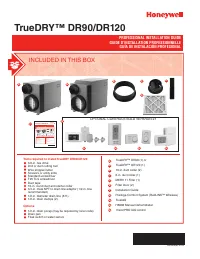 Honeywell Dehumidifier DR90 User Manual
 Honeywell DH-835 Manual
 Honeywell DH50W User Manual
 Honeywell DH90 Manual
 Honeywell DH150 Manual
 Honeywell DOLPHIN 99EX User Manual
 Honeywell Dolphin 6500 User Manual
 Honeywell Dolphin 7600 User Manual
 Honeywell DOLPHIN 9700 Manual
 Honeywell DR65 Manual
 Honeywell DR90 Manual
 Honeywell DR120 Manual