Holmes 17037 - User Manual
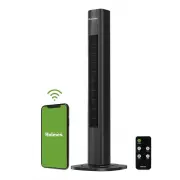
Holmes 17037 Fan – User Manual, read for free online in PDF format. We hope this helps you resolve any issues you may have. If you have further questions, please contact us through the contact form.


Manual Pairing
If Auto Pairing is unsuccessful:
1.
Ensure Bluetooth
®
, Wi-Fi, and GPS are activated on
your mobile device.
2. Ensure the fan has been powered off for 10 seconds
or more, then power on the fan.
3. Press and hold the OSC/WIFI button on the fan's
control panel for 5 seconds, until the red indicator
light is flashing. The device is now pairing mode.
Note: if pairing is not completed within 2-3 minutes,
the device will exit pairing mode and step 3 will
need to be repeated.
4. On your mobile device, click "add device", then
select "add manually" at the top of the screen.
Click the fan icon.
5. When the fan is successfully found by Bluetooth
®
,
click the green "+" on the fan icon that appears.
6. Enter your Wi-Fi name and password.
7. Wait for the connection to be established (green
checkmark), then press Next.
8. Press done (top right-hand corner).
The fan is now available to control
from your smartphone.
CONTROLLING THE FAN
WITH THE HOLMES APP
The Holmes
®
App has the same
functionality as the remote control,
as well as additional features.
1. Power
2. Fan Speed
3. Oscillation
Note:
The control panel display on
the tower fan will change to match
the setting selected in the app.
1. POWER:
Press to turn ON/OFF
2. SPEED:
Slide your finger across
the speed level scroll bar to increase
or decrease fan speed.
3. OSCILLATION:
Press to turn
ON/OFF.
4. MODE:
Press icons to select
preferred mode.
• Breeze - Alternating Fan Speed
• Normal - Steady Fan Speed
• Sleep - Low Fan Speed
5. TIMER:
To set your fan for auto-shutoff, select
a run-time from 1 hour to 15 hours.
• The default setting is 1 hour.
• To run for 15 hours, press "stay
on-15 hours."
6. SCHEDULE
To Set Schedule:
1. Press Schedule.
2. Select Add on the next page.
3. Select the time of day the fan
should turn on. Be sure to choose
the hour, minutes and AM/PM.
4. Click on Timer and select how
long the fan will stay on.
Choose between 1 and 15 hours.
5. Click on“Repeat” and select which
day of the week the schedule will
be active.
6. Click the "<" to save selection and return to the
previous menu.
7. Press Save in the top right corner.
8. Your saved schedule will appear on the Schedule
screen.
9. To turn OFF the schedule, press the slider button to
the right. It will change from red to gray to indicate
the schedule is off. To turn ON the schedule, press
the slider button again. It will change from gray to
green to indicate the schedule is ON.
REPLACING THE PLUG FUSE
If the (2.5 Amp, 125 Volt) replaceable fuse blows,
please visit our website at
www.getholmesfans.com to order a new fuse.
User Servicing Instructions
1. Unplug your fan. Grasp plug and remove from the
receptacle or other outlet device. Do not unplug by
pulling on cord.
2. Open fuse cover, located on the top of the plug, by
using your thumb or a flathead screwdriver to slide
the cover down towards the prongs.
NOTE:
Ensure that the fuse cover is completely
open before attempting
to remove fuse.
3. Remove fuse carefully by
using a small screwdriver
to pry the fuse from the
compartment by the
metal ends of the fuse.
(see Figure 6)
4. Place plug on a solid, flat surface. Insert new
2.5 Amp, 125 Volt fuse into fuse compartment and
use a small screwdriver to secure the metal ends of
the fuse into the compartment.
CAUTION:
Risk of fire. Replace fuse only with
2.5 Amp, 125 Volt fuse.
5. Slide fuse cover closed completely.
If fuse cover is difficult to close, make sure fuse is
secured in place completely by pressing the metal
ends of the fuse
6. Risk of fire. Do not replace attachment plug. Contains
a safety device (fuse) that should not be removed.
Discard product if the attachment plug is damaged.
CLEANING
• Always unplug the fan before cleaning.
• Do not allow water to drip on into fan housing.
• Be sure to use a soft cloth moistened with a mild
soap solution.
• Do not use gasoline, thinner or benzene as a
cleaner.
Clean the fan grill, housing and base with a soft, damp
cloth.
Do not attempt to remove the fan blade. Please use
caution around the motor housing area. Do not allow
the motor or other electrical components to be exposed
to water.
STORAGE
• Store the fan in a clean, dry location between
seasons or when not in use for an extended period.
• Keep the fan head protected from dirt and dust
during storage.
• Remove battery from the remote control before
storage or disposal.
FCC STATEMENT
Potential for Radio/Television interference
This device complies with Part 15 of the FCC Rules. Operation is subject to the following two conditions:
(1) This device may not cause harmful interference, and
(2) this device must accept any interference received, including interference that may cause undesired operation.
This product has been tested and found to comply with the limits for a Class B digital device, pursuant to part 15
of the FCC rules. These limits are designed to provide reasonable protection against harmful interference in a
residential installation. The product generates, uses, and can radiate radio frequency energy and, if not installed
and used in accordance with the instructions, may cause harmful interference to radio communications. However,
there is no guarantee that the interference will not occur in a particular installation. If the product does cause
harmful interference to radio or television reception, which can be determined by turning the product on or off,
the user is encouraged to try to correct the interference by one or more of the following measures:
• Reorient or relocate the receiving antenna.
• Increase the separation between the product and the receiver.
• Connect the product into an outlet on a circuit different from that to which the receiver is connected.
• Consult the dealer or an experienced radio/TV technician for help.
• Changes or modifications not expressly approved by the party responsible for compliance could void the
user’s authority to operate the equipment.
F C C S T A T E M E N T
W A R R A N T Y I N F O R M A T I O N
C L E A N I N G A N D M A I N T E N A N C E
PLEASE READ AND SAVE THESE IMPORTANT INSTRUCTIONS
Instruction Manual
36'' DIGITAL TOWER FAN
with
WIFI CONNECTED APP
V O I C E A S S I S T A N T I N S T R U C T I O N S
M O B I L E A P P I N S T R U C T I O N S
Figure 6
Fuse
Metal ends
Fuse cover
If you have any questions regarding your product
or would like to learn more about other Holmes
®
products, please visit our website at
www.getholmesfans.com or call customer service:
1-866-769-3166 (8:30 am - 5:00 pm E.S.T.) or send
an email to [email protected].
For inquiries regarding recycling and proper
disposal of this product, please contact your local
waste management facility.
Printed In China
©
2022 Sunbeam Products, Inc. All rights reserved. HOLMES
®
is a registered trademark of
Sunbeam Products, Inc. used under license.
Distributed by Star Elite Inc., Montreal, Canada H3B 3X9
SEH004-022322
3 YEAR LIMITED WARRANTY
This device has a limited warranty of 3 year from the original date of purchase against workmanship and defects
in material. If under normal use, your product fails to operate, please contact our customer service department at
[email protected]. A refund or replacement will be provided to you with proof of purchase. Star Elite Inc.
may deny claims of damage caused by misuse or modifications of this product.
How to Obtain Warranty Service
If you have any problems, please do not contact the store.
Contact our customer service at 1-866-769-3166 (8:30 am - 5:00 pm EST) Monday - Friday
or contact us at [email protected].
Our customer service will be happy to assist you.
www.getholmesfans.com
Item: 17037
Model: 32510020
SETTING UP VOICE ASSISTANT
To pair the Tower Fan with Amazon Alexa and Google Voice Enabled Devices:
1. Open the Holmes App.
2. Select the device you wish to connect to a voice assistant.
3. In the top right corner of the screen select the pencil icon.
4. Choose the icon of the Voice Assistant you wish to connect.
5. Follow the instructions that appear.
Voice Assistant Functionality
Use the following command sequence for Amazon Alexa & Google Voice Enabled Devices:
“Alexa, “Primary Command” + “Device Name” + “Secondary Command”(if applicable)
For example, “Alexa, Activate Holmes Fan” or “Alexa, Turn Up Holmes Fan speed by 3”
Note:
The default “Device Name” is “Holmes Fan”. To personalize the device name, see below.
Action
Command
Turn the fan On
“Activate,” “Power On,” “Turn on,” “Start”
Turn the fan Off
“Power Off,” “Turn Off,” “Deactivate,”
Increase the speed
Primary Command: “Turn Up,” “Raise,” “Increase”
Decrease the speed
Primary Command: “Turn Down,” “Lower,” “Decrease”
Set the timer
Primary: “Set,” “Change”
Oscillation On
“Turn On Oscillation,” “Start Oscillation,” “Activate Oscillation”
Oscillation Off
“Turn Off Oscillation,” “Stop Oscillation,” “Deactivate Oscillation”
PERSONALIZING THE DEVICE NAME
To personalize the fan name for easier voice commands:
1. Open the Holmes App.
2. Select the product name you wish to change.
3. Select the pencil icon in the top right corner.
4. On the following screen, click on or tap the name of the product.
5. Tap the current name of the fan.
6. Rename the product and press save.
Note:
The name will automatically update for both Amazon Alexa and Google Voice Enabled Devices.
Google is a trademark of Google LLC.
Amazon, Alexa and all related logos are trademarks of Amazon.com, Inc. or its affiliates.
App Store is a service mark of Apple Inc.
Google Play and the Google Play logo are trademarks of Google LLC.
4. Mode
5. Timer
6. Schedule
"Loading the manual" means you need to wait until the file loads and becomes available for online reading. Some manuals are very large, and the time they take to appear depends on your internet speed.


